

Pages
Paragraph CMS Pages workspace for browsing collections, managing multilingual page families, opening drafts, and jumping into editing tools.
 Grzegorz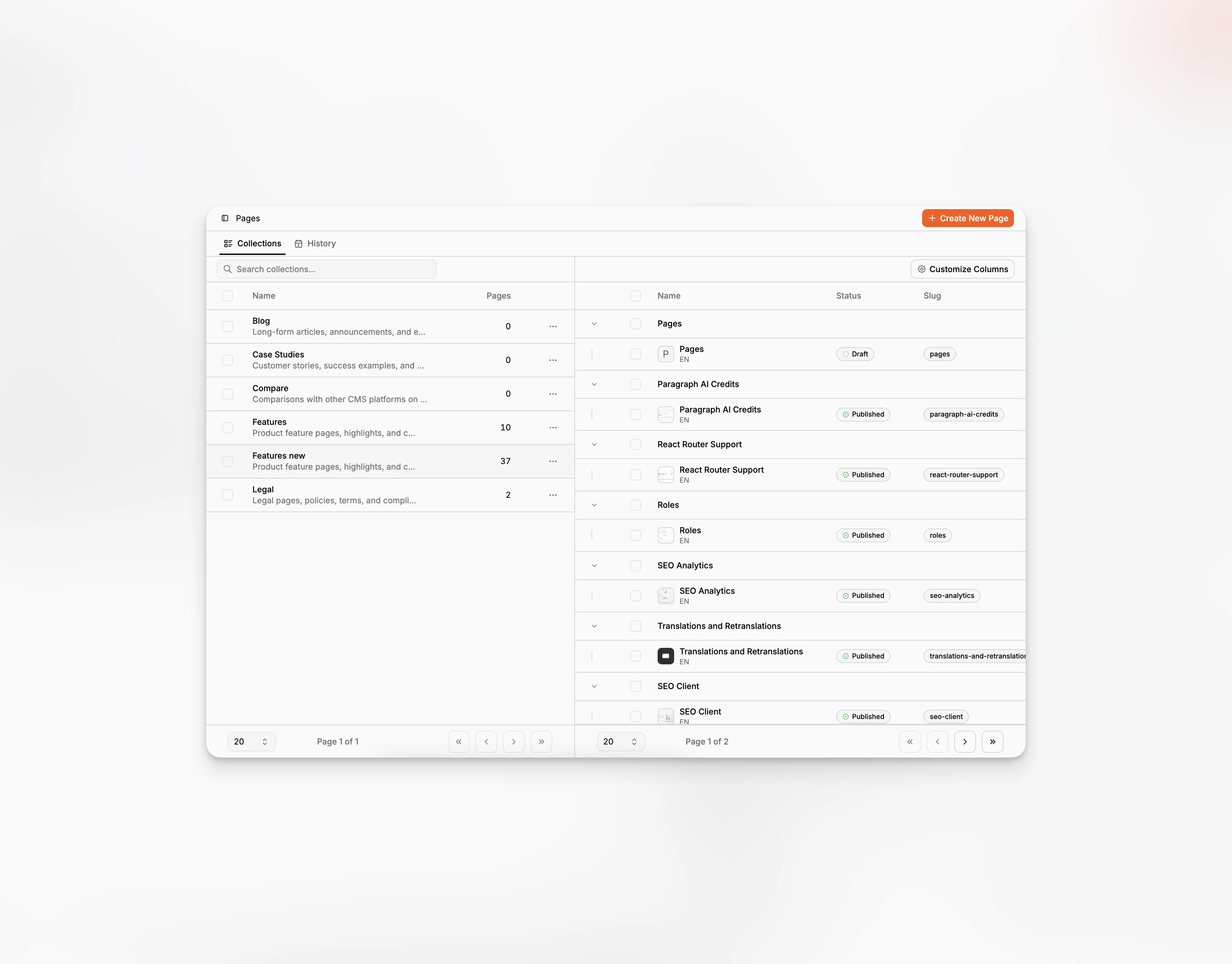
Pages is the main content workspace in Paragraph CMS. It is where teams create new pages, browse collections, open existing drafts, review multilingual page families, and move content into the editor.
It sits above the more detailed page-level features such as Editor, Page Properties, Page SEO, and Page Hero.
Collections first, pages second
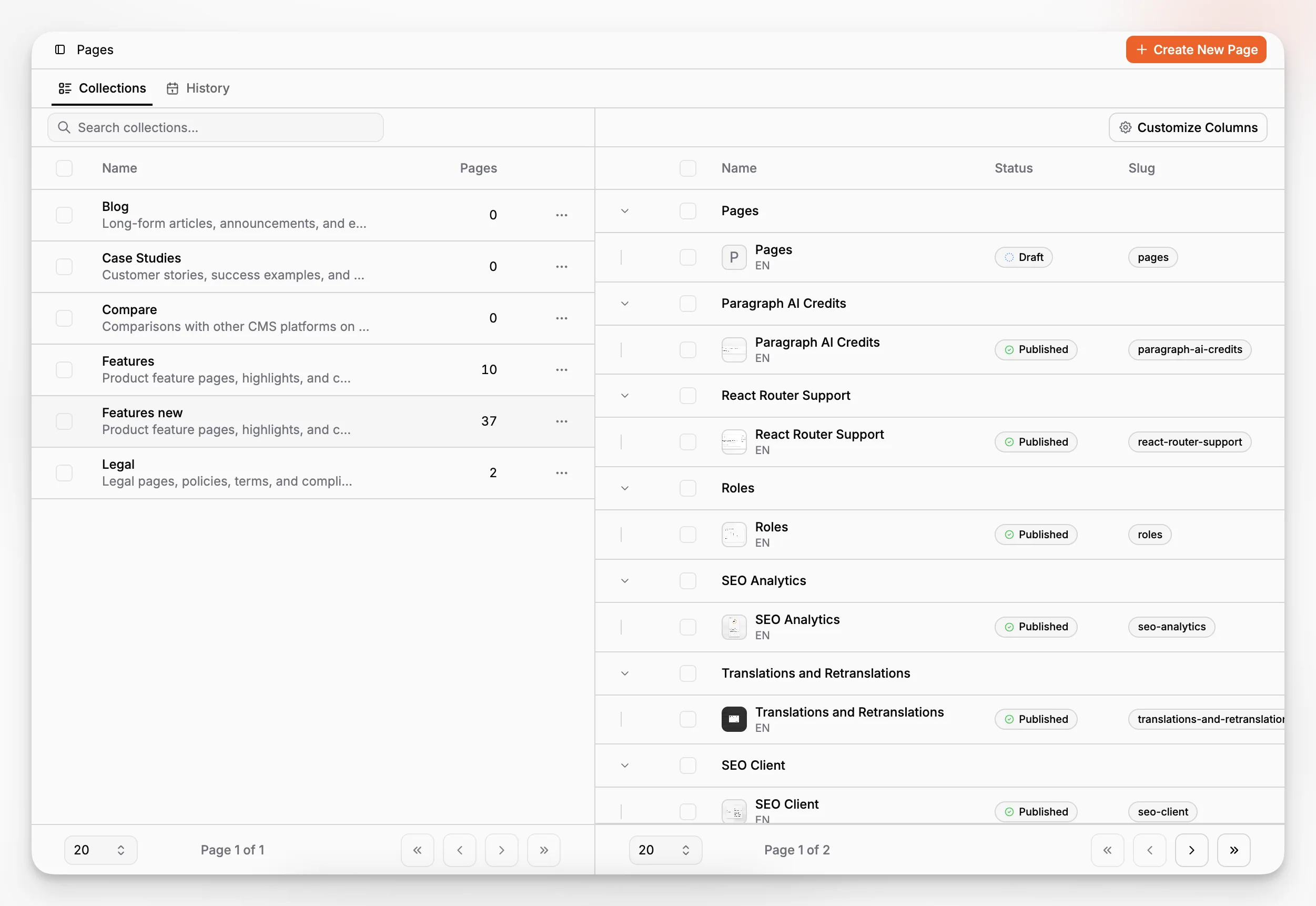
The default Pages tab is organized as a two-step workspace. On the left, teams choose a collection. On the right, they work with the pages inside that collection.
That layout keeps the content area focused. Instead of loading one long table for every page in the organization, Paragraph CMS lets editors narrow the workspace by collection first, then work inside that slice. On desktop this appears as a split view. On mobile, the page list opens in a sheet after a collection is selected.
The top action creates a new page immediately, and if a collection is selected, the new page starts inside that collection. That works especially well with Collections that already define a default Data Model.
Built around page families
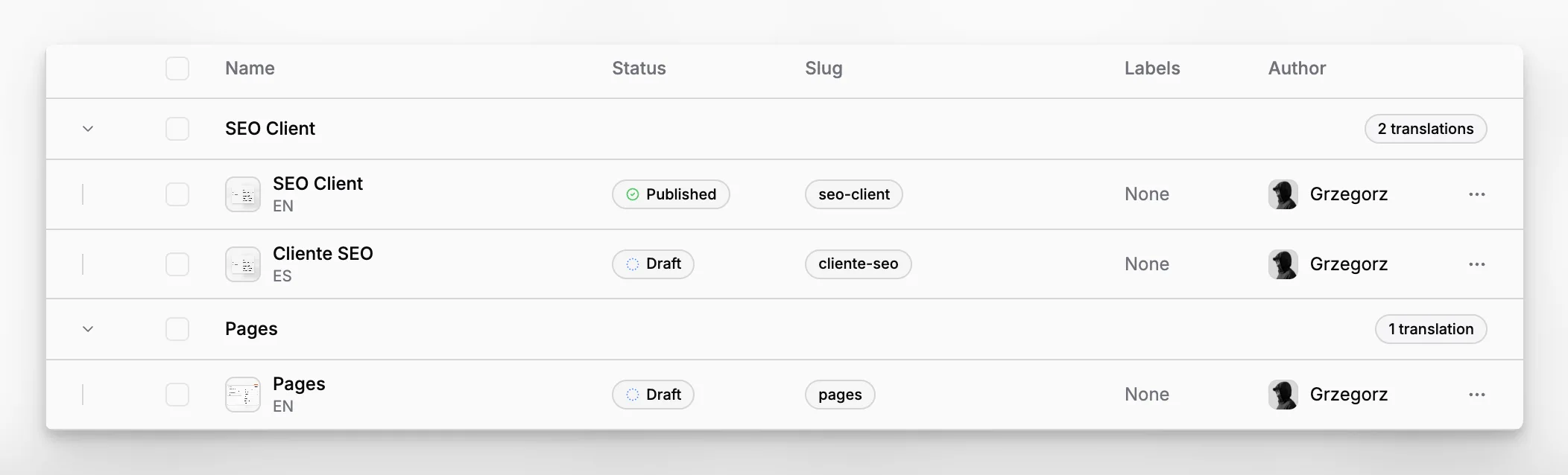
Pages are grouped by translation family rather than shown only as isolated rows. Each group can be expanded to reveal the individual language variants inside it, and the group row shows how many translations that family contains.
Inside each expanded group, editors can see practical page data such as:
status,
slug,
labels,
author,
locale,
and the page thumbnail taken from hero or inline media when available.
The table also supports page duplication, code examples, single-page delete, bulk move to trash, and column visibility control. This makes the list useful both for editorial browsing and for operational cleanup.
The workspace leads directly into editing
Clicking a row opens the dedicated page workspace. From there, the collection can still be changed in the breadcrumb, and the page can be edited in more detail through Editor, Page Properties, Page Activity, and Translations and Retranslations.
The second tab in this view is History, which turns published and scheduled pages into a calendar view for planning and release visibility.
