

History
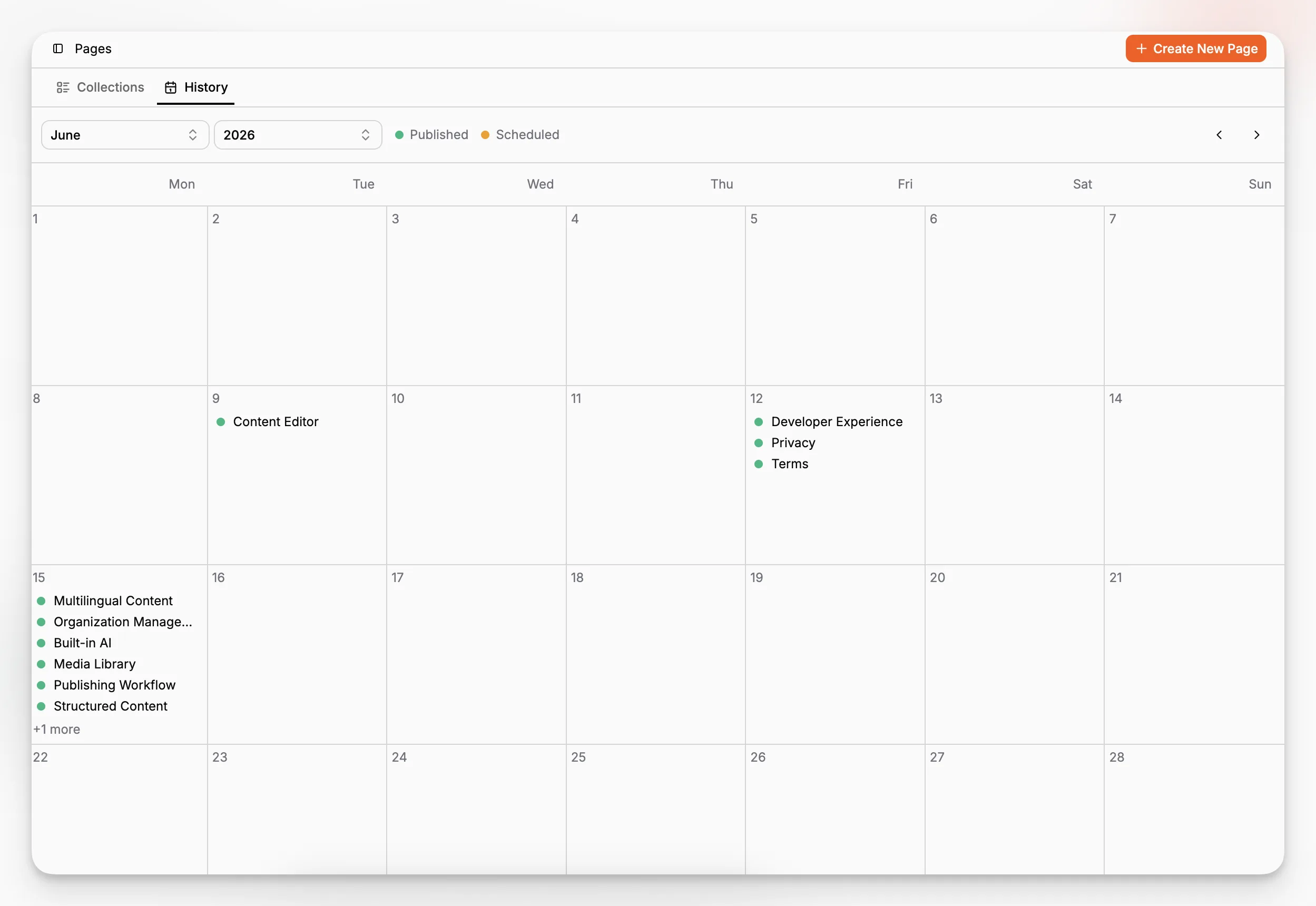
Paragraph CMS History calendar view shows published and scheduled pages, helping teams track releases, plan upcoming content, and review publication timing.
 Grzegorz
History is the calendar view inside the Pages workspace. It helps teams see when content was published, what is scheduled next, and how upcoming releases are spread across the calendar.
Rather than showing pages only as rows in a table, History turns publication timing into a visual planning tool.
A calendar for published and scheduled content
History appears as its own tab next to Collections in the Pages workspace. Any page with a publish date can appear there.
If the publish date is in the past or present, the page is shown as Published. If the publish date is in the future, it is shown as Scheduled. Users can move through months and years, then open any item directly from the calendar.
That makes History useful for both retrospective review and forward planning.
Powered by page settings
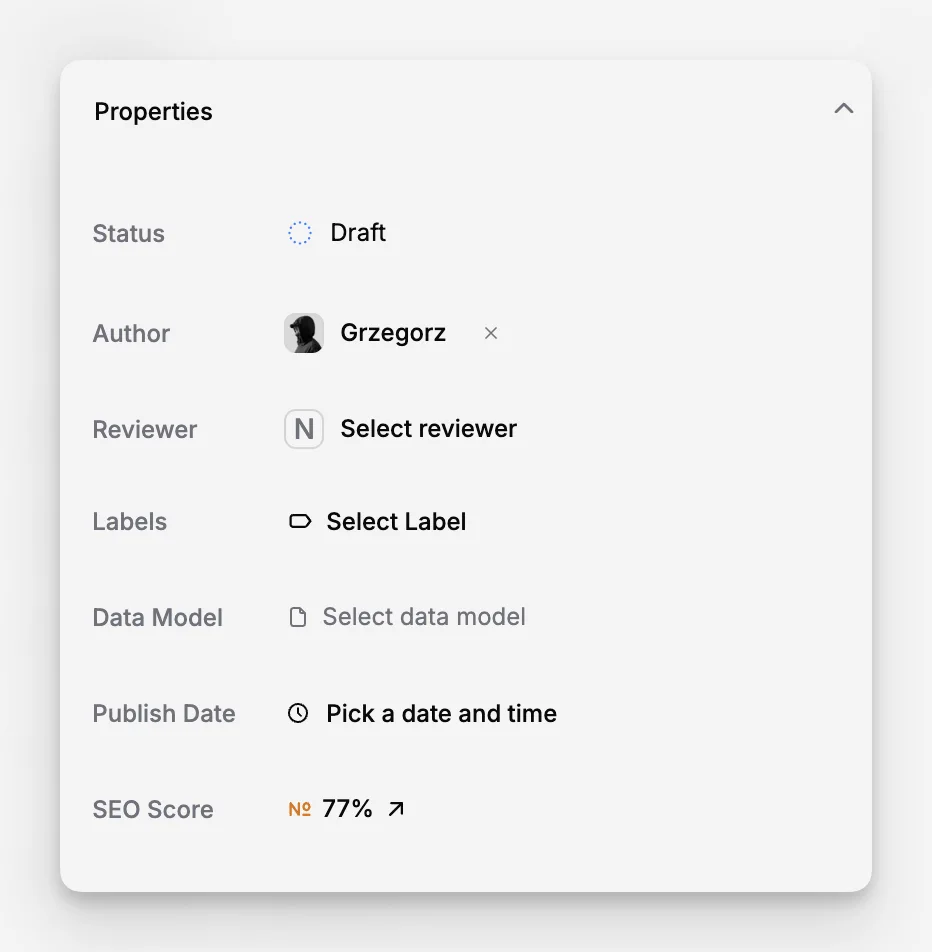
History is tightly connected to Page Properties and Statuses.
When a page gets a publish date and moves into a published workflow state, it shows up on the calendar. If that publish date is set in the future, the page becomes part of the upcoming schedule instead of appearing as already live.
This gives teams a straightforward loop: update the page settings, then verify the publishing timeline in History.
What History is for
History is focused on publication timing. It is not a revision diff view or a complete audit trail.
For detailed change tracking, teams should use Activity or Page Activity. History is the place to answer simpler planning questions like what went live recently and what is about to go live next.
