

Content Editor
Paragraph CMS content editor for drafting, structuring pages, adding media, FAQs, tables, links, and inline AI edits with auto-save.
 Grzegorz
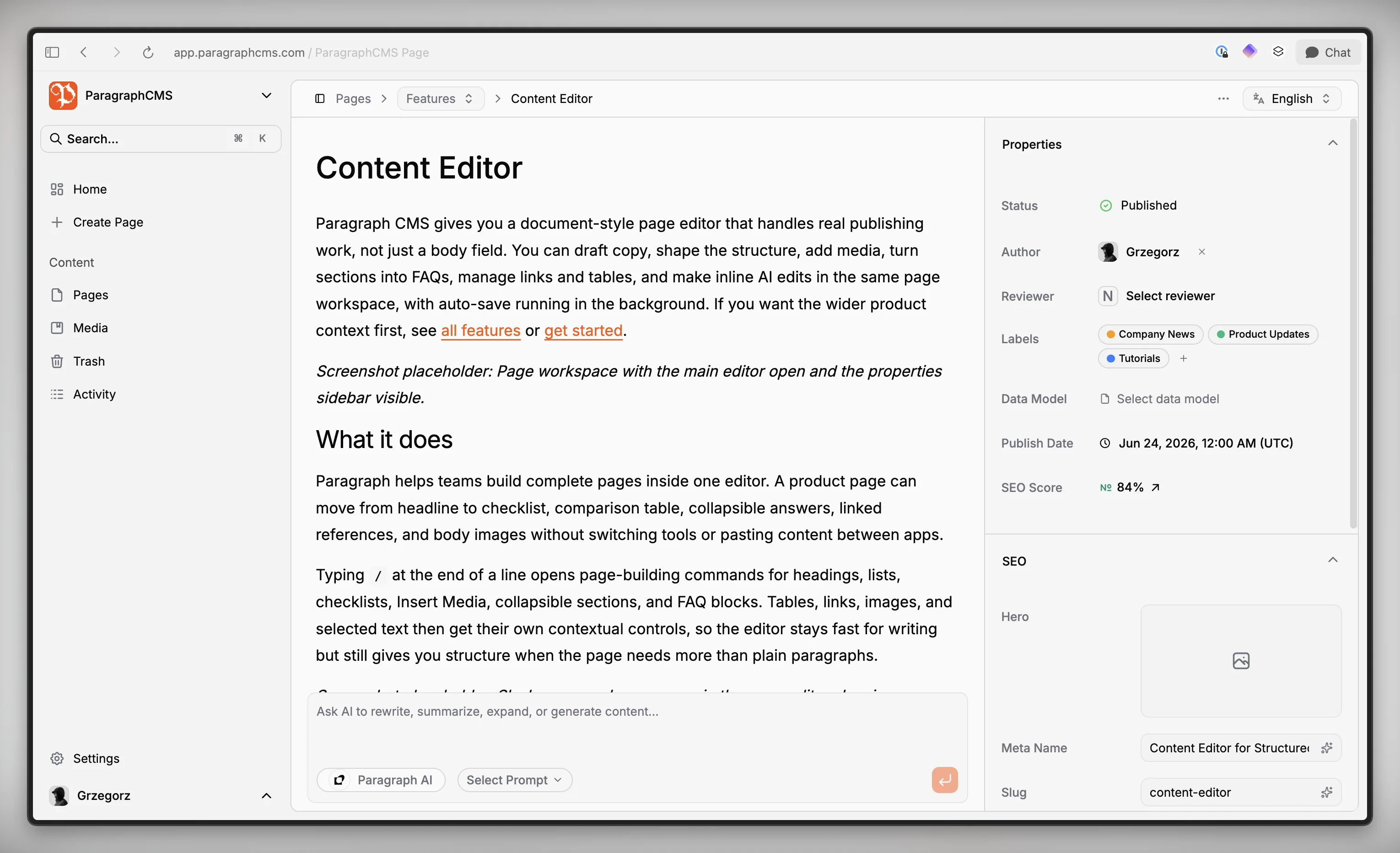
Paragraph CMS gives you a document-style page editor that handles real publishing work, not just a body field. You can draft copy, shape the structure, add media, turn sections into FAQs, manage links and tables, and make inline AI edits in the same page workspace, with auto-save running in the background. If you want the wider product context first, see all features or get started.
What it does
Paragraph helps teams build complete pages inside one editor. A product page can move from headline to checklist, comparison table, collapsible answers, linked references, and body images without switching tools or pasting content between apps.
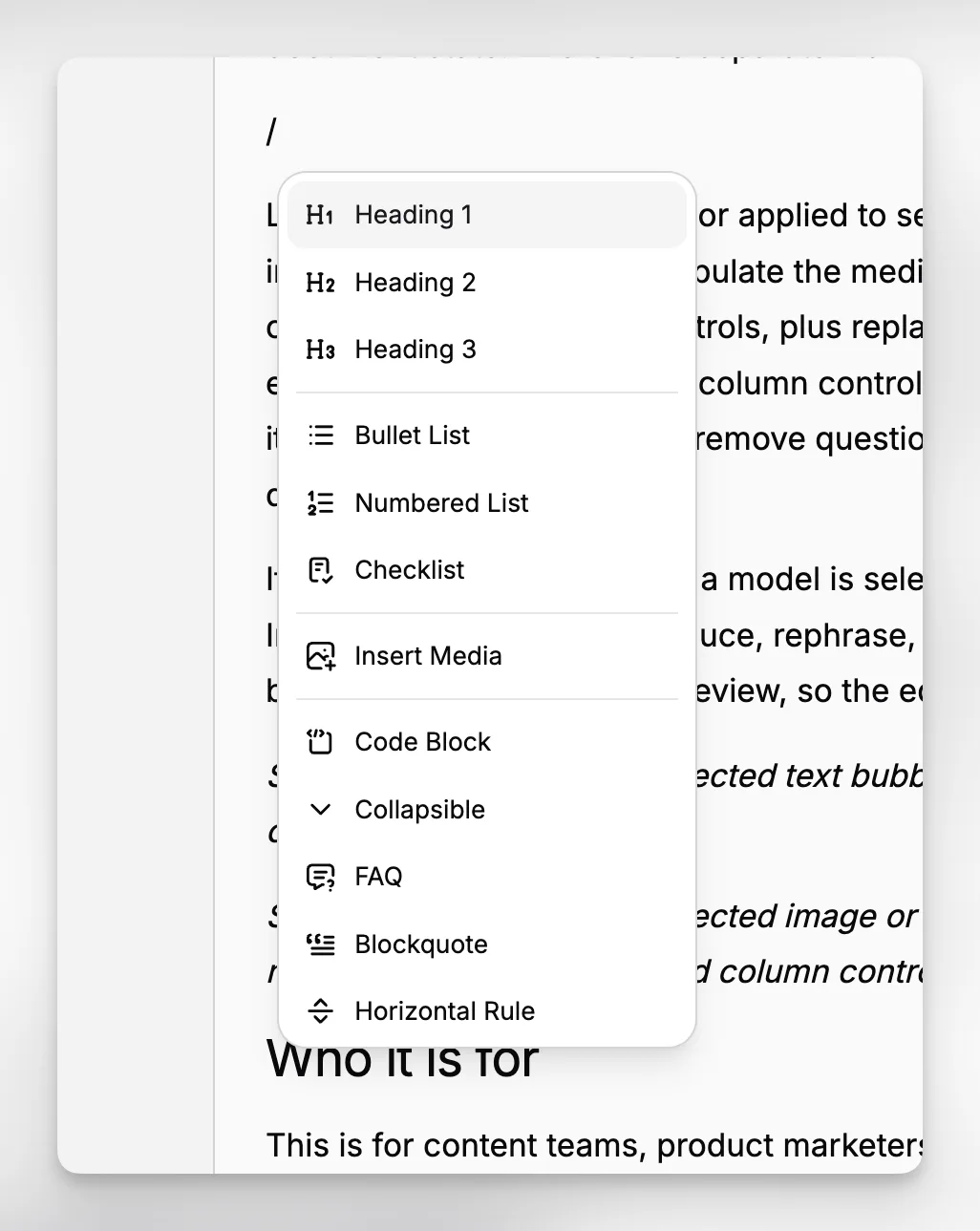
Typing / at the end of a line opens page-building commands for headings, lists, checklists, Insert Media, collapsible sections, and FAQ blocks. Tables, links, images, and selected text then get their own contextual controls, so the editor stays fast for writing but still gives you structure when the page needs more than plain paragraphs.
How it works
Changes save automatically after short pauses, Paragraph shows a saving indicator next to the page name, and it waits for image uploads to finish before it persists the latest document state. There is no separate manual save step to manage.
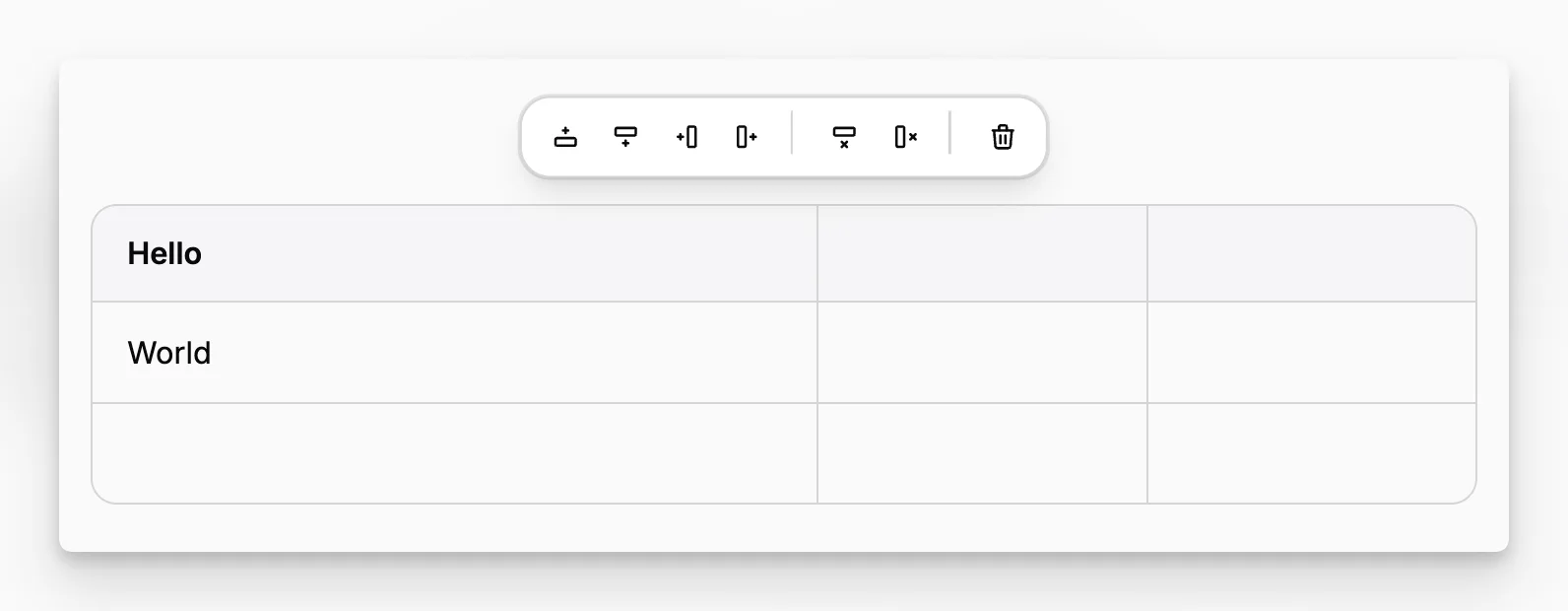
Links can be pasted directly or applied to selected text. Image uploads happen from inside the editor and also populate the media library for that page. Clicking an image opens inline slug and alt controls, plus replace, download, and delete actions. Tables are edited in place with row and column controls. FAQ sections are built from collapsible items, so editors can add or remove questions while keeping answers inside the same document flow.
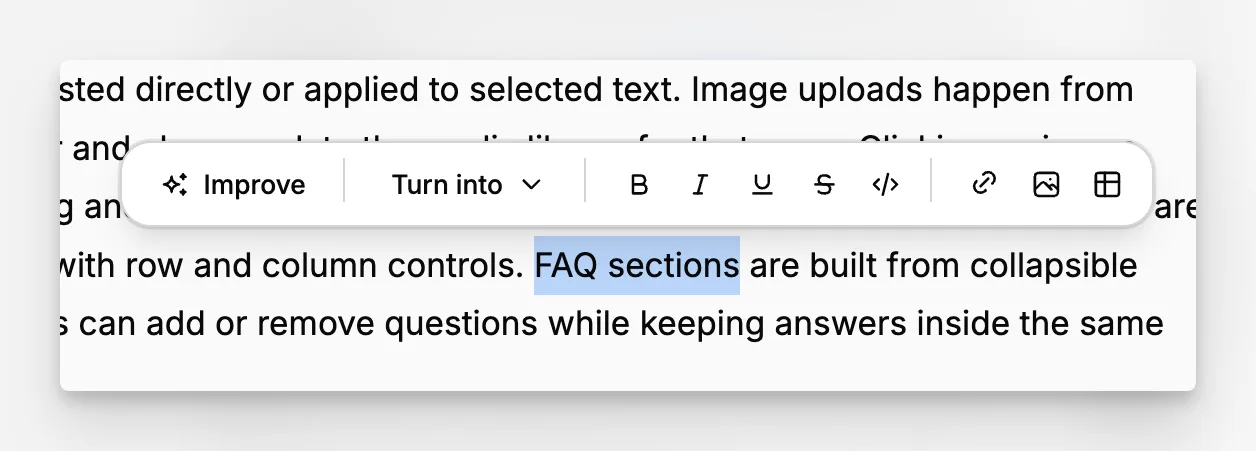
If in-editor AI is enabled and a model is selected, you can highlight text and use the Improve menu to extend, reduce, rephrase, simplify, or continue it. The result is inserted back into the document for review, so the editor stays in control of the final page.
Who it is for
This is for content teams, product marketers, founders, and documentation owners who need to publish finished pages from inside the CMS. It fits especially well when one page mixes narrative copy with structured elements like FAQs, release checklists, screenshots, or spec tables, and when that content later feeds a custom frontend or pre-built components.
Limits and tradeoffs
This is a rich text workflow, not a drag-anything-anywhere page builder. Some controls are intentionally contextual: slash commands cover common blocks, while links, AI actions, table controls, and image options appear when text or a node is selected.
The core editor and media library are available on Free and Scale, but in-editor AI actions require the Scale plan; details are on pricing. AI rewriting is selection-based, and a single AI editing request is limited to 12,000 characters. For images, Paragraph accepts common raster formats and does not support SVG uploads.
Why it matters
Editors can stay inside the same page from first draft to publish-ready structure. Auto-save reduces lost work, contextual controls keep the interface lighter than a separate block builder, and inline AI helps polish copy without turning the workflow into a black box. That makes Paragraph CMS a better fit for product pages, help content, and launch writing that need both narrative flow and structured content in one place.