

Publishing Workflow
Manage page publishing with draft, review, labels, scheduled release, history, and trash recovery—all built into Paragraph CMS.
 Grzegorz
Paragraph CMS keeps the editorial process close to the page itself. Editors can set a status, assign an author and reviewer, add labels, choose when a page should go live, review recent changes, and recover deleted work from trash without leaving the CMS. If you want the broader product context first, see all features.
What it does
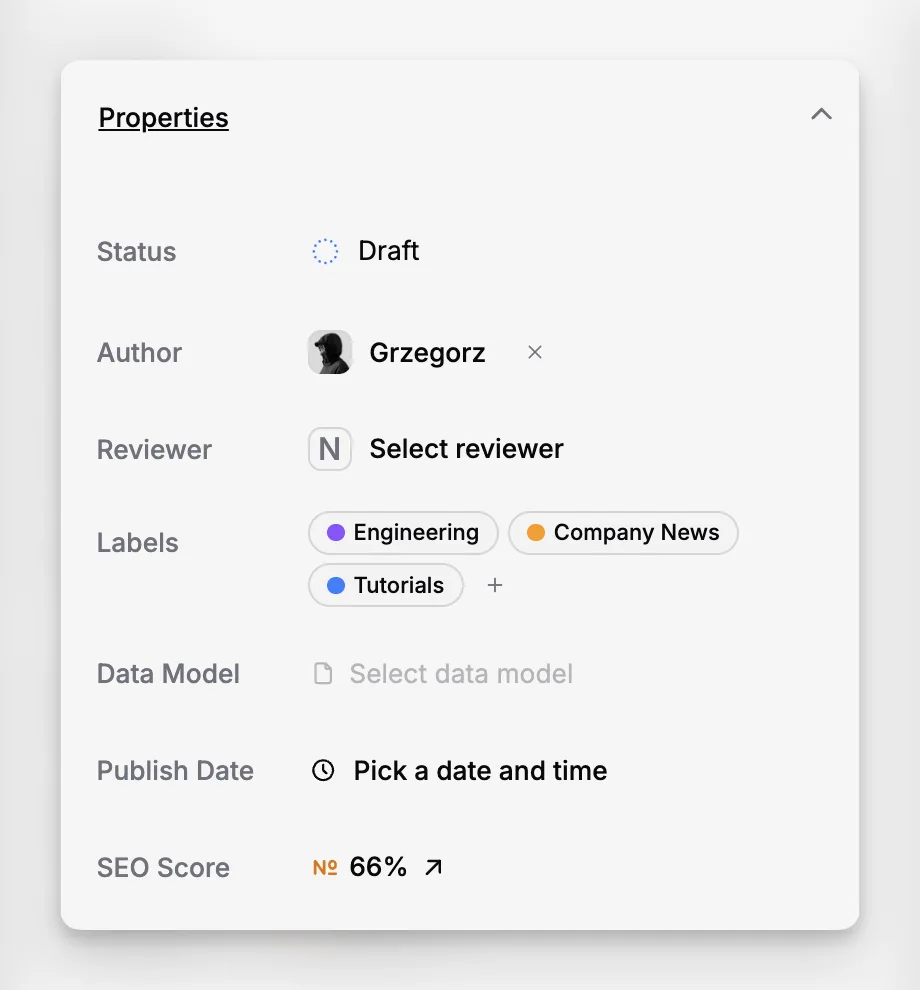
Paragraph gives each page the workflow metadata most teams actually use day to day. A page can move through draft, in-progress, in-review, and published stages, carry multiple labels for categorization, show clear ownership through author and reviewer fields, and keep a publish date attached to the final release.
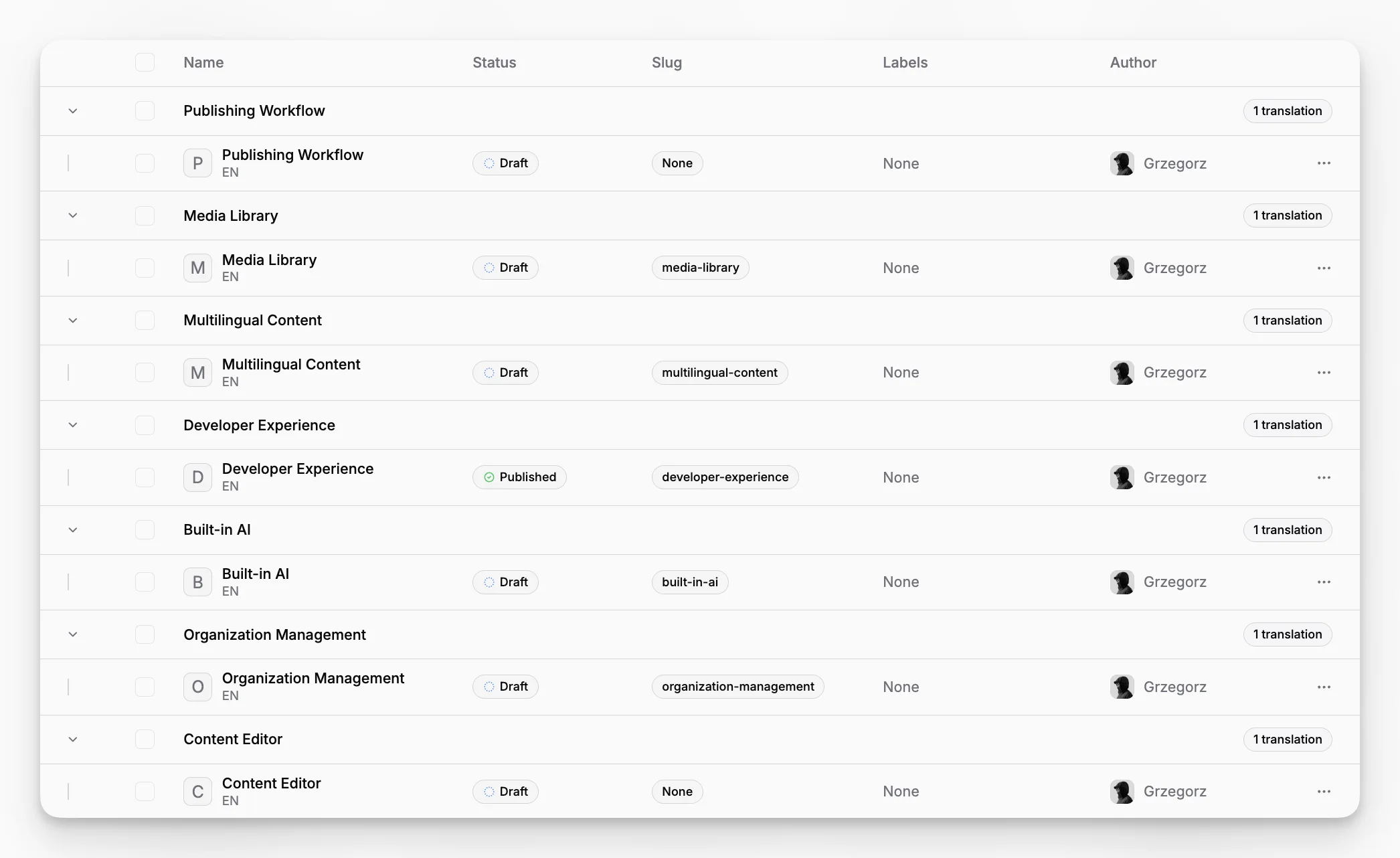
The workflow is visible outside the editor too. In the Pages workspace, teams can scan page rows by status, labels, slug, and author, then switch to History to see what has already been published and what is still scheduled. When something is deleted by mistake, it goes to Trash first instead of disappearing immediately.
How it works
Workflow definitions start in Settings. Statuses are managed in Statuses, where they are organized into four built-in types: Draft, In Progress, In Review, and Published. Teams can add multiple statuses inside those types, edit names, descriptions, and colors, and reorder them within a type. Labels are managed separately in Labels and can be applied to pages as multi-select tags.
On each page, the Properties panel is where editors use that workflow. Status, author, reviewer, labels, and Publish Date all sit together in one place, so handoff decisions happen next to the content instead of in a separate tracking tool. If a page is moved into a Published status and it does not already have a publish date, Paragraph stamps it automatically. If a publish date is added to a page that is not yet published, Paragraph switches it to the default Published status.
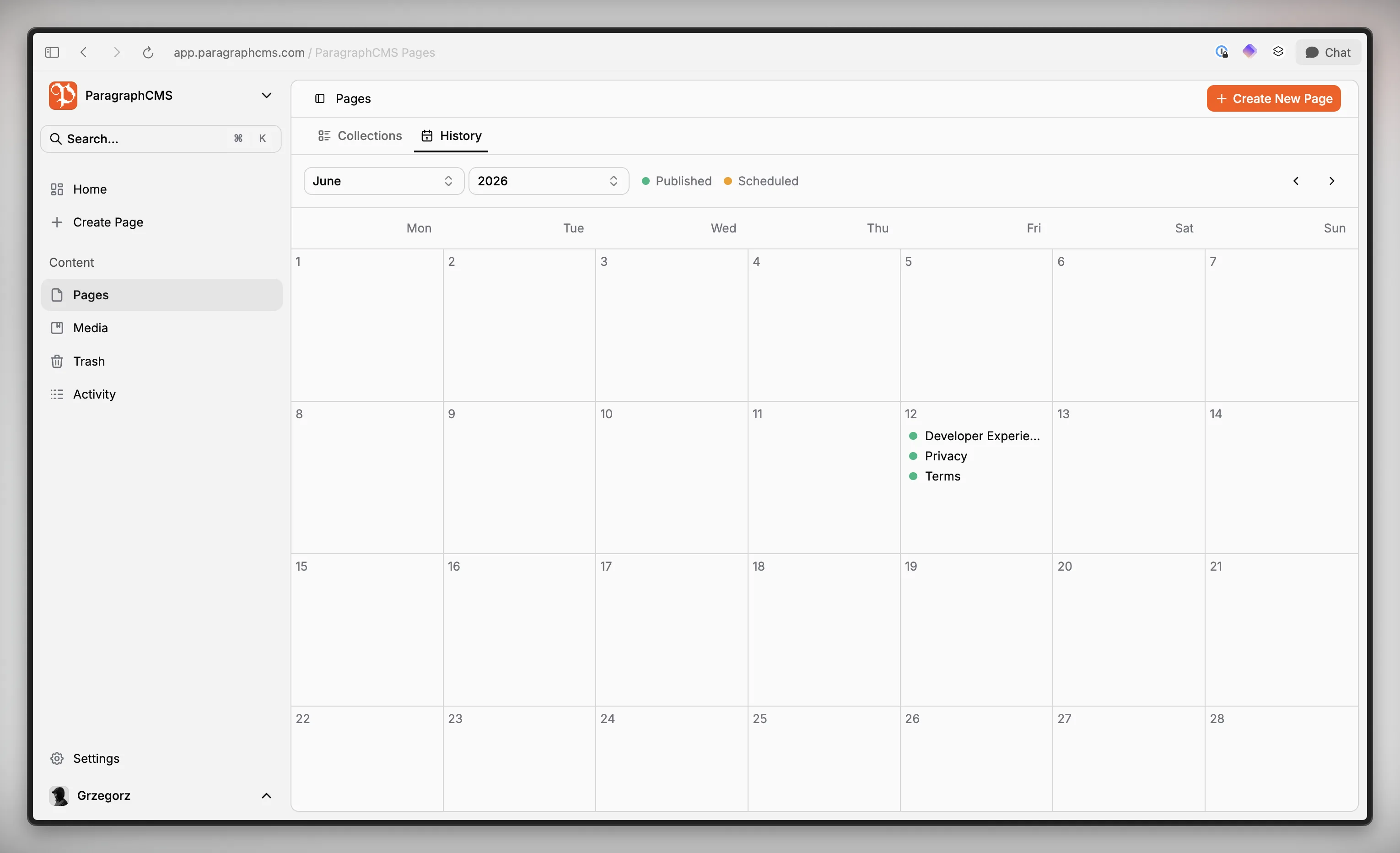
Publish history is then reflected in two places. The page sidebar records changes such as status, labels, author, reviewer, and publish date in the Activity section, with a link to the full activity log. The Pages History view puts pages with publish dates onto a calendar, marking future dates as Scheduled and past dates as Published.
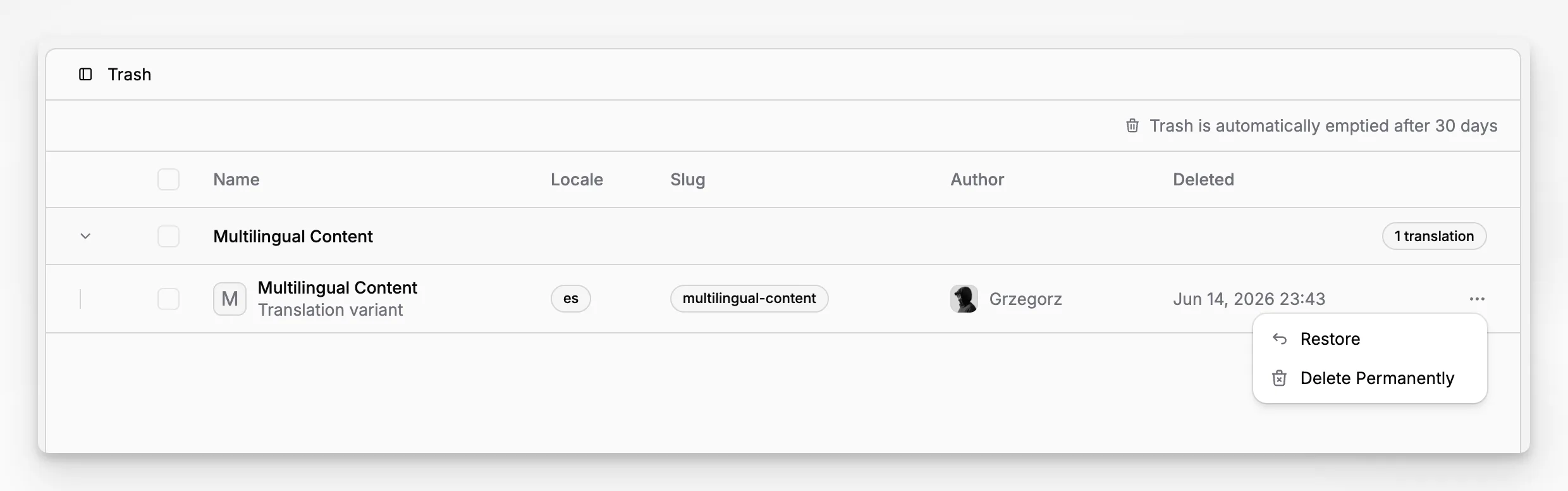
Deleting a page is a soft-delete step first. Pages moved out of the workspace land in Trash, where they can be restored or permanently deleted later.
Who it is for
This is for content teams, marketers, founders, and editors who need real publishing control without adopting a separate workflow system. It works well for landing pages, editorial content, changelogs, and documentation that move through review before release, especially when the finished content later feeds a frontend built with pre-built components or a custom setup from get started.
It also suits smaller teams that do not need a heavyweight approval engine but still want clear ownership, release timing, and recovery when something is removed too early.
Limits and tradeoffs
Paragraph models workflow through page metadata, history, and trash handling. It is not a custom approval engine with branching automations, task queues, or rule builders.
Status types are fixed to Draft, In Progress, In Review, and Published. You can customize statuses inside those groups, but you are not defining entirely new lifecycle categories. Paragraph also protects the workflow baseline: every organization must keep at least one Draft status and one Published status, and deleting a status reassigns affected pages to another status.
Scheduled publishing is a Scale-plan feature through the Publish Date control, and publish dates in that control are set in UTC. History is driven by publish dates, so pages without one do not appear on the calendar. Workflow options are also split between usage and configuration: editors can apply existing statuses and labels on pages, but changing the available status or label definitions depends on organization permissions. See pricing for plan details.
Trash is a recovery layer, not a permanent archive. You can restore pages from it, but teams should treat it as short-term protection rather than long-term storage.
Why it matters
Publishing workflow stops being separate admin work when the CMS carries it directly on the page. Paragraph makes ownership, review state, publish timing, activity history, and recovery visible in the same product where content is written and maintained.
That reduces spreadsheet tracking, lowers the risk of publishing confusion, and gives teams a practical workflow they can follow every day without turning the CMS into a complicated process manager.