

SEO Toolkit
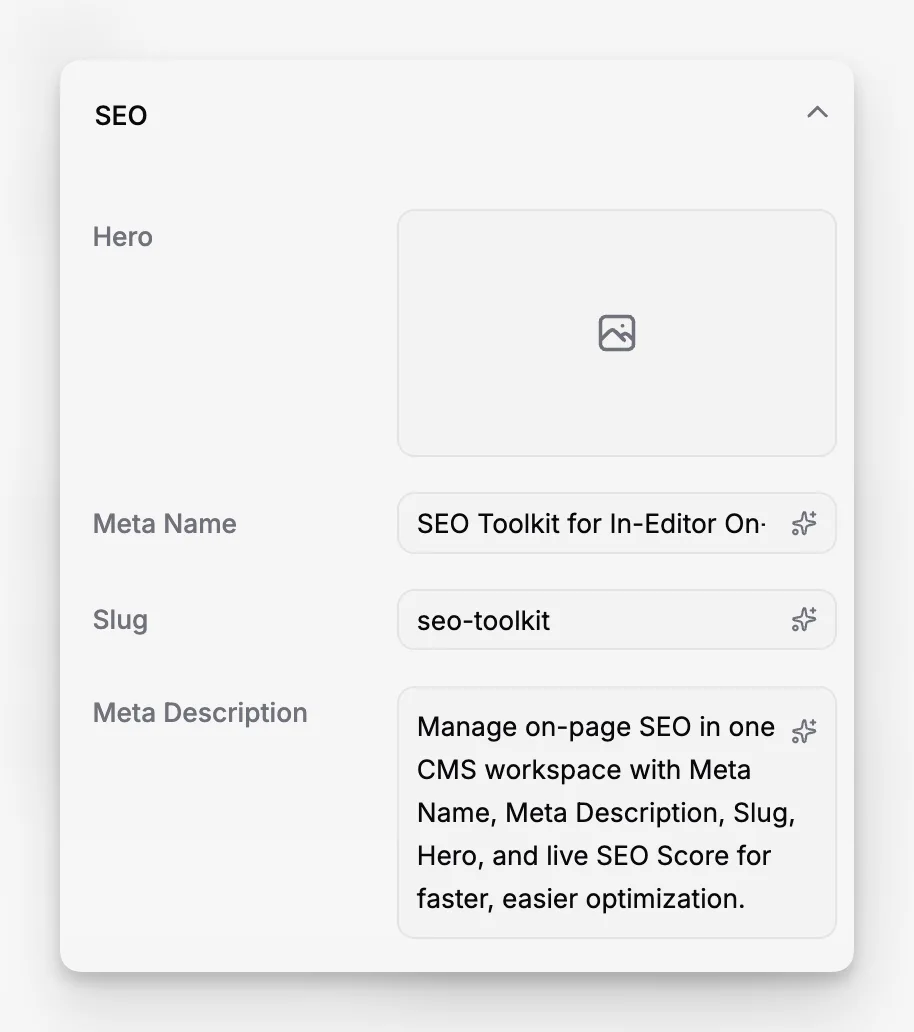
Manage on-page SEO in one CMS workspace with Meta Name, Meta Description, Slug, Hero, and live SEO Score for faster, easier optimization.
 Grzegorz
Paragraph CMS keeps SEO inside the same page workspace as writing and publishing. Editors can fill in Meta Name (the SEO title), Meta Description, Slug, and Hero from the page settings panel, then open SEO Score to see what still needs work. If you want the broader product overview first, see all features or get started.
What it does
Paragraph treats SEO as part of page editing, not a separate optimization tool. The same sidebar that holds publishing properties also gives editors direct control over the page slug, hero image, search-facing title, and search snippet copy.
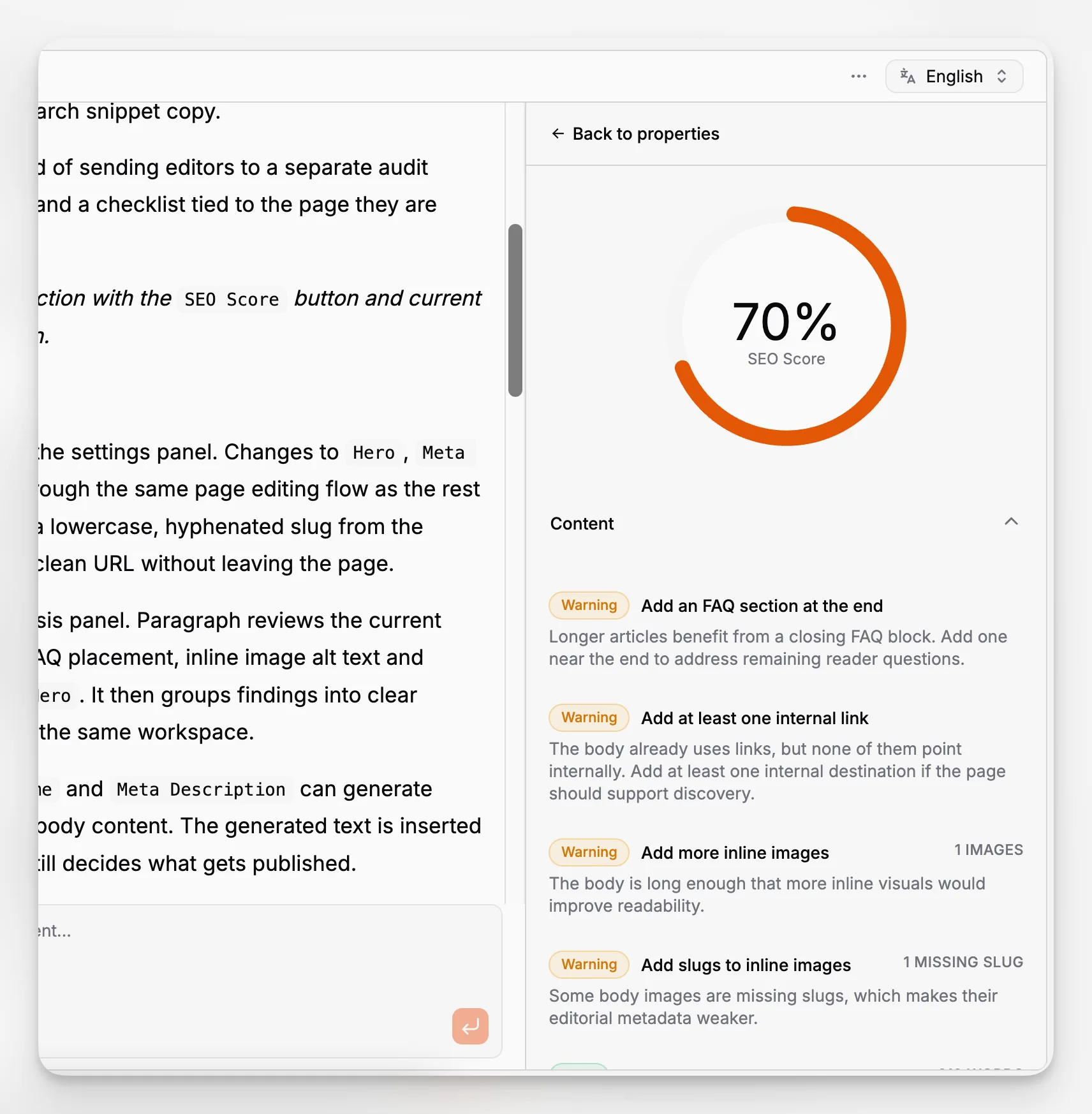
SEO Score is built into that workflow. Instead of sending editors to a separate audit screen, Paragraph shows a live percentage and a checklist tied to the page they are already editing.
Screenshot placeholder: Page properties section with the SEO Score button and current percentage visible above the SEO accordion.
How it works
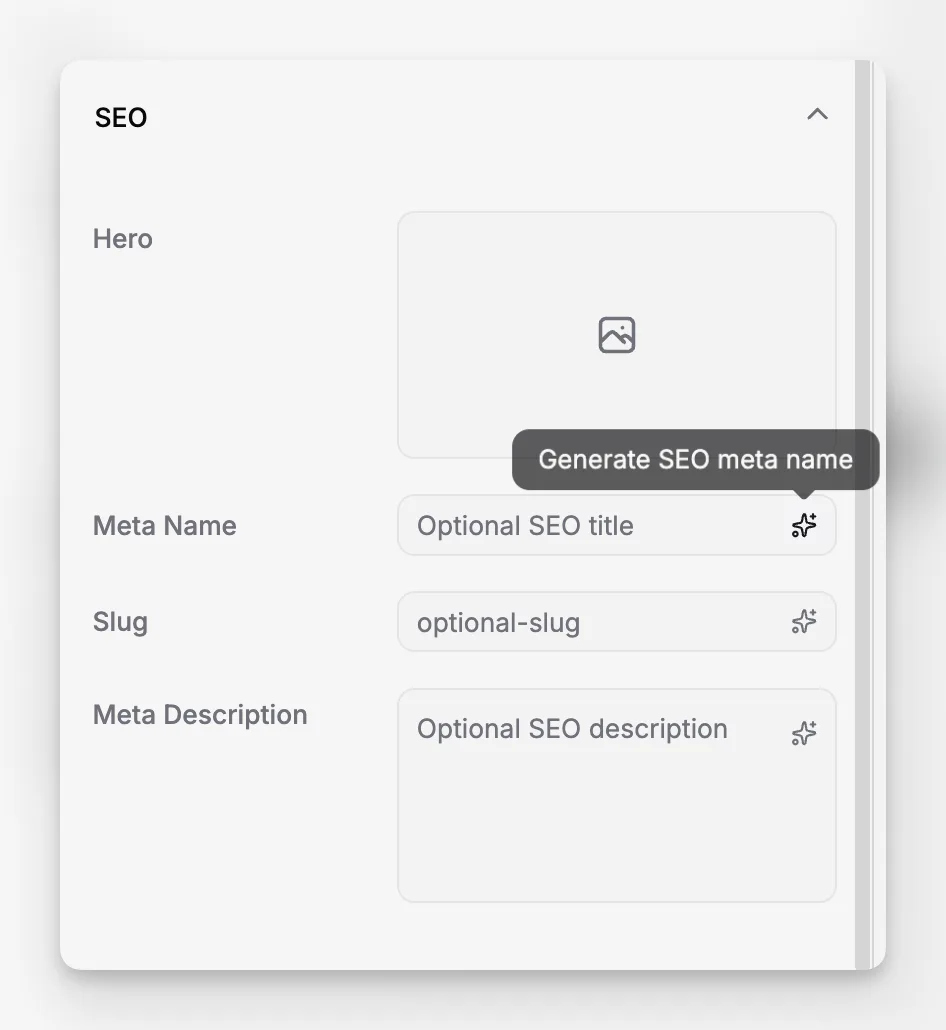
Open any page and use the SEO section in the settings panel. Changes to Hero, Meta Name, Slug, and Meta Description save through the same page editing flow as the rest of the document. The slug wand generates a lowercase, hyphenated slug from the current page name, so editors can create a clean URL without leaving the page.
Selecting SEO Score opens a detailed analysis panel. Paragraph reviews the current page title, body structure, headings, links, FAQ placement, inline image alt text and slugs, Meta Name, Meta Description, and Hero. It then groups findings into clear sections so an editor can fix the draft inside the same workspace.
If AI is enabled, the buttons next to Meta Name and Meta Description can generate suggestions from the current page title and body content. The generated text is inserted back into the field for review, so the editor still decides what gets published.
Who it is for
This is for marketing teams, founders, content editors, and documentation owners who want SEO controls close to the actual draft. It fits especially well when one person is both writing and optimizing the page, or when the content later feeds a custom frontend or pre-built components.
Limits and tradeoffs
SEO Score is guidance for the current page, not a site crawler or a search analytics product. It evaluates the draft that is open in the editor, and the current score focuses on title, content, meta fields, hero, and inline image metadata. Slug lives in the same SEO panel, but it is not currently graded by SEO Score.
Slug generation is convenient, but it is still editorially controlled. A generated slug comes from the page name, and duplicate slugs are rejected when the page is saved. Hero is optional, and the score treats it as a suggestion rather than a blocker. The hero picker is built for common raster formats like JPG, PNG, and WebP, not SVG.
The core SEO fields and SEO Score are available on Free and Scale. AI generation for Meta Name and Meta Description is available on the Scale plan, uses the current page title and body as source material, and requires a page title before generation. Pricing details are on pricing.
Why it matters
Teams do not have to break their workflow just to handle basic on-page SEO. The same editor that holds the draft also holds the metadata, the hero image, and the scoring feedback, which makes optimization easier to keep up with during real editorial work instead of after the fact.