

Structured Content
Paragraph Structured Content helps teams organize repeatable pages with collections, reusable data models, and custom fields—keeping content consistent as it grows.
 Grzegorz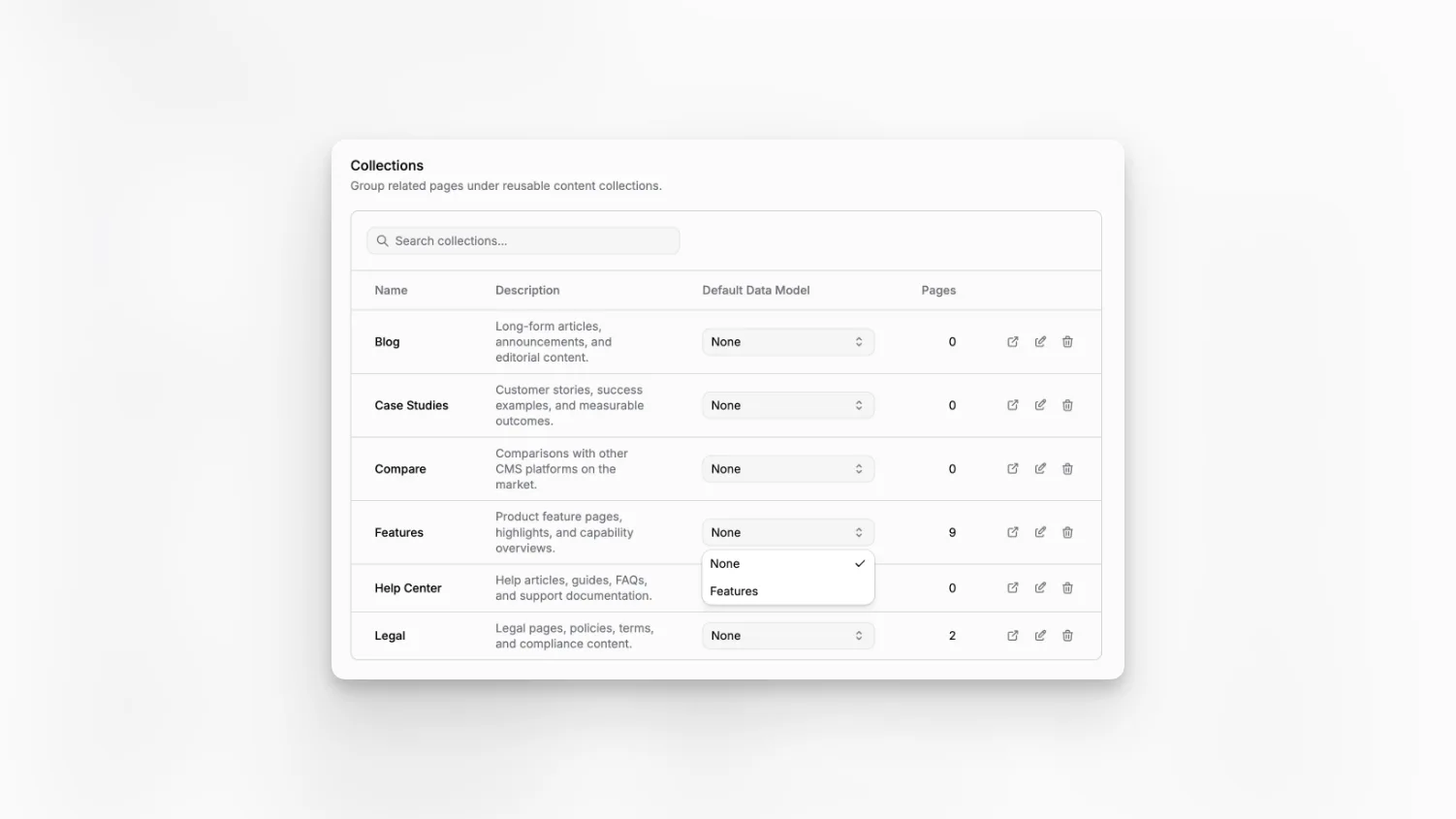
Paragraph CMS helps you turn repeatable content into a system instead of a pile of one-off pages. You can group pages into collections, define reusable data models, and fill custom fields inside the same page workspace, so content stays organized as the site grows. If you want the broader picture first, see all features or the core content concepts.
What it does
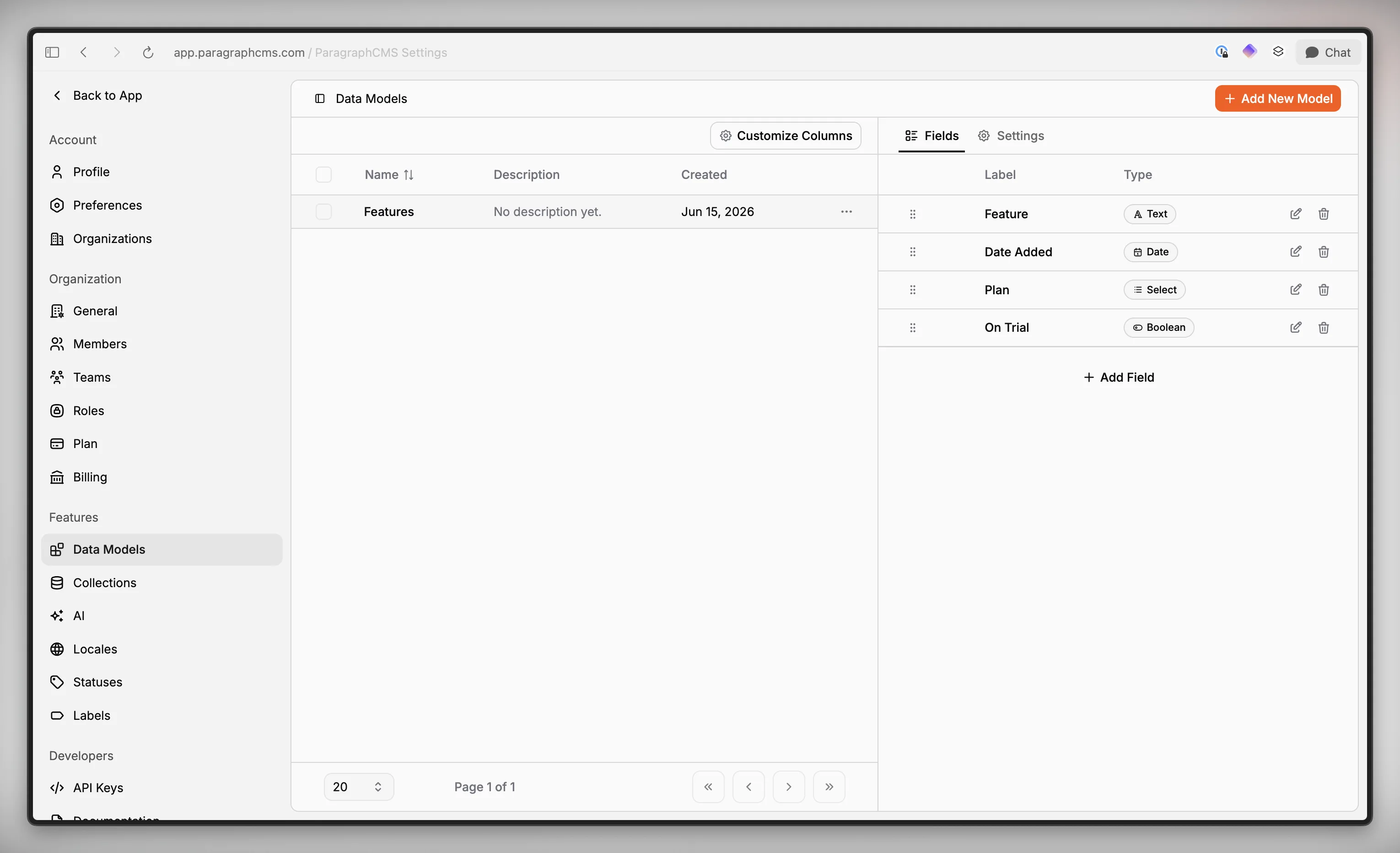
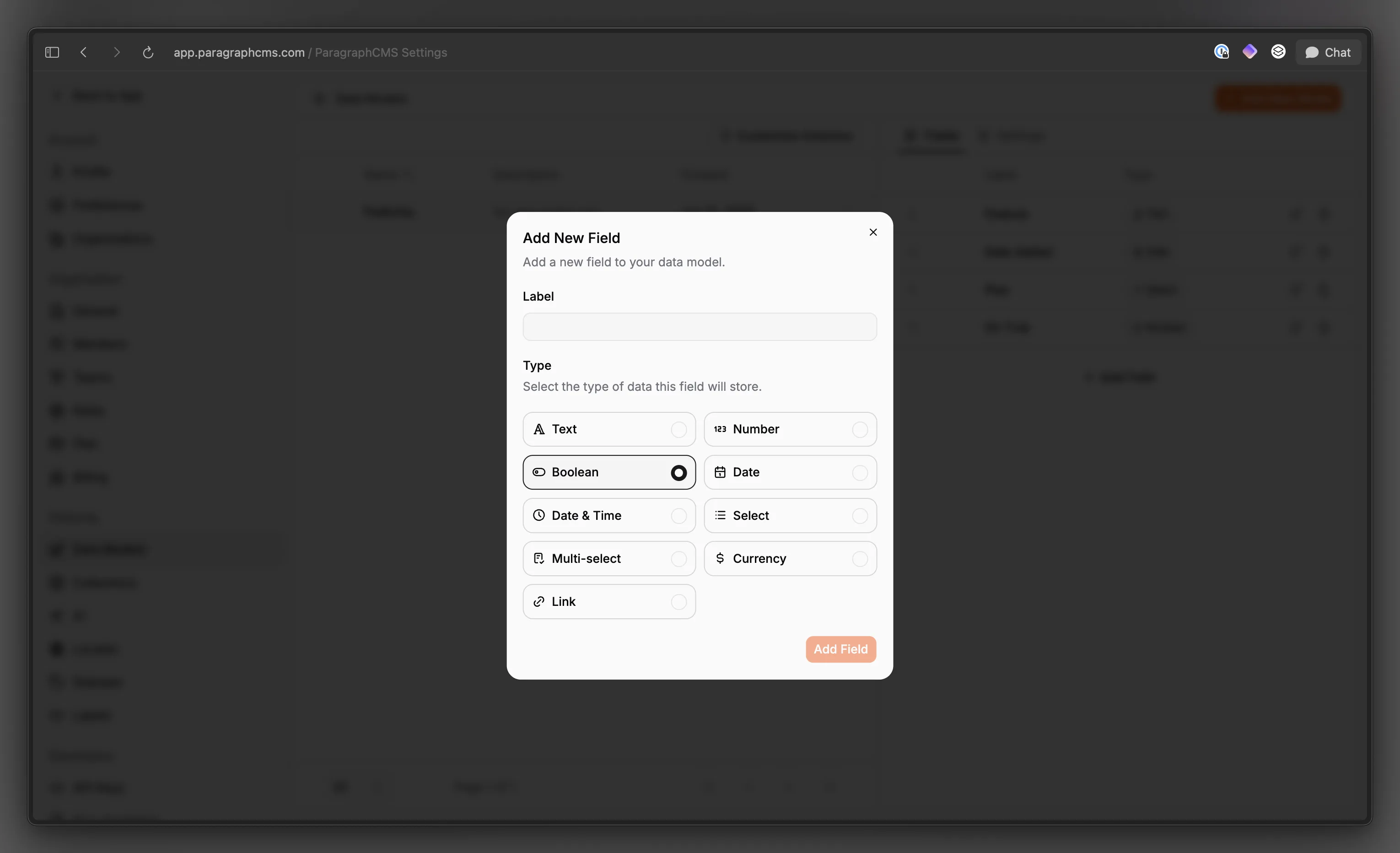
Collections group related pages like articles, authors, release notes, or help docs. Data Models define the reusable fields those pages need, and Paragraph supports Text, Number, Boolean, Date, Date & Time, Select, Multi-select, Currency, and Link field types.
This keeps repeated content predictable without turning every page into the same rigid template. Editors still write in the main page editor, while structured values live in the page's Fields section and stay attached to that page.
Pages do not have to be modeled on day one. Paragraph can also surface pages in a Without Collection group, which makes it easier to spot content that still needs structure.
How it works
A team creates a model in Data Models, adds fields, and can reorder or edit them later. Field settings cover things like long text, minimum length, date format, option lists, and display currency, depending on the field type.
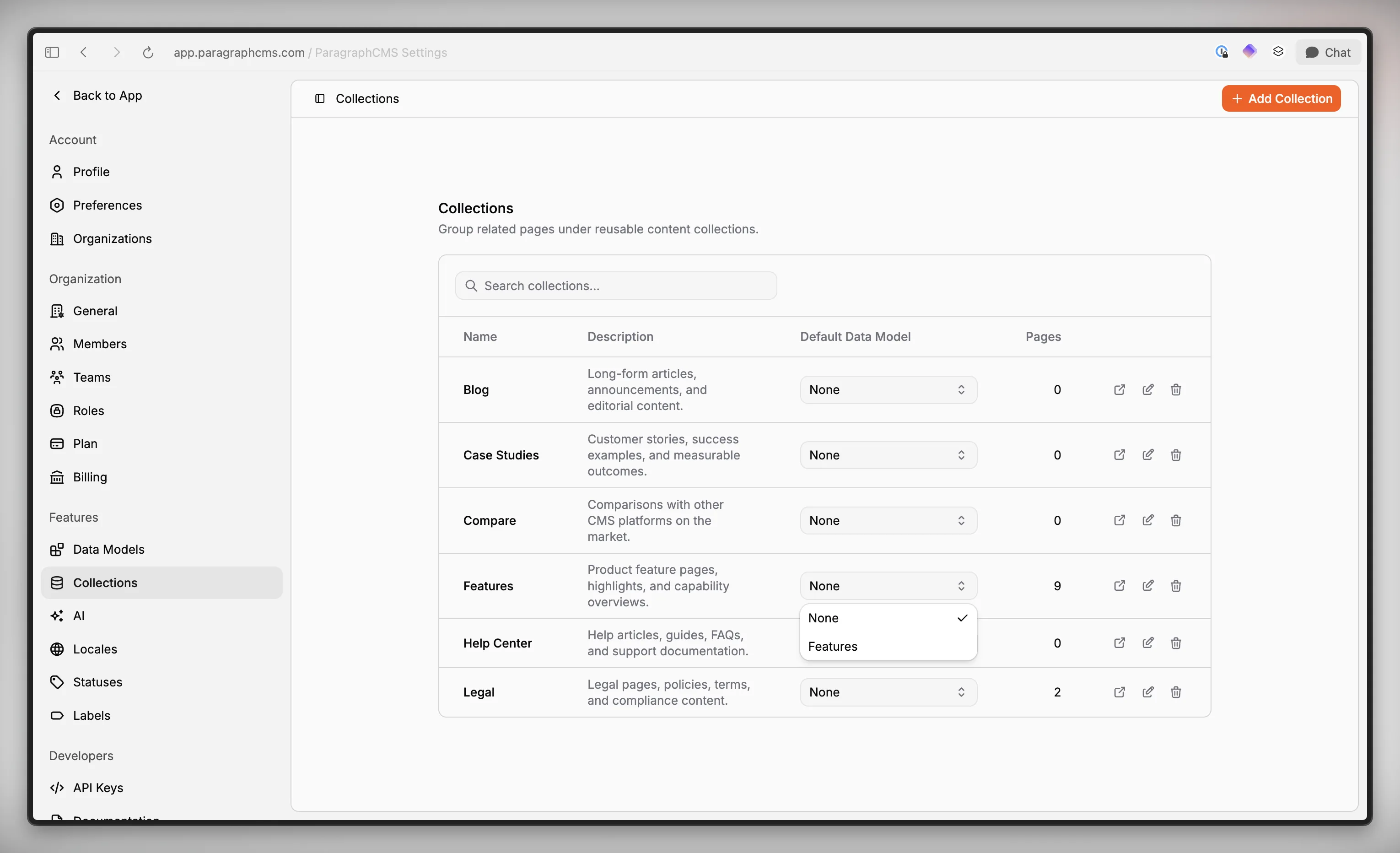
Collections then act as the organizational layer around those models. When you create or edit a collection, you can assign a Default Data Model, so new pages in that collection start with the right structure already attached.
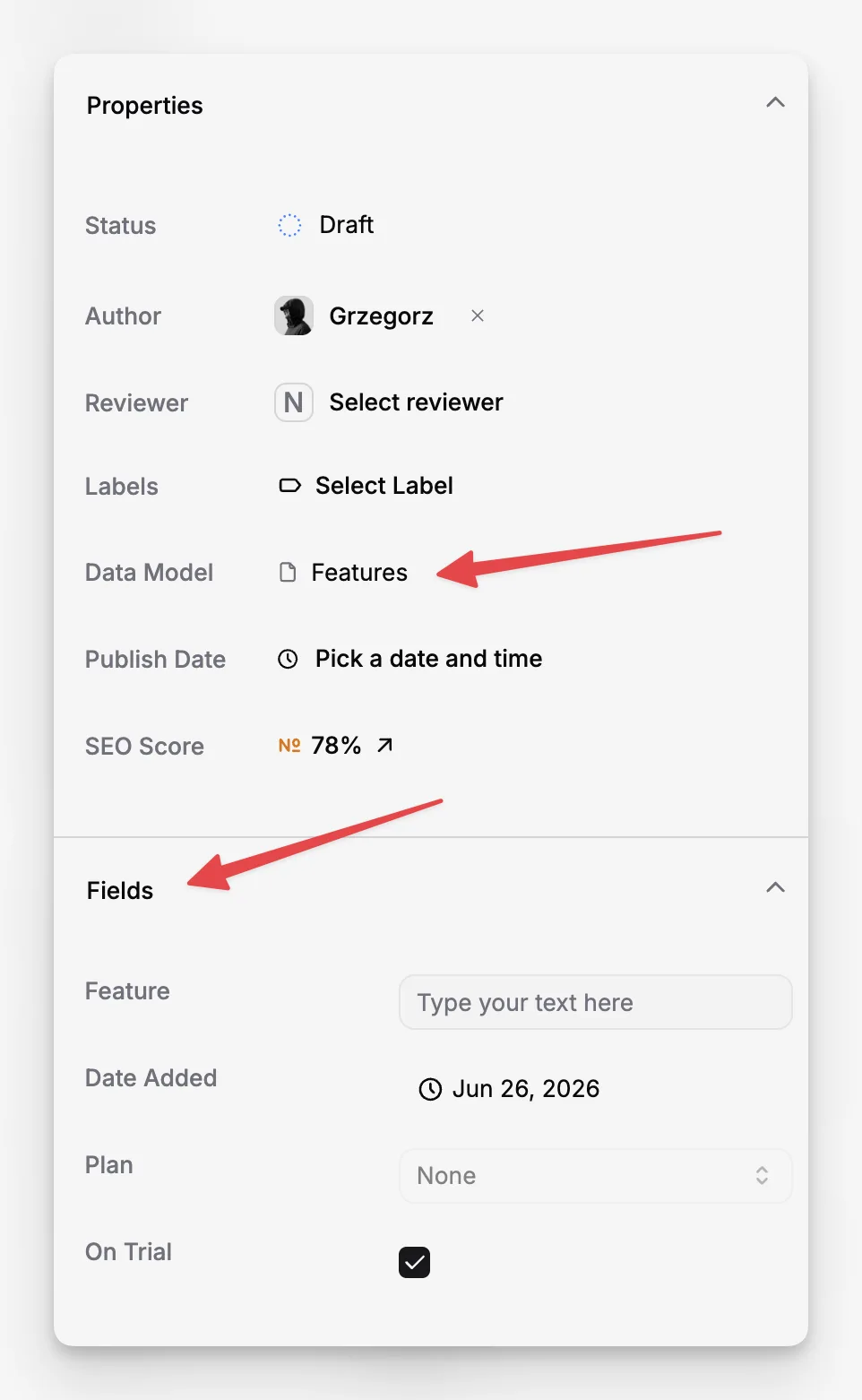
Inside the page workspace, editors can choose a Data Model in Properties and fill its values in the Fields panel. That makes structured data part of the normal editing flow instead of a separate admin task. This is especially useful when content later feeds a custom frontend or pre-built components.
Who it is for
This is for teams that publish repeatable page types and want them to stay consistent over time. It fits editorial teams managing article and author pages, SaaS teams shipping feature pages and changelogs, and documentation teams that need clear metadata around flexible page content.
It is also a good fit when developers or marketers want content structure without forcing editors into a spreadsheet-like workflow. Paragraph keeps the page editor intact, then layers structured fields around it where they actually help.
Limits and tradeoffs
Collections are available on Free and Scale, but creating and managing Data Models and reusable page fields is a Scale feature. Details are on pricing.
Paragraph is still a page-based CMS. A Data Model adds structured fields around a page; it does not replace the main body editor with a separate record-only interface. A collection's Default Data Model is a starting point for new pages in that collection, not a rule that automatically rewrites every existing page.
Changing or deleting a model has real consequences. If you switch a page to a different Data Model, Paragraph keeps only the fields defined by the selected model. If you delete a Data Model, custom field values are removed from pages that use it.
Why it matters
Structured content is what keeps a CMS readable after the first few dozen pages. Data Models reduce one-off field naming, Collections keep related content together, and default models give editors a cleaner starting point.
The result is a CMS that stays easier to review, maintain, and extend as content grows, without giving up the speed of editing full pages inside Paragraph.