

Page Properties
Page Properties keeps workflow, ownership, publish dates, custom fields, and SEO signals in one side panel beside the editor.
 Grzegorz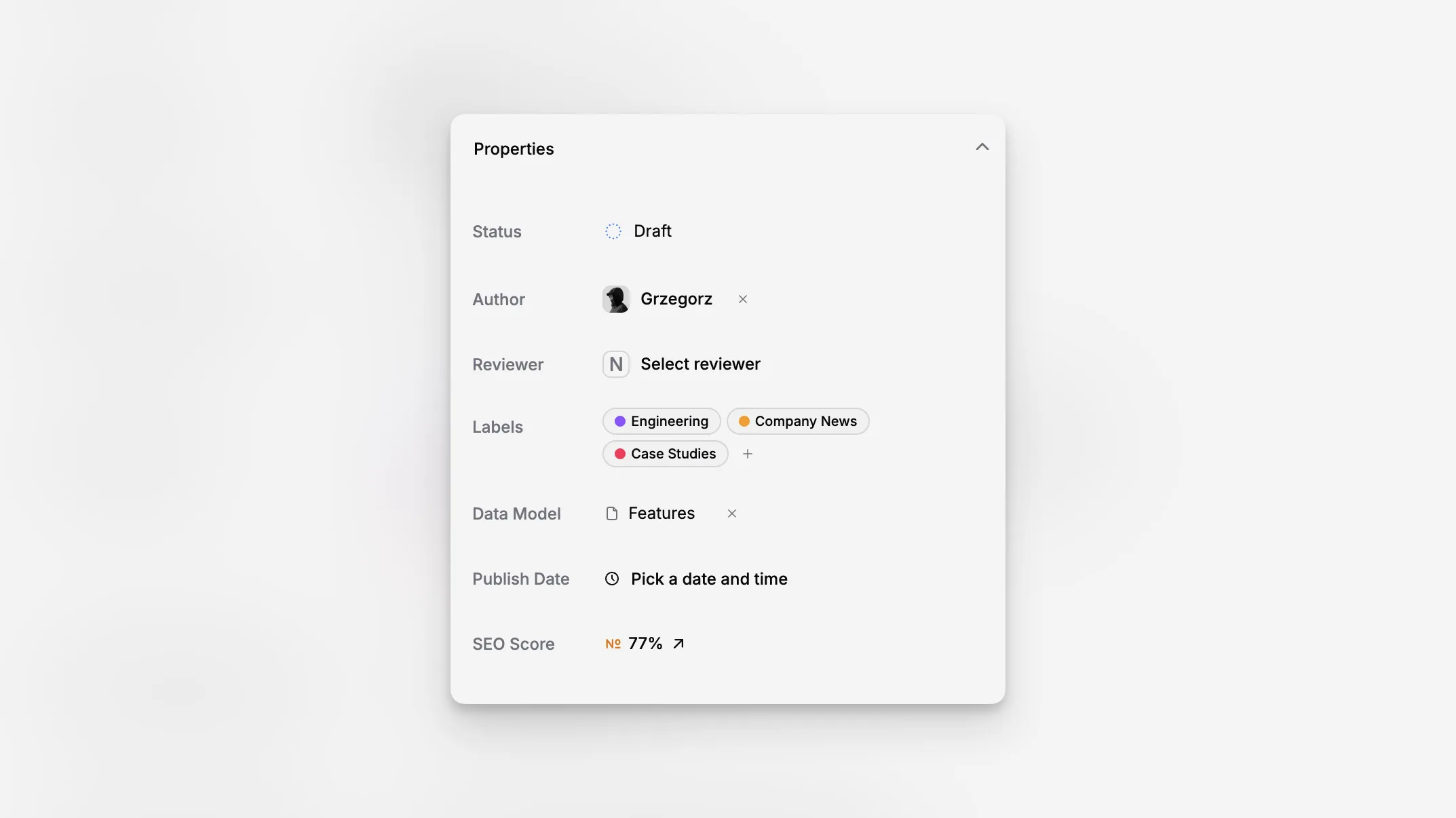
Page Properties is the side panel that holds the non-body decisions around a page. It keeps workflow, ownership, custom structure, publishing date, and quick page health signals visible while the editor stays open beside it.
That makes it the control center for day-to-day editorial operations. Instead of bouncing between separate settings views, editors can update the page's practical metadata right next to the content itself.
Workflow and ownership in one place
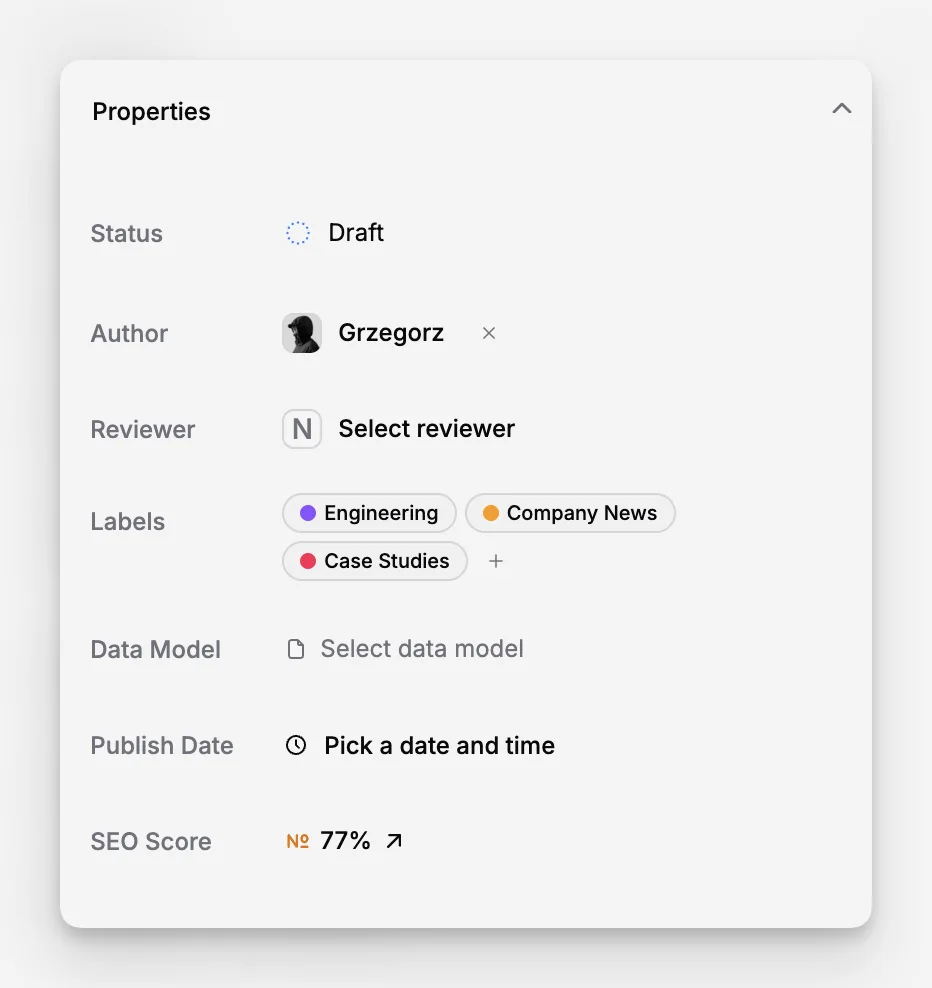
The main Properties accordion includes the page's working metadata:
status,
author,
reviewer,
labels,
data model,
publish date,
and the current SEO score entry point.
These controls are all part of the same editing flow, so teams can move a page through Statuses, assign people, tag it with Labels, and schedule publication without leaving the page.
If a future publish date is set, the page can become a scheduled item. In the current implementation, scheduled publishing is a Scale-plan capability, and the UI explains that directly in the panel.
Custom fields appear only when they matter
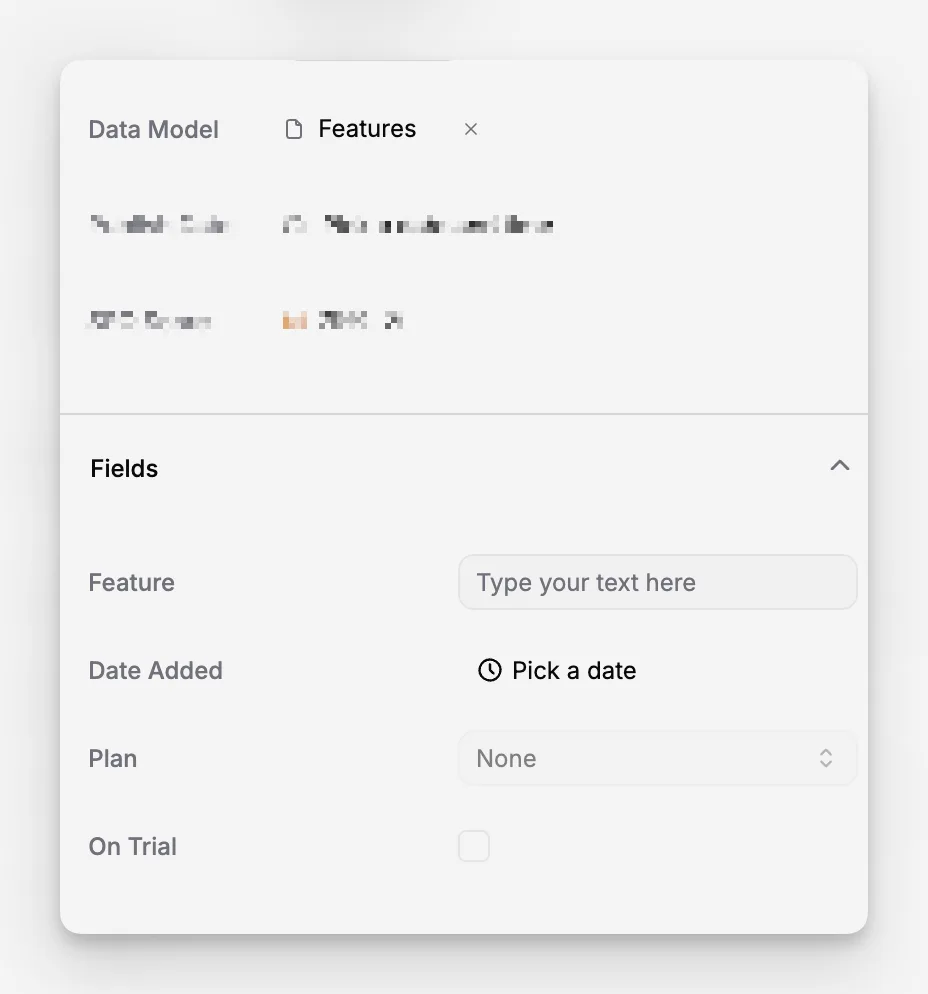
When a page is connected to a Data Model, the panel reveals a separate Fields accordion with the custom inputs defined by that model. If no data model is attached, the page stays simpler.
This is a good fit for teams that mix general pages with more structured content. A landing page can stay lightweight, while a product page, pricing page, or case study can expose exactly the extra fields it needs.
A useful side panel, not a hidden settings area
Page Properties also acts as the bridge into nearby page features. The same panel contains the dedicated sections for Page Hero, Page SEO, and the latest Page Activity, so editors can adjust the page without losing reading context.
