

Data Models
Data Models in Paragraph CMS add reusable structured fields to pages, powering product pages, case studies, and more with consistent, editable content.
 Grzegorz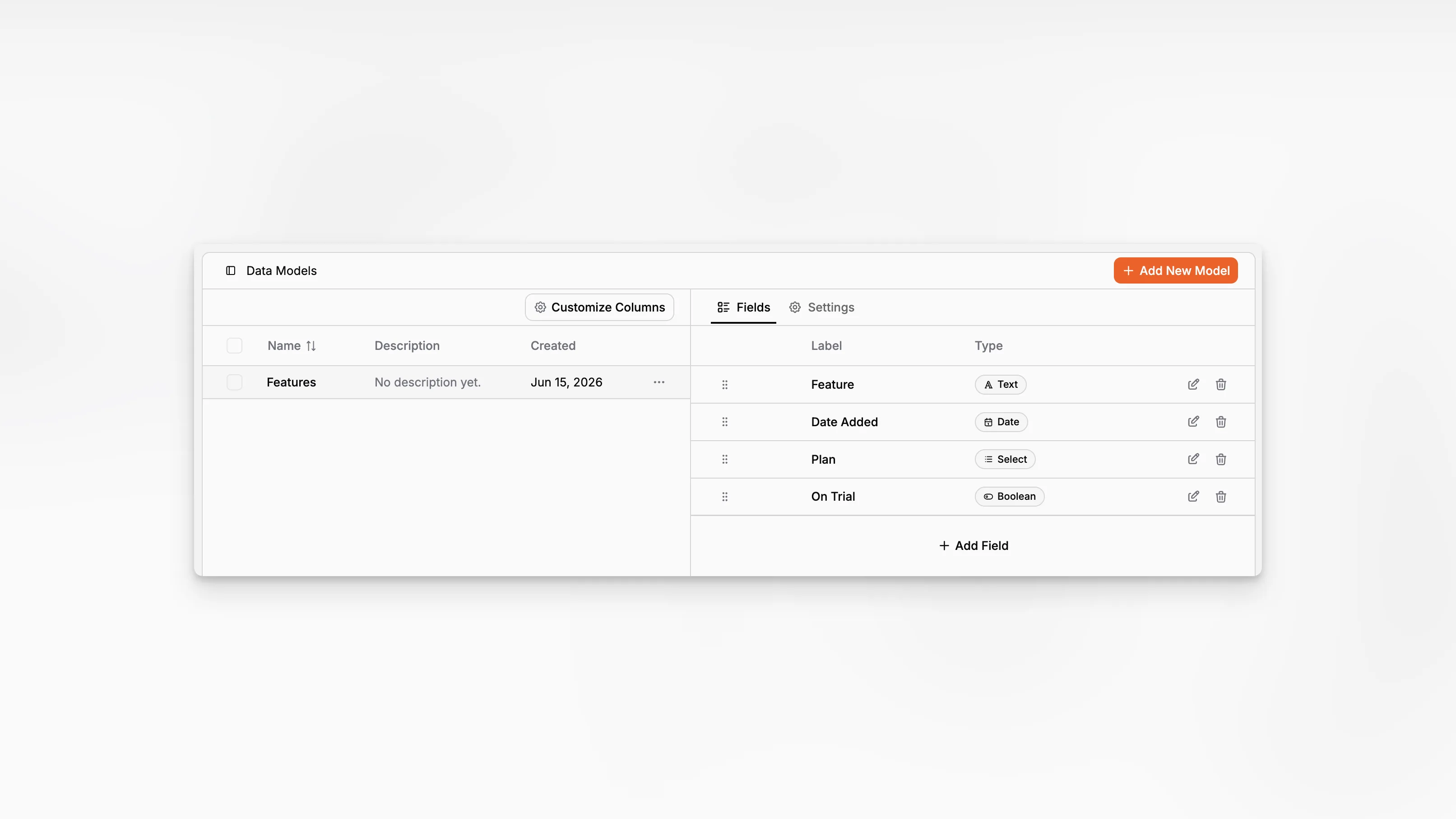
Data Models add reusable structured fields to pages in Paragraph CMS. They are meant for information that does not belong in the main editor or standard page properties, such as product pricing, campaign details, release dates, reference links, or custom flags used by a content team.
They work closely with Collections and Page Properties, which makes them one of the key building blocks for structured content.
Structured fields for repeatable content
Every page already has built-in properties like status, labels, author, and reviewer. Data Models cover the extra fields that differ from one content type to another.
Paragraph CMS currently supports nine field types:
Text
Number
Boolean
Date
Date & Time
Select
Multi-select
Currency
Link
Each field type has its own options. For example, teams can define select choices, set currency codes, switch text fields into longer text inputs, or tailor how date-based information should be entered.
Designed for real content types
This is the feature that turns a generic page into a structured content entry.
A product page can carry price and release-date fields. A case study can hold company details and highlighted metrics. A feature page can keep launch state, CTA URLs, and category data consistent across every entry.
Because the structure is reusable, editors do not need to remember which extra details belong on each kind of page.
Managed from one place
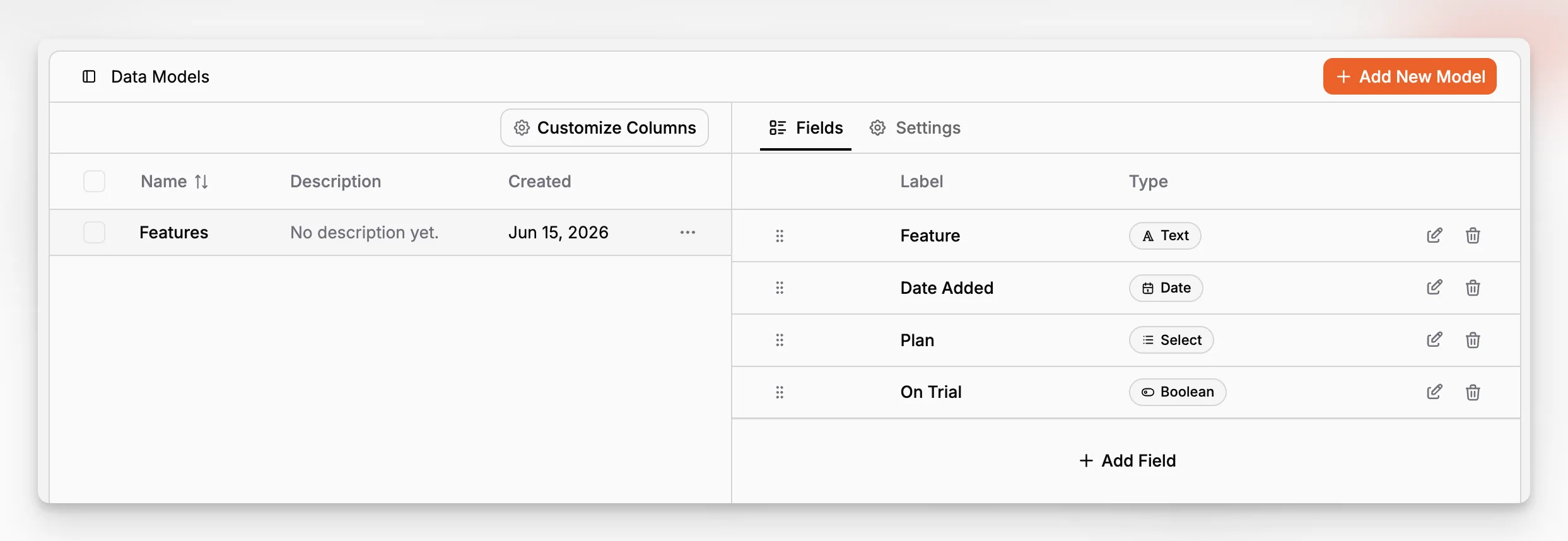
The settings view is split into two parts: a list of data models and the details for the selected one. Inside each model, teams can switch between Fields and Settings.
That makes it easy to do the full lifecycle in one place:
create a model,
add fields,
reorder them,
adjust the model name or description,
and reuse that setup across many pages.
A collection can also apply a default data model automatically, so new pages start with the correct structure from the beginning.
Used directly in the page editor
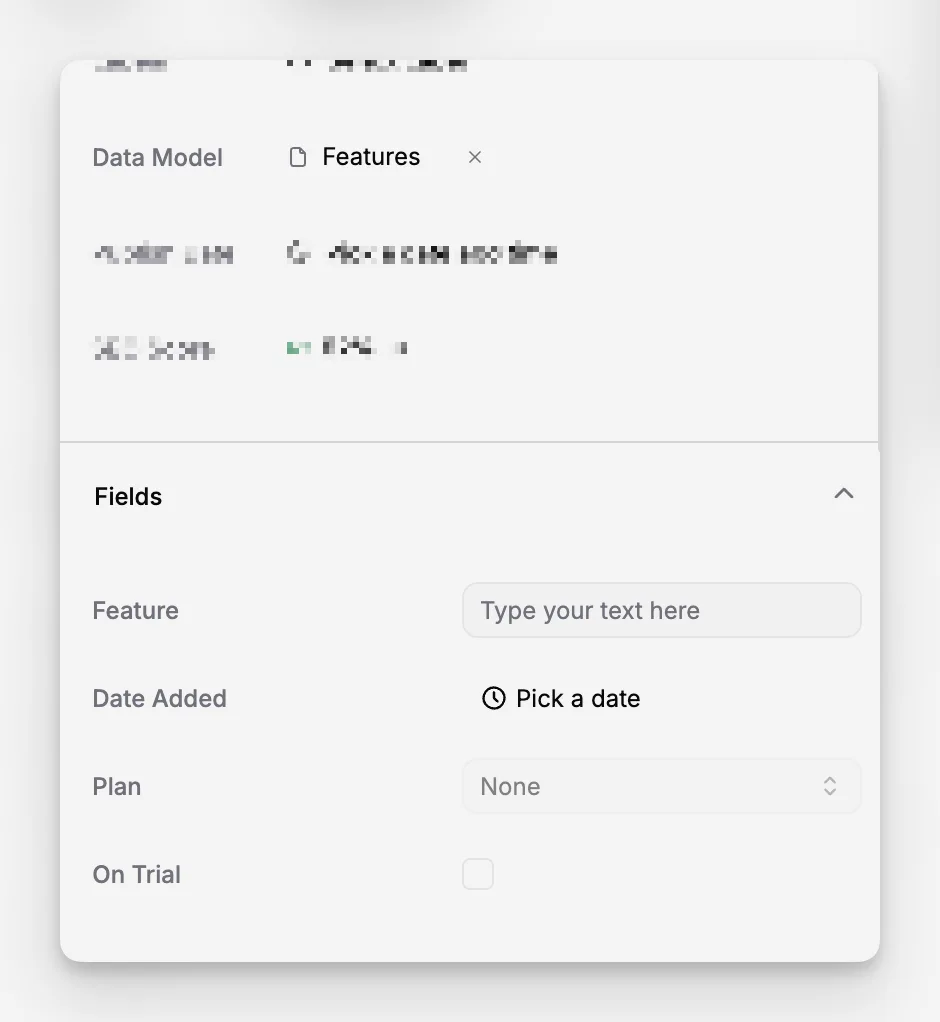
Once a data model is assigned to a page, its fields appear directly in the page properties panel. Editors fill them in alongside the rest of the page settings instead of managing that information somewhere else.
When a team updates the structure of a data model later, pages using that model stay aligned with the latest version. That keeps structured content maintainable over time instead of drifting page by page.
Availability
Data Models are available on the Scale plan. That makes them a good fit for teams that need richer content structure, more consistent frontends, or content operations that go beyond simple drafting and publishing.
