

Statuses
Paragraph CMS statuses organize drafts, reviews, and publishing with flexible custom names, colors, and workflow stages that keep pages moving smoothly.
 Grzegorz
Statuses define how work moves through Paragraph CMS. They help teams separate early drafts from active work, review-ready pages, and content that is already live.
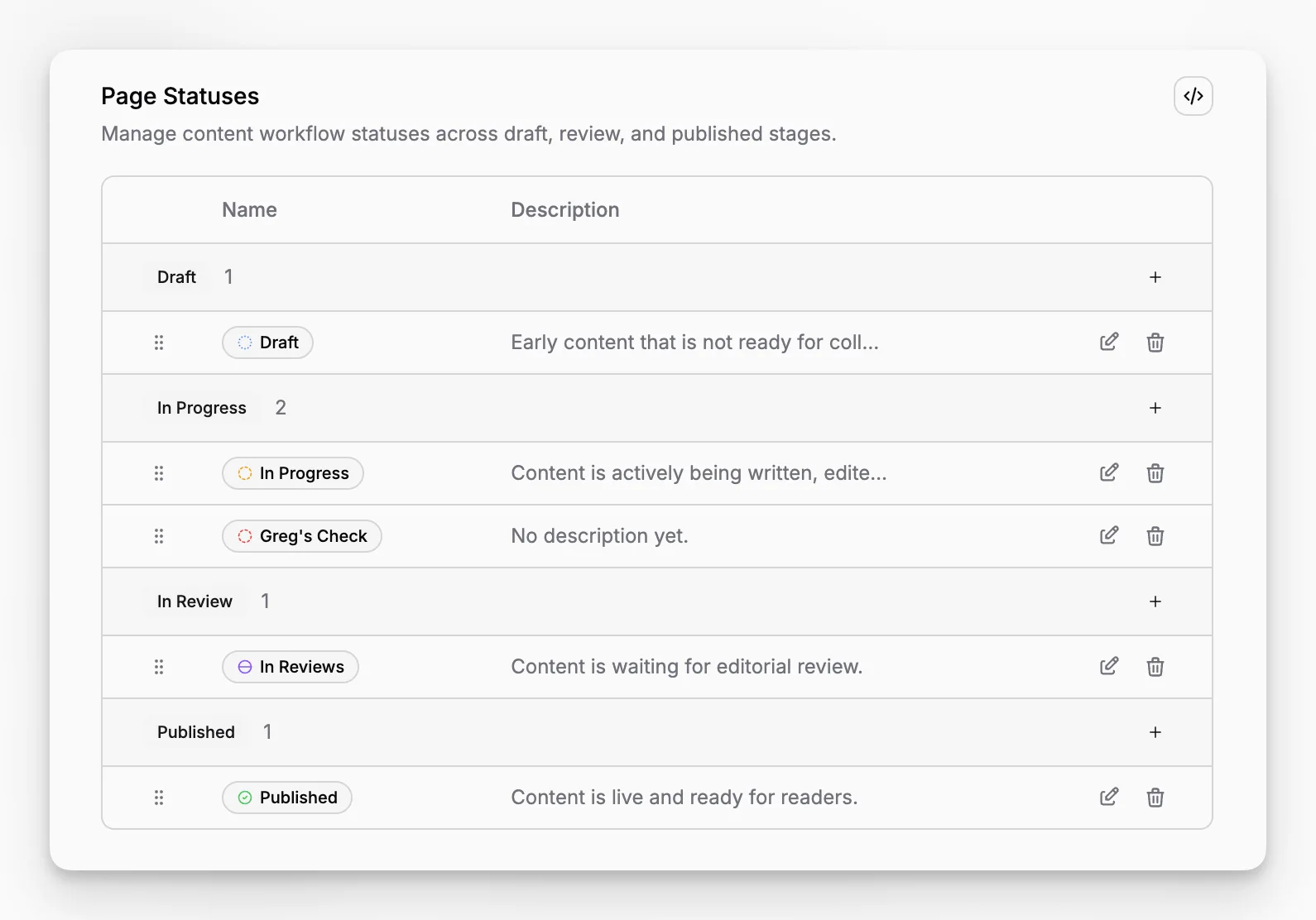
The workflow is built around four status groups: Draft, In Progress, In Review, and Published. Inside each group, teams can create their own custom status names and colors to match the way they actually work.
One workflow, flexible naming
The fixed part is the workflow stage. The flexible part is the label your team sees.
That means a team can keep one shared publishing model while still using names that fit its process. For example, an in-progress stage can include statuses like Writing, Needs Images, SEO Pass, or Legal Check without breaking the broader workflow.
This same structure also powers Home and History, so custom naming still fits neatly into the rest of the product.
Used every day in the page editor
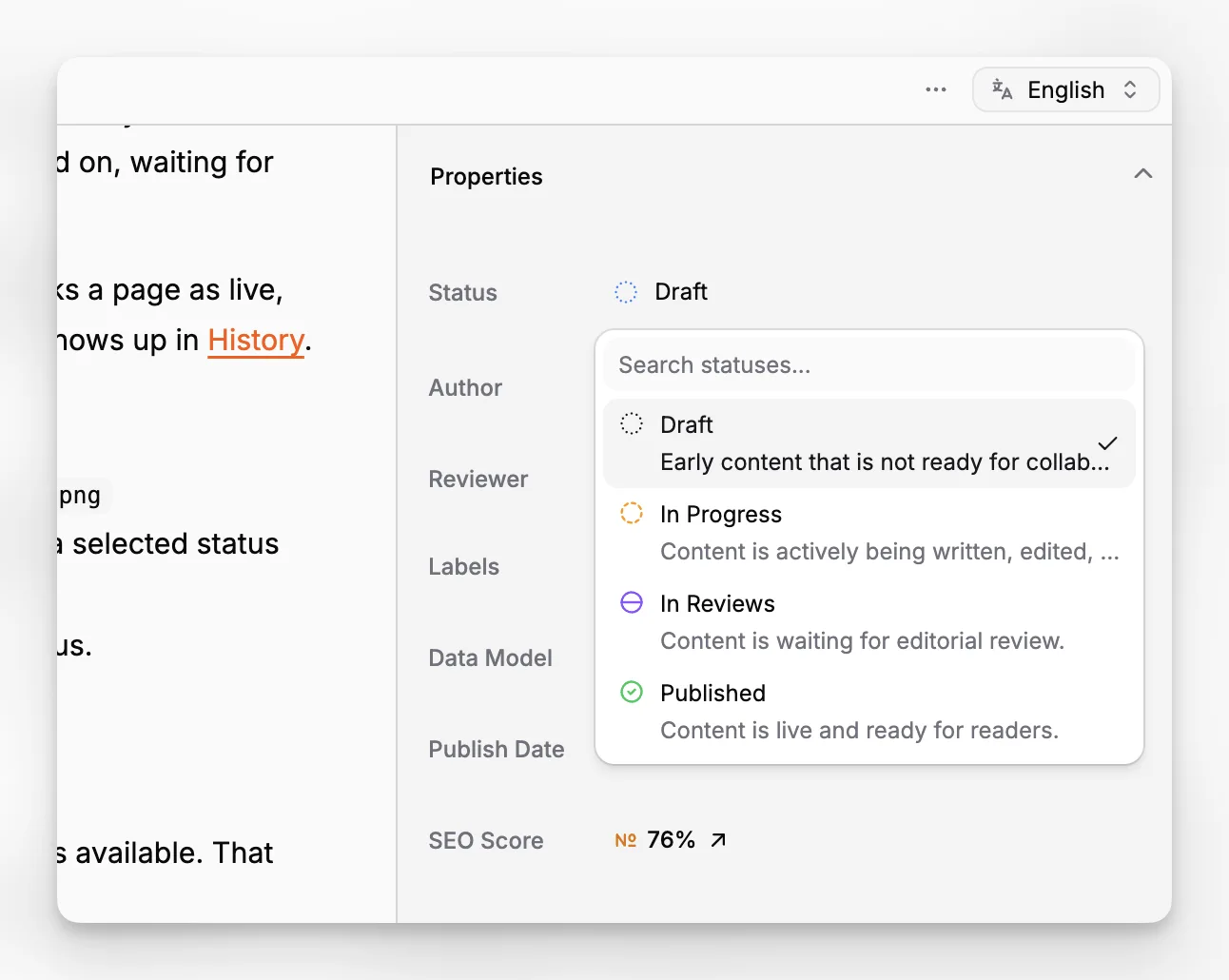
Statuses are selected in Page Properties, where they become part of the page's daily workflow. Editors can see at a glance whether a page is still being drafted, actively worked on, waiting for review, or already published.
They also connect directly to publishing behavior. A published-type status marks a page as live, while a future publish date turns that same content into a scheduled item that shows up in History.
Built to keep workflows stable
Paragraph CMS always keeps at least one Draft status and one Published status available. That protects the core workflow from being accidentally broken during cleanup.
If a team removes a status that is already used by pages, those pages are reassigned to another suitable status instead of being left in a broken state.
