

Activity
Paragraph CMS Activity is an organization-wide feed of page changes, showing what changed, who changed it, and when across the workspace.
 Grzegorz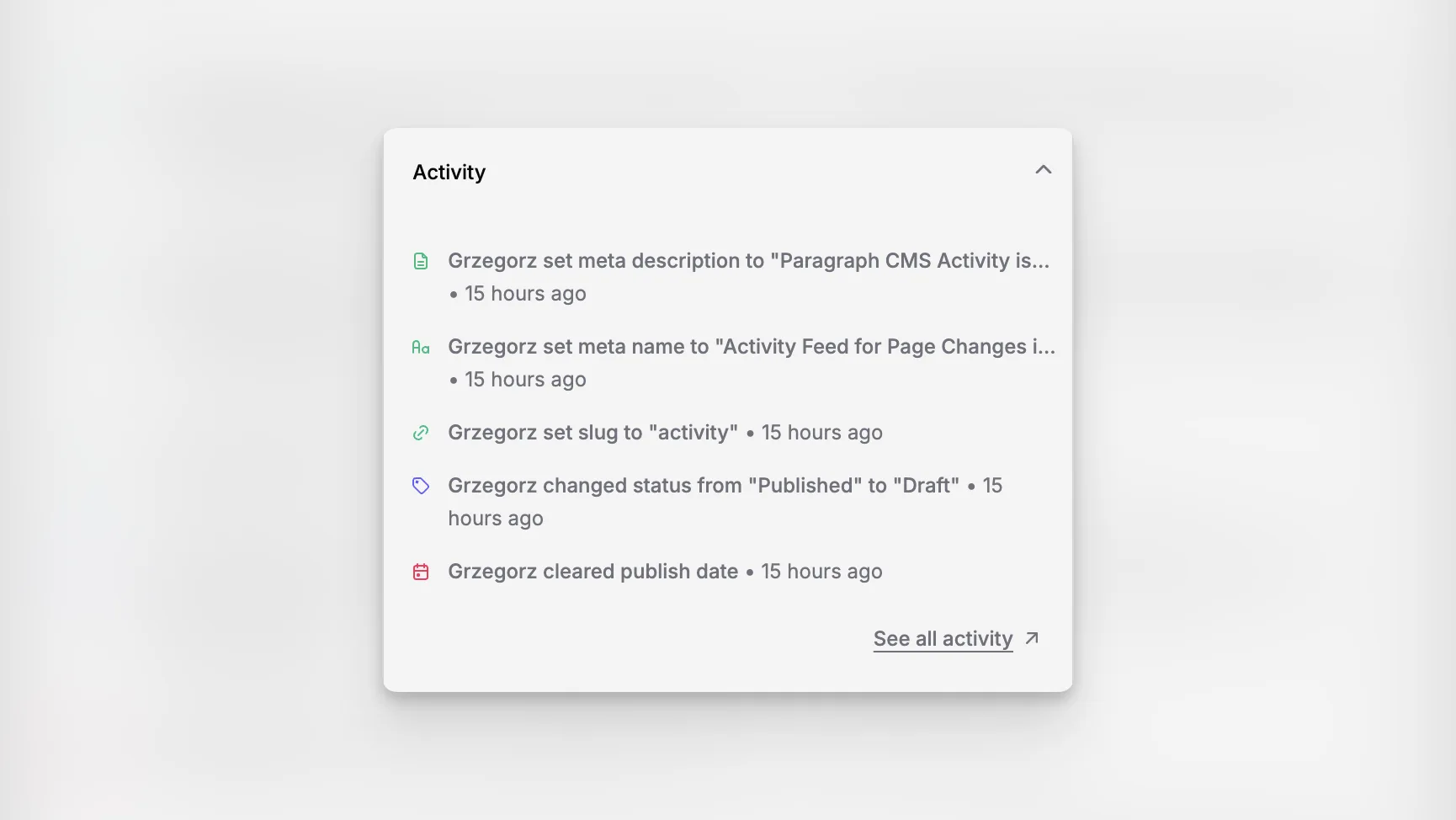
Activity is the organization-wide feed for page changes in Paragraph CMS. It gives teams one place to review what changed, who changed it, and when it happened.
While Home only shows a short recent summary, Activity is the broader workspace for following editorial movement across the organization.
A full feed across pages
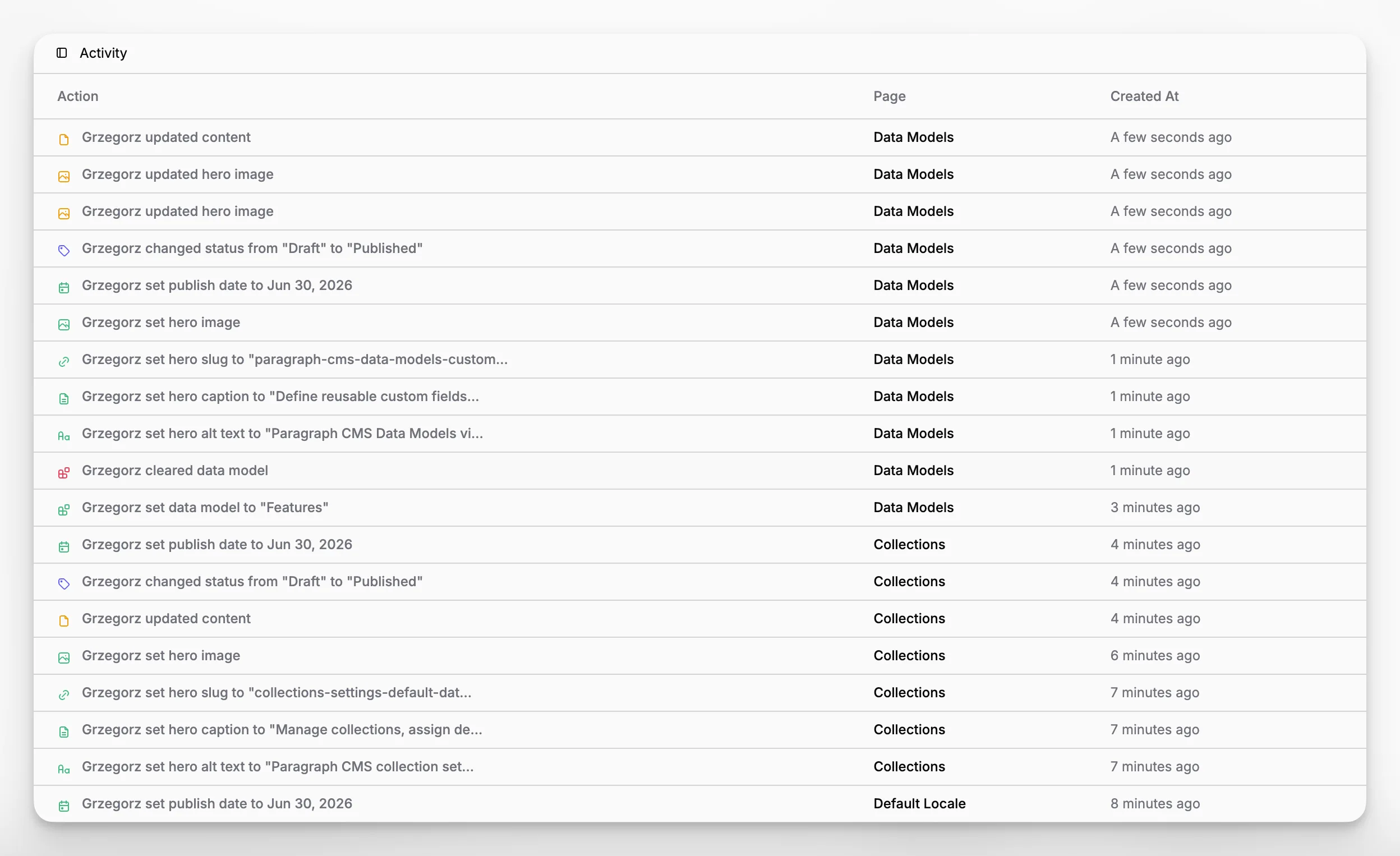
The Activity view is built as a paginated table with three practical pieces of information: the action itself, the page it belongs to, and when it happened.
Each row links back to the page when that page still exists. If the page has already been deleted, the name stays visible with a struck-through treatment, which keeps the audit trail understandable even after cleanup in Trash.
More than simple content edits
The feed covers much more than typing inside the editor. In the current implementation, Activity can capture changes to labels, authors, reviewers, content, collections, data models, titles, hero images, hero metadata, slugs, statuses, publish dates, dynamic fields, meta names, and meta descriptions.
Descriptions are written in plain language such as changing a status, removing a label, setting a reviewer, or updating content. That makes the view readable for editors and managers, not only for technical users.
Connected to page-level review
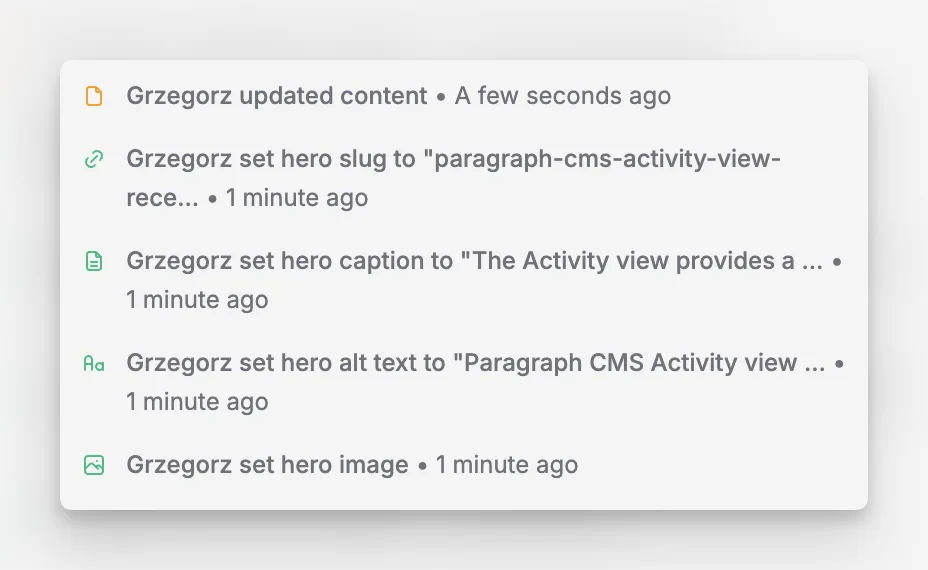
Activity also connects back into the page experience. The page settings panel shows the latest five actions for the current page, then links out to the full activity feed when someone needs more context.
That split works well in practice: quick page-level context for day-to-day work, and a complete organization-level log when someone needs to investigate or review broader change history.
