Editor
Paragraph CMS Editor combines block editing, inline formatting, AI writing tools, and direct image handling in one fast workspace.
 Grzegorz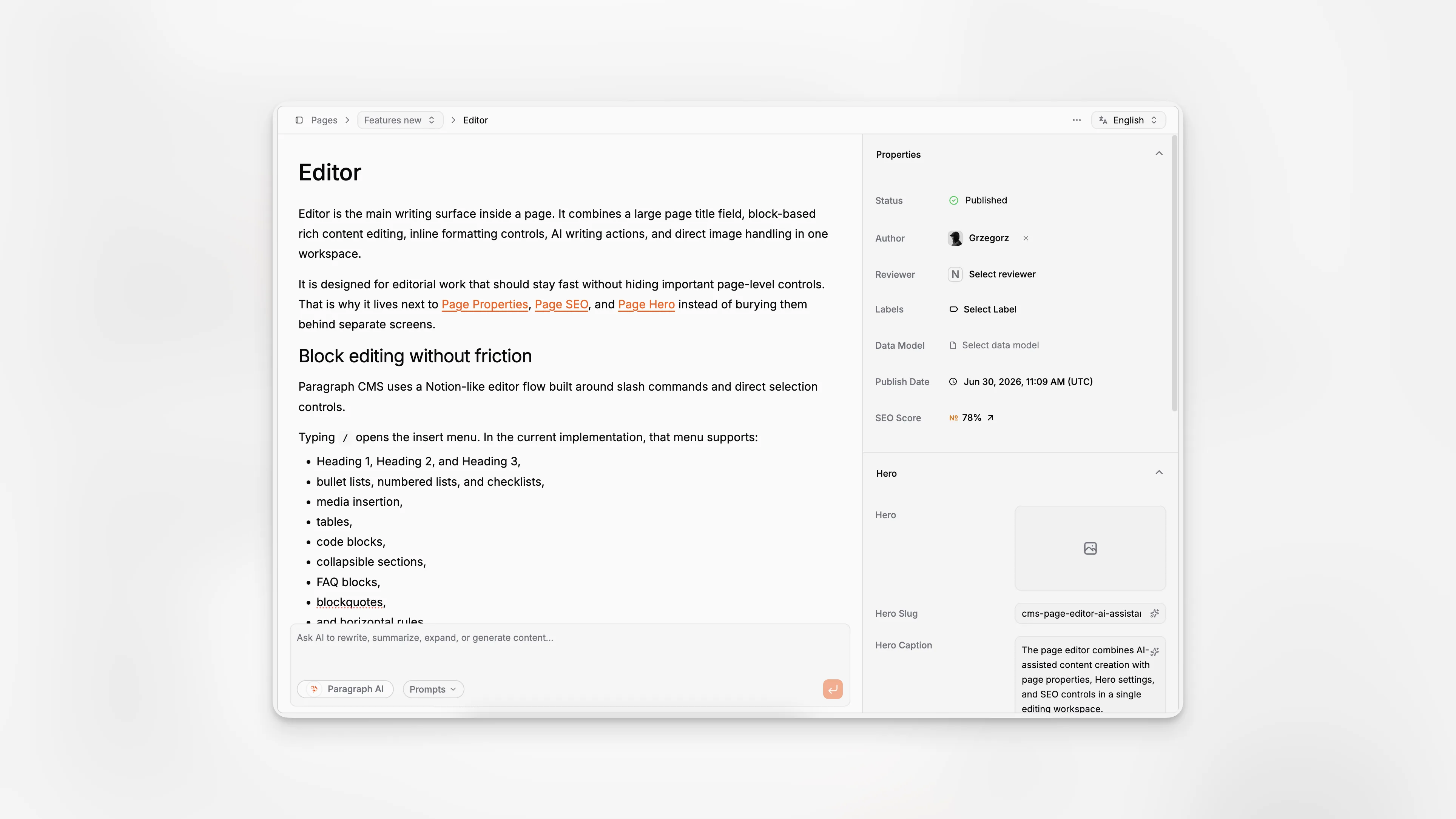
Editor is the main writing surface inside a page. It combines a large page title field, block-based rich content editing, inline formatting controls, AI writing actions, and direct image handling in one workspace.
It is designed for editorial work that should stay fast without hiding important page-level controls. That is why it lives next to Page Properties, Page SEO, and Page Hero instead of burying them behind separate screens.
Block editing without friction
Paragraph CMS uses a Notion-like editor flow built around slash commands and direct selection controls.
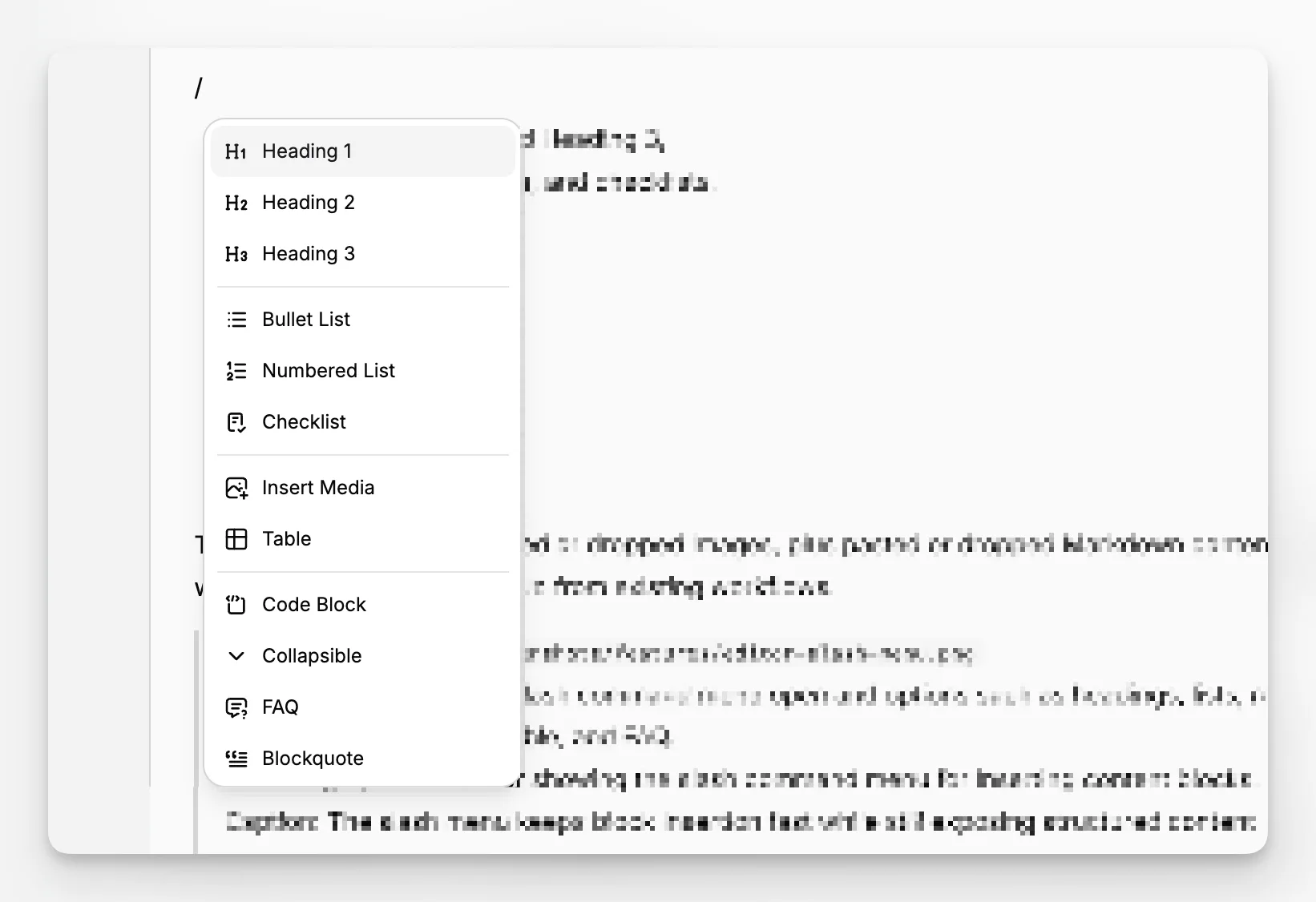
Typing / opens the insert menu. In the current implementation, that menu supports:
Heading 1, Heading 2, and Heading 3,
bullet lists, numbered lists, and checklists,
media insertion,
tables,
code blocks,
collapsible sections,
FAQ blocks,
blockquotes,
and horizontal rules.
The editor also accepts pasted or dropped images, plus pasted or dropped Markdown content, so it works well for moving drafts in from existing workflows.
AI stays close to the writing
Selecting text opens a contextual toolbar with formatting and rewrite actions. Editors can bold, italicize, underline, strike through, add code styling, insert links, and transform the selected block into other structures such as headings, lists, blockquotes, or code blocks.
The same bubble menu includes an Improve group with these AI actions:
Extend text
Reduce text
Rephrase text
Simplify text
Continue sentence
Below the editor, the built-in AI chat handles larger drafting and rewriting tasks. It supports reusable suggestions from AI Prompts, and when no custom prompts exist, the interface falls back to three built-in starting points: Research Topic, Create Article, and Optimize for SEO.
Images are edited in place
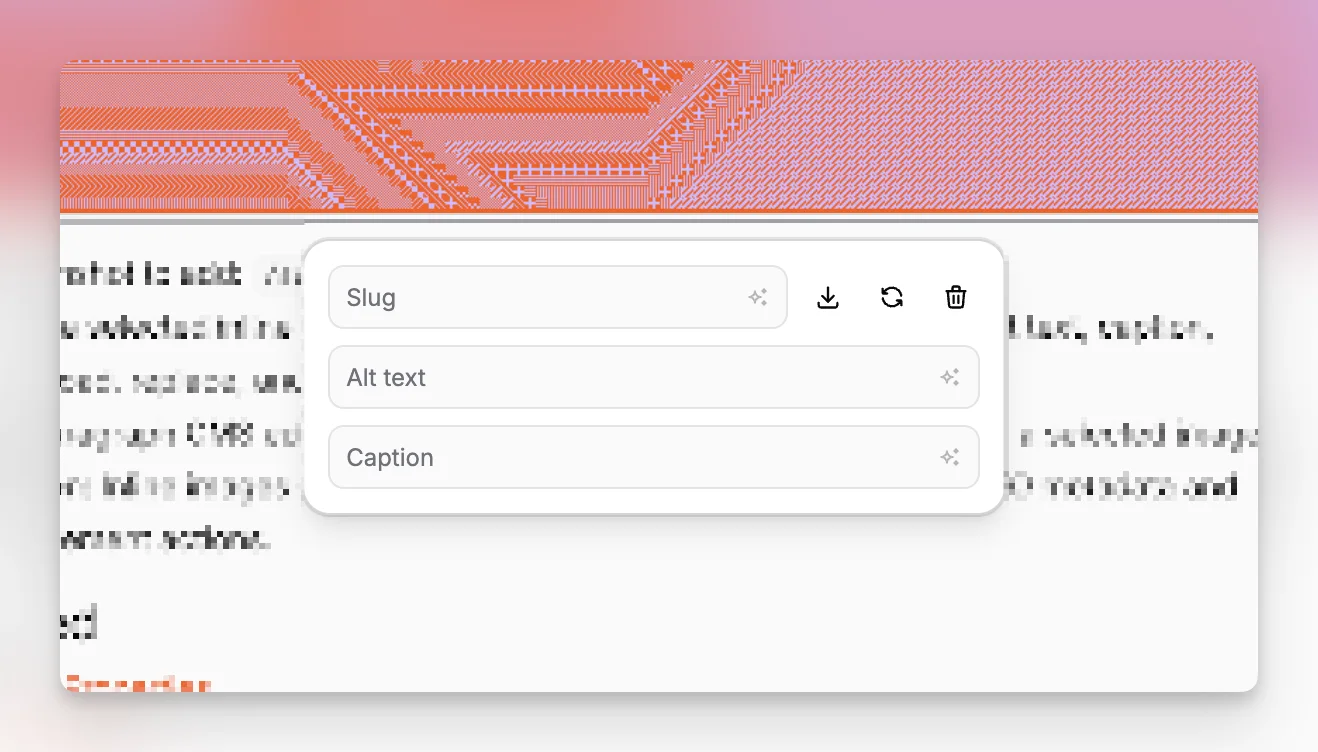
Inline images behave like content blocks, not detached assets. Editors can paste, drag, or upload them directly into the body, then click the image to edit its metadata in place.
The current image controls include:
slug,
alt text,
caption,
download,
replace,
and delete.
AI buttons can also generate the image slug, alt text, and caption from the other metadata fields. Uploaded images then flow into Media Management and are served publicly through the Paragraph CMS CDN, with supported images optimized into .webp.