

Teams
Manage teams in Paragraph CMS to group members, control collection access, and keep scoped content visible only to the right people.
 Grzegorz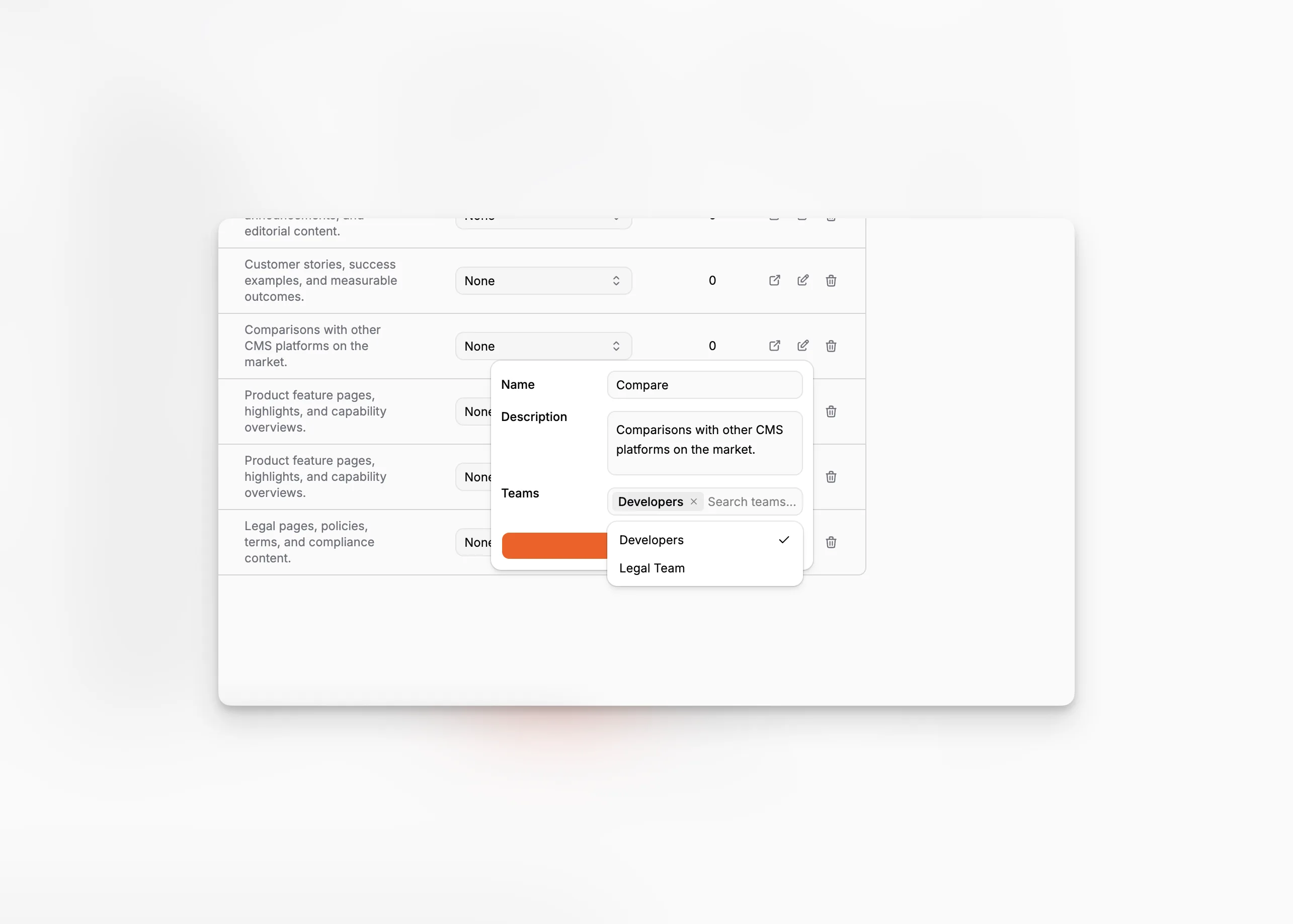
Teams lets organizations group members inside Paragraph CMS and use those groups to control who should work with specific collections.
That makes Teams more than a simple directory. It is part of the access model around Collections, Members, and Roles.
Create teams and assign members
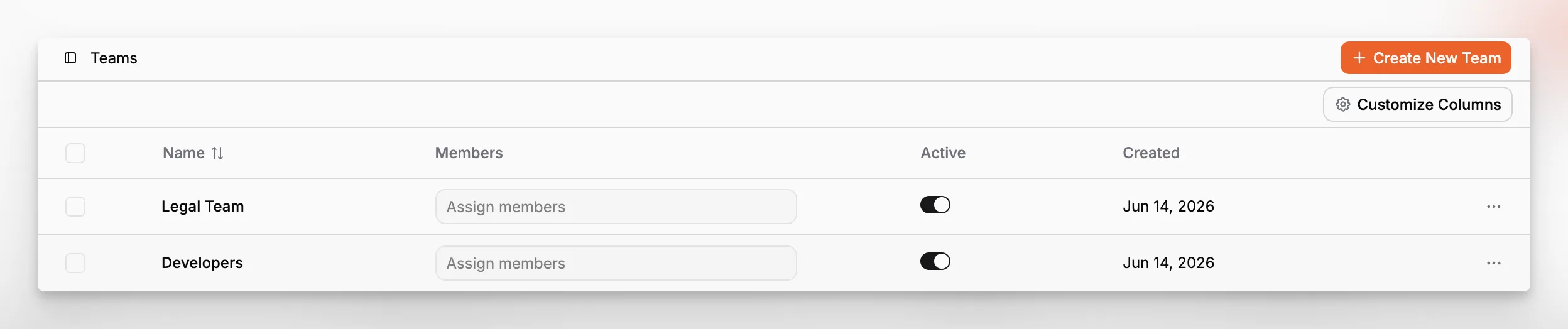
Each team has a name, an active state, and a member list managed directly from the teams table. Members can be assigned through a searchable multi-select control, and active teams can be switched on or off without deleting them.
In the current implementation, owners and admins are intentionally excluded from team assignment. Teams are meant for scoped content access, while higher-level organization roles stay above that layer.
Limit collection access with teams
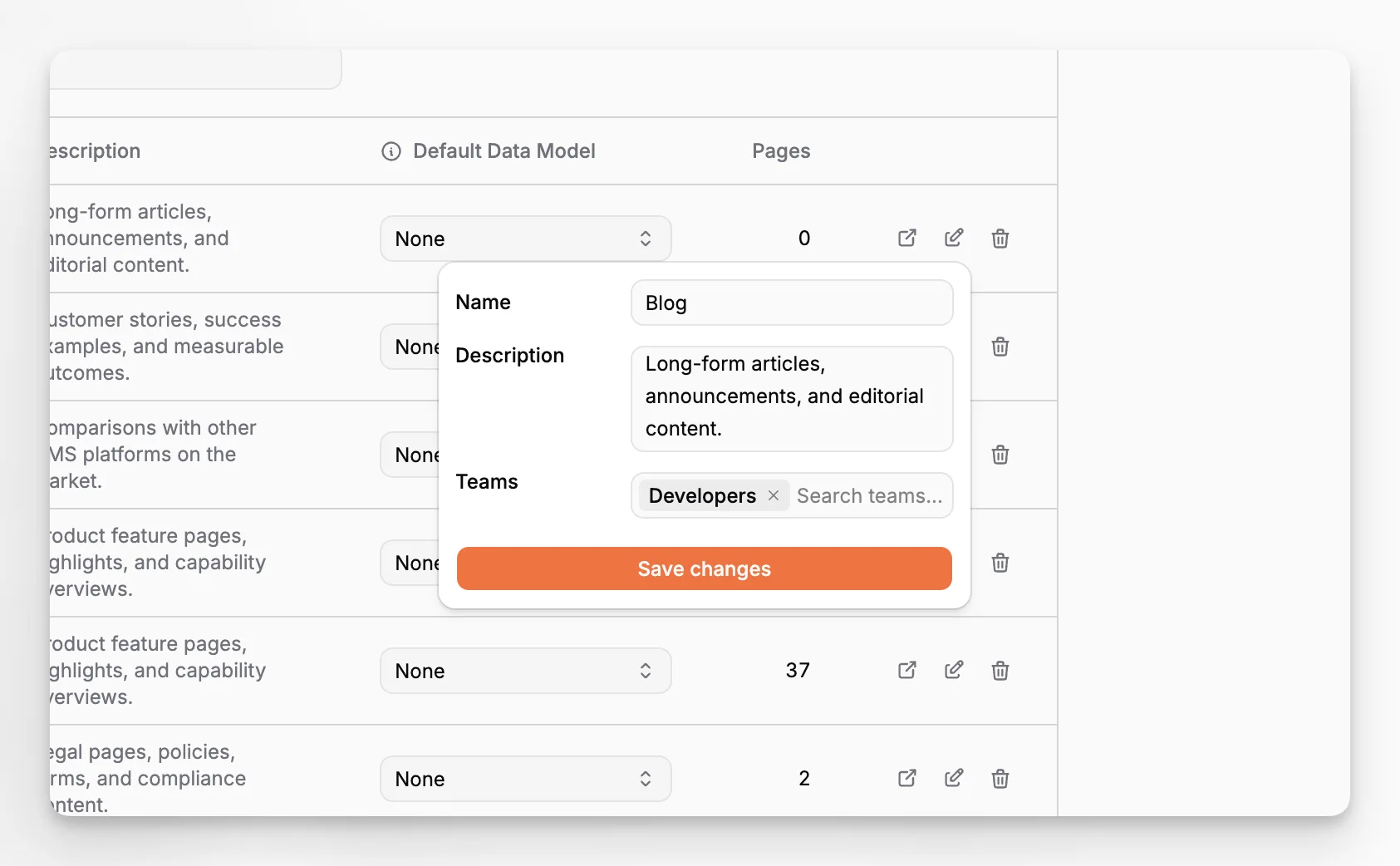
The strongest use case for Teams is collection visibility. A collection can be assigned to one or more teams, which makes it possible to keep certain content areas limited to the people who actually own them.
This works well for setups like separate product lines, country-specific editorial groups, agency clients, or internal knowledge bases that should not be open to everyone in the organization.
Scales with larger organizations
Team Management is a Scale feature. In the current plan logic, the default limit is 10 teams per Scale organization.
Deleting a team also cleans up related collection restrictions and other team references automatically, which helps organizations restructure safely instead of leaving broken visibility rules behind.
