

Roles
Manage custom roles and permissions in Paragraph CMS with resource-level access controls for teams, members, and organizations.
 Grzegorz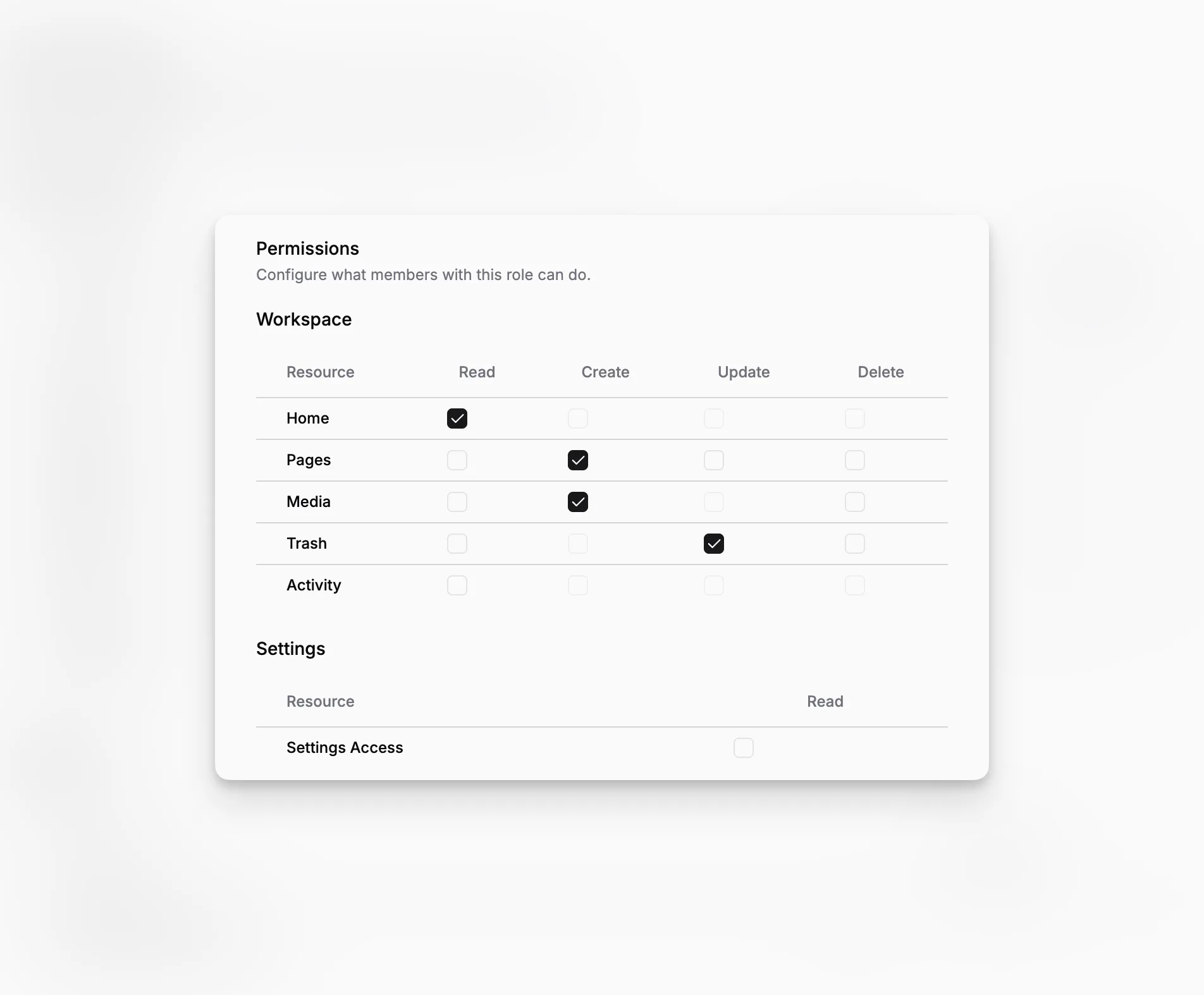
Roles is the permission management workspace in Paragraph CMS. It gives organizations a structured way to decide which people can access which parts of the CMS, instead of treating every non-owner as the same kind of user.
The feature is closely tied to Members, because roles only become useful when they can be assigned to real people inside the organization.
Create and manage custom roles
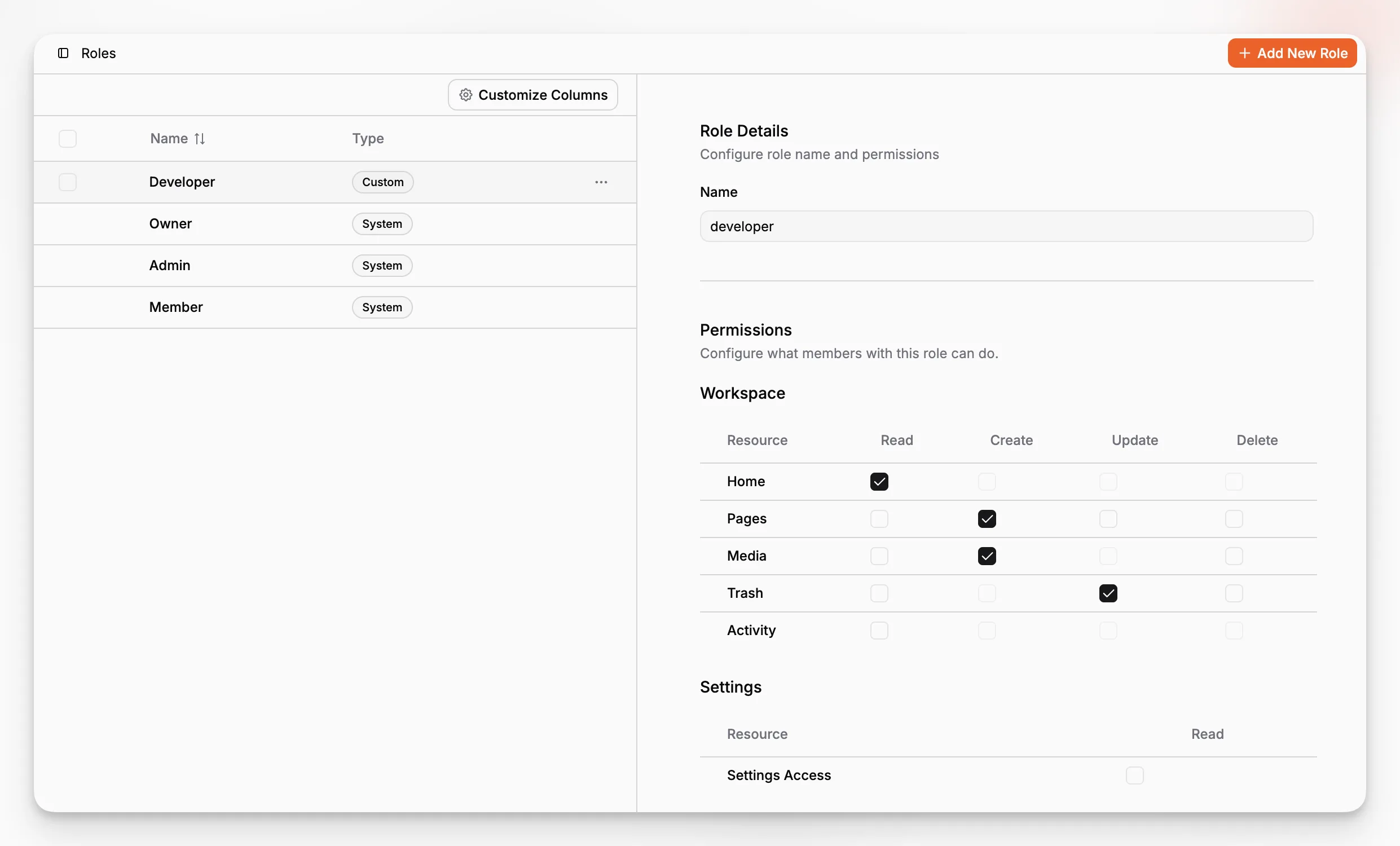
The Roles view combines a role list with a detail panel, so teams can move from creating a role to editing it without leaving the page. Built-in system roles are shown alongside custom roles, while custom ones can be renamed, updated, and removed.
In the current implementation, custom roles are available on the Scale plan and the default limit is 5 custom roles per organization. That is usually enough to model marketing, editorial, SEO, contractor, or reviewer-specific access without turning permissions into chaos.
Screenshot to add:
/screenshots/features/roles-split-view.png
Show the Roles page with the role list on one side and the selected role details on the other.
Alt: Paragraph CMS Roles view showing the role list and selected role details panel.
Caption: Roles combines role selection and permission editing in one workspace.
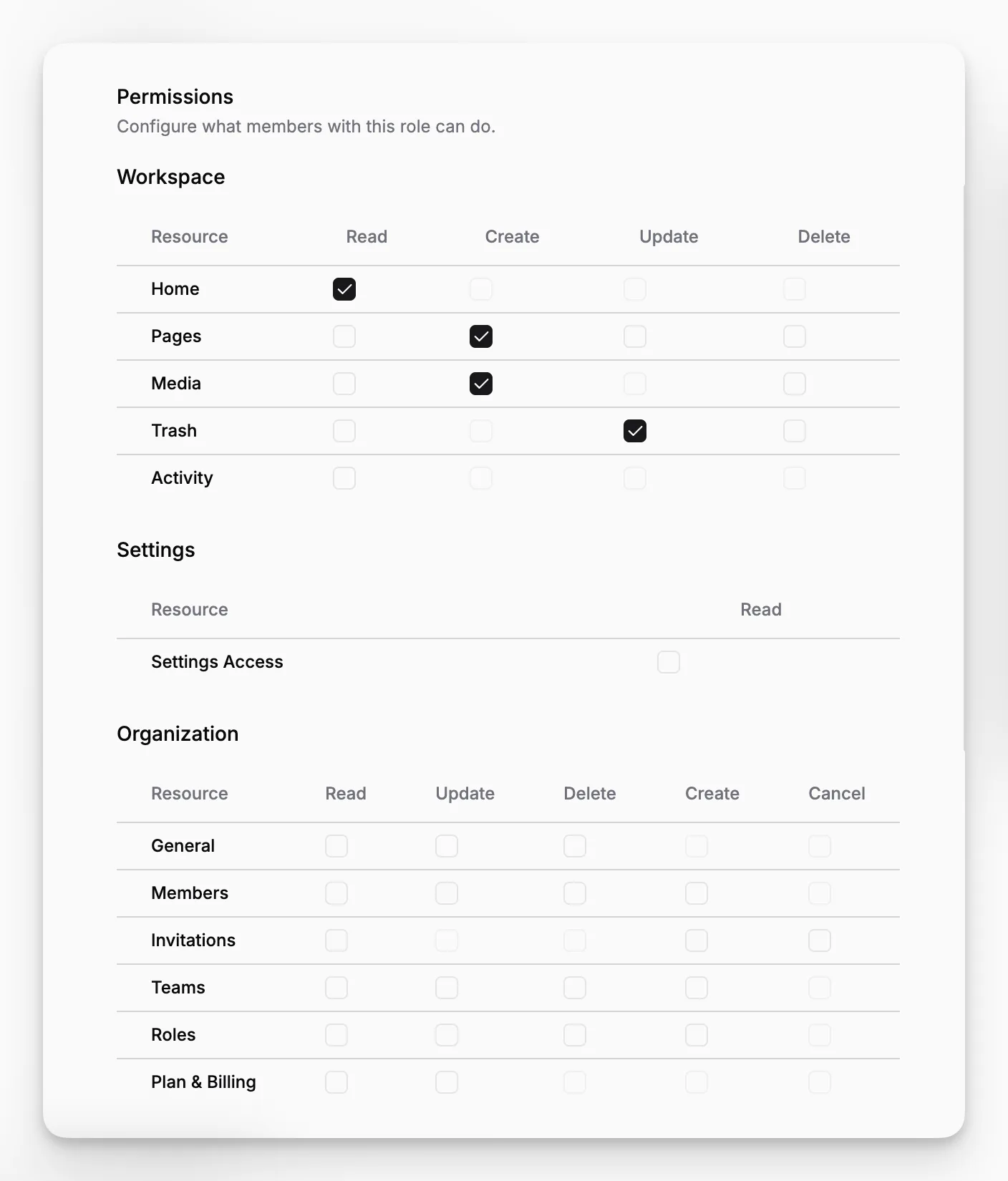
A permission matrix across the CMS
Permissions are grouped by major areas of the product: Workspace, Settings, Organization, Features, and Developers. Inside those sections, teams can grant actions such as create, read, update, delete, cancel, or billing access depending on the resource.
That means access can be shaped around real responsibilities. One role can work with pages and media but not billing. Another can manage labels and statuses but not API keys. Another can review activity and trash without editing organization settings.
Built for organizations that need cleaner boundaries
Roles become more valuable as a workspace grows. Once more people, teams, collections, and developer settings are involved, a simple all-or-nothing access model stops being enough.
That is why Roles fits naturally with Teams, API Keys, and other areas where operational ownership should stay clear.
