System Roles
Learn about Paragraph CMS system roles: Owner, Admin, and Member. These built-in, read-only roles provide the default organization access model.
 Grzegorz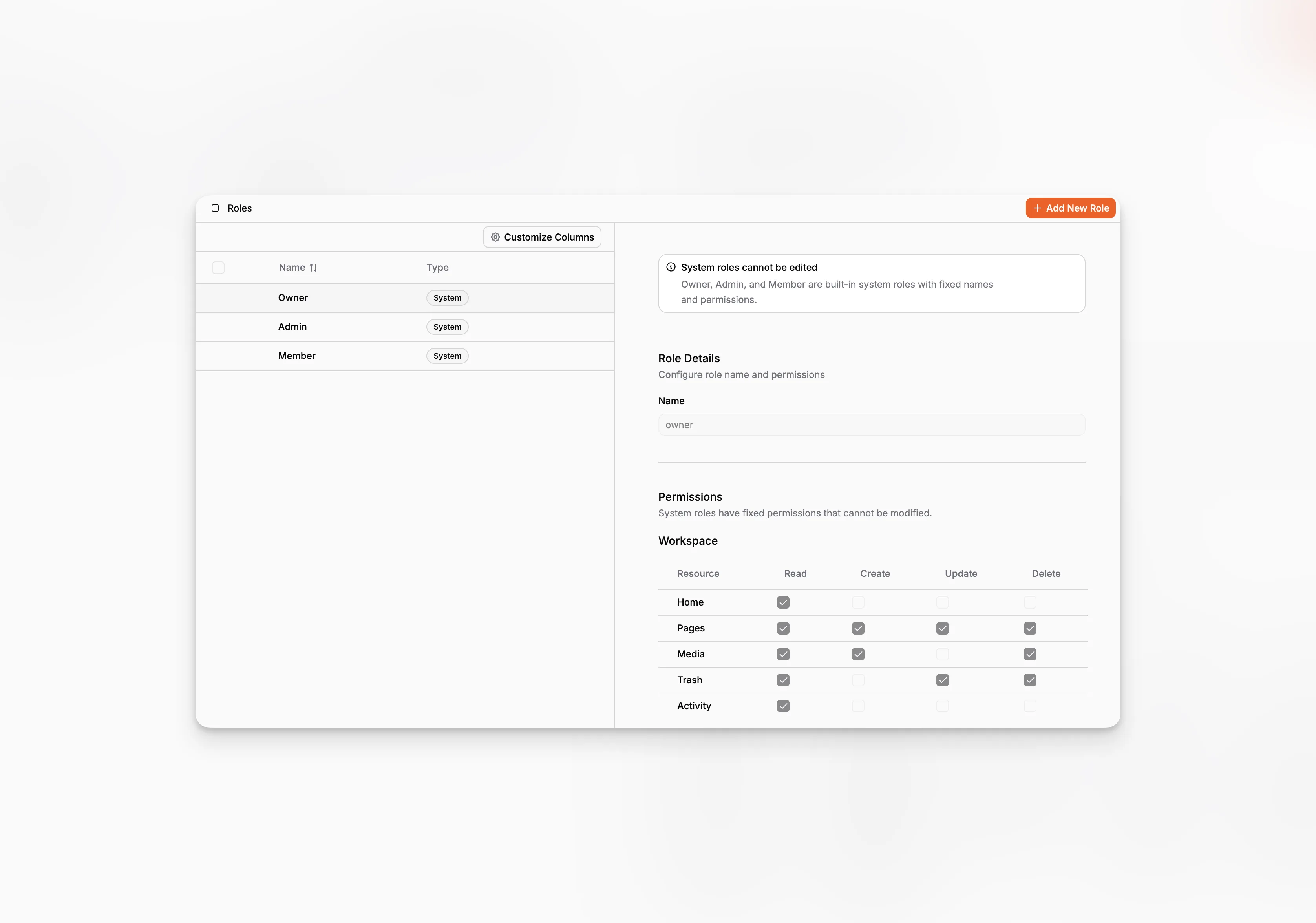
System Roles are the built-in access roles in Paragraph CMS: Owner, Admin, and Member. They form the default permission model for organizations and appear alongside custom roles when the dedicated Roles workspace is available.
Unlike custom roles, system roles are fixed. Their names and permissions cannot be edited, and they are meant to give organizations a stable access foundation from day one.
Built-in and read-only by design
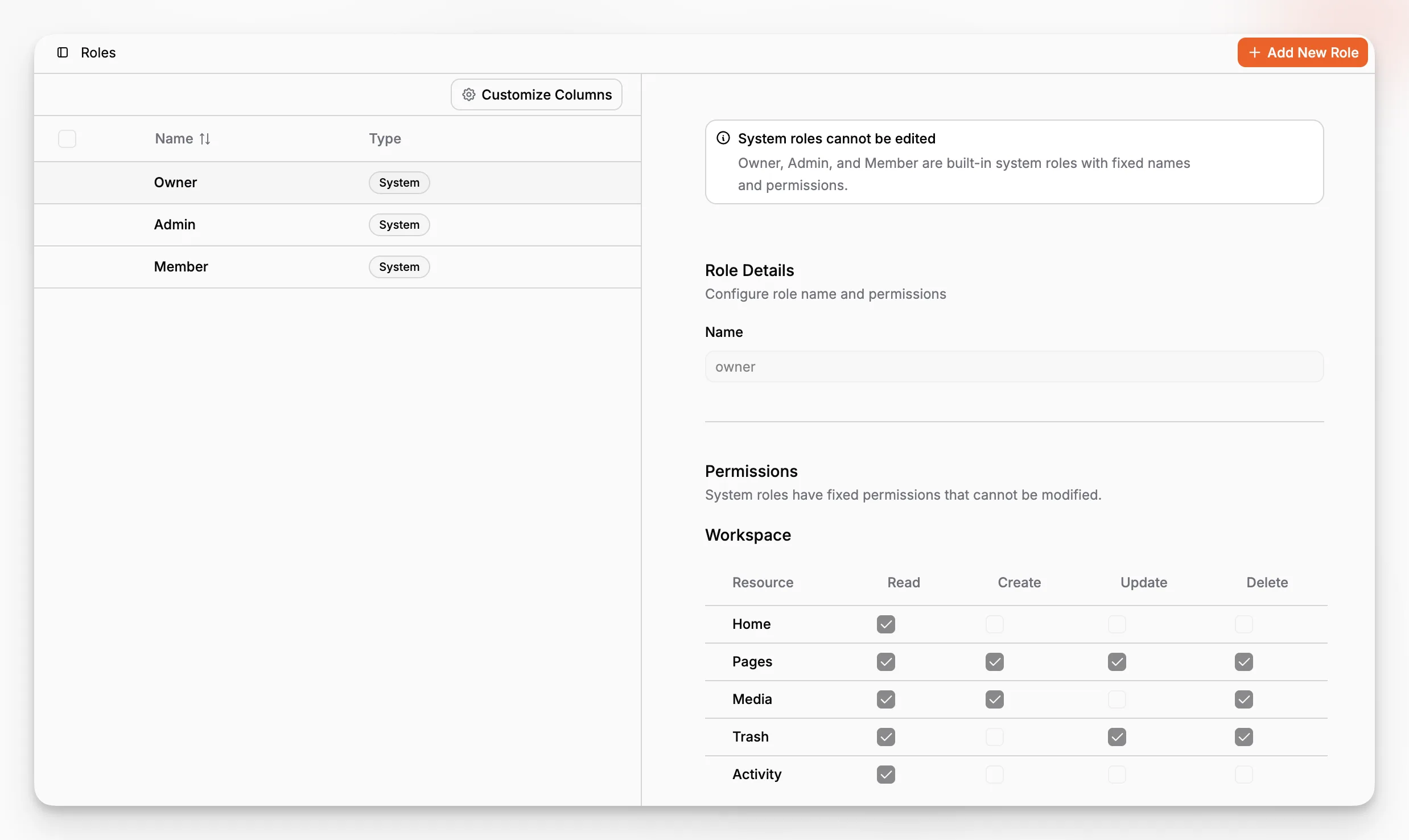
When a system role is selected in the Roles view, Paragraph CMS shows it as read-only and explains that built-in roles cannot be edited. That protects the baseline access model from accidental changes.
The same stability shows up in membership flows as well. For example, the Owner role is protected from removal and from role reassignment in the Members area.
What Owner, Admin, and Member are for
Owneris the highest-access role. It is the top administrative role for the organization and is protected from removal or downgrade in the member management flow.Adminis the broad operational role. It has wide access across workspace, organization settings, AI, media, and developer features without being the protected owner account.Memberis the day-to-day content role. In the current permission model, it can work with pages, media, trash, activity, and AI usage, but it does not get settings access and only gets read access to configuration-heavy areas such as collections, data models, locales, statuses, labels, and API keys.
Used directly in member management
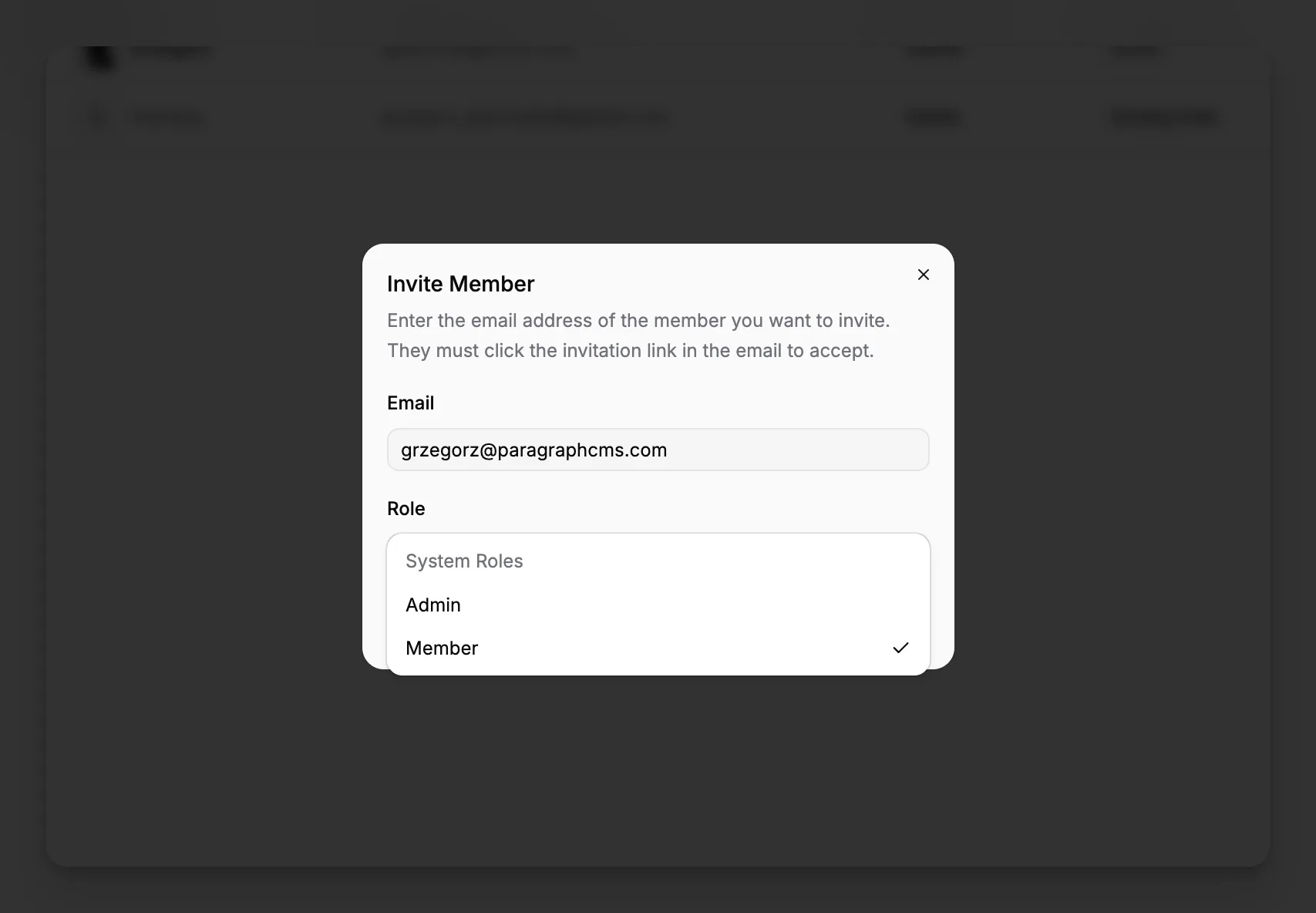
System roles are not abstract. They are surfaced directly where access is assigned: in invitation dialogs and member role pickers.
That makes them practical defaults for most organizations even before custom roles are introduced. Teams can start with Owner, Admin, and Member, then add more specialized roles later if the workspace needs finer boundaries.