
What a Headless CMS for Developers Should Actually Help Teams Do
What a headless CMS for developers should do: streamline structured content, reduce editorial bottlenecks, support localization and SEO, and fit modern frameworks with AI-native workflows.
 Grzegorz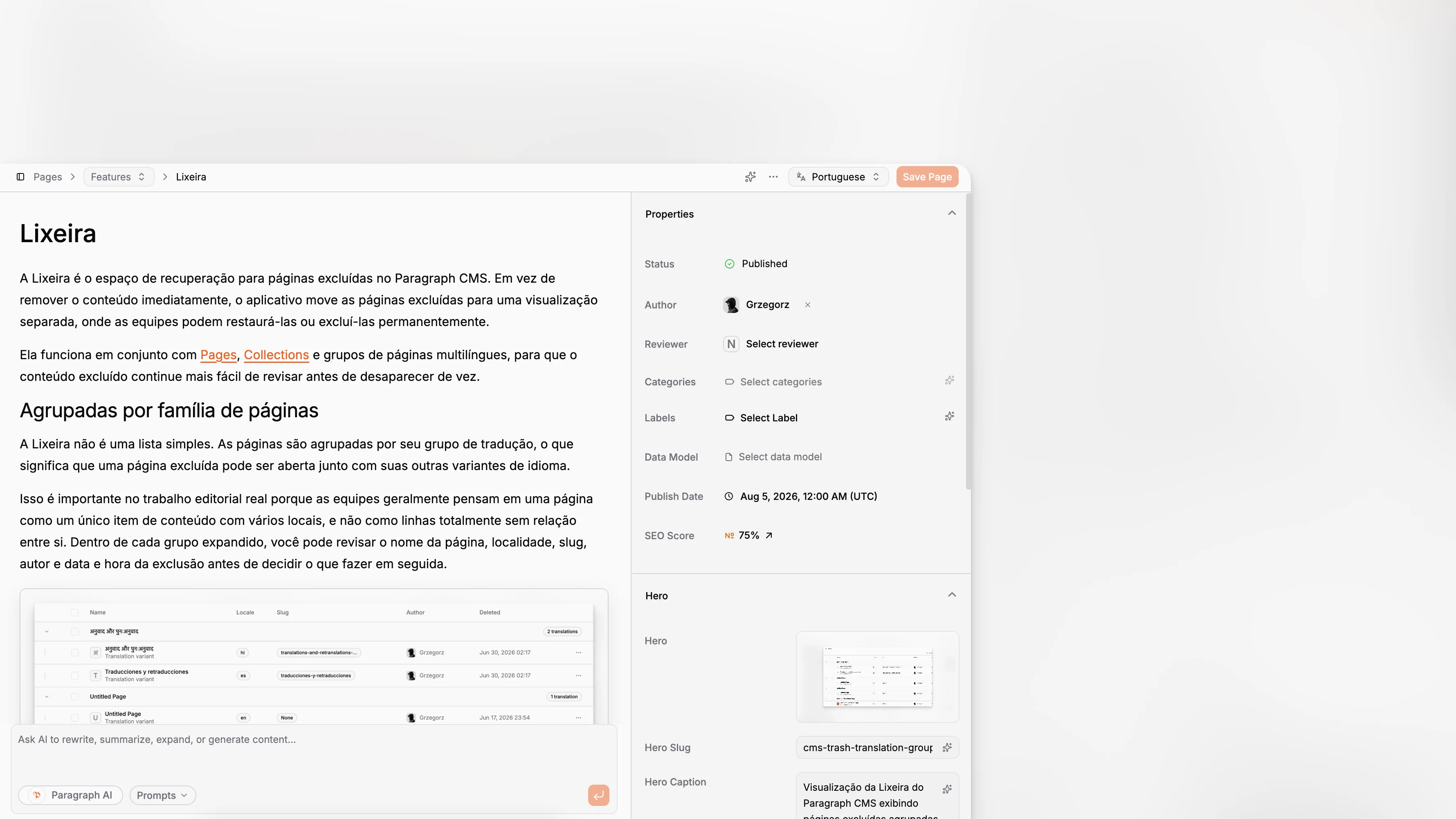
A headless CMS is only useful if it removes friction instead of relocating it. For developers, that means structured content that fits modern frameworks, editorial workflows that do not require constant engineering help, and AI features that improve real production work instead of adding another disconnected interface. Paragraph CMS is worth looking at through that lens: not as a generic CMS with AI bolted on, but as an AI-native headless CMS built around content operations, localization, media, SEO, and developer delivery in one system.
TL;DR: A headless CMS for developers should do more than expose APIs. It should support structured content, reduce editorial dependency on engineering, make localization and media workflows manageable, and help teams maintain SEO and metadata quality at scale. Paragraph CMS is notable because it combines those needs in one product instead of treating AI as a separate add-on.
What is an AI-native headless CMS, really?
The phrase gets used loosely, which is why it helps to be precise. A traditional headless CMS stores structured content and exposes it to frontends through APIs. An AI-native headless CMS should go further. AI should be part of the authoring system, metadata workflows, translation flow, and publishing process itself, not just a button that spits out rough drafts.
That distinction matters for developers. If AI lives outside the CMS, teams end up copying text from chat tools into fields by hand, rewriting metadata separately, and cleaning up inconsistencies after the fact. Paragraph CMS positions itself around solving exactly that operational gap with built-in chat, an AI editor, reusable prompt workflows, translation and retranslation, and AI-assisted SEO work inside the same workspace as the content model and publishing workflow.
The developer angle is equally important. Headless content has to land somewhere. Paragraph CMS publicly emphasizes first-class support for frameworks such as Next.js, React Router, Nuxt, Astro, and SvelteKit, along with open-source SDKs and starter projects. That makes the category less about abstract AI promises and more about whether a team can move from model to rendered page without a custom integration project.
The fundamentals still apply. Structured content, API delivery, and frontend independence remain core. AI only helps if the content foundation is solid. For any headless CMS for developers, schema design, references, validation, and localization discipline still decide whether the system scales cleanly.
Why are developers even looking for a different kind of CMS?
Because the old tradeoff is tired. Developers want control over the frontend stack, deployment model, and performance profile. Editors want a sane interface, localization support, and predictable publishing. Most CMS platforms handle one side better than the other.
A developer-first stack often leaves editors juggling raw fields, markdown fragments, and undocumented conventions. An editor-friendly CMS often pushes developers into rigid page builders, theme systems, or plugin ecosystems that fight the application architecture. AI-native headless CMS products are trying to close that gap by making the content workspace smarter without giving up structured delivery.
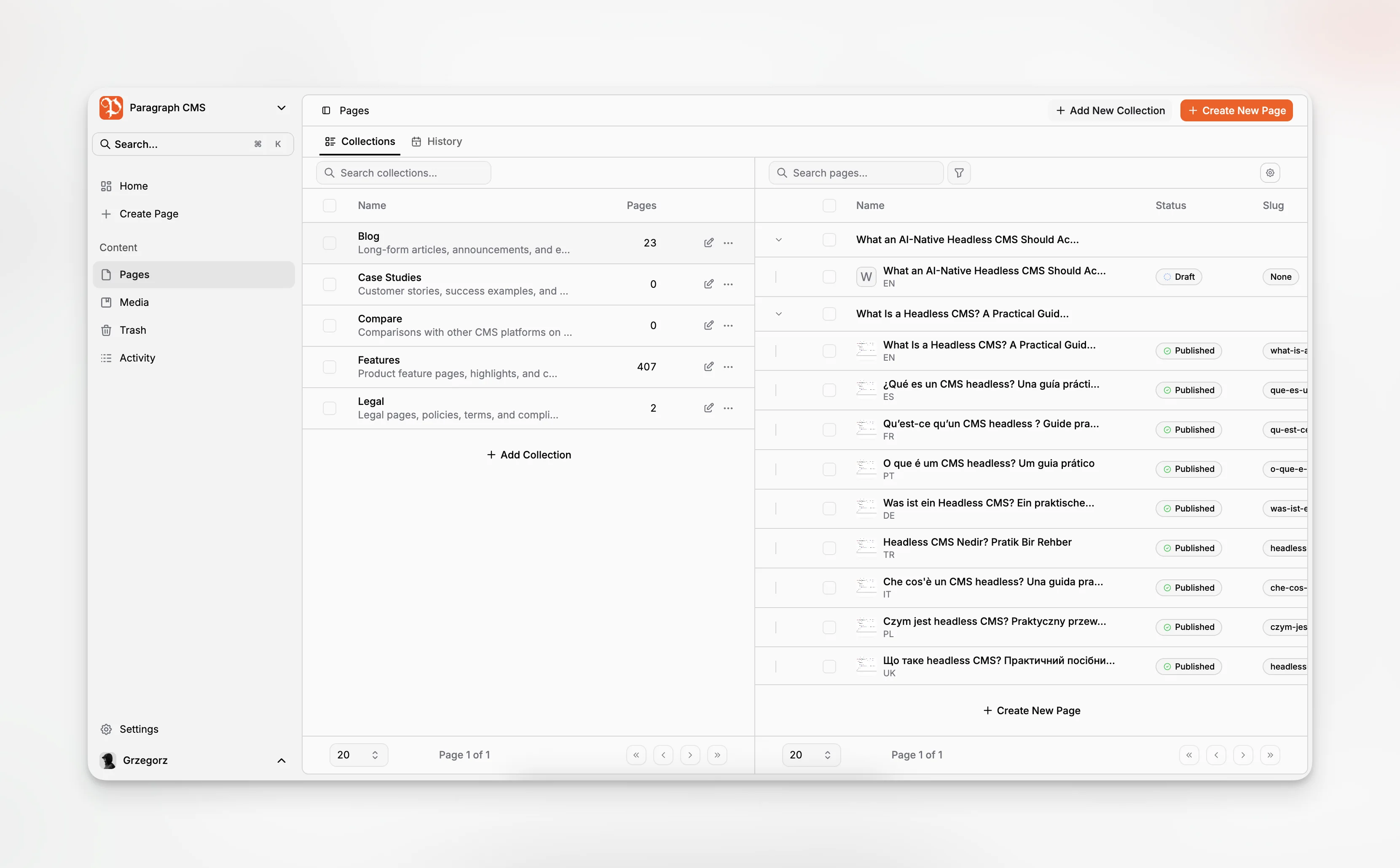
Paragraph CMS is explicit about this balance. Its core positioning is “built for editors, ready for developers,” and the feature set reflects that. The public product pages highlight an editor, pages, data models, collections, multilingual content, media management, page SEO, roles, and API keys, alongside framework support. Those are not random checklist items. They are the pieces that determine whether a content system becomes a durable part of the stack or a workaround everyone resents.
Developers also care about speed to implementation. A CMS that requires months of bespoke setup is a poor fit for many product teams. Paragraph CMS’s public materials point to quickstarts, SDKs, and framework-oriented workflows that help teams move faster from content model to working frontend.
For teams building with modern React-based stacks, Next.js has raised the bar for how content systems should integrate with metadata, routing, and generated sitemap files. That means a CMS should not force developers to bolt SEO basics together from scratch every time.
What makes Paragraph CMS credible as a headless CMS for developers?
The easiest way to test the claim is to ask whether the platform helps developers in the places that usually create friction.
First, it supports modern frontend frameworks instead of assuming a monolithic rendering model. Second, it combines structured content with page management, collections, and SEO-relevant page properties in one system. Third, it includes AI features that operate on actual content objects rather than disconnected prompts in another tool. Fourth, it treats multilingual workflows, media management, and SEO metadata as core product areas rather than secondary extensions.
That matters because developers rarely struggle with fetching plain text from an API. They struggle with everything around it: content consistency, metadata drift, localization maintenance, broken media behavior, and endless editorial edge cases.
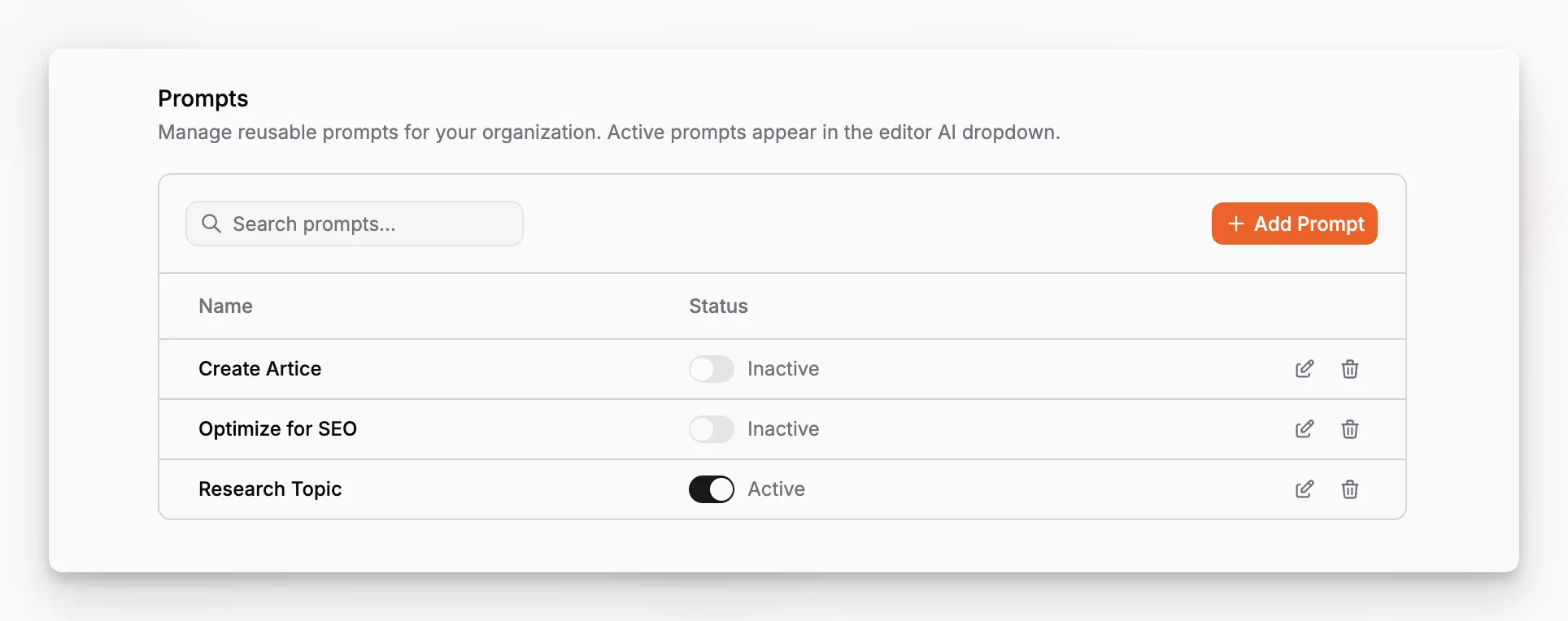
Paragraph CMS appears designed around those operational realities. Its public positioning highlights built-in chat that understands content, an AI editor for inline improvement, generative SEO support for fields like slugs and image metadata, and translation and retranslation across more than 75 languages. For a developer team, that is meaningful because the output stays attached to the same structured entries the frontend already renders.
How does an AI-native CMS change the content modeling conversation?
The biggest mistake in CMS selection is focusing on content entry before content structure. If the model is wrong, the editing experience gets weird, localization becomes brittle, and frontend rendering logic turns messy. The AI-native layer does not replace that work. It raises the stakes.
AI works best when content is clearly structured. A page title is not the same thing as a hero title. A summary is not the same as SEO description text. Body content is not interchangeable with image captions or card copy. Once those distinctions exist in the schema, AI can assist with the right task in the right place. Without that structure, AI tends to generate generic blobs that create more cleanup work.
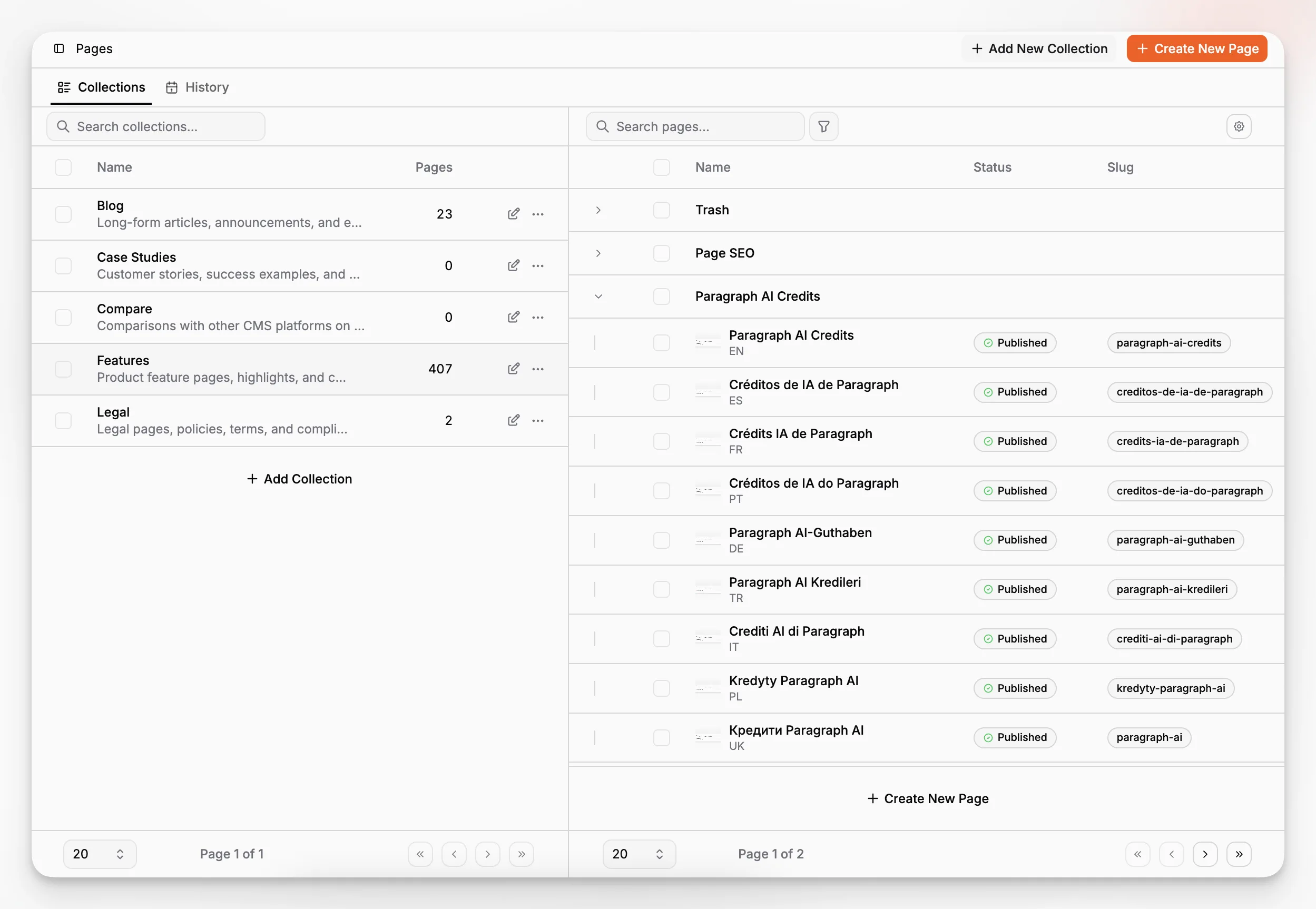
Paragraph CMS exposes dedicated product areas for data models, pages, collections, and page properties, which is exactly where this starts to matter. Developers should think in terms of reusable field groups, references between content entities, and channel-specific outputs. Editors should never have to guess which field feeds a listing card, an OG tag, a hero block, or a localized route.
A strong setup usually includes at least these modeling principles:
Separate editorial body fields from presentation-specific metadata.
Keep slugs, summaries, and image metadata explicit rather than inferred.
Model reusable entities such as authors, categories, and media independently.
Treat localization as a first-class content concern, not a naming convention.
Add governance through roles, statuses, and validation.
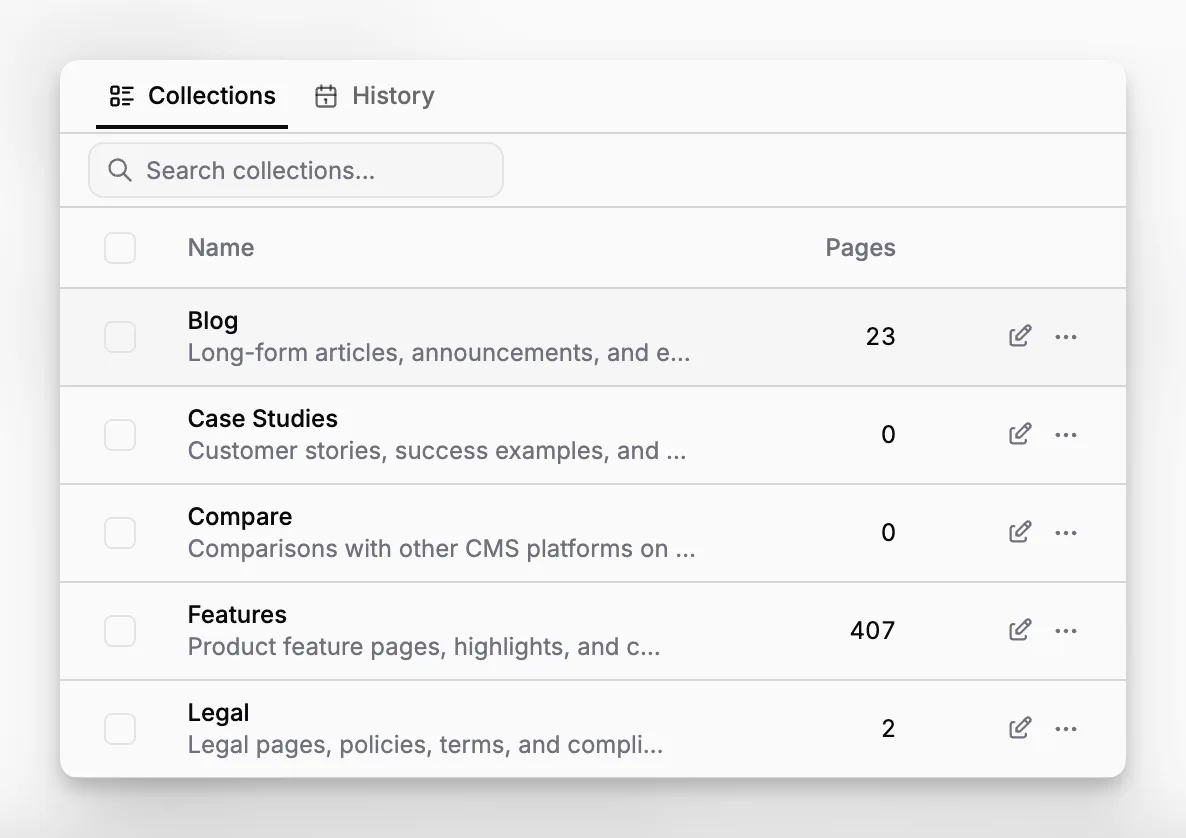
This is also where a lot of AI content projects go wrong. Teams ask AI to generate complete pages before deciding what reusable content units they actually need. The result is hard to maintain. A better path is to model content first, then use AI to accelerate the creation and upkeep of those structured fields.
Where does Paragraph CMS fit into a real developer workflow?
In a practical build, the CMS is not the product. It is part of the delivery system. Developers need a content API, SDKs that fit their runtime, examples that shorten setup time, and enough confidence that the editorial system will not force emergency rebuilds every time content changes.
Paragraph CMS’s public materials point to open-source SDKs, framework-specific quickstarts, and support for Next.js, React Router, Nuxt, Astro, and SvelteKit. That combination matters. It suggests the product is aiming to reduce the handoff gap between content operations and frontend implementation.
The platform also highlights generated SEO resources through its SEO tooling, including sitemap support and related search-facing assets. For developer teams, that is not just convenience. It reduces the number of ancillary systems required to make content discoverable and machine-readable.
If you are evaluating implementation effort, a useful way to think about it is this:
Model the content types your frontend actually needs.
Connect the official client or framework integration.
Fetch pages, collections, and localized variants into your app.
Render media, SEO fields, and page metadata consistently.
Use AI features in the CMS to improve editorial throughput, not to replace modeling.
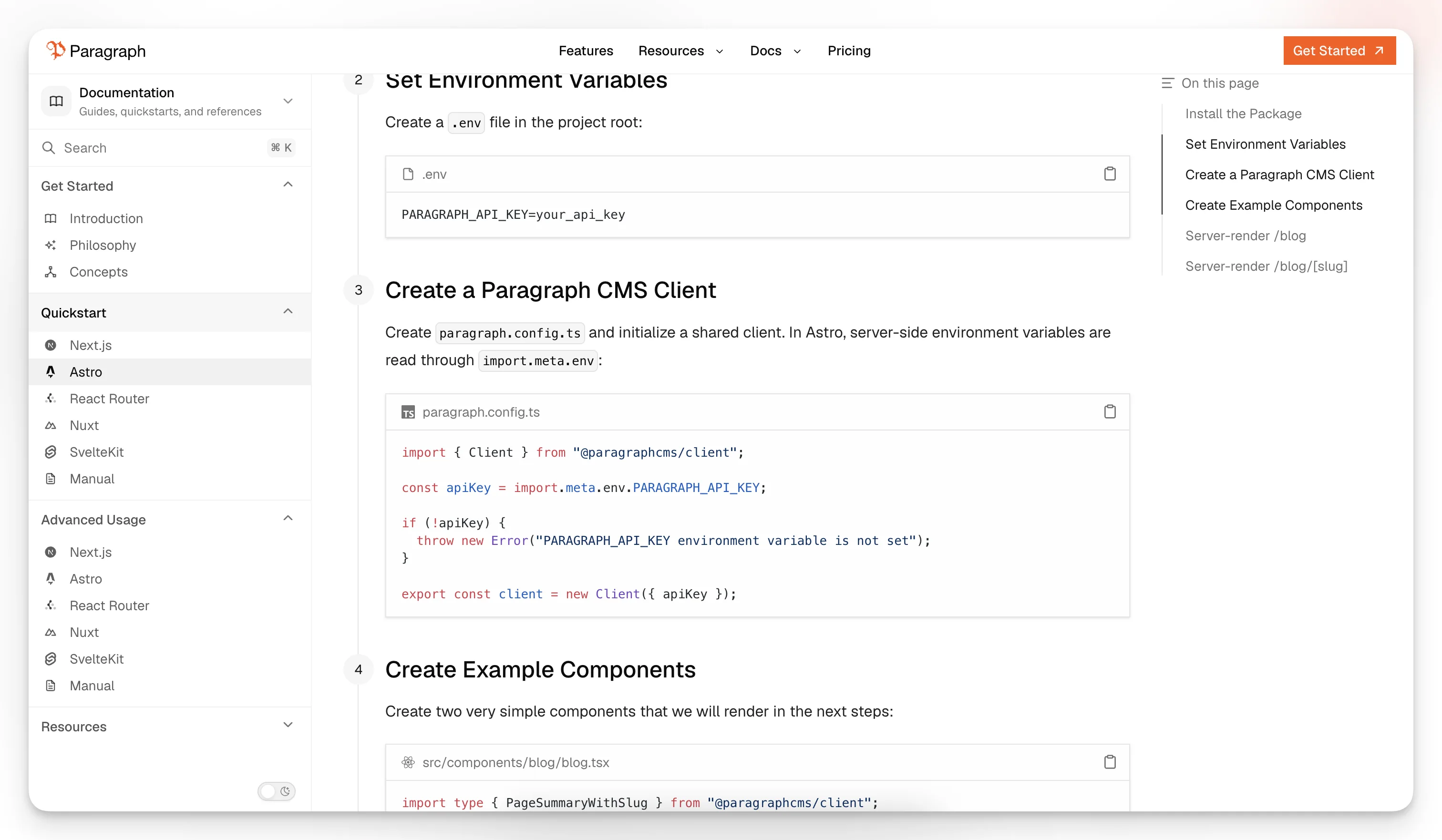
A related consideration is performance and media delivery. Paragraph CMS publicly describes global CDN delivery for media and image optimization support. That is a practical answer to a problem most teams only notice after launch, when assets become one of the biggest hidden sources of frontend inconsistency.
Why does localization become a much bigger deal in AI-native systems?
Because translation debt compounds fast. Once a site spans multiple languages, every content update raises a simple question: how do all localized versions stay in sync without turning the editorial team into a project management department?
Paragraph CMS leans heavily into this problem. Its product messaging calls out translation and retranslation with one-click language workflows, alongside first-class multilingual content support. That matters because multilingual content is not just a convenience feature. It affects URL structure, metadata, media, internal linking, editorial workflows, and search visibility.
An AI-native CMS can help here in two ways. First, it can reduce the mechanical burden of producing translations. Second, and more importantly, it can help teams maintain translated content after the source version changes. The second problem is the one most systems under-serve.
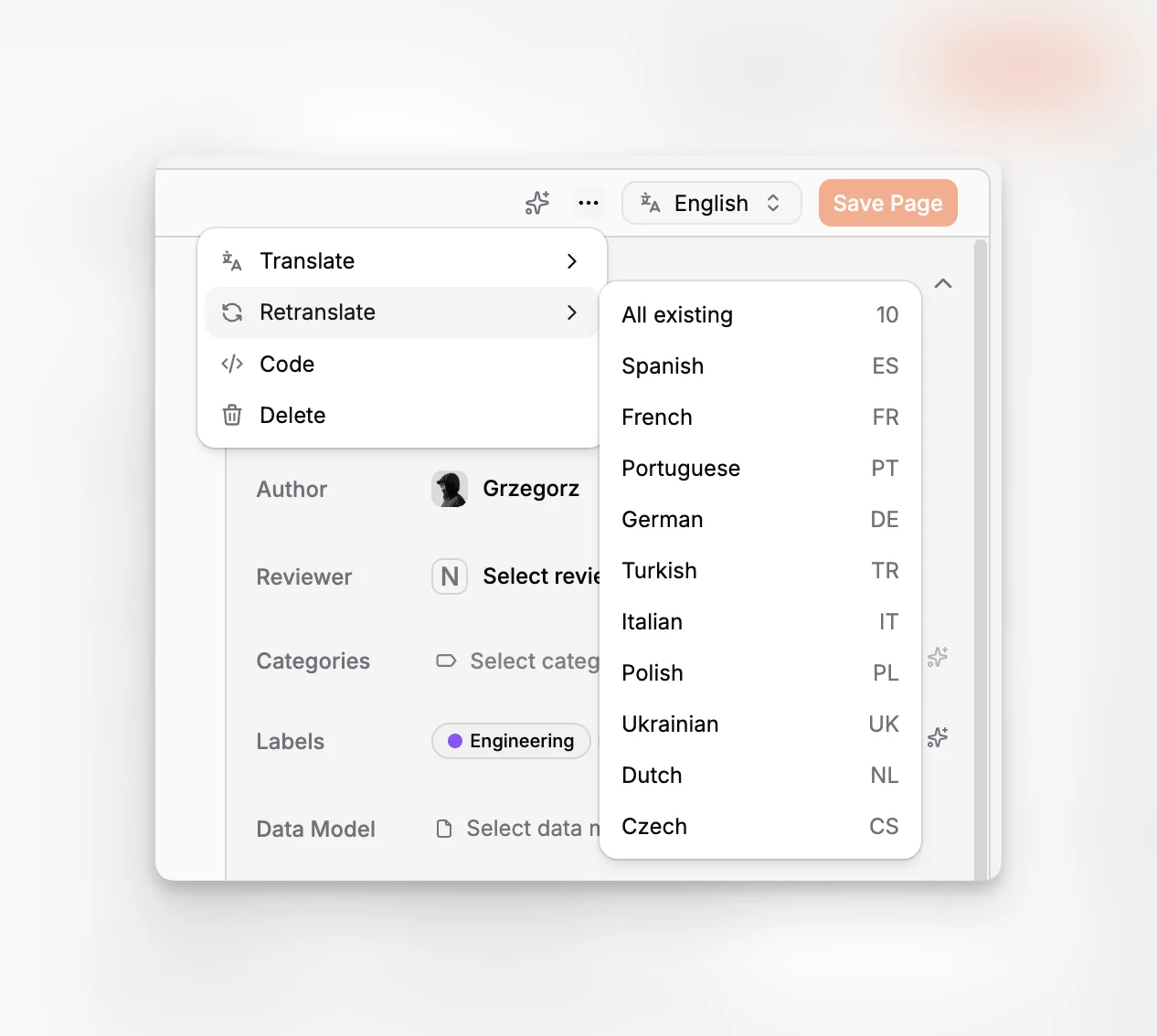
If you run a multilingual publishing workflow, look for these specifics:
Can editors see which language versions are current versus stale?
Can images, captions, and alt text be localized too?
Can retranslation happen after edits without manual duplication?
Can developers fetch localized routes cleanly by locale and slug?
Can teams maintain a default locale without breaking editorial logic?
Paragraph CMS appears designed with those operational realities in mind, which is why its multilingual positioning is more relevant than a generic “supports localization” checkbox.
How important are media and image workflows in a headless CMS for developers?
More important than most teams expect. Media is where headless builds often turn fragile. Editors upload assets with inconsistent filenames. Alt text is skipped. Replaced images break URLs. Frontend teams patch missing metadata in code. The result is a workflow that looks modern on paper but creates hidden maintenance work every week.
Paragraph CMS has some unusually specific public signals in this area. It highlights media management, unified handling for alt and caption fields, AI generation for alt tags and image metadata, and optimized image delivery. Those are concrete details from the product site, not generic assumptions.
That combination is meaningful because media touches accessibility, SEO, performance, and editorial velocity all at once. Google’s guidance on image SEO emphasizes that alt text is one of the most important sources of image metadata, while also improving accessibility. A CMS that makes those fields easier to generate and maintain can genuinely improve the quality of the published site.
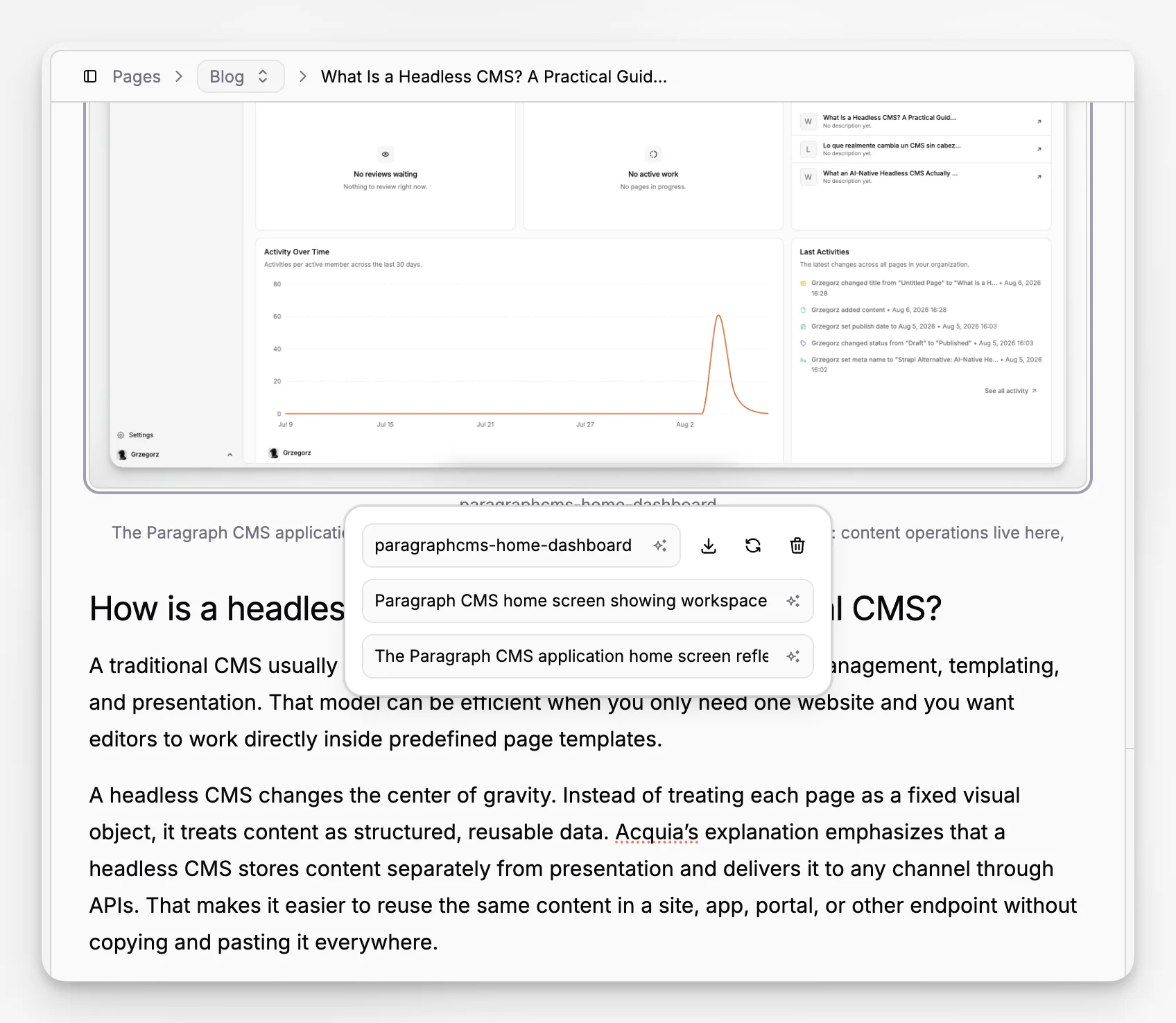
For developers, the subtler benefit is consistency. When hero images and inline images follow the same delivery path, rendering logic stays simpler. When metadata travels with the asset, you do less custom stitching on the frontend. And when editors can manage captions and alt text inside the CMS, engineering gets pulled into fewer content cleanup tasks.
What about SEO? Is AI-generated SEO actually useful?
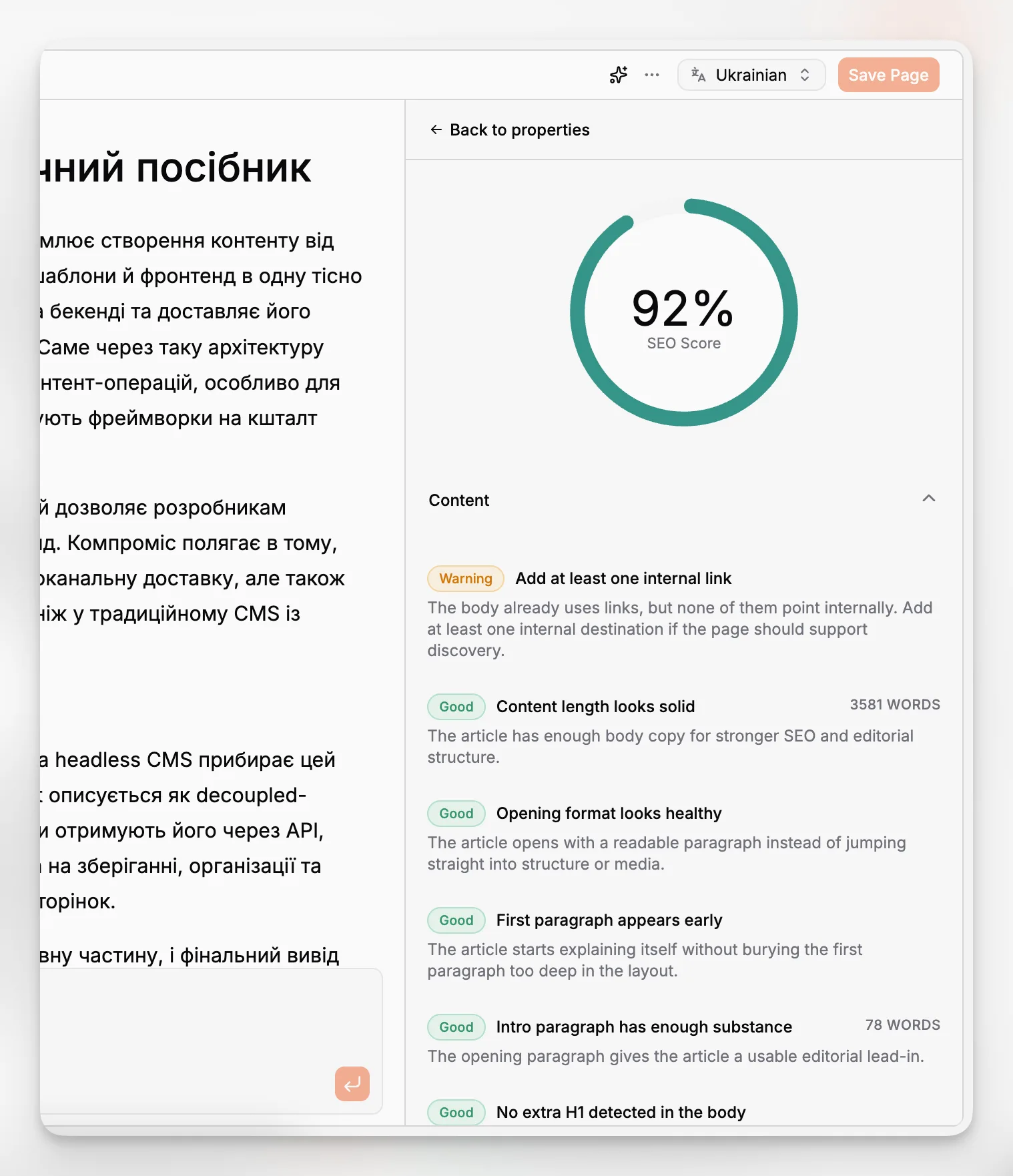
It can be, but only if it is constrained and reviewable. Most SEO pain inside editorial systems is not about strategy. It is about completion. Teams leave image metadata empty, forget descriptions, skip slugs, and publish inconsistent search-facing fields. AI is helpful when it closes those repetitive gaps without pretending to replace editorial thinking.
Paragraph CMS explicitly presents SEO as part of the product, not a plugin afterthought. Public materials mention page SEO, AI-generated metadata, and support for generated search-related assets. That is a coherent approach. It treats search readiness as both a content issue and a developer delivery issue.
The distinction matters because content teams and developers tend to own different parts of SEO. Editors control titles, summaries, body clarity, and image context. Developers control metadata rendering, canonicals, sitemap generation, robots configuration, and page performance. A useful CMS reduces the handoff gap between those responsibilities.
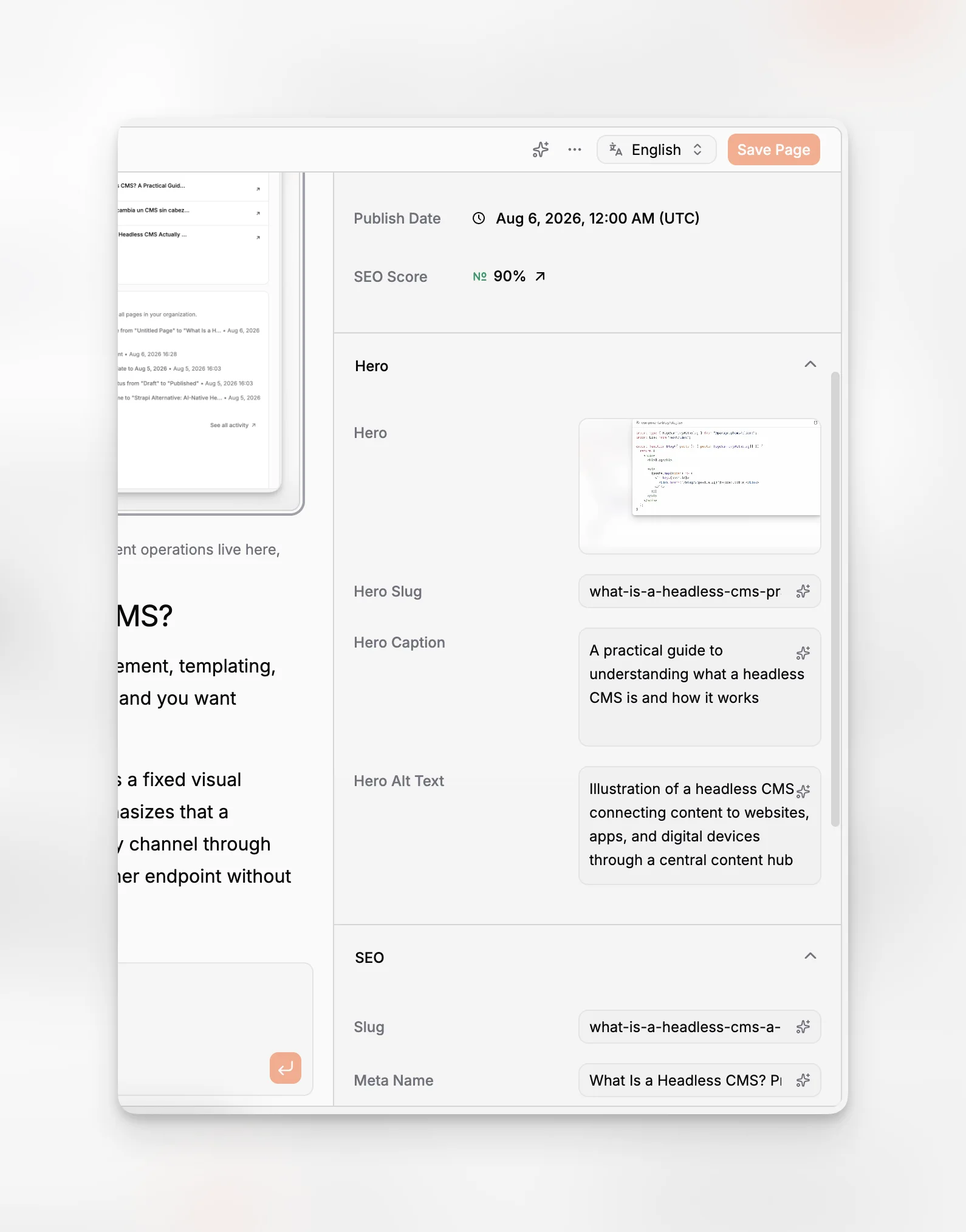
This is also where AI should be used with restraint. SEO fundamentals still come back to clarity, relevance, and descriptive metadata. AI-generated SEO fields should speed up drafting and consistency, not encourage keyword stuffing or synthetic-sounding copy.
A sensible workflow looks like this:
Let AI propose a slug, meta description, alt text, or caption.
Review the proposal against the actual page intent.
Check that metadata matches the visible content.
Publish only after confirming the output is specific and human-readable.
That is a much better use of AI than asking it to generate vague SEO-friendly pages in bulk.
What tradeoffs and limitations should you watch for?
This category is promising, but it is not magic. AI-native headless CMS platforms can still fail in predictable ways.
One risk is over-reliance on generated content. Teams see a built-in AI editor and start publishing lightly reviewed drafts. The result is sameness, factual sloppiness, and a voice that feels assembled rather than written. The right mental model is augmentation, not autopilot.
Another risk is weak content modeling. If your schema is messy, AI will amplify the mess. Generated titles might end up in fields meant for summaries. Metadata may become repetitive across locales. Reusable entities may be duplicated into page-specific fields. The product cannot fully compensate for poor structure.
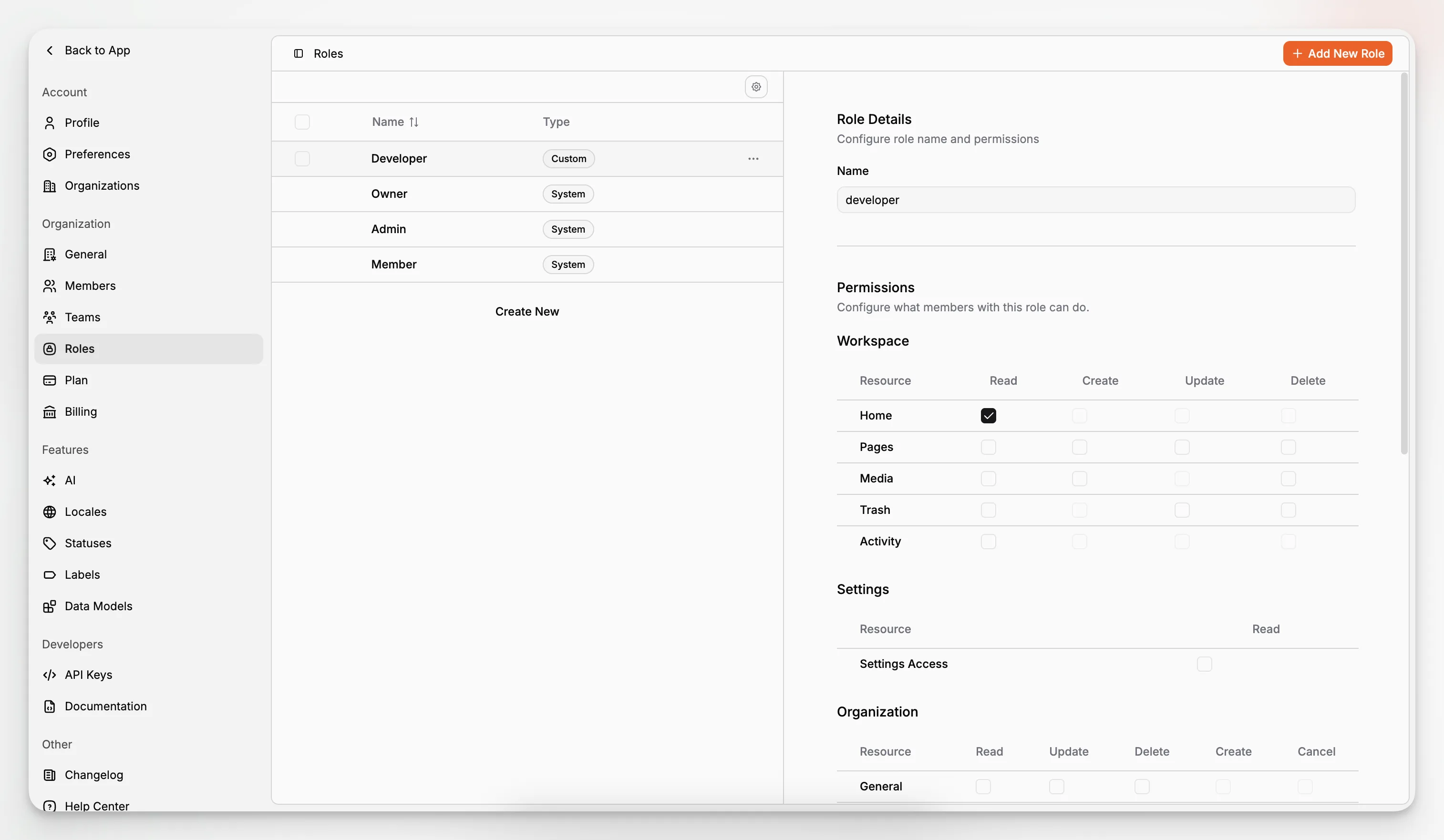
There is also the workflow governance question. The more AI can do, the more you need clear permissions and review rules. Paragraph CMS surfaces roles and permissions as first-class concerns, which is a good sign, but teams still need internal policy. Who can publish AI-generated changes? Who owns localized variants? Who approves SEO metadata on high-value pages?
A final tradeoff is expectation management. Some teams hear “AI-native” and expect an autonomous content machine. That is the wrong benchmark. The better benchmark is whether the CMS reduces busywork, makes content more consistent, and keeps developers out of avoidable editorial support loops.
How should developers evaluate Paragraph CMS against other options?
Start with your actual workflow, not a vendor comparison matrix. Ask what usually breaks in your current setup.
If the problem is that editors constantly need developer help, evaluate the authoring experience, page workflows, and metadata handling. If the problem is slow implementation, evaluate the SDKs, examples, and framework support. If the problem is multilingual upkeep, test translation and retranslation. If the problem is SEO inconsistency, inspect page SEO and generated support files. If the problem is asset fragility, focus on media management and delivery behavior.
Paragraph CMS is especially interesting for teams that want one system to cover structured content, editorial AI, localization, media, and developer delivery without spreading those tasks across separate services. Its public positioning is less “we have an AI feature” and more “we built the CMS around AI-assisted content operations.” That is a meaningful difference.
A practical evaluation checklist looks like this:
Does the content model reflect your app, not just your marketing site?
Can editors create and revise content without engineering intervention?
Are AI features tied to real fields and workflows?
Is localization manageable after the first publish?
Does media handling reduce broken links and metadata drift?
Can your frontend stack integrate quickly with official tooling?
Are SEO basics generated and reviewable without custom scaffolding?
Can governance scale across teams and roles?
What does a sensible rollout plan look like?
Do not migrate everything at once. Start with one content domain that exposes your real requirements. For many teams, that is a blog, documentation hub, editorial section, or localized marketing area.
Begin by modeling the minimum reusable content types. Set up page fields, SEO fields, media conventions, and authoring rules before worrying about AI prompts. Then connect the frontend through an official SDK or quickstart. Once the publishing flow works end to end, introduce AI where it removes repetitive steps: draft refinement, metadata generation, image alt text, translation support, and prompt reuse.
That order matters. AI becomes much more effective after the team has an opinionated structure to work within.
A rollout usually works best when split into phases:
Foundation: define content models, locales, roles, and page structures.
Delivery: connect the frontend, routes, rendering, and SEO assets.
Editorial operations: train editors on fields, statuses, and media handling.
AI optimization: add prompt templates, translation workflows, and metadata generation.
Governance: review output quality, permissions, and consistency rules.
For teams that want a modern headless setup without a pile of disconnected tools, this sequence keeps risk low and usefulness high. It also creates a more honest test of the platform. You are not evaluating whether AI can write a paragraph. You are evaluating whether the system helps your team ship better structured content with less friction.
So, what should a headless CMS for developers actually help teams do?
It should help developers spend less time compensating for editorial tooling gaps. That means fewer custom fixes for metadata, fewer content fire drills caused by localization drift, fewer media-related breakages, and fewer one-off integrations just to get search basics and framework delivery working.
Just as importantly, it should help editorial teams work inside guardrails that match the application’s real structure. AI is valuable when it supports those guardrails. It is much less valuable when it encourages content sprawl.
Paragraph CMS stands out because its public product direction is unusually coherent around that idea. The features on its site are not random AI add-ons. They cluster around the actual work of running structured content in production: editing, prompts, SEO, localization, media, permissions, framework support, and delivery. For developers evaluating the category, that is the right place to focus.
What makes a CMS “AI-native” instead of just “AI-enabled”?
An AI-enabled CMS might add text generation as a side feature. An AI-native CMS weaves AI into core workflows such as editing, metadata creation, translation, prompt reuse, and publishing operations. The difference is whether AI understands and supports the content system itself, rather than sitting outside it as a separate assistant.
Why does the phrase “Headless CMS for Developers” matter?
Because developers usually feel the hidden costs of poor content operations first. A true headless CMS for developers should not only expose APIs. It should also reduce schema confusion, limit editorial dependence on engineering, support modern frameworks, and make metadata, localization, and media workflows more reliable.
Can AI features replace content modeling work?
No. Strong content modeling still comes first. AI works better when fields are clearly structured, metadata has dedicated places, and reusable entities are modeled properly. Without that foundation, generated content tends to become repetitive, misplaced, or harder to maintain across channels and languages.
Why do translation and retranslation matter so much in a headless CMS?
Because multilingual sites rarely fail at first publish. They fail when the source content changes and translated versions fall behind. Retranslation workflows help teams keep language variants aligned over time, which is essential for editorial consistency, search visibility, and a usable localized experience.
What kind of team is most likely to benefit from Paragraph CMS?
Teams building with modern frameworks that want structured content, editorial autonomy, and practical AI assistance in one platform are the best fit. That includes startups, product teams, and content-heavy organizations that need localization, media governance, and SEO support without stitching several specialized tools together.
