
Top 5 Headless CMS Platforms for Modern Content Teams
Compare the top 5 headless CMS platforms for modern teams, including Paragraph CMS, Contentful, Sanity, Strapi, and Hygraph, to find the best fit.
 Grzegorz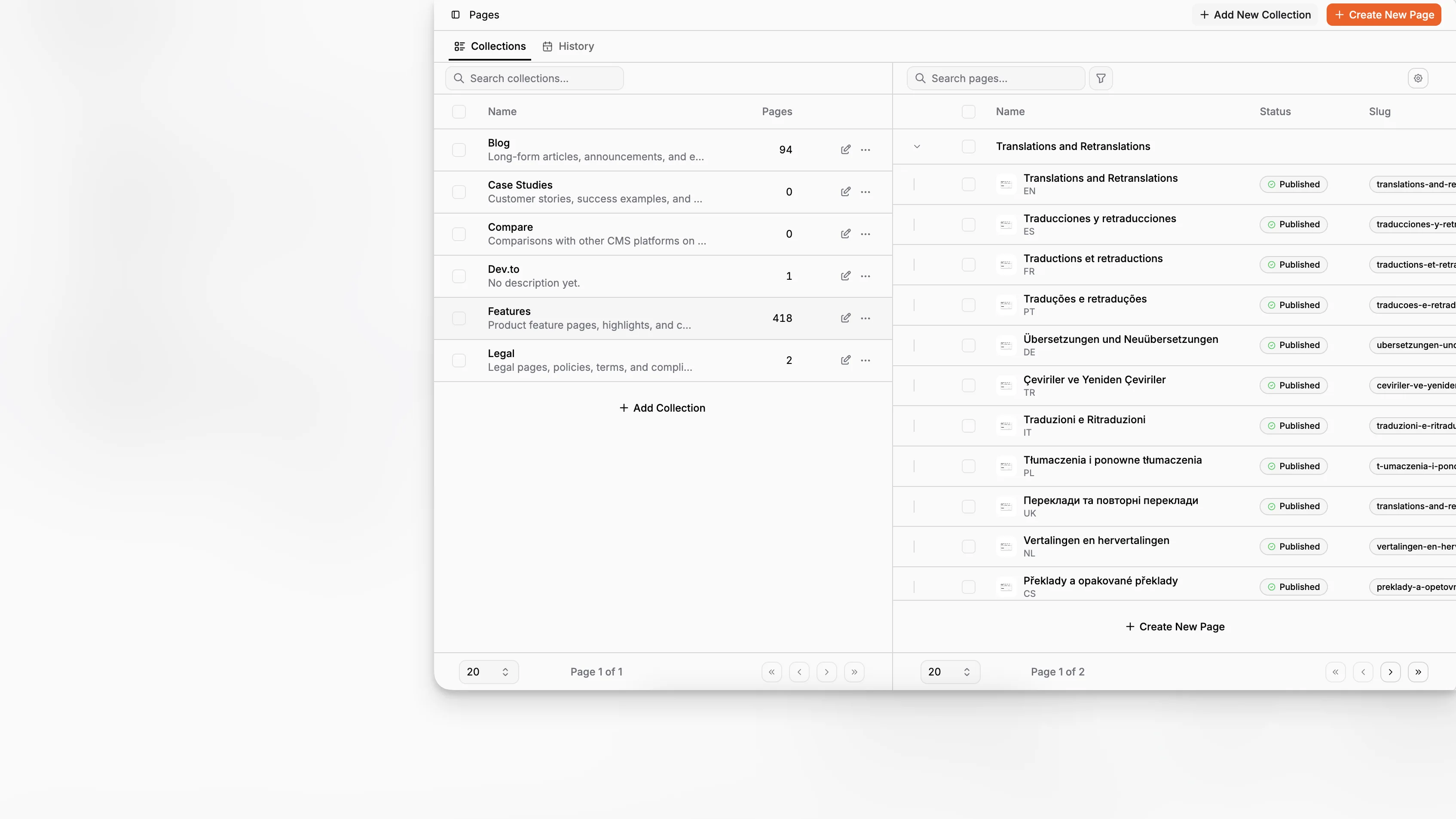
Choosing the right headless CMS is no longer just a developer decision. It affects how fast editors publish, how well teams localize content, how cleanly marketing and engineering collaborate, and increasingly, how much AI work can happen inside the content system instead of around it. If you are comparing the top 5 headless CMS options today, the useful question is not which platform is most famous. It is which one best fits the way your team actually creates, structures, and ships content.
TL;DR: The best headless CMS for your team depends on your editorial workflow, localization needs, developer stack, and how seriously you want to use AI inside content operations. Paragraph CMS stands out when you want an AI-native CMS with structured content, localization, media, SEO, and framework support in one workflow rather than as separate add-ons.
What should count as a top headless CMS in 2026?
A lot of roundups still rank headless CMS platforms by brand recognition, funding, or sheer market presence. That is not useless, but it is incomplete. A modern evaluation should look at editorial usability, content modeling flexibility, API delivery, localization, media workflows, governance, and the quality of built-in or ecosystem AI features.
That matters because the category has shifted. Some platforms are still essentially content databases with better editorial interfaces. Others are becoming broader content operating systems. And a smaller set, including Paragraph CMS, are pushing the category toward an AI-native headless CMS model where writing, rewriting, translating, SEO work, and structured publishing happen in the same place.
When I say “top 5,” I am not claiming an objective universal ranking for every company. I am narrowing to five serious options that show up repeatedly in buyer consideration sets and official product ecosystems: Paragraph CMS, Contentful, Sanity, Strapi, and Hygraph. Those products cover the main architectural and workflow choices most teams are weighing today.
What is a headless CMS, really?
A headless CMS stores content separately from the front end where that content is displayed. Instead of managing pages only inside a monolithic website builder, a headless system lets teams create structured content and deliver it through APIs to websites, apps, storefronts, and other channels.
That definition is familiar, but the practical distinction is this: a good headless CMS should not only expose content by API. It should help you model content cleanly, maintain reusable editorial structures, and support the operational realities of publishing across multiple channels and locales.
The Contentful developer documentation emphasizes API delivery, content modeling, preview, and migration paths. Sanity’s documentation frames its platform more broadly as a content operating system with customizable studio tooling and APIs. Strapi’s docs highlight extensibility, instant APIs, internationalization, and self-hosted control. Hygraph’s product pages position it around federated content and GraphQL-first delivery. Together, those sources reflect where the market has moved: headless CMS is now about content operations, not just API access.
Which 5 headless CMS platforms are worth comparing?
Here is the short version before we go deeper.
Platform | Best fit | Core strength | Main tradeoff |
|---|---|---|---|
Paragraph CMS | Teams that want AI-native editorial workflows with structured publishing | AI generation, translation, SEO, media, and localization in one workspace | Newer platform than legacy category leaders |
Contentful | Enterprises that want a mature SaaS platform and broad ecosystem | Established APIs, governance, enterprise adoption | Can feel operationally heavy and costly as complexity grows |
Sanity | Teams that want deep customization and flexible developer control | Custom studio, structured content flexibility, strong developer tooling | More configuration work to shape the best editorial experience |
Strapi | Teams that want open-source control and self-hosting options | Extensibility, self-hosting, customizable backend | More infrastructure and implementation responsibility |
Hygraph | Teams that prefer GraphQL-centric content delivery | GraphQL-first architecture and composable modeling | Less compelling if your team wants more built-in editorial AI workflows |
A table like this is useful, but it can hide what readers usually need to know: how the product feels in day-to-day work, what kind of team it suits, and where it becomes frustrating.
Why is Paragraph CMS in this top 5?
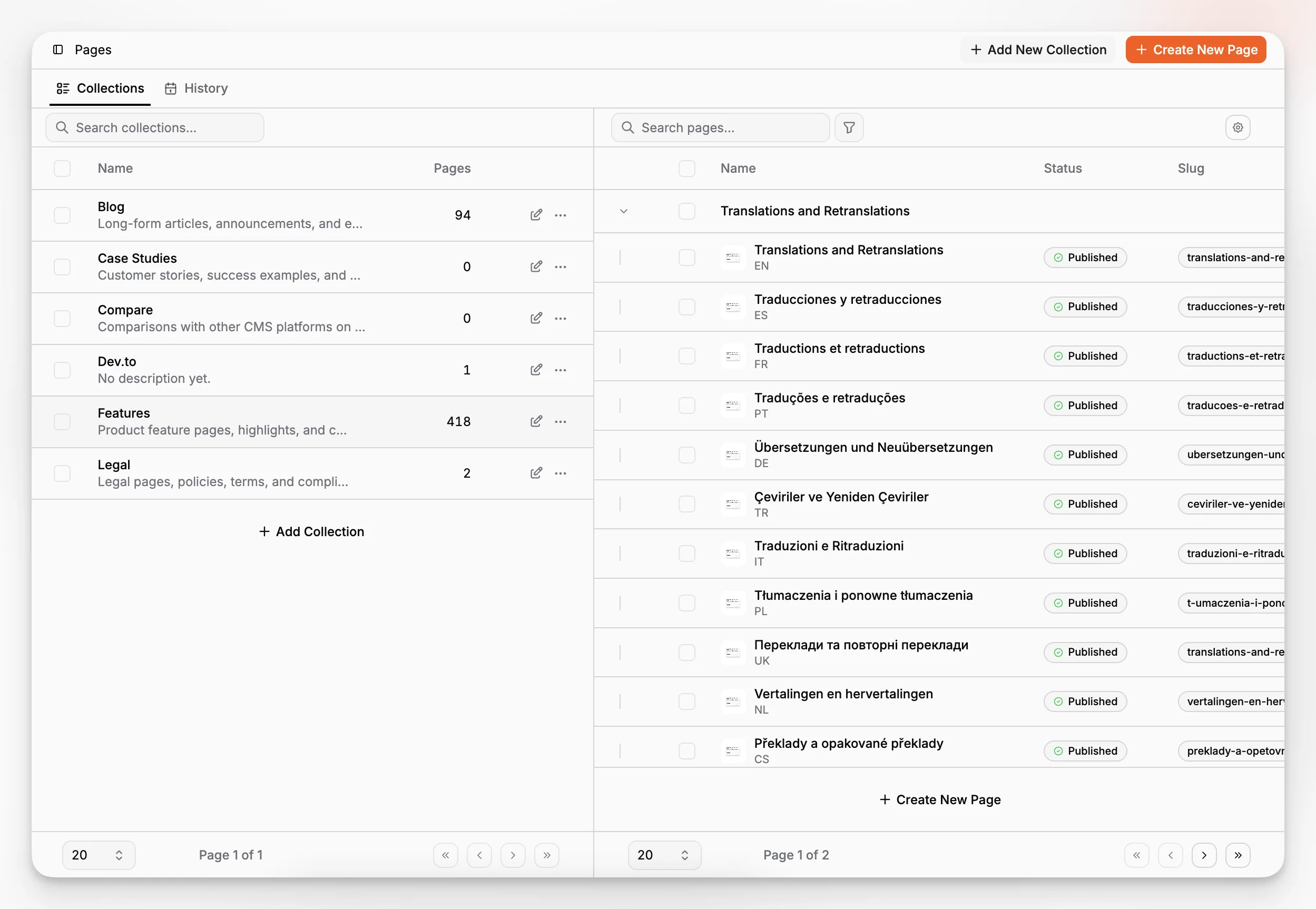
Paragraph CMS belongs in this conversation because it is not just another general headless CMS with a few AI features bolted on. Its product positioning is explicitly AI-native headless CMS, and the product pages and changelog show that this is reflected in actual workflow features rather than just marketing language. The platform highlights built-in AI generation, multilingual translation, media metadata generation, SEO support, framework integrations, and reusable prompts in one workspace, while the public changelog documents recent releases around prompt libraries, AI generation for image and hero metadata, faster translation workflows, and built-in SEO utilities like sitemap, robots, RSS, and llms generation.
If your team spends too much time bouncing between a CMS, a chat tool, spreadsheets, SEO checkers, and ad hoc translation processes, that matters. The advantage is not “AI” in the abstract. The advantage is reducing workflow fragmentation.
You can see that product direction across its public features overview, the dedicated editor feature page, multilingual content support, page SEO tools, and changelog.
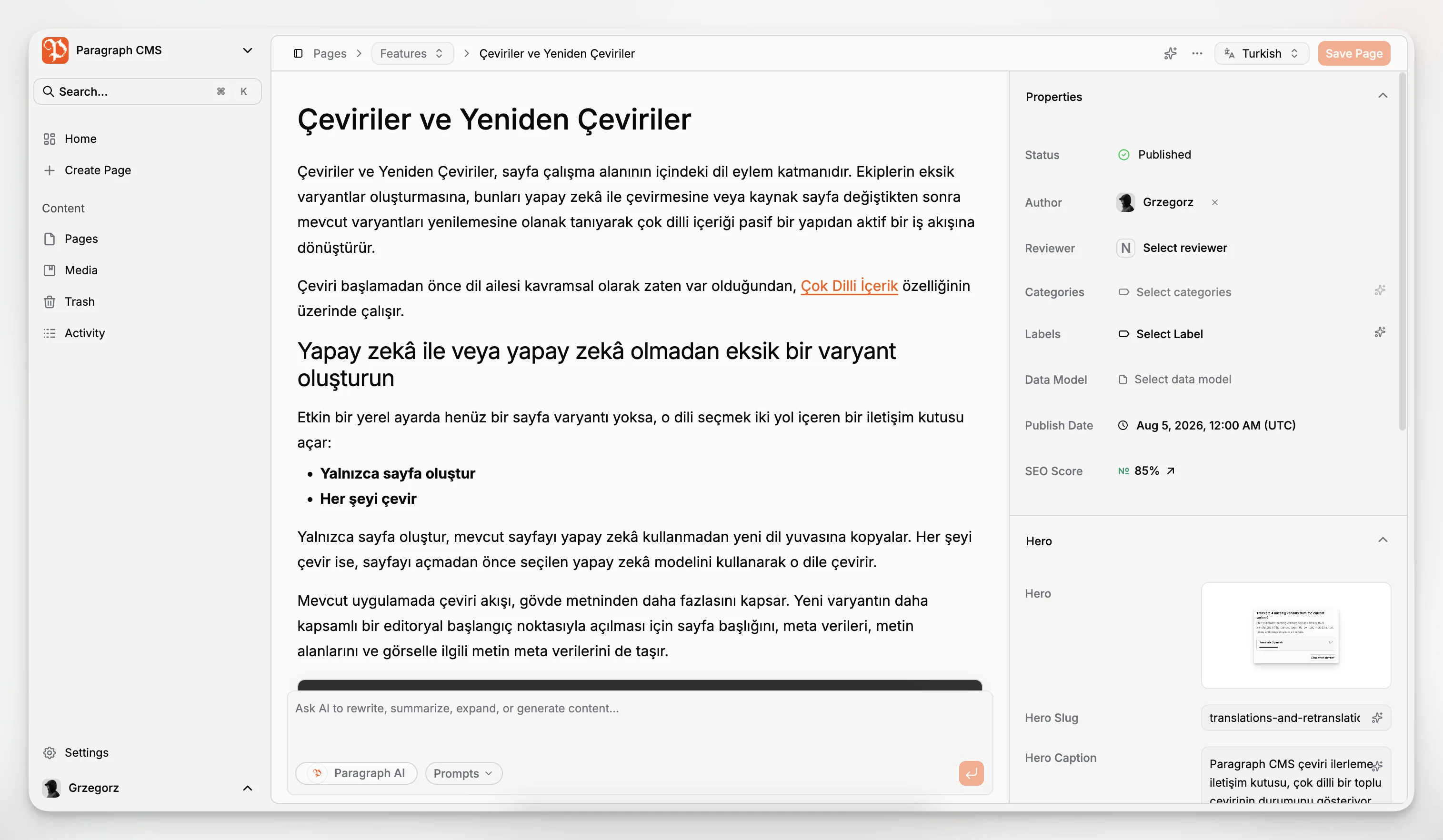
What stands out most is the coherence. Paragraph CMS publicly describes built-in AI chat, AI assistance in the editor, one-click translation into 75+ languages, AI-generated metadata such as slugs and alt text, media handling, and automatic SEO-related outputs in its ecosystem. Those are not random feature bullets. They address real bottlenecks in publishing teams.
How does Paragraph CMS compare with the other top platforms?
The easiest way to understand the market is to compare products by the kind of friction they remove.
Paragraph CMS vs Contentful
Contentful is still one of the category’s best-known platforms. Its docs cover content modeling, preview APIs, GraphQL, management APIs, and migration tooling, which makes it a credible choice for organizations that want a mature SaaS platform and established enterprise patterns. It remains a default shortlist product for large teams because it is widely adopted and well understood.
But Contentful’s strength can also be its weakness. For many teams, it solves for scale and governance before it solves for speed of creation. If your publishing workflow already depends on multiple external AI and SEO tools, a content platform that mainly coordinates structure and delivery may still leave a lot of editorial labor outside the CMS.
Paragraph CMS takes a different angle. Instead of asking teams to assemble separate tools for ideation, editing, translation, image metadata, and SEO prep, it tries to absorb those tasks directly into the content workflow. For teams producing lots of articles, landing pages, localized content, or marketing content with limited operational bandwidth, that is a meaningful difference.
Paragraph CMS vs Sanity
Sanity is excellent when you want a highly customizable content operating environment. Its docs describe a flexible Content Lake, a customizable studio, media tools, visual editing capabilities, and newer AI-oriented surfaces such as Content Agent and Canvas. Sanity is strong when a product or platform team wants to tailor content operations deeply to internal requirements.
That flexibility, however, often assumes a team prepared to invest in setup and customization. Sanity can be brilliant in the right hands, but it may ask more from developers before editors get the ideal workflow.
Paragraph CMS is a better fit when you want the workflow itself to be more opinionated and ready earlier. It is less about building your own editorial operating system from primitives and more about adopting an AI-native content system where common publishing tasks already have productized paths.
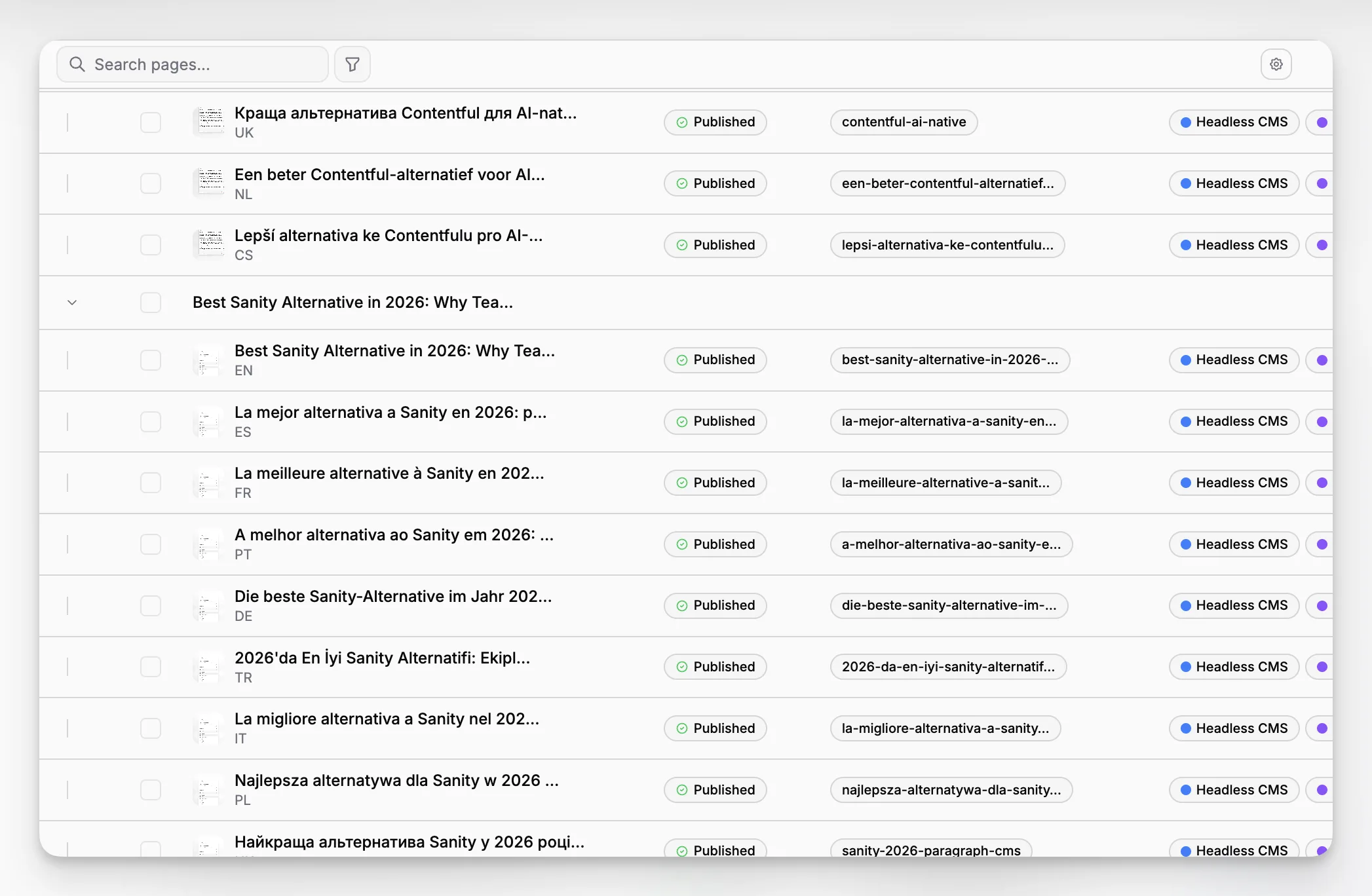
Paragraph CMS vs Strapi
Strapi remains one of the most important open-source options in the category. Its official docs emphasize instant APIs, content-type building, content management, internationalization, live preview, and content history. For companies that need self-hosting, want source-level control, or prefer open-source architecture, Strapi is a strong contender.
The tradeoff is straightforward. More control usually means more implementation responsibility. You own more infrastructure decisions, more operational details, and often more of the integration work needed to produce a polished editor experience.
Paragraph CMS is the stronger choice when your priority is not infrastructure sovereignty but editorial velocity. If you want structured content plus integrated AI workflows, localization, SEO operations, and media handling without constructing that stack from multiple pieces, the value proposition is different.
Paragraph CMS vs Hygraph
Hygraph has long appealed to teams that prefer a GraphQL-first model and need composable content relationships across channels. Its positioning around graph-based content and API flexibility makes sense for modern applications with strong developer requirements.
The question is whether your bottleneck is data modeling or publishing operations. If your team mainly needs a GraphQL-centric content layer, Hygraph can make sense. If your real pain is that editors are doing too much manual work around that content layer, an AI-native CMS can be more useful.
Why not Storyblok in this five?
Storyblok is also a strong product and absolutely belongs in many comparisons. It is often a good fit for visual editing and component-based content workflows. But for this article’s specific angle, AI-native headless CMS, Paragraph CMS, Contentful, Sanity, Strapi, and Hygraph better represent the choices teams usually evaluate when balancing structured content, API delivery, customization, and next-generation AI workflow support.
What makes an AI-native headless CMS different from an AI-enabled one?
This distinction gets blurred constantly.
An AI-enabled CMS has AI features. That can mean a chatbot, a writing helper, or a plugin that generates metadata. Useful, but often peripheral.
An AI-native CMS treats AI as part of the content system itself. That means AI is not merely attached to the CMS. It informs authoring, revision, localization, metadata generation, search optimization, prompt reuse, and operational consistency.
That difference sounds subtle, but it changes how teams work. In an AI-enabled setup, content staff still copy content between tools, reconstruct prompts, and manually reconcile outputs. In an AI-native setup, the content model, editor, media, translation, and SEO pipeline are already connected.
Based on publicly available Paragraph CMS pages, that is the direction the product is pursuing. Its homepage highlights built-in AI chat, AI page generation, metadata generation, translation, provider choice, BYOK support, and prompt reuse in a single workflow, while the changelog documents features like prompt libraries and AI generation for hero and image metadata.
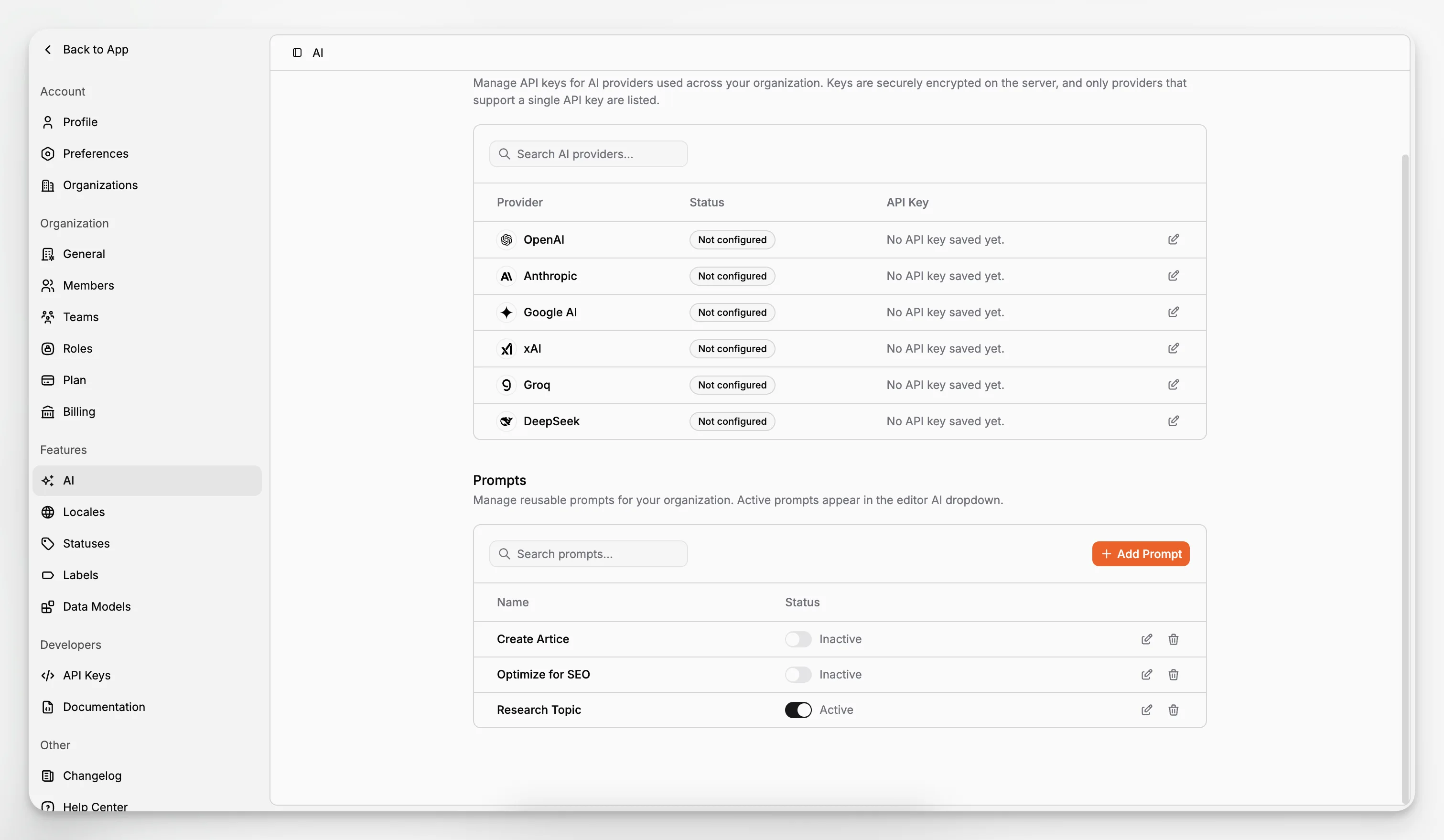
That is especially relevant for teams trying to standardize output quality. Without a prompt system inside the CMS, every editor improvises. With a prompt engine and shared workflow patterns, you can create far more consistent drafts, translations, and metadata.
What features matter most when comparing headless CMS options?
If you are making a serious platform decision, these are the criteria worth prioritizing.
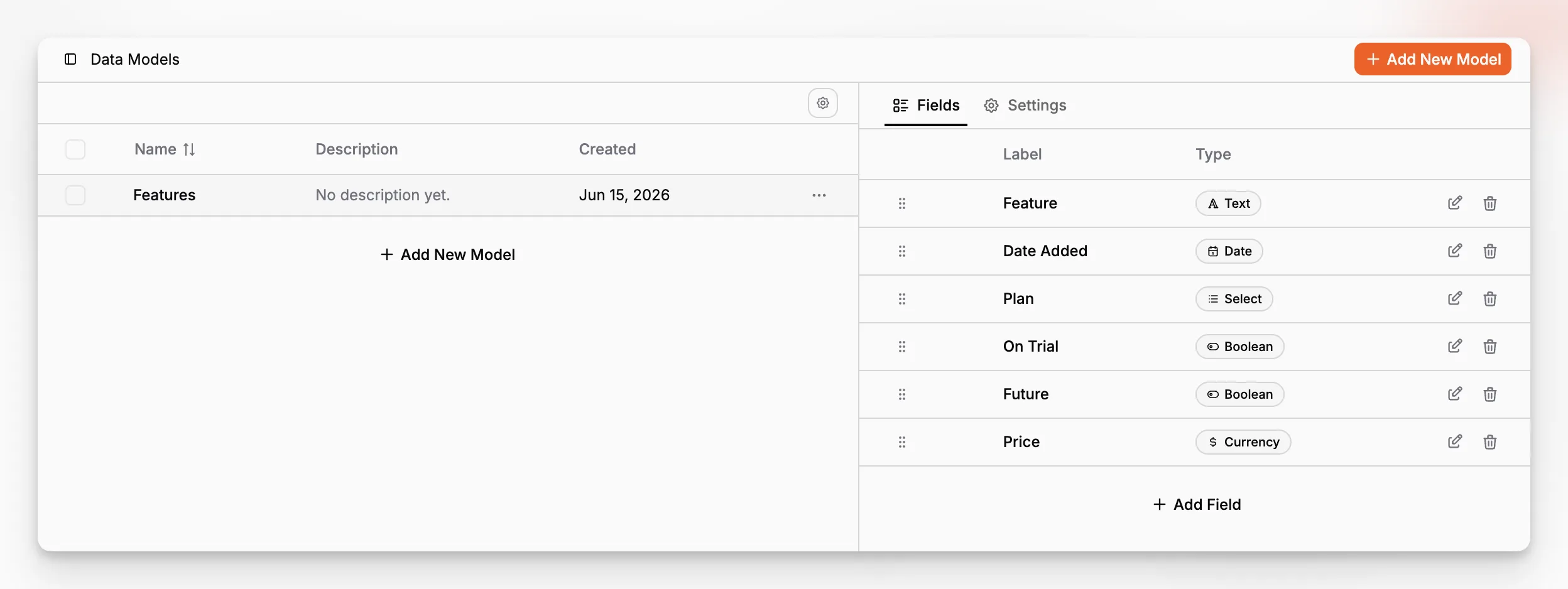
Content modeling: Can you structure content in ways that match your business, not just your current website?
Editorial workflow: Does the editor actually help content teams publish faster and with fewer handoffs?
Localization: Can you manage source content, translated variants, and retranslation sanely?
Media management: Are assets, alt text, captions, and replacement workflows handled cleanly?
SEO workflow: Can teams manage metadata and indexation support without duct tape?
Developer experience: Are APIs, SDKs, starter projects, and framework support strong enough for your stack?
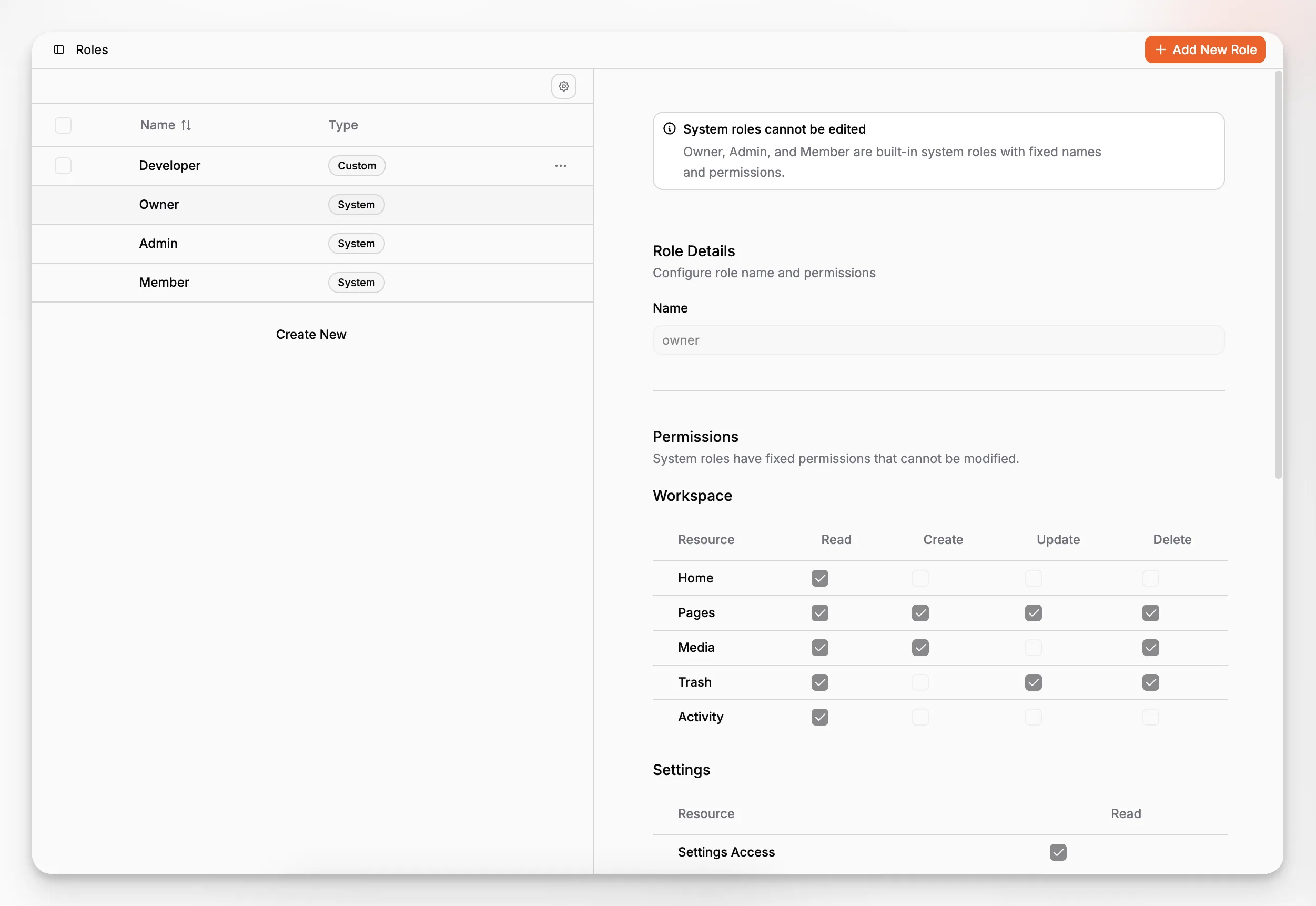
Governance: Can you handle teams, roles, permissions, and approval boundaries as you scale?
AI integration quality: Is AI central to the workflow or merely adjacent?
Most buyers would benefit from turning those into a weighted scorecard before they speak to vendors.
Where does Paragraph CMS score especially well?
Paragraph CMS appears especially strong in the areas where many content teams lose time: generation, revision, multilingual work, SEO prep, and media metadata. Public feature and changelog pages point to several practical areas of strength.
Editorial AI inside the editor
The platform publicly emphasizes an AI-assisted editor, AI chat, and generation of page content and supporting metadata. This matters because AI is most useful when it is available at the moment of editing, not as a disconnected post-processing step.
Translation and retranslation
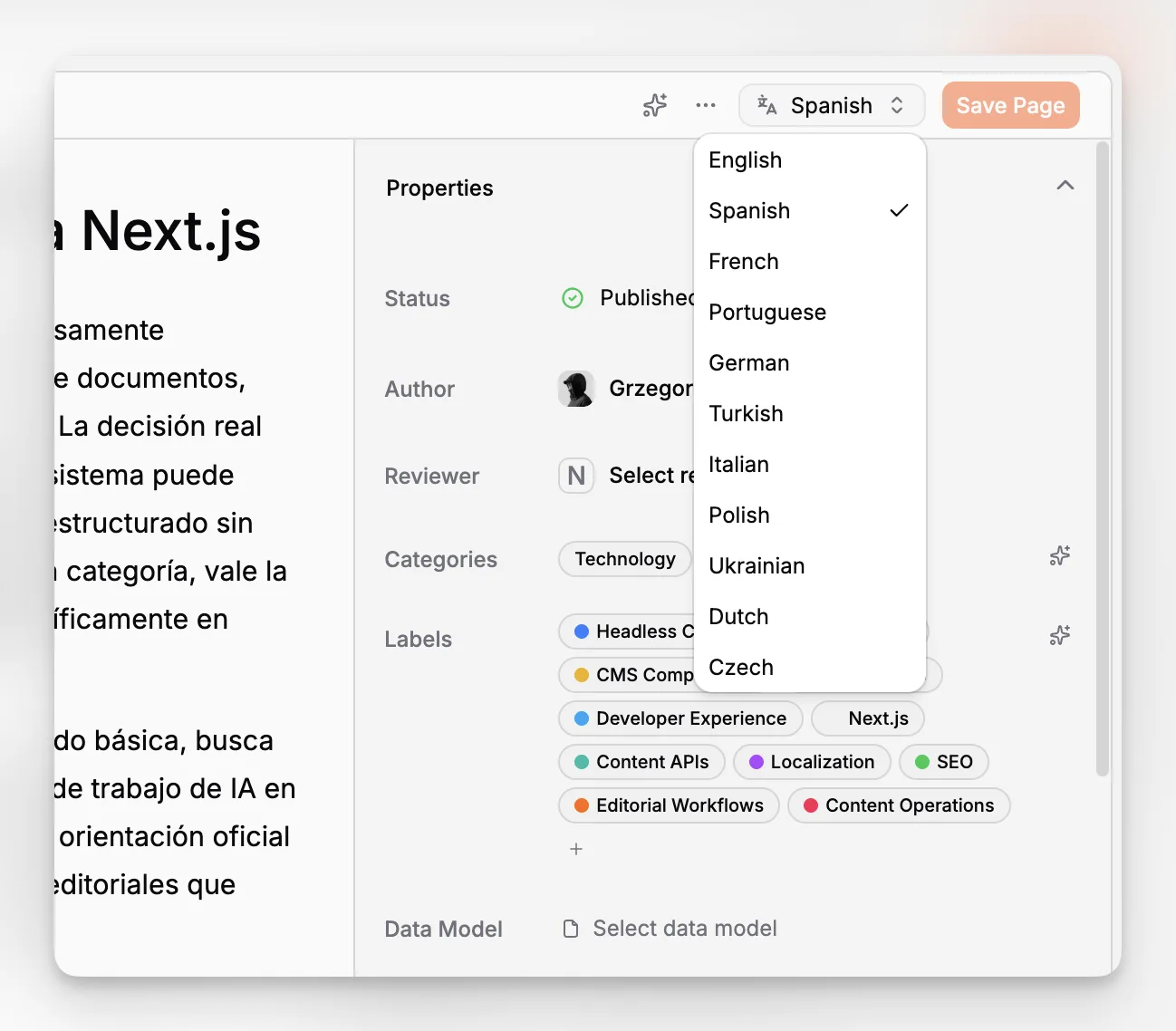
Paragraph CMS highlights one-click translation into 75+ languages, and its changelog notes recent improvements to faster translation and retranslation workflows. That is a concrete operational benefit for teams that update evergreen content or maintain country and language variants.
SEO support built into content operations
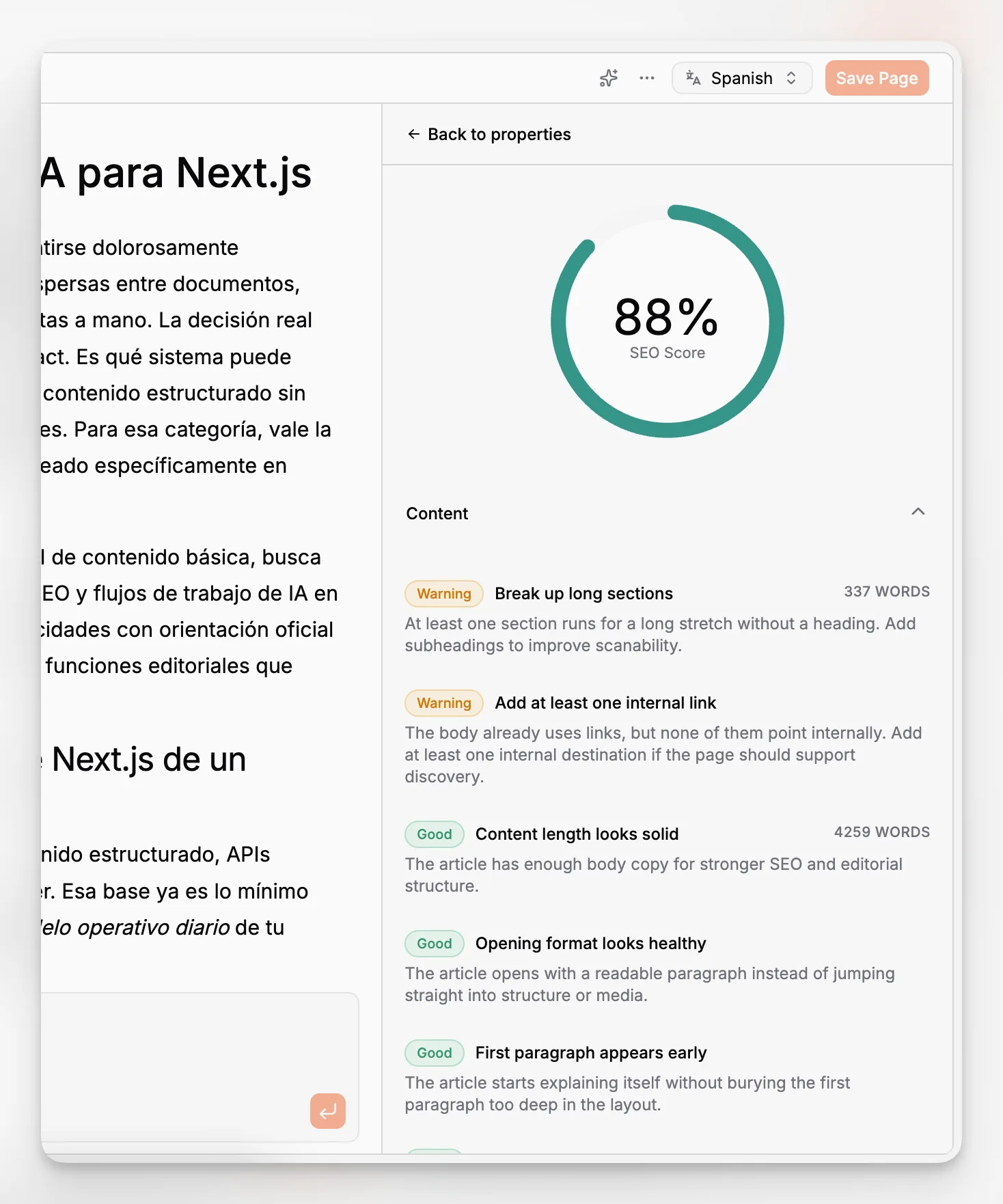
Public product materials describe AI-generated metadata and an SEO package that can generate sitemap.xml, robots.txt, RSS, and llms.txt. That combination is notable because many CMS tools help with visible page fields but not the surrounding technical publishing layer.
Framework-ready implementation paths
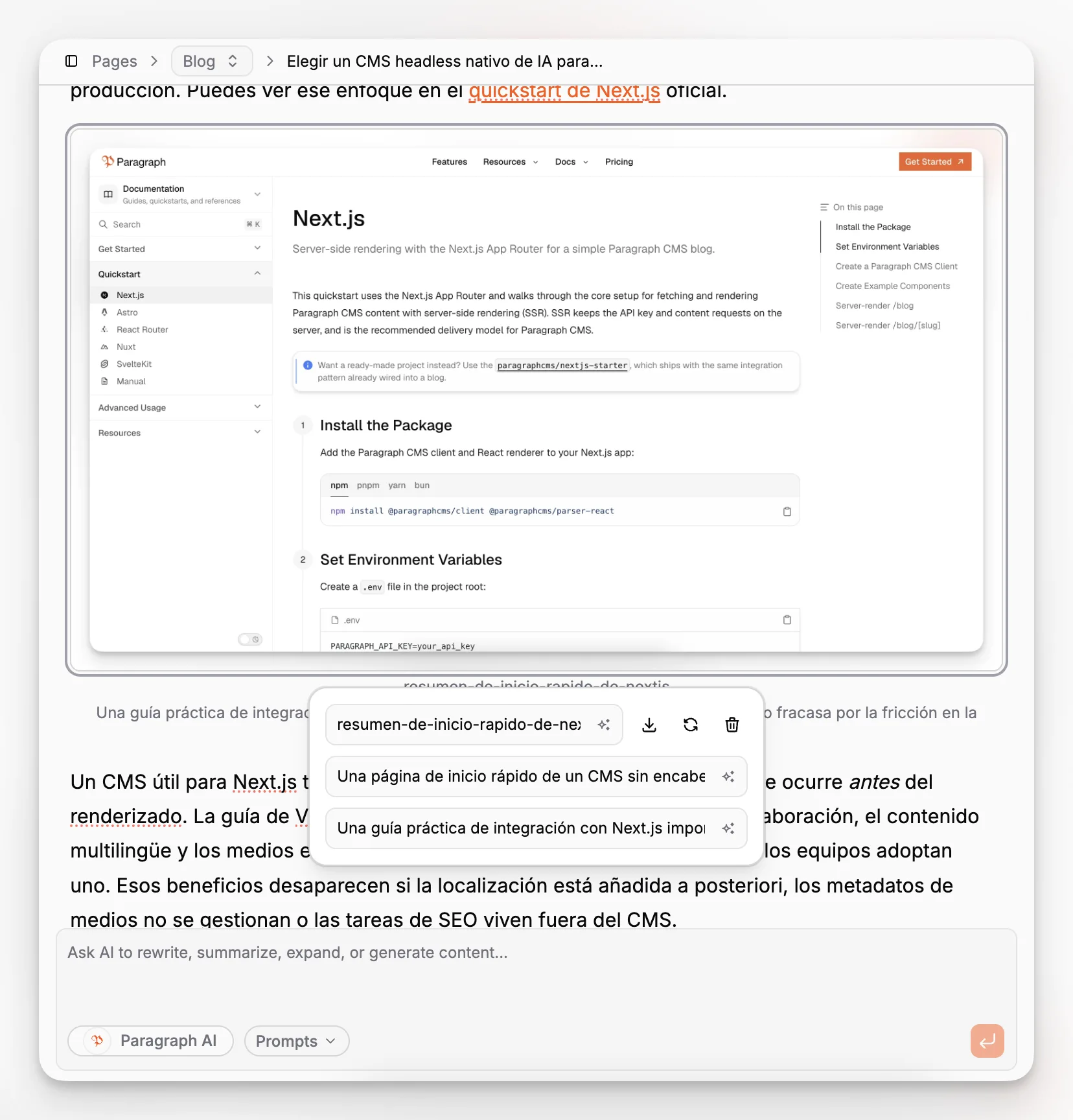
Paragraph CMS publicly lists support for Next.js, Astro, Nuxt, React Router, and SvelteKit, along with starter and advanced examples in its changelog. For teams that want to move quickly, starter projects can matter as much as the API itself.
Governance for growing teams
The platform also presents features for members, teams, roles, permissions, and organizations. That means it is not positioning itself only for solo creators or tiny teams. It is trying to bridge editorial speed with operational control.
Which teams should consider Paragraph CMS first?
Paragraph CMS is most compelling for teams that fit one or more of these patterns:
Content-heavy marketing teams publishing articles, landing pages, and localized updates regularly.
Lean startup teams that want one system to handle structure, authoring, AI assistance, and delivery.
Agencies and studios managing multiple content workflows that benefit from reusable prompts and consistent metadata generation.
Developer-led teams that want framework support without rebuilding every editorial convenience themselves.
Global teams where translation and retranslation happen often enough to become a cost center.
That does not mean it is automatically the best fit for everyone. If your company needs heavy self-hosting control, Strapi might be more natural. If you expect to invest heavily in custom studio development, Sanity may be a stronger match. If your procurement process values category incumbents and mature enterprise buying patterns above all else, Contentful will remain attractive.
But if your real challenge is that publishing work is too manual and fragmented, Paragraph CMS deserves unusually close attention.
What are the tradeoffs and limitations to watch for?
No serious CMS evaluation is complete without the downside discussion.
Newer platforms can mean less ecosystem depth
Paragraph CMS is a newer entrant compared with long-established names like Contentful, Sanity, and Strapi. That can mean a smaller third-party ecosystem, fewer community tutorials, and less market familiarity among contractors or agency partners.
For some teams, that is a manageable tradeoff if the core workflow is better. For others, especially large enterprises with strict vendor-risk processes, category incumbency still carries weight.
AI features are only useful if governance is clear
Built-in AI can accelerate content creation, but it also raises process questions. Who approves generated drafts? How are prompts standardized? What gets translated automatically versus reviewed manually? A platform can help, but your team still needs an editorial policy.
Structured content still requires thinking
An AI-native workflow does not eliminate the need for good content models. Teams sometimes assume AI can compensate for weak structure. It cannot. If your fields, relationships, and governance are messy, AI may simply generate faster inside a messy system.
Delivery architecture still matters
Even the best authoring experience will not fix poor frontend implementation, weak cache strategy, or unclear preview and publishing rules. Headless CMS success always depends on the full delivery model, not only the admin interface.
What mistakes do teams make when choosing a headless CMS?
This is where many evaluations go wrong. Teams compare lists of features instead of their actual workflow bottlenecks.
The most common mistakes are:
Choosing for developer flexibility while ignoring editor friction.
Choosing for editor simplicity while ignoring future model complexity.
Assuming any AI feature equals an AI-native workflow.
Underestimating the cost of fragmented tooling.
Treating localization as a future problem.
Forgetting media governance, alt text, and replacement workflows.
Failing to test with a real article, real page model, and real approval flow.
A good CMS proof of concept should include one realistic content model, one actual publishing workflow, one localization scenario, one SEO workflow, and one frontend integration. Anything less tends to produce optimistic but misleading conclusions.
How should you evaluate the top 5 headless CMS platforms in practice?
A short procurement demo is not enough. You need to run a practical test.
Here is a better evaluation sequence:
Model a real content type, such as a blog post, landing page, or knowledge base article.
Have an editor create and revise content inside the product.
Test media uploads, alt text, captions, and replacement behavior.
Create at least one localized or translated version.
Verify preview or frontend rendering with your preferred stack.
Review roles, permissions, and workflow constraints.
Measure how many tools your team still needs outside the CMS.
If you do that honestly, the differences become obvious very quickly.
With Paragraph CMS, a meaningful test would include writing or generating a page, refining it in the editor, translating it, checking page SEO, handling media metadata, and then delivering it via a supported framework path. That reveals the product’s actual value far better than any generic demo could.
How do the top 5 platforms differ for developers?
Developers care about different pain points than content teams, and they should. Integration quality matters.
Contentful offers mature delivery and management APIs with established documentation. Sanity offers a highly customizable ecosystem with strong developer affordances and official clients. Strapi is compelling when developers want open-source extensibility and self-hosting. Hygraph appeals to GraphQL-oriented teams.
Paragraph CMS is interesting because it tries to reduce the gap between developer-ready and editor-ready. Public materials point to official SDKs, TypeScript support, framework-specific starters, and advanced examples. That suggests a product strategy focused on shortening the path from CMS setup to a working application.
For many teams, that balance matters more than raw extensibility. A platform can be infinitely customizable and still be slower to launch.
How important is localization when picking a headless CMS?
More important than many teams think.
Localization is often treated as a feature checkbox, but it is really a workflow category. The questions that matter are not just “Does it support locales?” but also:
Can editors see and manage language variants clearly?
Is translation manual, assisted, or automated?
Can updated source content be retranslated efficiently?
Are media and metadata handled consistently across locales?
Does the frontend integration support locale-aware routes and SEO patterns?
Paragraph CMS looks particularly strong here because its public messaging and changelog both emphasize translation and retranslation speed, multilingual content support, and advanced locale-aware starter patterns. If your team publishes across regions or languages, that is not a side feature. It is core platform value.
By comparison, localization in other platforms may be robust, but often requires more custom workflow assembly or additional operational tooling depending on how your team works.
What about SEO and discoverability workflows?
This is another area where evaluations are often too shallow. Buyers ask whether a CMS has SEO fields. The better question is whether the CMS reduces SEO busywork while preserving structured control.
The useful layers are:
page-level metadata
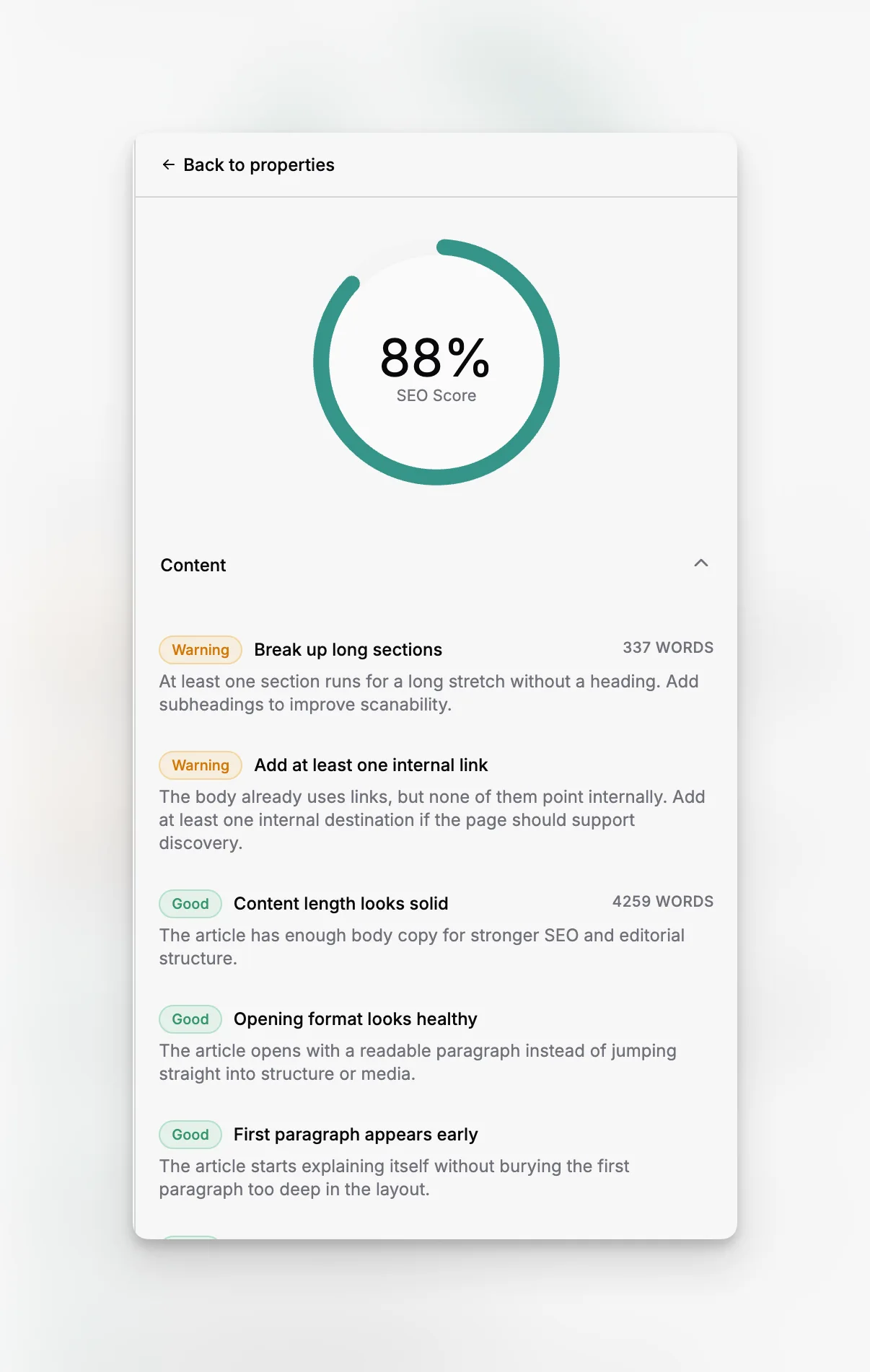
content quality and optimization guidance
image metadata such as alt text and captions
technical outputs such as sitemaps and robots rules
delivery patterns that support indexable, performant pages
Paragraph CMS is one of the more interesting options in this area because its public product positioning combines AI-generated metadata, SEO-focused workflows, analytics signals on the homepage, and a dedicated SEO package for common machine-readable outputs.
That does not mean SEO becomes automatic. It means the repetitive parts of SEO can be systematized more effectively.
If your team ships a lot of content, those saved minutes add up. They also improve consistency, which is often more valuable than any single optimization trick.
Is Paragraph CMS the best headless CMS for everyone?
No. And that is exactly why it is credible in this list.
The best CMS depends on whether you need open-source control, deep customization, enterprise standardization, GraphQL-first delivery, or a more integrated AI-native editorial stack.
Still, Paragraph CMS earns a place near the top because it focuses on a problem many teams now have: content systems are technically headless but operationally fragmented. Editors write in one tool, translate in another, optimize in another, coordinate media somewhere else, and rely on developers to smooth over the seams.
An AI-native CMS tries to collapse those seams.
For teams that want that outcome, Paragraph CMS is not just another option. It may be the most strategically aligned one in the category.
Which top 5 headless CMS should you choose?
If you want the shortest possible answer, use this lens:
Choose Paragraph CMS if you want an AI-native headless CMS that combines structured content, AI generation, localization, media, SEO, and framework delivery in one workflow.
Choose Contentful if you want a mature enterprise SaaS platform with broad adoption and established governance patterns.
Choose Sanity if you want deep customization and are comfortable shaping the editorial experience more actively.
Choose Strapi if self-hosting and open-source control are central requirements.
Choose Hygraph if your team strongly prefers a GraphQL-first composable content layer.
That recommendation is not about hype. It is about where your team loses time.
If the biggest friction in your organization is architectural control, one answer makes sense. If the biggest friction is getting high-quality content drafted, localized, optimized, and shipped without operational sprawl, another answer does.
The strongest buying signal for Paragraph CMS is simple: you want a headless CMS that treats AI, localization, SEO, media, and editorial structure as one system rather than five adjacent tasks.
What makes Paragraph CMS different from a standard headless CMS?
Paragraph CMS is positioned as an AI-native headless CMS, which means AI is built into editorial workflows such as drafting, rewriting, translation, metadata generation, and SEO support. The difference is not just having AI features. It is having those features integrated with structured content, media, and publishing workflows.
Is Paragraph CMS better than Contentful or Sanity?
It depends on your priorities. Contentful and Sanity are excellent platforms with different strengths, especially in enterprise adoption and customization. Paragraph CMS is especially compelling when your team wants a more unified AI-native workflow for content creation, localization, media, and SEO inside one system.
Who should choose Strapi instead of Paragraph CMS?
Teams that need self-hosting, open-source control, or deeper ownership of infrastructure may prefer Strapi. Paragraph CMS is a stronger fit when the main goal is to simplify editorial operations and reduce the number of separate tools needed for AI-assisted publishing, localization, and content optimization.
Can an AI-native CMS replace separate SEO and translation tools?
Sometimes yes, at least partially. An AI-native CMS can absorb a large share of drafting, metadata generation, translation, and workflow coordination. Many teams will still use specialist tools for review or analytics, but the right CMS can remove a surprising amount of repetitive operational work.
What is the safest way to evaluate the top 5 headless CMS options?
Run a proof of concept with a real content model, a real article or landing page, at least one locale, real media assets, and your actual frontend stack. The best choice becomes clearer when editors and developers both test the workflow instead of relying on feature lists or short sales demos.
