
Top 4 Headless CMS in 2026
Top 4 headless CMS in 2026: compare Paragraph CMS, Contentful, Sanity, and Hygraph for AI workflows, localization, SEO, governance, and modern delivery.
 Grzegorz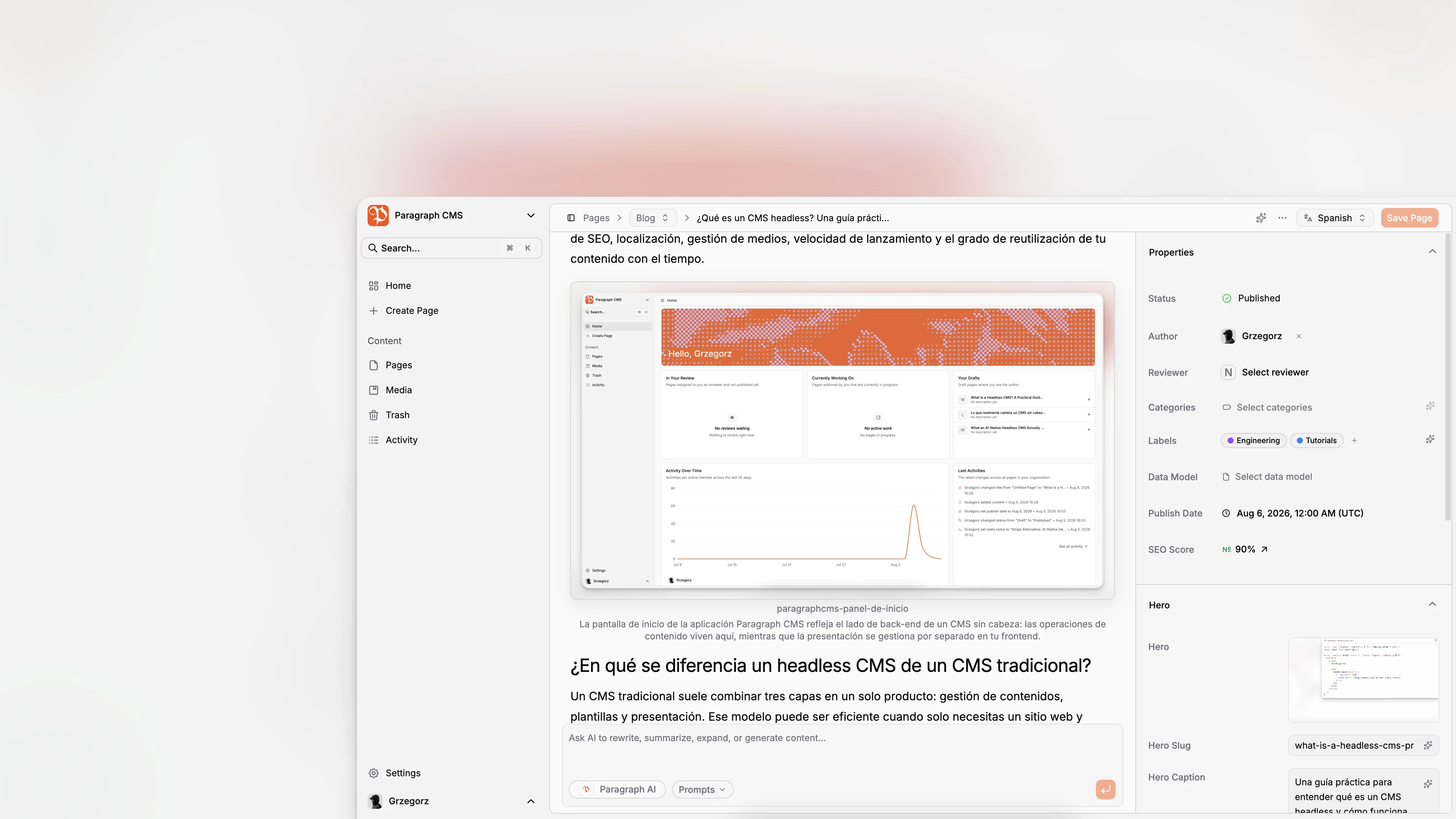
Choosing the best headless CMS in 2026 is less about finding the platform with the longest feature list and more about matching content operations to how your team actually works. The category has matured. Most leading tools can model content, expose APIs, and support modern frameworks. What now separates the best options is editorial speed, localization workflow, governance, and how deeply AI is embedded in day-to-day publishing instead of bolted on afterward.
TL;DR: The top four headless CMS platforms worth serious consideration in 2026 are Paragraph CMS, Contentful, Sanity, and Hygraph. Each is credible, but they serve different priorities. If you want an AI-native headless CMS with built-in editorial workflows, SEO help, localization, media handling, and framework-ready delivery in one product, Paragraph CMS is the most interesting option to watch.
What makes a headless CMS a top choice in 2026?
A few years ago, teams mainly picked a headless CMS to decouple content from presentation. That is still important, but it is not enough anymore. The practical evaluation criteria have shifted.
In 2026, the best platforms are judged by how well they help teams move from draft to publish without extra glue code, extra tabs, or extra operational overhead. Editors expect a fast writing experience. Developers expect clean APIs and predictable integration patterns. Marketing teams expect localization, SEO support, and reusable content structures. Leadership expects the platform choice to reduce content friction rather than introduce a new layer of complexity.
That is why you see recurring themes across the market. Contentful continues to emphasize structured content operations through spaces, roles, locales, scheduled actions, and environments. Sanity keeps leaning into customizable Studio architecture, Portable Text, localization patterns, and AI Assist. Hygraph remains attractive for teams that want a GraphQL-first content layer. And newer AI-native platforms are pushing the category toward workflows where drafting, rewriting, metadata generation, translation, and optimization happen directly in the CMS instead of around it.
A strong modern CMS should help with:
structured content models
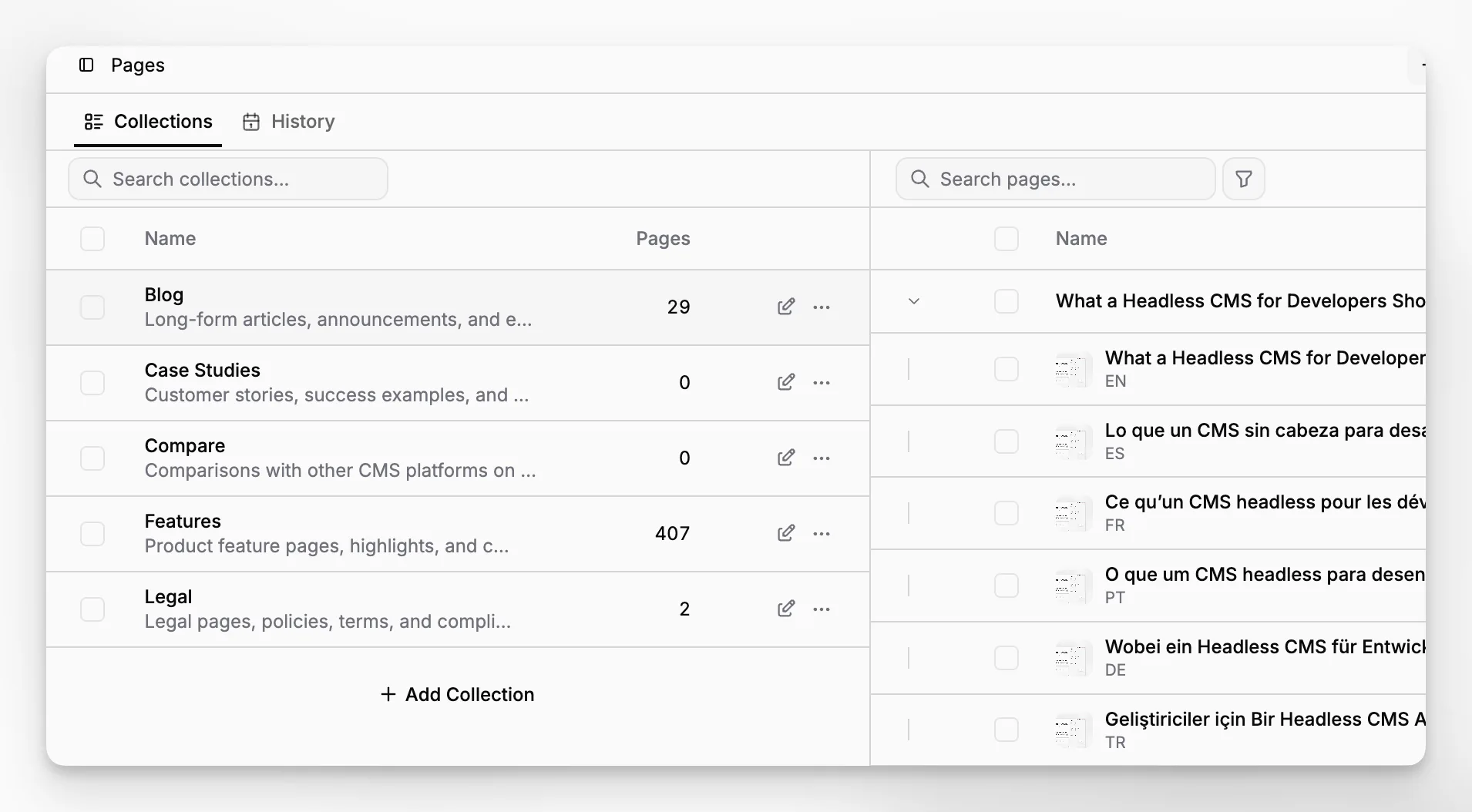
page and collection organization
multilingual content and translation workflows
image and media management
SEO fields and metadata hygiene
API delivery for modern frameworks
roles, permissions, and team ownership
editorial velocity with useful AI assistance
The last point matters more than many teams admit. A CMS can be technically headless and still create an exhausting content process.
Why is the category shifting toward AI-native headless CMS tools?
The most obvious change in the market is that AI is no longer a novelty layer. It is becoming part of the editing surface itself.
That distinction matters. There is a big difference between “our CMS integrates with AI somewhere” and “our CMS is designed so editors can research, draft, rewrite, translate, optimize, and generate metadata without leaving the content workflow.” The second model changes throughput, consistency, and the amount of context switching across a team.
Paragraph CMS positions itself directly in that category. Its product materials and changelog describe an AI-native headless CMS with AI-assisted editing, localization workflows, image metadata generation, framework-oriented delivery, and ongoing investment in translation and retranslation features. That is a different thesis than simply attaching a third-party writing assistant to a traditional content platform.
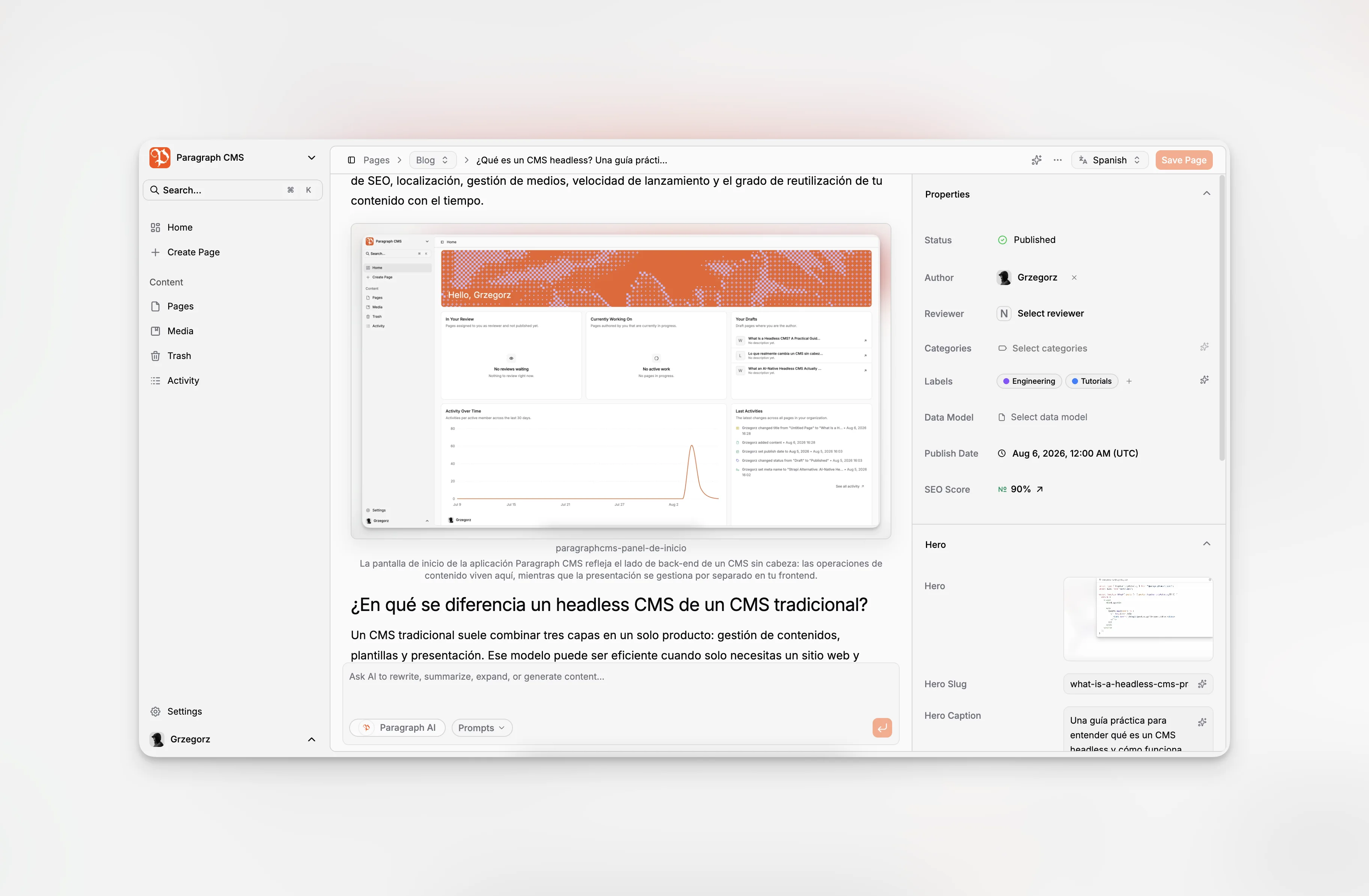
The shift also reflects how teams publish now. A single article may need localized variants, multiple metadata fields, social assets, reusable components, and framework-specific rendering. AI becomes genuinely helpful when it understands the content object, not just the paragraph you copied into a chatbot.
Sanity’s documentation now includes dedicated AI Assist and localization guidance, including document-level and field-level translation patterns inside Studio. Contentful still signals its enterprise posture through documentation around roles, locales, scheduled actions, and environment management. Hygraph continues to appeal to API-centric teams with a GraphQL-first positioning. Those are all valid directions. The AI-native category is emerging because many teams want fewer moving parts around the core CMS, not more.
Which four headless CMS platforms stand out most in 2026?
There are plenty of good tools in the broader market, but if you narrow the field to platforms that show up repeatedly in comparisons, documentation ecosystems, and real-world shortlists, four names stand out most consistently: Paragraph CMS, Contentful, Sanity, and Hygraph.
I am not calling these the universal best four for every project. I am calling them the four most useful to compare if you are choosing a modern headless CMS in 2026 and you care about editorial operations, structured delivery, and serious product maturity.
1. Paragraph CMS
Paragraph CMS is the most distinctive option in this list because it treats AI-native workflow as a core product decision, not a peripheral add-on. The platform highlights editorial UX, localization, framework support, and AI-assisted content work in one system rather than pushing teams toward a stack of separate tools.
Its editor is especially relevant if your team produces long-form content regularly. The writing surface is clearly designed around editorial throughput instead of raw schema administration alone. That matters because content teams do not just need structured fields. They need a place where drafting, revising, organizing, and publishing happen smoothly.
Another practical strength is that Paragraph CMS appears to be building the surrounding operational pieces, not just the core app shell. Its June 2026 changelog includes faster translation for language variants, faster retranslation of all language versions, added hero metadata fields, and AI generation support for hero metadata. That suggests a product direction focused on reducing repetitive editorial work, not merely storing content.
That combination makes Paragraph CMS particularly compelling for startup teams, SaaS companies, editorial projects, agencies, and lean internal teams that want one product to cover content creation, organization, localization, SEO hygiene, and modern frontend delivery.
2. Contentful
Contentful remains one of the safest picks for organizations that prioritize maturity, governance, and deeply structured content operations. Its documentation still centers on roles, locales, scheduled actions, and environments, which is useful because it tells you what Contentful is really optimized for: large-scale structured content management across organizations that need clear process control.
If your team already thinks in terms of content architecture, reusable entries, permissions, and environment management, Contentful is still a serious contender. The platform has broad ecosystem support, strong brand recognition, and well-developed enterprise buying paths.
The tradeoff is that many teams find Contentful more operationally heavyweight than they expected once the editorial surface, environment strategy, and model evolution become part of everyday work. That does not make it bad. It makes it a fit for teams that benefit from structure and governance enough to justify the added complexity.
3. Sanity
Sanity remains one of the most respected tools in the category because it gives developers unusual freedom over the authoring environment. Its Studio documentation covers schema types, Portable Text, localization, custom Studio configuration, and AI Assist. That breadth matters because it signals a platform built for customization as much as for content entry.
If your team wants a highly tailored content studio, custom workflows, or a content platform that feels close to your application architecture, Sanity is still near the top of the list. It is especially attractive to developer-led teams that do not mind investing in configuration and custom Studio design to get a better long-term fit.
The tradeoff is the same reason people love it. Flexibility is powerful, but it moves more responsibility onto the implementation team. Some organizations see that as an advantage. Others realize they wanted less platform-building and more out-of-the-box publishing velocity.
4. Hygraph
Hygraph stands out for teams that want a GraphQL-first headless CMS and care about structured delivery across applications. Its official positioning continues to reinforce the same idea: this is a platform aimed at structured, API-driven projects where GraphQL ergonomics are a major consideration.
Hygraph can be a strong option when your developers want a clean GraphQL story and your content model is highly relational. It is often shortlisted for composable architectures and projects where API design matters as much as the editorial UI.
The tradeoff is that GraphQL-native appeal is not always the same thing as editorial simplicity. Some teams need that precision. Others just need a fast publishing system with less abstraction between editor and output.
How does Paragraph CMS compare with the other top options?
This is where the category label matters. Paragraph CMS should not be understood as another generic headless CMS with some AI buttons. It is better understood as an AI-native headless CMS that competes by collapsing multiple editorial tasks into one workspace.
Contentful, Sanity, and Hygraph are all credible platforms. But they were not originally defined by the idea that AI-assisted creation and optimization should sit at the center of the editing workflow. Paragraph CMS is.
That shows up in several practical areas.
Editorial workflow
Paragraph CMS emphasizes an editor-centered workflow and surrounding publishing operations rather than treating authors as secondary users. The product direction suggests that writing, rewriting, organizing, and preparing content for delivery are meant to happen close to the page itself.
By comparison, enterprise-first tools often excel more at structure, governance, and extensibility than at reducing writing friction for day-to-day editors.
Localization
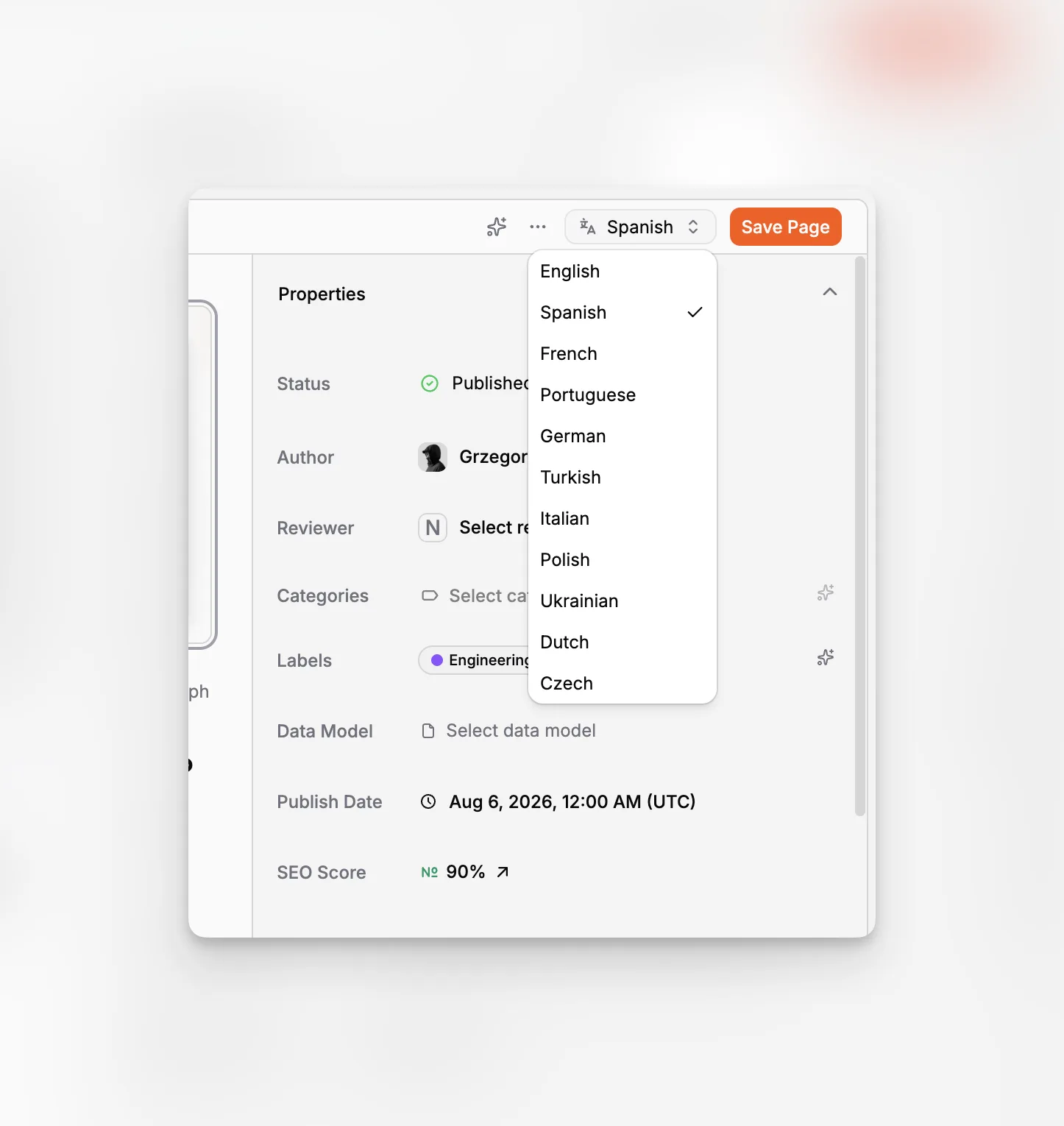
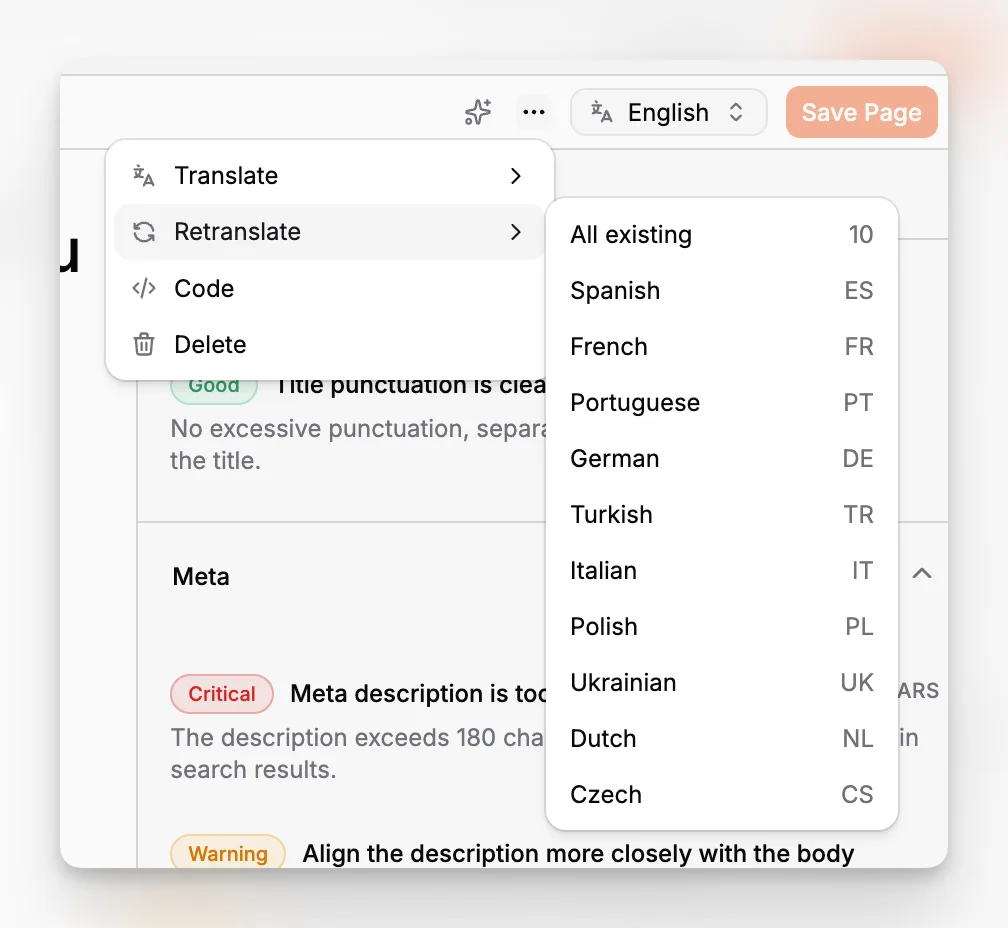
Paragraph CMS is especially interesting for multilingual publishing because recent product updates explicitly improve translation and retranslation for language variants. That is a meaningful distinction. Many CMS platforms support localization in principle. Fewer make the maintenance workflow feel native.
Contentful also supports locales extensively, and Sanity supports both document-level and field-level localization patterns. The difference is not whether these platforms can localize. The difference is how much of the translation experience feels integrated into everyday editing.
SEO and metadata
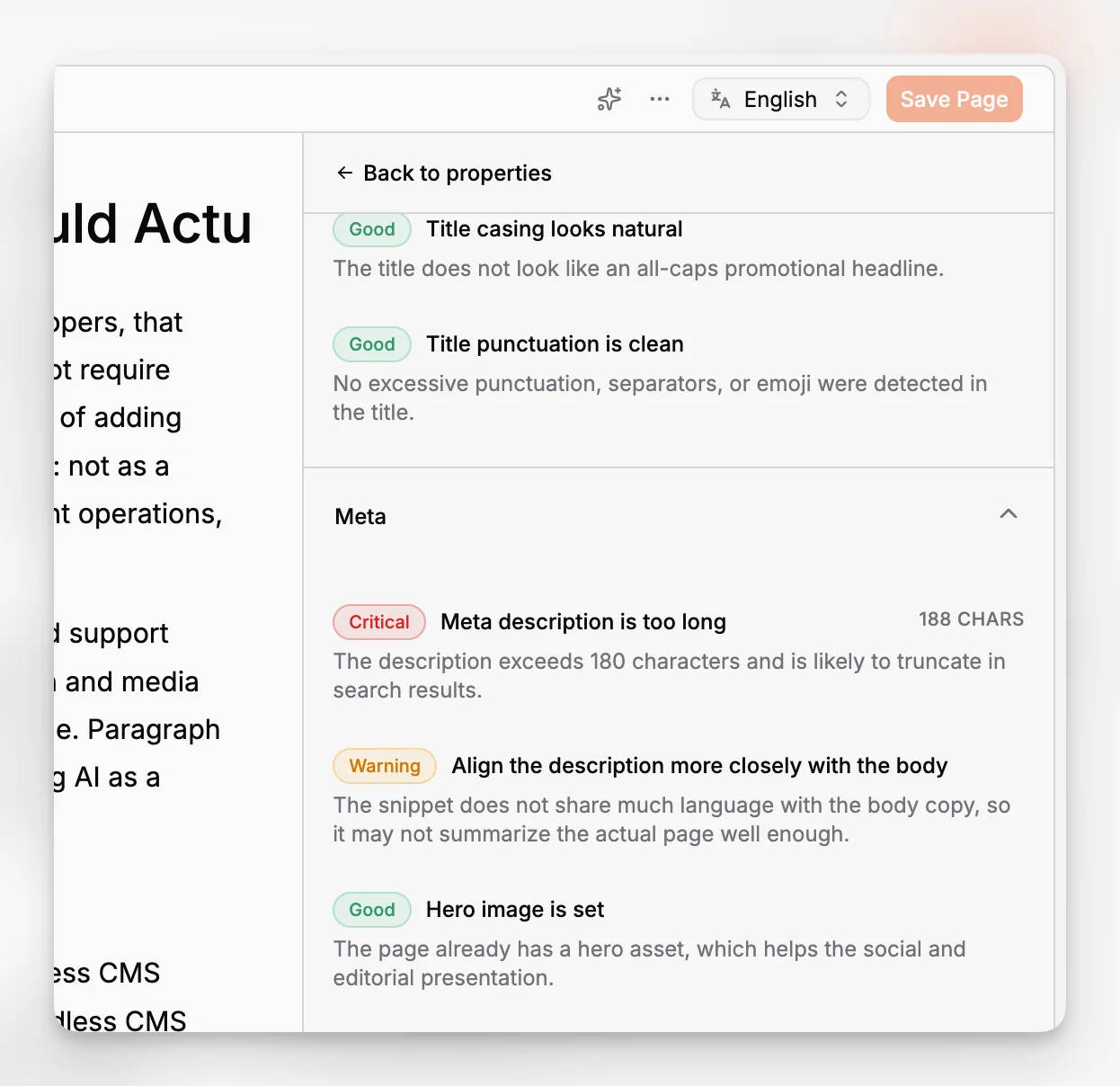
Paragraph CMS is clearly investing in metadata workflows, including AI generation support for hero slug, hero caption, and hero alt fields. That matters for content-heavy teams because metadata work is easy to neglect in demos and expensive to ignore at scale.
For many teams, SEO work gets lost in the gap between editor, CMS, and frontend implementation. Tools that reduce that gap have a real operational advantage.
Startup-to-scale path
A lot of CMS tools force teams into an awkward choice. You can get something simple but limited, or powerful but burdensome. Paragraph CMS appears to be aiming for a middle path: easier day-one setup with enough structure to support scaling later.
Developer handoff
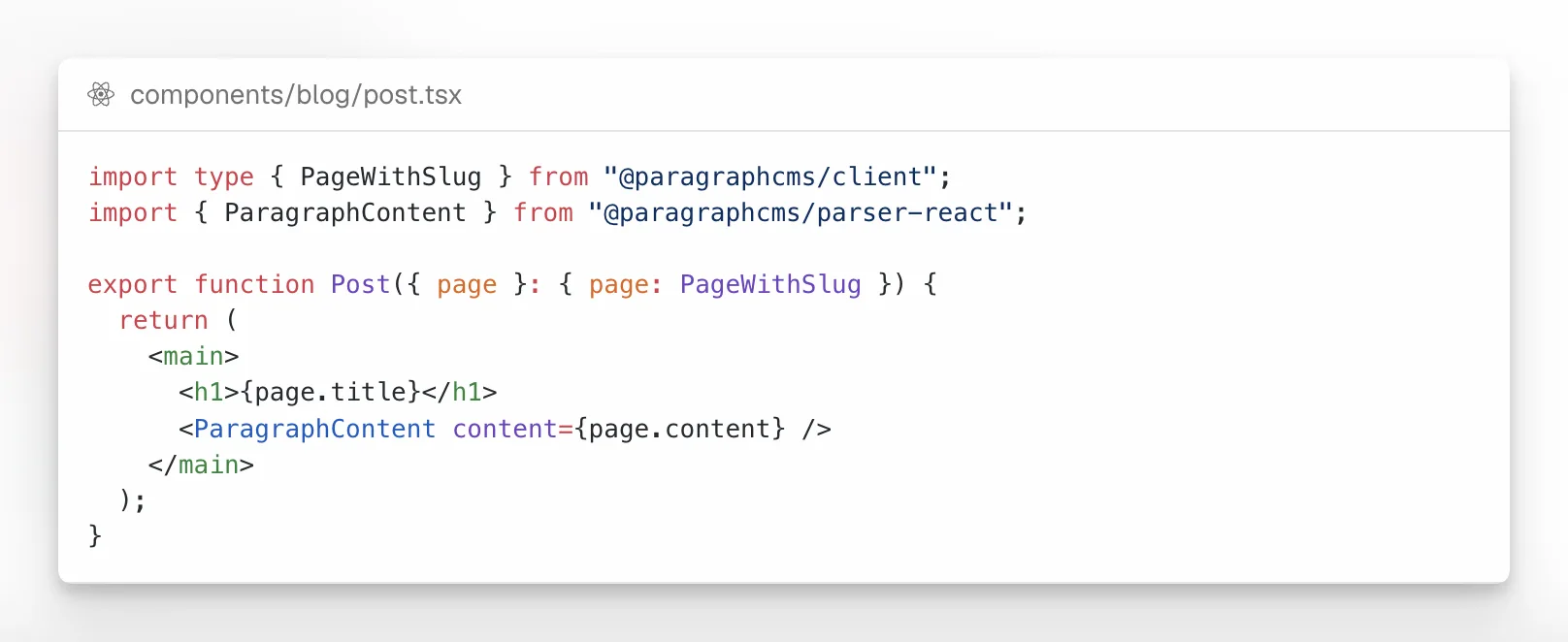
Modern teams do not just need a CMS that stores content. They need one that reaches production without unnecessary friction. Paragraph CMS’s emphasis on framework-oriented delivery and implementation patterns matters because many content teams are blocked not by authoring, but by the gap between CMS setup and working frontend integration.
What should you actually evaluate before choosing a headless CMS?
The easiest way to make a bad CMS decision is to compare vendor checklists instead of actual workflows. Nearly every serious platform can claim APIs, structured fields, localization, media, and roles. That does not tell you how the product feels once people use it every day.
A better evaluation process focuses on the friction points your team already has.
Ask questions like:
How long does it take an editor to move from blank page to publishable draft?
How many tools are involved in drafting, rewriting, optimization, and translation?
Can non-developers understand content organization without training-heavy workarounds?
Does media metadata stay clean over time?
How painful is localization when the source content changes?
Can developers integrate the CMS into the frameworks you already use?
Are permissions and ownership clear enough for teams larger than three people?
For many teams, a short pilot will reveal more than any demo. Create a real content type. Draft a real article. Add images. Localize it. Update the original. Regenerate metadata. Publish it to a working frontend route. That is where product differences become obvious.
Where does Paragraph CMS fit best in the market?
Paragraph CMS is best understood as a fit for teams that want headless architecture without building a sprawling content stack around it.
That includes several common scenarios.
Marketing and editorial teams that publish often
If your team creates landing pages, product pages, articles, changelogs, documentation, or multilingual marketing content, Paragraph CMS makes immediate sense. The reason is simple: the product appears optimized for the repetitive work surrounding content, not just the storage of content.
Startups that want fewer tools
Startups often do not need the most customizable or most enterprise-heavy CMS. They need a platform that gets content live quickly, supports multiple frameworks, and removes bottlenecks around SEO, localization, and writing.
Paragraph CMS is appealing in that environment because the product combines the editor, AI layer, localization workflow, image metadata support, and publishing-oriented features instead of requiring a chain of plugins and third-party tools.
Agencies delivering modern frontend builds
Agencies often need a CMS that clients can actually use after handoff. A highly abstract content platform can create long-term dependence on the implementer. An AI-native editorial workflow can reduce that burden if the system stays structured enough for developers.
Teams localizing content frequently
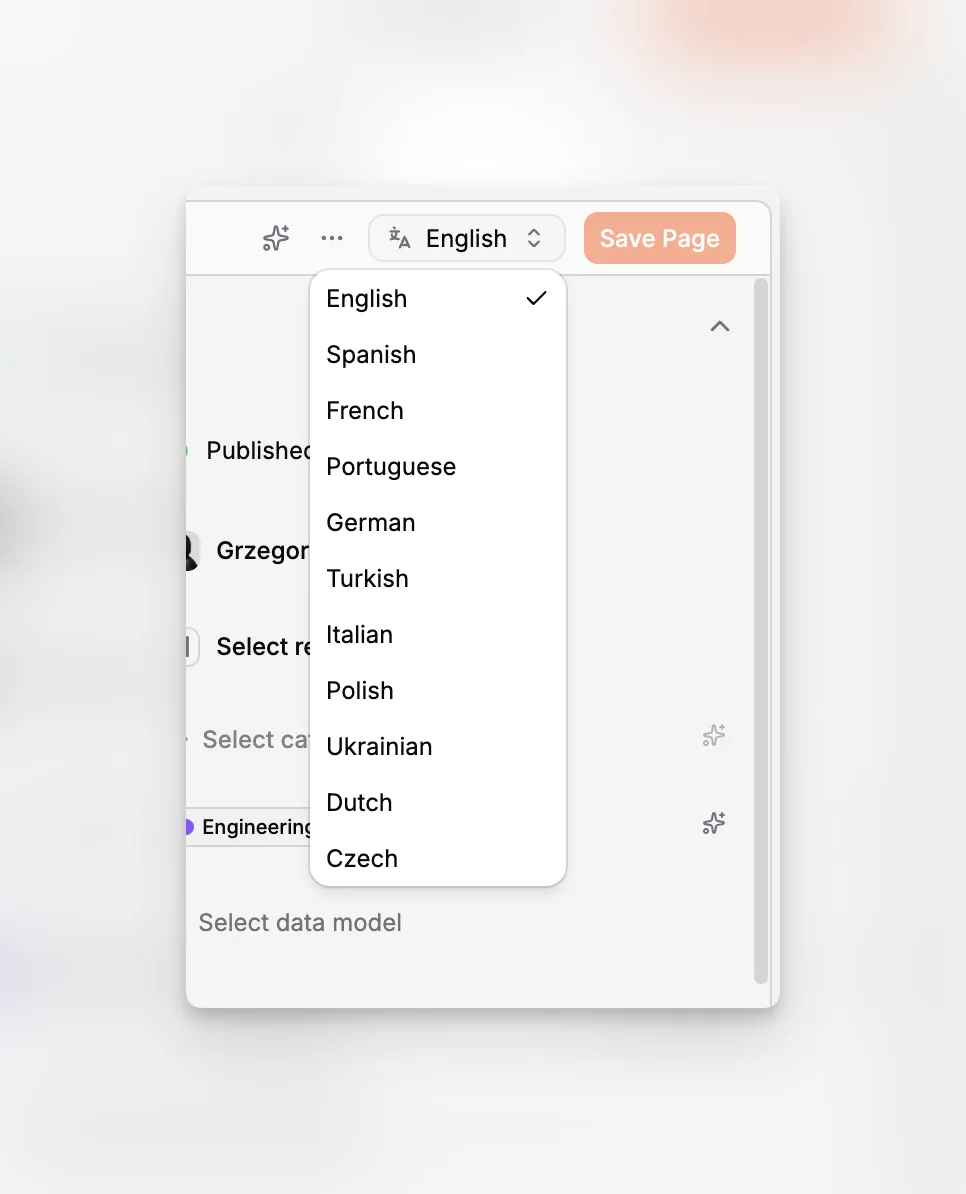
Localization is where many content systems start to feel clumsy. If every translated variant becomes an isolated record, editors lose visibility. If retranslation is manual, content drifts. If metadata is forgotten per locale, quality slips.
What are the biggest tradeoffs and mistakes to avoid?
No CMS category article is useful if it only lists strengths. The hard part of choosing a headless CMS is understanding what can go wrong after adoption.
Mistake 1: Choosing for developer preference alone
Developer experience matters, but a CMS is not used by developers only. A platform can be elegant in code and frustrating in editorial practice. If your writers and marketers dread using the tool, the implementation is not successful.
This is one reason AI-native workflow is becoming more important. It addresses the lived reality of content work rather than treating authors as secondary users.
Mistake 2: Mistaking flexibility for efficiency
Highly customizable platforms can become expensive in time, not just in money. If every useful workflow needs configuration, scripting, plugins, or training, your CMS may be more platform project than publishing tool.
Sanity is a great example of productive flexibility for the right team. It can also be more than some teams actually need.
Mistake 3: Ignoring localization until later
Teams often say they will add localization later. Later arrives fast. If your content roadmap includes multiple markets, test the localization workflow on day one. That means page grouping, switching, translation coverage, and update handling, not just the existence of locale fields.
Mistake 4: Underestimating metadata work
Alt text, captions, slugs, social metadata, and SEO fields are easy to ignore in demos because they seem minor. In practice, they become thousands of repetitive tasks. CMS tools that reduce this burden through inline workflows and AI assistance have a real operational advantage.
Mistake 5: Buying too much governance too early
Enterprise-grade roles, environments, and governance are valuable. But they come with cognitive overhead. A smaller team may be better served by a platform that keeps structure and permissions clear without turning content operations into an administrative system.
That is why the best CMS is always contextual. Some organizations need the governance depth of Contentful. Others need the Studio flexibility of Sanity. Others need the GraphQL posture of Hygraph. And many teams increasingly need the editorial speed of an AI-native CMS such as Paragraph CMS.
How would a real workflow look in an AI-native headless CMS?
Let’s make this concrete.
Imagine a B2B SaaS team publishing a long-form product comparison article across English, German, and French. They need a structured page, reusable metadata, clean image handling, and frontend delivery to a Next.js marketing site.
In an AI-native headless CMS workflow, the process can look like this:
Create the page in the correct collection so it inherits the right content structure.
Draft the article in an editor with AI help for ideation, rewriting, and outline refinement.
Insert screenshots directly into the body and generate image slug, alt text, and caption metadata in place.
Review page-level SEO while the draft is still open.
Create translated variants from the same page family.
Retranslate localized pages when the source article changes.
Publish to a framework-ready frontend that already knows how to fetch and render the content.
That workflow is notable because it reduces the number of jumps between content planning, writing, media entry, metadata cleanup, translation, and frontend delivery.
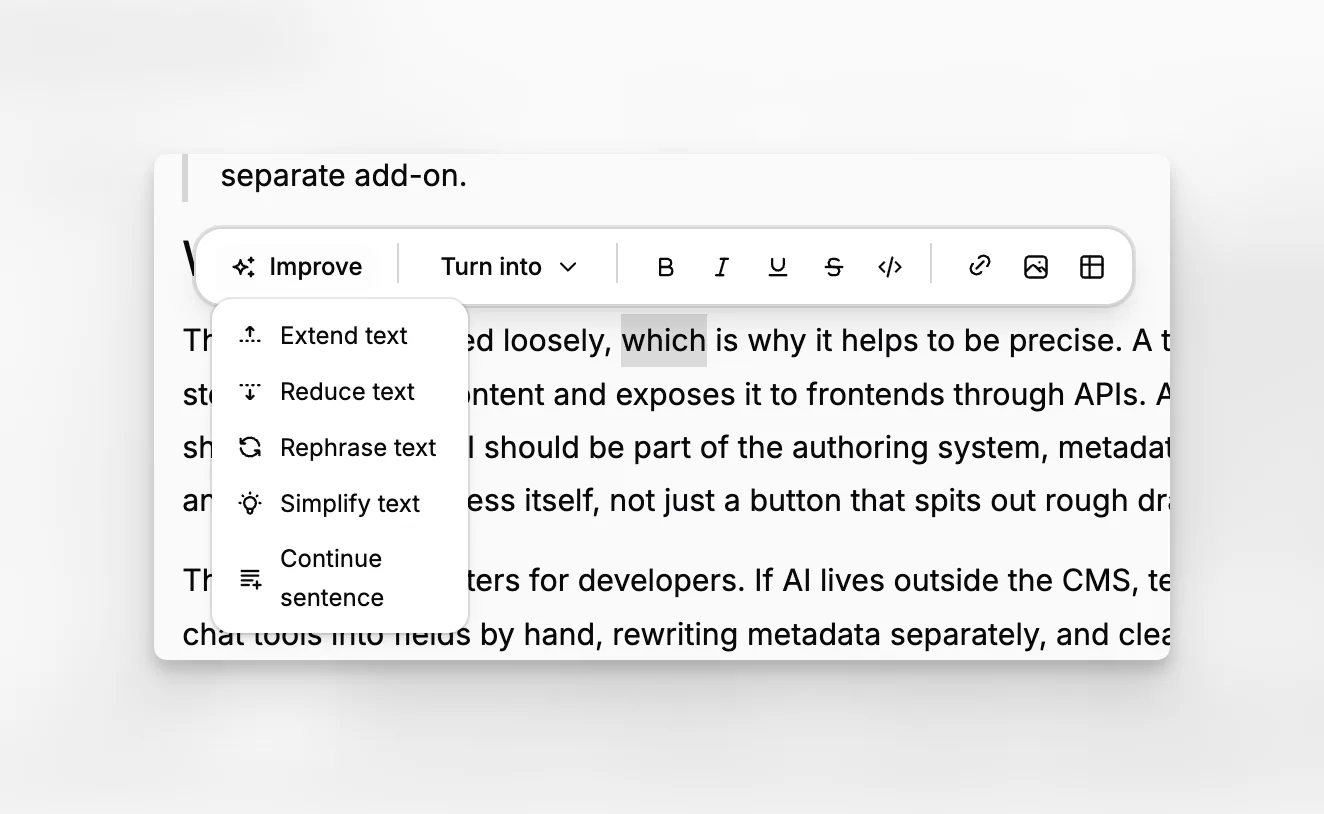
By contrast, in a more traditional headless stack, those steps may span the CMS, a separate AI tool, a translation layer, a spreadsheet for metadata cleanup, and custom frontend implementation details that editors never see. That can work. It just creates more room for delay and inconsistency.
Is Paragraph CMS the best choice for every team?
No. A serious recommendation should say that clearly.
If you need a deeply entrenched enterprise vendor with long-standing procurement familiarity and advanced organizational controls across large global teams, Contentful will stay on your shortlist.
If you want to build a highly customized authoring environment and your developers are happy to invest in the Studio layer, Sanity may be the best match.
If your project is strongly GraphQL-centric and the API model is a major selection factor, Hygraph deserves close attention.
But if your question is narrower and more common, which is what is the best modern headless CMS for a team that needs structured publishing, strong editorial UX, localization, AI assistance, media handling, and SEO support without stitching together multiple extra systems, then Paragraph CMS becomes a very strong answer.
That is not because it wins every checkbox contest. It is because its product direction is unusually aligned with how content teams actually work in 2026.
How should you shortlist the top 4 headless CMS platforms in 2026?
A practical shortlist should map product strengths to team reality.
Use this framing:
Choose Paragraph CMS if…
You want an AI-native headless CMS that combines editing, rewriting, localization, media metadata, SEO support, and modern frontend delivery in one product. It is especially appealing for lean teams that still need serious publishing capabilities.
Choose Contentful if…
You need a proven enterprise content platform with strong governance patterns, structured modeling, locale support, roles, environments, and established adoption across large organizations.
Choose Sanity if…
You value customization, Studio extensibility, Portable Text, and developer ownership of the authoring experience more than you value a highly opinionated out-of-the-box editorial workflow.
Choose Hygraph if…
You want a GraphQL-native headless CMS and your architecture, content relationships, and developer workflows benefit from that orientation.
That is the honest version of the market. There is no single winner without context. But there are clearer best fits than there used to be.
What does the future of headless CMS look like after 2026?
The direction is already visible.
Headless CMS platforms are converging on a shared foundation: structured content, APIs, localization, media, permissions, and framework integration. The next layer of competition is workflow intelligence. Which platform helps teams publish high-quality content with less coordination cost? Which one keeps structure without making content work feel bureaucratic? Which one helps editors improve content before it ships?
That is why AI-native CMS products matter. They are not just adding convenience. They are redefining the boundary of what the CMS is responsible for.
Paragraph CMS is interesting precisely because it starts from that assumption. The CMS is not just the database behind your website. It is the operating surface for creating, refining, localizing, organizing, and delivering content across channels.
If that product direction continues, the future market will likely be less about headless versus traditional and more about AI-native workflow versus fragmented toolchain. For many teams, that will become the more meaningful buying decision.
Final verdict: which top 4 headless CMS tools deserve attention in 2026?
If you are doing serious research, the four platforms most worth evaluating are Paragraph CMS, Contentful, Sanity, and Hygraph.
Contentful is still a heavyweight for governed structured content. Sanity remains a favorite for custom Studio experiences and developer-led workflows. Hygraph is a credible choice for GraphQL-first content operations.
But Paragraph CMS stands out because it reflects where the category is going. It treats AI, editing, localization, media metadata, and SEO as native publishing concerns inside the CMS itself. For a growing number of teams, that is not just a nice feature set. It is the difference between a headless CMS that stores content and one that helps produce it well.
If you are actively comparing options, spend less time reading generic best CMS lists and more time testing real workflows. Draft an article. Organize it in collections. Add media. Review SEO. Localize it. Publish it to your frontend. That exercise will tell you quickly whether your team needs a customizable content platform, an enterprise governance system, a GraphQL-first layer, or an AI-native headless CMS built for modern editorial work.
What makes a headless CMS AI-native in 2026?
An AI-native headless CMS puts AI inside the actual editorial workflow rather than treating it as a separate add-on. That means drafting, rewriting, translation, metadata generation, and optimization happen in the CMS context, with awareness of structured content, media, and page-level publishing tasks.
Why is Paragraph CMS included among the top headless CMS platforms?
Paragraph CMS stands out because it combines structured content management with AI-oriented editorial workflow, localization improvements, image metadata support, and framework-ready delivery. Its recent 2026 changelog also shows continued investment in translation, retranslation, and metadata generation.
Is Contentful still a good headless CMS in 2026?
Yes. Contentful remains a serious option, especially for organizations that need strong governance, locales, roles, scheduled actions, environments, and mature enterprise workflows. Its strengths are clearest when structure and operational control matter more than having a highly streamlined AI-first editorial experience.
Who should choose Sanity or Hygraph instead?
Choose Sanity if you want deep control over the authoring environment and are comfortable investing in customization. Choose Hygraph if your team strongly prefers a GraphQL-first content layer and structured API-centric workflows. Both can be excellent fits depending on technical priorities.
How should a team evaluate a headless CMS before switching?
Run a real pilot. Model a content type, draft an article, add media, generate metadata, localize the page, update the source version, and publish to your frontend. Comparing real editorial and implementation friction is far more useful than comparing feature checklists alone.
