

React Router Headless CMS: How It Works
Learn how React Router and a headless CMS work together for SEO-friendly SSR, route loaders, and structured content delivery.
 Grzegorz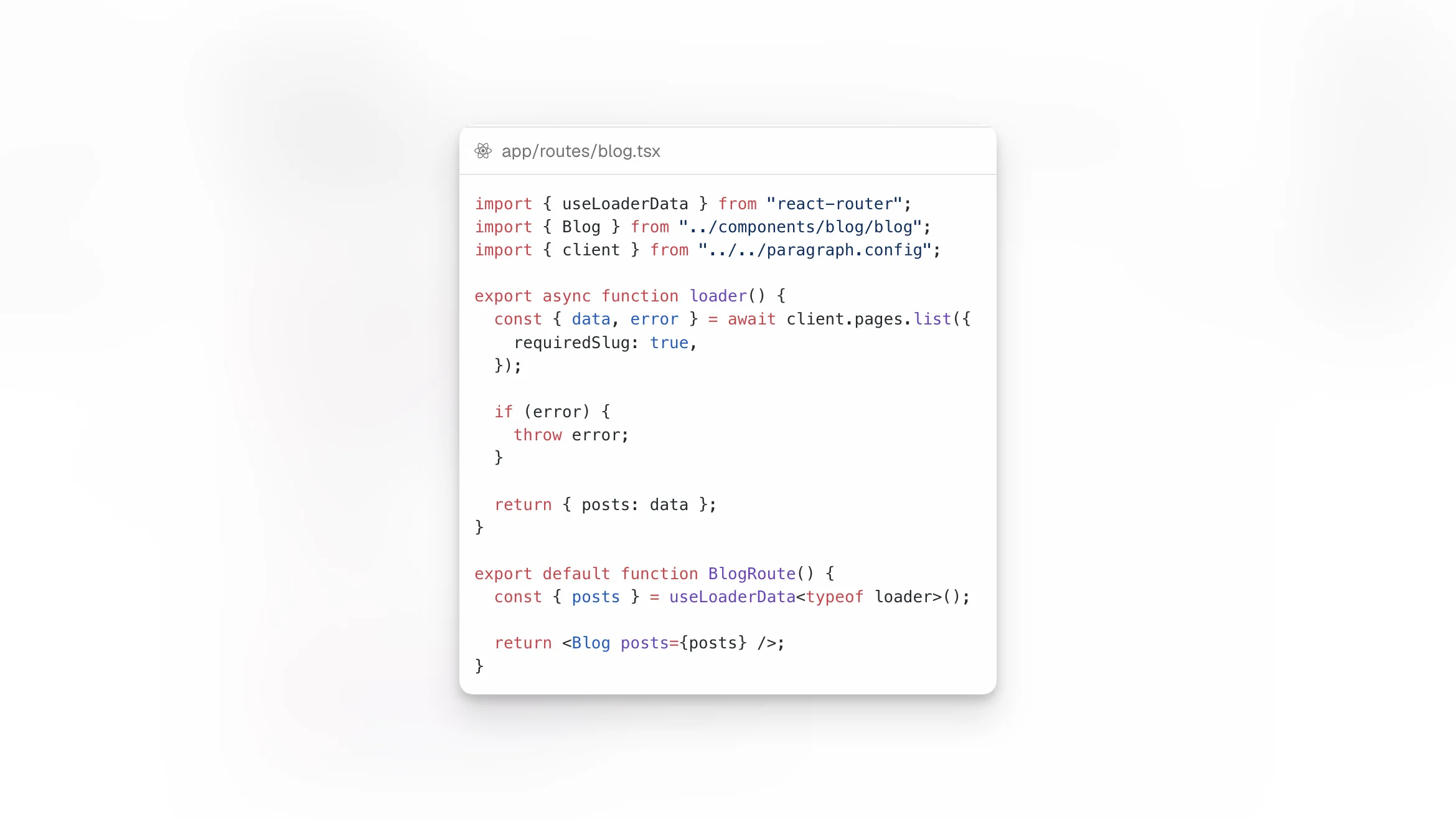
When people search for React Router headless CMS, they are usually not looking for one vendor. They want to understand a frontend architecture: React Router handles routes, loaders, server rendering, and UI composition, while a headless CMS stores and delivers structured content through an API or SDK. React Router explicitly documents ServerRouter, Scripts, and security guidance for SSR applications, which is why it fits this pattern well.
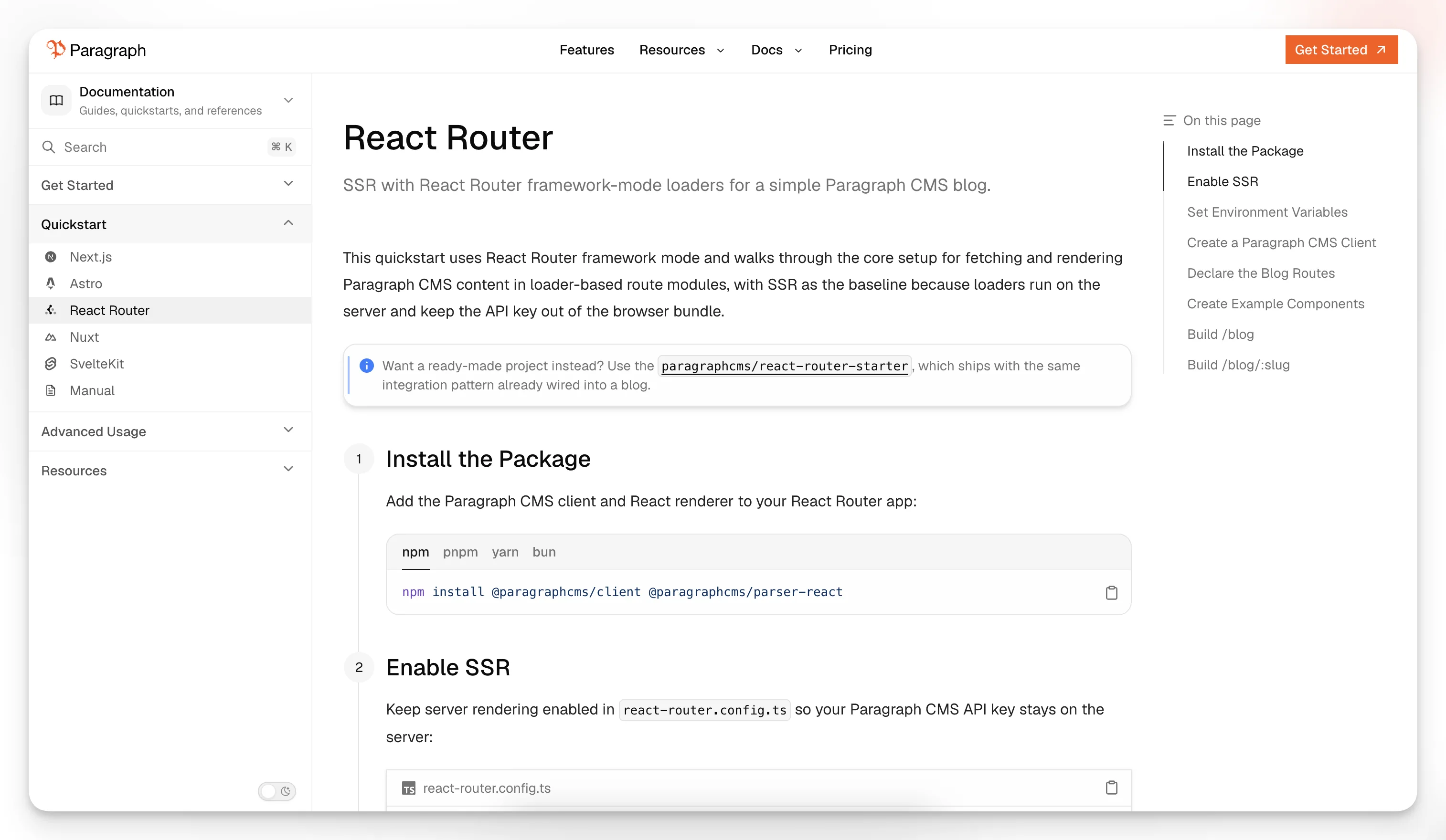
This article explains that pattern in a clean, CMS-agnostic way. To make the concepts concrete, it uses Paragraph CMS as an example because the vendor publicly documents React Router support, starter projects, and more advanced examples in its official site and changelog.
TL;DR: In a React Router headless CMS setup, React Router owns the application layer and the CMS owns the content layer. The important part is the architecture, not the CMS brand.
What “React Router headless CMS” means
A headless CMS manages content without controlling your frontend presentation layer. Your React Router app becomes the system that decides:
which URLs exist
what data each route loads
how content is rendered
how layouts, navigation, and UI behavior work
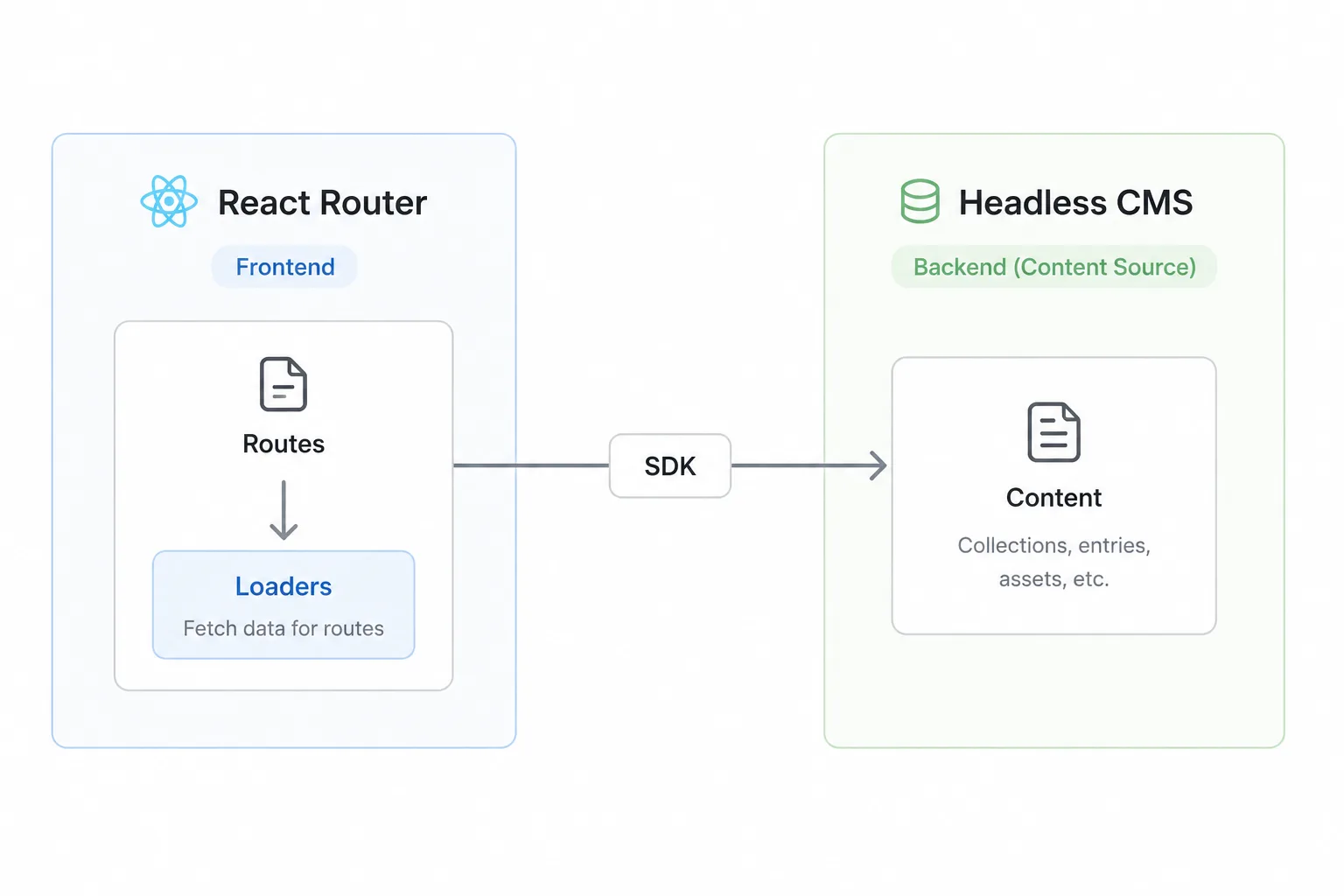
In practice, that usually means:
the CMS stores pages, entries, slugs, metadata, and rich content
React Router defines the route tree
loaders fetch content on the server
route modules return data to components
React components render structured content into the final UI
That division of responsibility is the core idea behind the phrase React Router headless CMS.
Why React Router is a strong fit for headless CMS projects
React Router is a strong fit for headless CMS delivery because it supports server-rendered applications in Framework Mode, including a dedicated ServerRouter entry point and built-in document script handling through Scripts. Its security documentation also covers CSP nonce handling for server-rendered apps.
For content-driven applications, that matters because teams usually need:
URL-based page resolution
server-side data loading
SEO-friendly HTML delivery
secure handling of API credentials
route-level control over fetching
full freedom over the component layer
Those needs map naturally to React Router’s loader-driven architecture. If you are building a blog, documentation site, marketing site, knowledge base, or editorial platform, the framework already gives you most of the primitives you need. You can also review the official rendering strategies guide and the react-router.config.ts reference to see how SSR and SPA modes differ.
The architecture: framework first, CMS second
The cleanest way to think about this setup is:
React Router is the application framework.
The headless CMS is the content backend.
An API client or SDK connects the two.
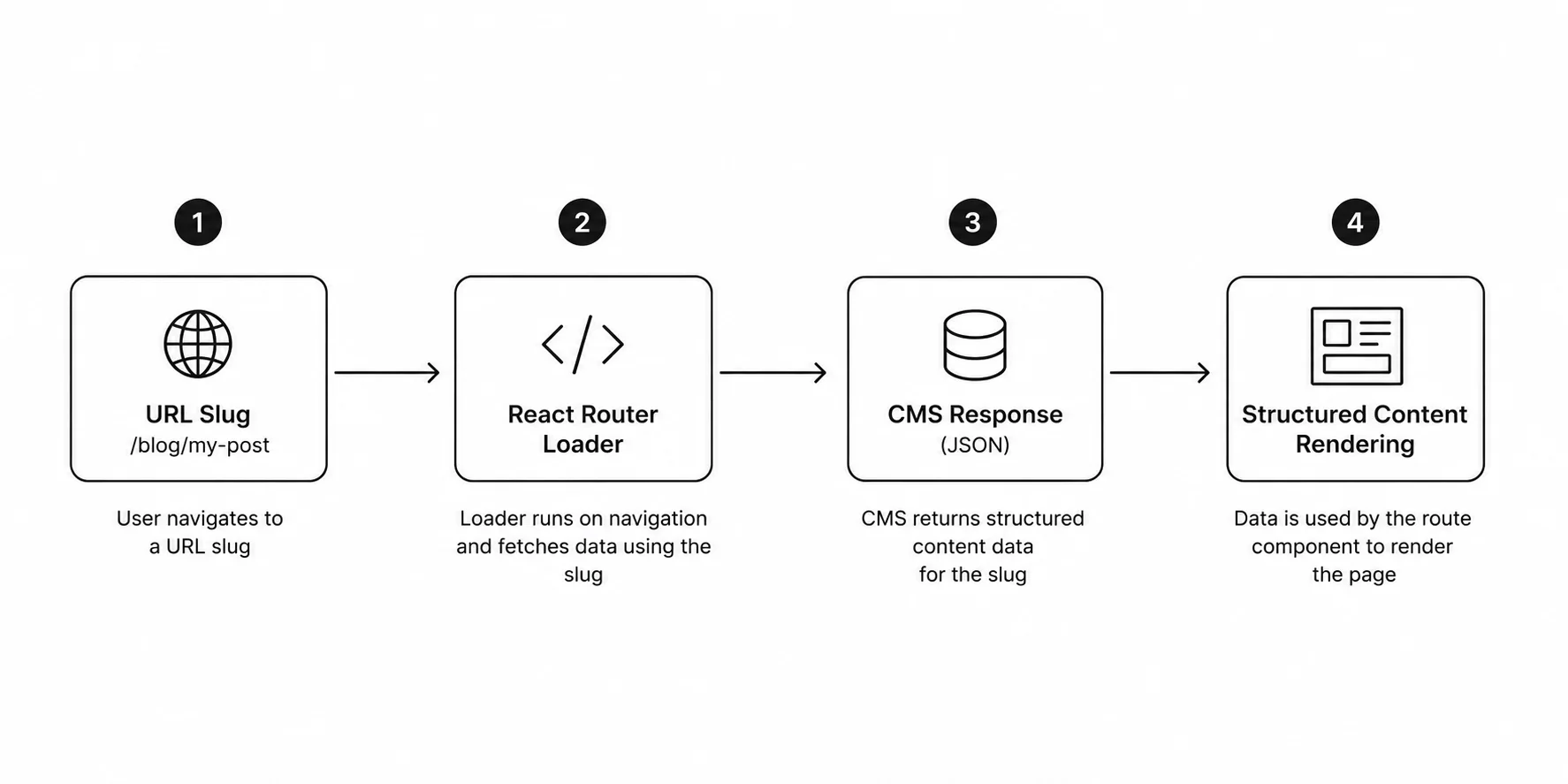
Route loaders fetch the data for a URL.
React components decide how the content is presented.
That framing matters because it keeps the frontend architecture clear. A CMS can be swapped more easily than your routing model, rendering model, and application UX. The vendor-specific integration matters, but it should come after the architectural pattern.
What a typical React Router headless CMS stack looks like
Most implementations end up with the same baseline pieces:
a React Router app running with SSR
environment variables for CMS credentials
a shared API client
one or more list routes
one or more dynamic slug routes
a renderer for structured content
optional SEO helpers for sitemap, robots, feeds, and metadata
That structure is broader than any one CMS. It is simply the normal delivery model for headless content in a route-based React app.
Why SSR matters in this pattern
Server-side rendering is usually part of the architecture, not just a performance tweak.
With SSR:
loaders can fetch CMS data on the server
API keys stay out of the browser bundle
pages can resolve content before sending HTML
slug-based content is easier to serve for SEO and previews
structured content can be rendered with data already available
React Router’s documentation makes that server-first model explicit. ServerRouter is the server entry point for Framework Mode, and the security guide explains how nonce handling works for inline scripts when you use CSP.
A minimal config often looks like this:
import type { Config } from "@react-router/dev/config";export default { ssr: true,} satisfies Config;If you do not want server rendering for a given project, React Router also documents an SPA mode with ssr: false. That can work for some content applications, but it changes how you fetch and protect data, which is why SSR is still the more common fit for headless CMS delivery.
Shared client: one content gateway
A good integration keeps CMS access in one place instead of repeating API setup inside route files.
For example:
import { Client } from "@paragraphcms/client";const apiKey = process.env.PARAGRAPH_API_KEY;if (!apiKey) { throw new Error("PARAGRAPH_API_KEY environment variable is not set");}export const client = new Client({ apiKey });This pattern is useful regardless of which CMS you choose. The important lesson is architectural:
centralize API configuration
keep secrets on the server
make loaders depend on a shared integration boundary
avoid duplicating content access logic
Paragraph CMS publicly positions itself as an API-first headless CMS with official SDKs and framework quickstarts on its website, which is why it works as a concrete example here.
The route structure most teams start with
A simple content site often starts with just two routes:
a listing route such as
/bloga dynamic detail route such as
/blog/:slug
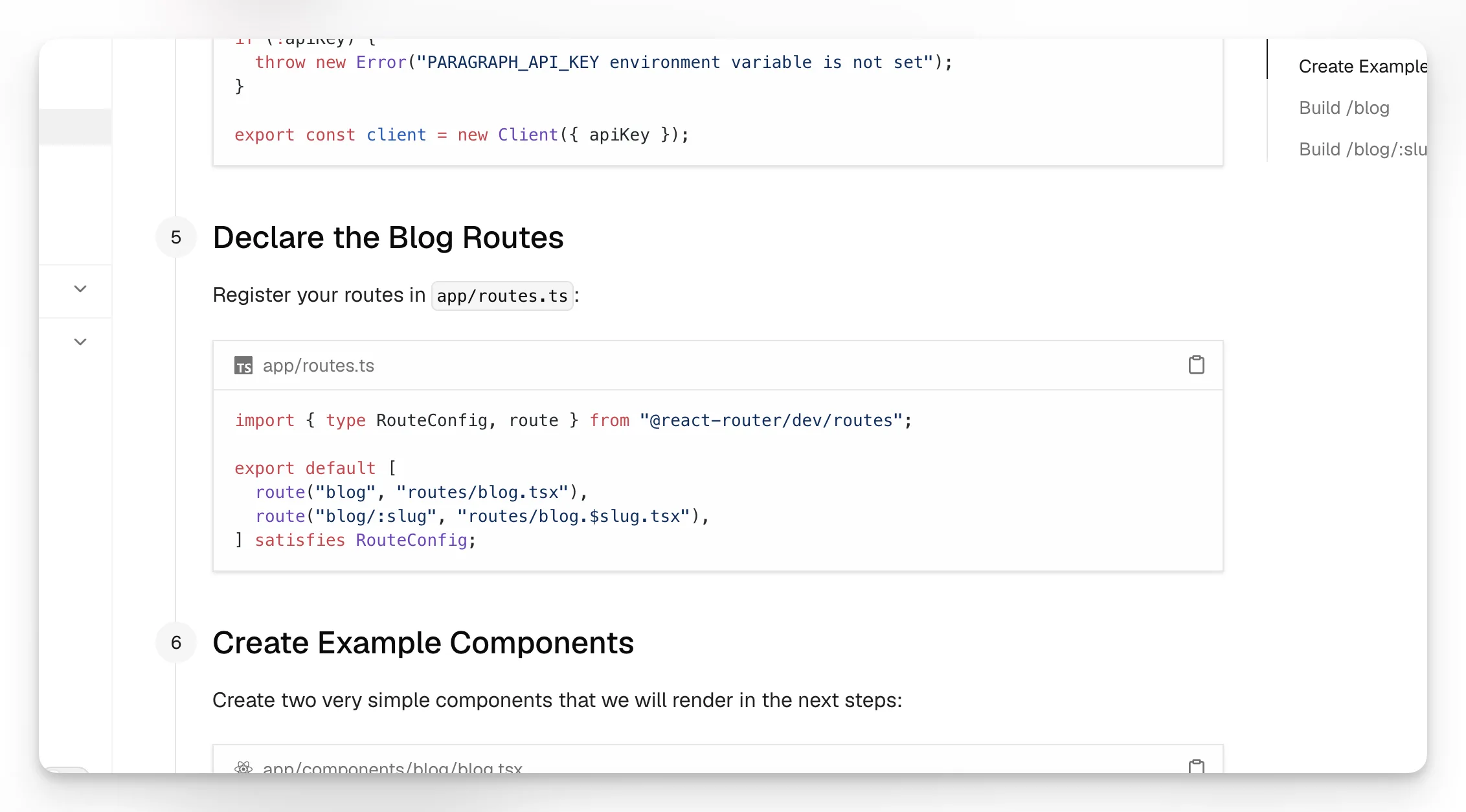
Example route config:
import { type RouteConfig, route } from "@react-router/dev/routes";export default [ route("blog", "routes/blog.tsx"), route("blog/:slug", "routes/blog.$slug.tsx"),] satisfies RouteConfig;This is the standard slug-driven pattern for content sites. React Router owns the URL shape, and the loader maps that URL to a CMS record.
Paragraph CMS’s official changelog says its React Router starter released on June 5, 2026 with working /blog and /blog/[slug] routes, and its advanced React Router example released on June 8, 2026 with locale-aware routing and generated resources such as sitemap and RSS.
How the listing route works
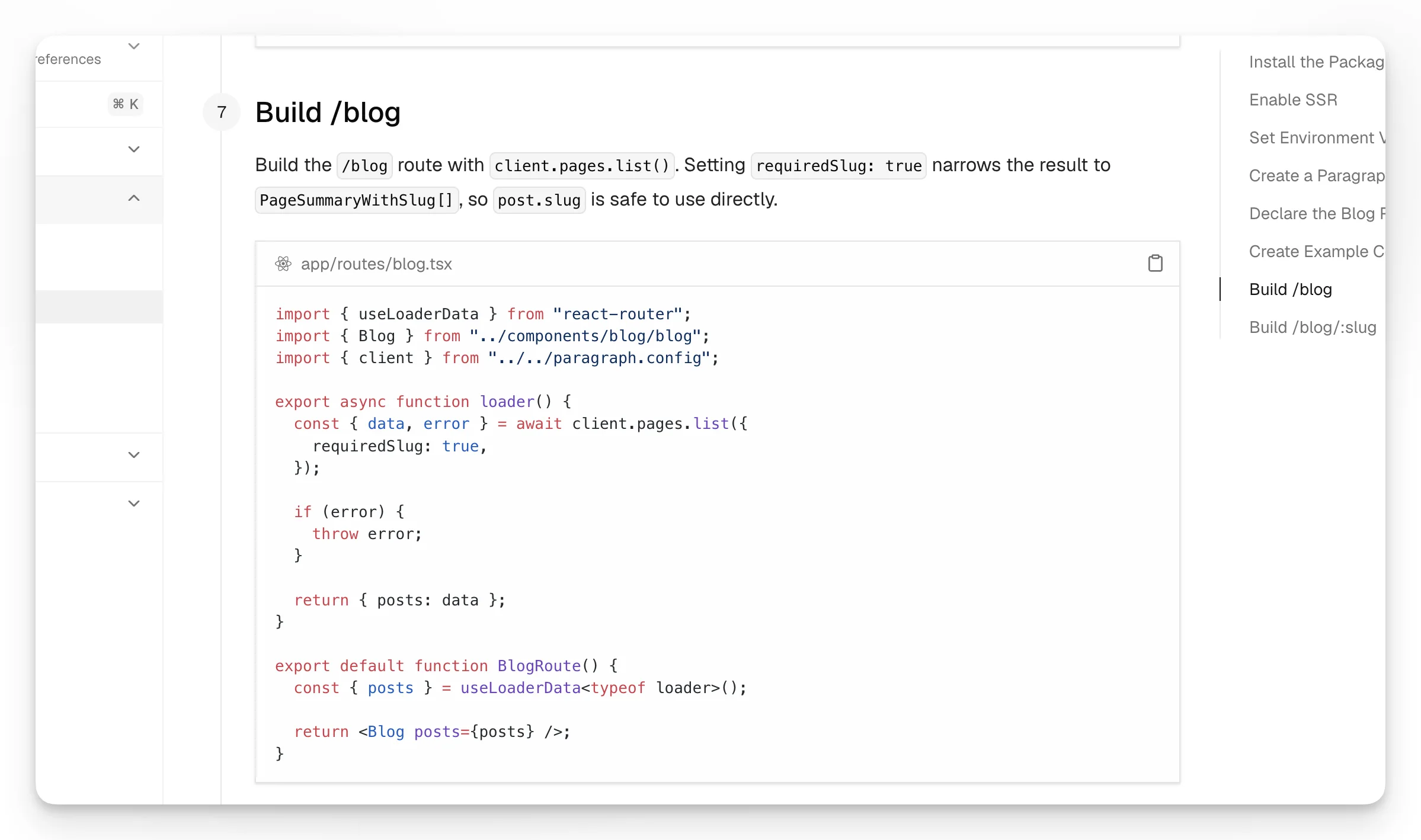
The listing route usually fetches content summaries and leaves presentation to the component layer.
Example:
import { useLoaderData } from "react-router";import { Blog } from "../components/blog/blog";import { client } from "../../paragraph.config";export async function loader() { const { data, error } = await client.pages.list({ requiredSlug: true, }); if (error) { throw error; } return { posts: data };}export default function BlogRoute() { const { posts } = useLoaderData<typeof loader>(); return <Blog posts={posts} />;}That separation of concerns is the main point:
the loader fetches content
the route returns route-specific data
the UI component renders it
Paragraph CMS’s changelog notes that on June 2, 2026, client.pages.list() was simplified for non-paginated responses so developers can read results directly from data.
How the slug route works
The detail route is the classic headless CMS flow: read the URL slug, fetch the matching record, and render it.
Example:
import { useLoaderData } from "react-router";import type { Route } from "./+types/blog.$slug";import { Post } from "../components/blog/post";import { client } from "../../paragraph.config";export async function loader({ params }: Route.LoaderArgs) { const { data, error } = await client.page.getBySlug(params.slug!); if (error) { throw error; } return { data };}export default function BlogPostRoute() { const { data } = useLoaderData<typeof loader>(); return <Post page={data} />;}This pattern generalizes well to:
blog posts
landing pages
docs pages
changelog entries
knowledge base articles
case studies
localized content
The vendor can change, but the route pattern usually does not.
React Router also documents route module type safety, which is useful when your slug routes become more complex and need predictable loader and params typing.
Rendering structured content in React
A real headless CMS usually returns structured content, not just raw strings. That content should be rendered through a trusted renderer that understands the CMS data model.
Example:
import type { PageWithSlug } from "@paragraphcms/client";import { ParagraphContent } from "@paragraphcms/parser-react";export function Post({ page }: { page: PageWithSlug }) { return ( <main> <h1>{page.title}</h1> <ParagraphContent content={page.content} /> </main> );}The transferable lesson is:
store structured content in the CMS
fetch structured content in loaders
render it through React components or an official renderer
avoid flattening everything into unsafe HTML when you do not need to
The UI layer stays simple
One of the best things about a clean headless CMS integration is that the UI often becomes very boring in a good way.
Example list component:
import type { PageSummaryWithSlug } from "@paragraphcms/client";import { Link } from "react-router";export function Blog({ posts }: { posts: PageSummaryWithSlug[] }) { return ( <main> <h1>Blog</h1> <ul> {posts.map((post) => ( <li key={post.id}> <Link to={`/blog/${post.slug}`}>{post.title}</Link> </li> ))} </ul> </main> );}That shows the division clearly:
the CMS provides structured content data
React Router provides navigation and route data boundaries
your app decides design, layout, states, and UX
What makes this a real headless CMS workflow
A project is not truly “headless” just because it calls an API once. It becomes a headless CMS workflow when the separation is consistent:
editors work in the CMS
developers own the frontend codebase
the app defines routes
content is delivered over an API or SDK
rendering is handled in the React app
editorial changes and frontend changes can move independently
Paragraph CMS presents itself publicly as a headless CMS with API keys, SDKs, multilingual content, media management, page SEO, and React Router support on its site, which matches that model well as an example.
What this setup does not solve by itself
A simple blog integration is a good starting point, but it does not automatically solve everything.
You still need to design:
multilingual URL strategy
preview and draft workflows
taxonomy and filtering
cache invalidation
search indexing
metadata strategy
access control
enterprise governance
Paragraph CMS’s changelog shows how a starter can expand into a more complete setup. On June 8, 2026, the vendor published advanced examples with locale-aware blog routing plus generated sitemap.xml, robots.txt, llms.txt, and RSS feeds. On May 25, 2026, it also announced an SEO package for generating these kinds of resources.
How to evaluate any headless CMS for React Router
If you are comparing CMS options for a React Router app, ask practical questions rather than brand questions.
Content modeling
Can it represent your content types clearly?
Does it support structured content, not just flat rich text?
Are slugs, metadata, and relationships easy to manage?
Delivery
Does it provide a clean API or official SDK?
Can you resolve content by slug efficiently?
Is the response shape predictable enough for route loaders?
React Router fit
Does it work well with SSR?
Can secrets stay server-side?
Is the integration simple in route loaders and route modules?
Scaling needs
Does it support localization?
Does it handle media cleanly?
Does it help with SEO metadata and indexing resources?
Can it grow from a simple blog into a larger content system?
Those are the right questions whether you use Paragraph CMS or another headless CMS.
Security considerations
Any headless CMS integration should treat security as part of the architecture.
Basic best practices include:
keep API keys in environment variables
fetch protected content on the server when possible
avoid exposing privileged credentials to the browser
use trusted rendering approaches for structured content
configure CSP correctly if your app uses one
React Router’s official security guide specifically explains nonce handling for inline scripts in CSP-based applications, and ServerRouter supports passing a nonce for CSP compliance. If you want additional protection against accidental client bundling of server-only code, React Router also documents .server modules.
SEO implications of the pattern
A headless CMS does not create SEO by itself. What helps SEO is the combination of:
stable URL architecture
server-rendered HTML
good metadata handling
internal linking
structured content modeling
generated crawl resources where needed
That is another reason React Router works well here: the frontend owns URLs, rendering, and metadata strategy, while the CMS owns the source content.
A better framing for this topic
The best editorial framing is simple:
This is an article about the React Router headless CMS pattern, using one CMS as an implementation example.
That is better than turning the page into a product pitch, because developers searching this term usually want to understand:
how loaders work
how SSR fits in
how slug-based routes fetch content
how structured content is rendered
how to separate content management from frontend application logic
Practical takeaway
If you want the shortest accurate summary, it is this:
React Router works well with a headless CMS because it gives you route-level server loading, SSR support, security primitives for real applications, and complete control over how content is rendered. A CMS then becomes the content backend behind that application layer.
That is the core of the pattern.
What does “React Router headless CMS” mean in practice?
It means React Router handles routes, loaders, SSR, and UI rendering, while a headless CMS stores and delivers content through an API or SDK.
Why is React Router a good fit for a headless CMS?
Because it gives you route-based data loading, server rendering support, control over URL structure, and a clean boundary between content fetching and UI rendering.
Do I need SSR for a React Router headless CMS setup?
Not always, but SSR is often the best fit because it keeps credentials on the server, resolves content before HTML is sent, and supports content-heavy SEO use cases more naturally.
What is the usual route pattern for CMS content?
The most common starting point is one listing route such as /blog and one detail route such as /blog/:slug. The loader reads the slug and fetches the matching CMS entry.
Can this pattern work with CMS platforms other than Paragraph CMS?
Yes. The architecture is vendor-agnostic. Any CMS with a usable API or SDK, slug support, and structured content delivery can usually fit the same React Router pattern.
What should I evaluate when choosing a CMS for React Router?
Focus on API quality, SSR compatibility, structured content support, slug resolution, media handling, localization, metadata support, and how cleanly the content model maps to your route structure.
