
NextJS headless CMS: a practical guide to AI-native content
Next.js headless CMS guide to AI-native content, structured workflows, localization, SEO metadata, and server-side rendering with Paragraph CMS.
 Grzegorz
If you are building with Next.js, the CMS decision affects far more than editorial convenience. It shapes how your team models content, handles localization, previews drafts, manages media, and keeps SEO metadata consistent as the site grows. For a modern stack, the real question is no longer just headless versus traditional. It is whether your CMS is built for structured content and AI-assisted operations from the start.
TL;DR: A Next.js site works best with a headless CMS that respects server-side rendering, structured models, localization, media workflows, and metadata generation. An AI-native option like Paragraph CMS is especially useful when content teams need speed without giving up control, because AI can assist inside the editorial system instead of living in disconnected tools.
What does “NextJS headless CMS” really mean?
A Next.js headless CMS is a content platform that stores and delivers structured content over APIs while your frontend remains a separate application built in Next.js. That architectural split is familiar by now, but the practical difference comes from what the CMS actually helps you do. Some systems are little more than a content database with an admin panel. Others support real publishing operations.
In a Next.js setup, the CMS has to work well with server rendering, dynamic routes, metadata generation, preview flows, and caching decisions. The official Next.js metadata API and ISR guidance make it clear that content-driven applications need a deliberate data strategy, not just a place to paste copy.
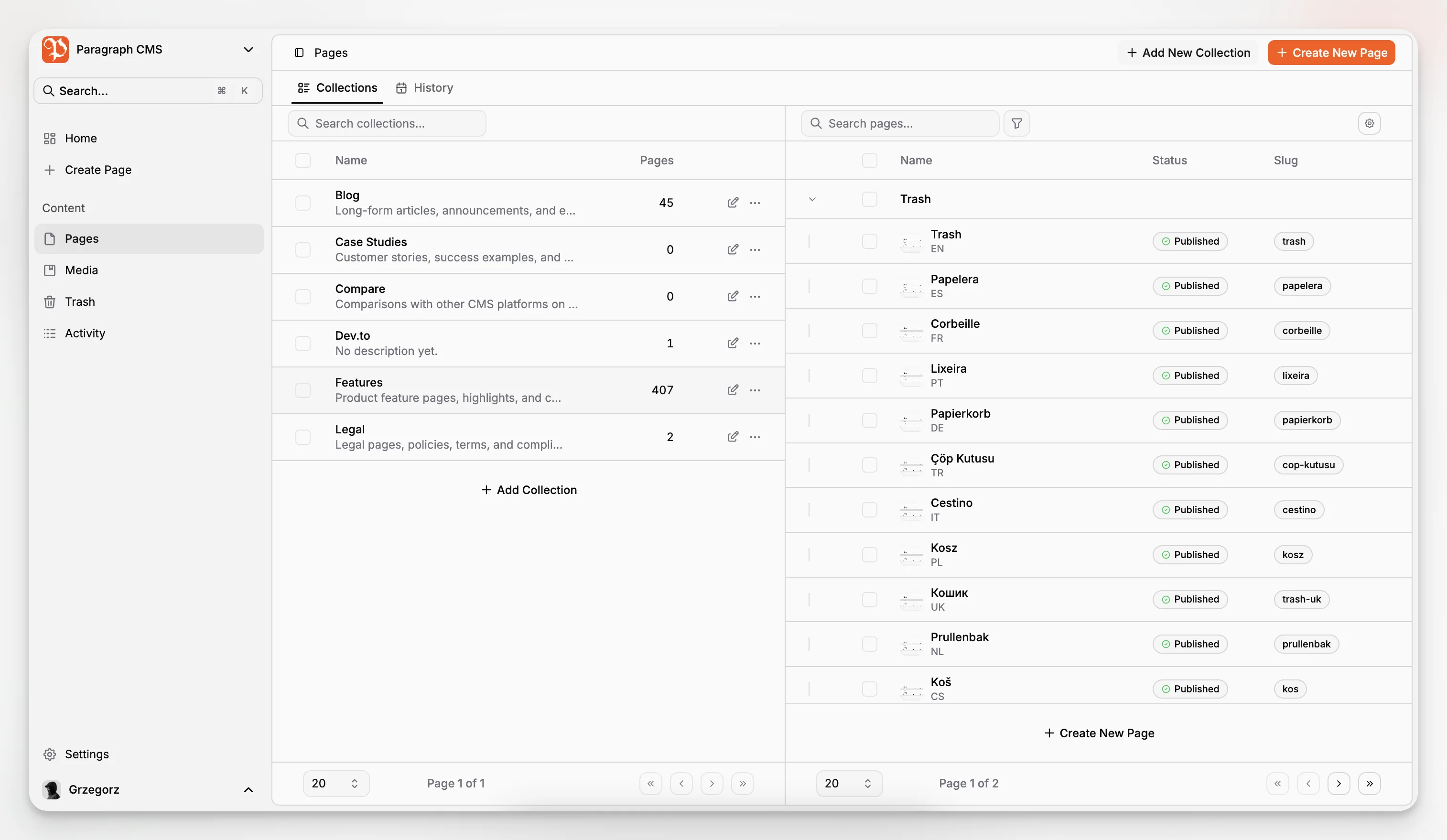
Paragraph CMS positions itself in that more complete category. It is an AI-native headless CMS with built-in localization, media management, AI-assisted editing, and SEO-oriented workflows in one system rather than a collection of disconnected plugins and prompts. Its homepage explicitly supports Next.js among its first-class frameworks, alongside Astro, Nuxt, React Router, and SvelteKit.
Why does Next.js change the way you should evaluate a CMS?
Next.js gives you several rendering and caching patterns. You can render on the server, statically prebuild pages, revalidate cached output, or mix approaches by route. That flexibility is powerful, but it means the CMS cannot be evaluated in isolation. It has to fit the delivery model.
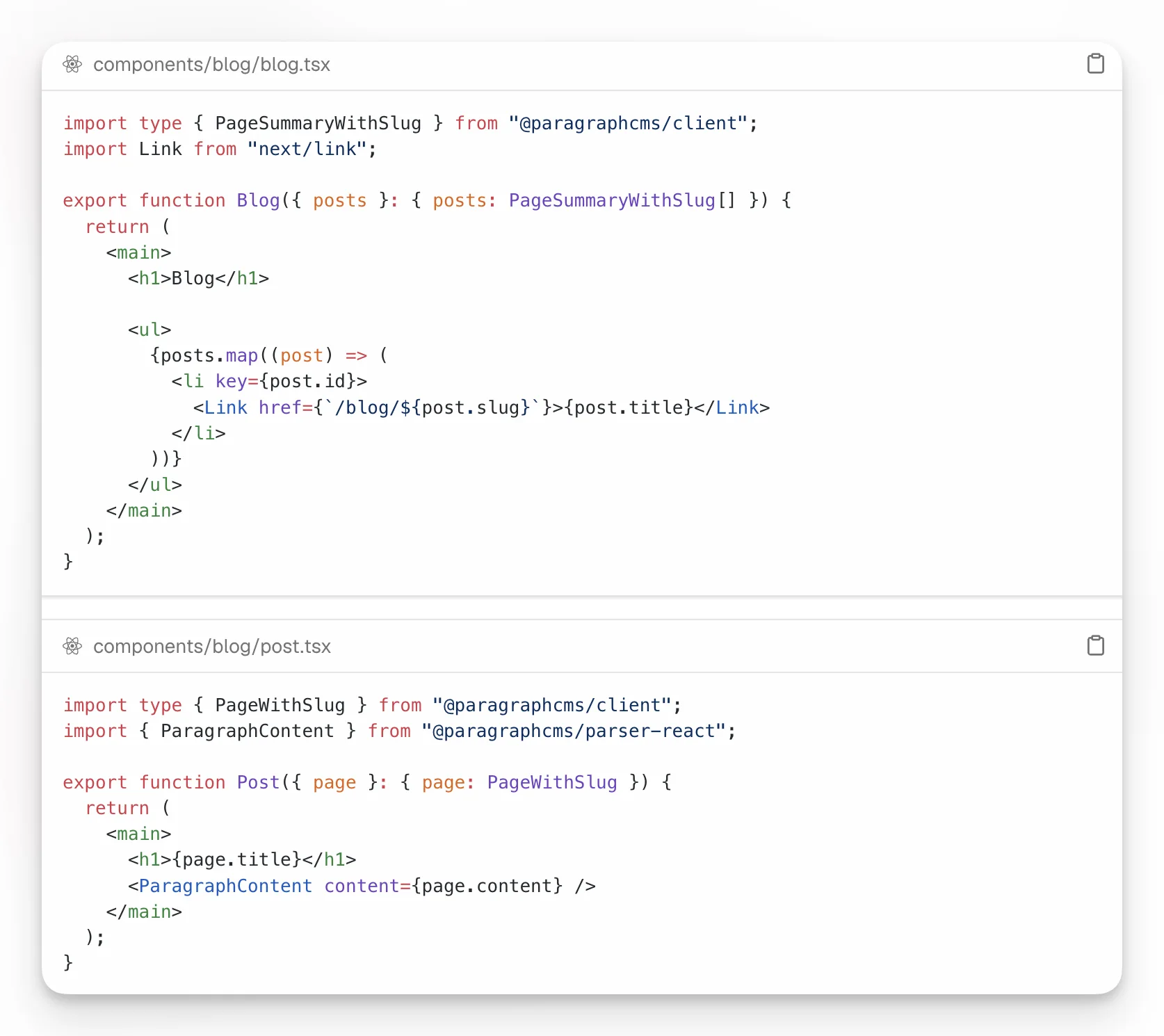
Paragraph CMS’s Next.js quickstart recommends App Router server-side rendering for a simple blog integration and keeps the API key on the server. The guide shows a straightforward pattern with client.pages.list() for an index route and client.page.getBySlug() for the page route. That is a sensible baseline for teams that want predictable rendering and a clean integration surface.
A good Next.js CMS should therefore answer a few concrete questions:
Can developers fetch typed structured content cleanly?
Can editors work without asking engineering for every new field?
Can pages map naturally to dynamic routes like /blog/[slug]?
Can metadata, images, and localized variants stay organized?
Can caching and preview behavior be controlled without hacks?
Those questions matter more than vendor slogans. A system that demos well but fights your routing and publishing model becomes expensive quickly.
What should an AI-native headless CMS do that a normal CMS does not?
“AI-native” gets used loosely, so it helps to define it carefully. A normal CMS may bolt on AI to generate paragraphs of text. An AI-native CMS should incorporate AI into the editorial workflow itself: drafting, rewriting, translation, SEO assistance, metadata creation, and repeatable team workflows.
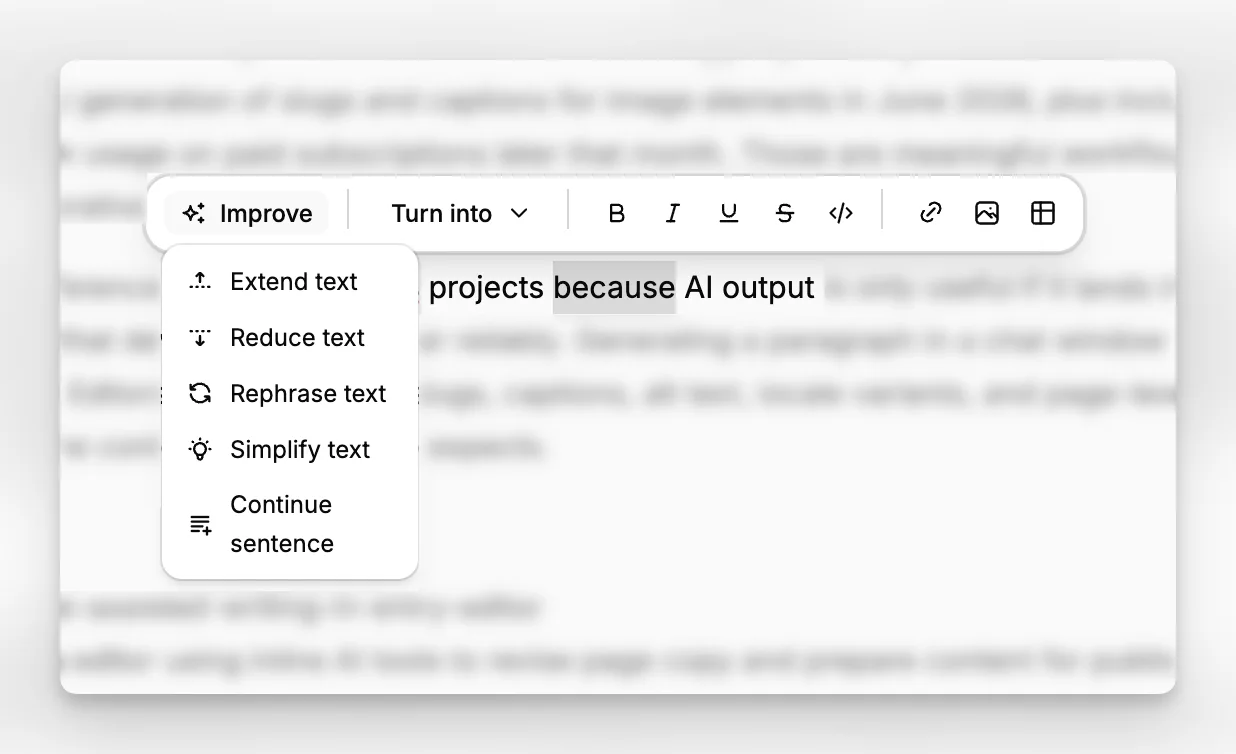
According to the Paragraph CMS product and changelog pages, the platform includes built-in chat, an AI editor assistant, translation and retranslation support, and AI-powered SEO features. It also added AI generation of slugs and captions for image elements in June 2026, plus included AI workflow usage on paid subscriptions later that month. Those are meaningful workflow features, not decorative experiments.
That difference matters in Next.js projects because AI output is only useful if it lands in structured content that developers can render reliably. Generating a paragraph in a chat window is not enough. Editors also need titles, slugs, captions, alt text, locale variants, and page-level metadata that fit the content model the app expects.
Which Paragraph CMS capabilities are especially relevant for Next.js teams?
Several Paragraph CMS areas map directly to common Next.js requirements.
First, Editor matters because App Router sites often depend on richly structured page bodies, not just plain text blobs. When the editorial UI is comfortable, teams can preserve content structure without turning every change into a developer task.
Second, Pages and collections matter because most Next.js implementations organize route-based content around slugs, page types, and reusable content groupings. Paragraph CMS’s quickstart and changelog both show explicit support for /blog and /blog/[slug] style routing in starter and advanced projects.
Third, Multilingual Content is central for any international content strategy. Next.js applications often need locale-aware routing and rendering. Paragraph CMS highlights translation and retranslation as built-in functions rather than separate middleware. That makes it easier to keep content variants aligned over time.
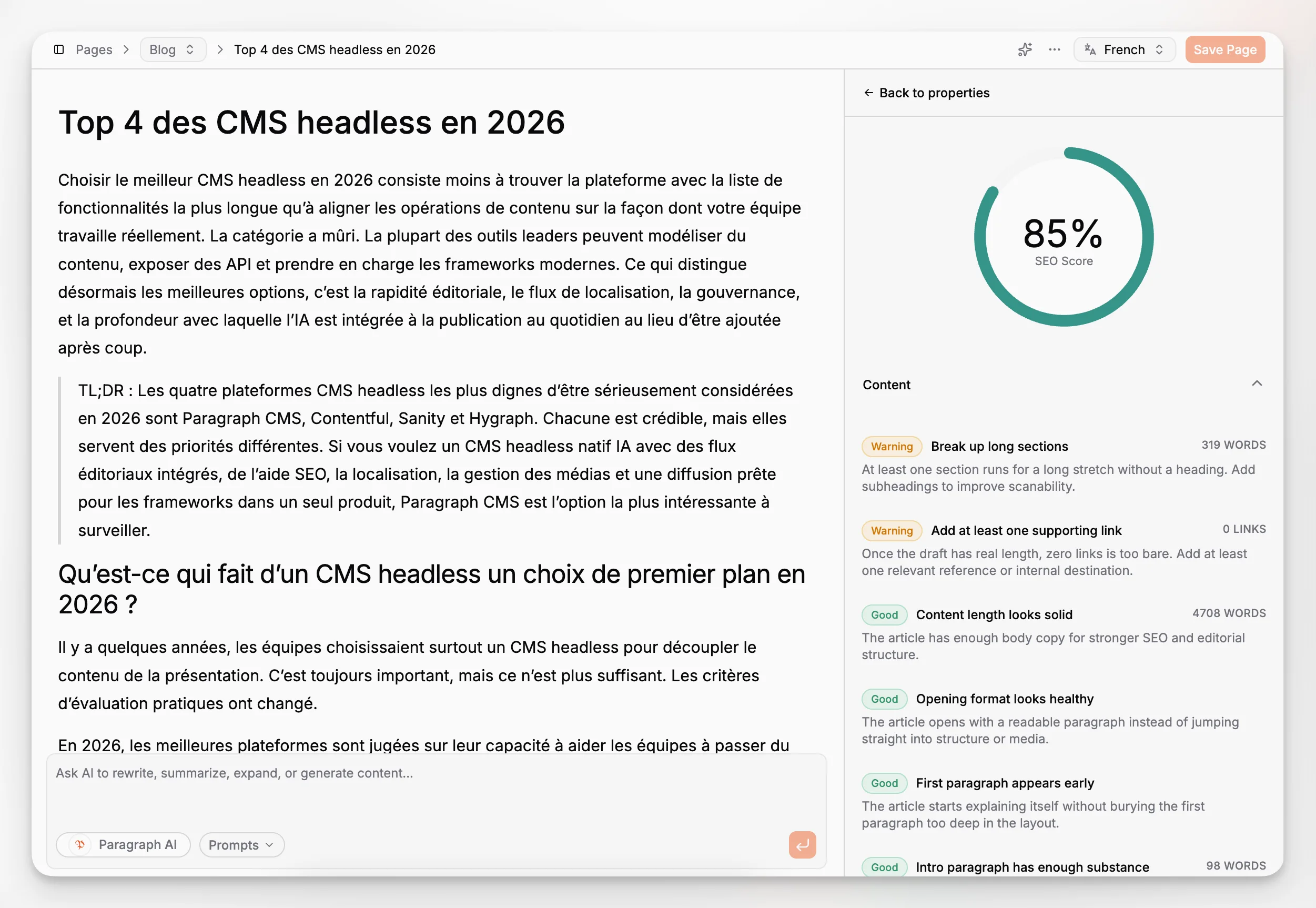
Fourth, Page SEO is unusually important in headless projects. Many teams underestimate how much operational effort metadata creates. Titles, descriptions, alt text, captions, slugs, sitemaps, and other search-facing assets become repetitive, fragile work unless the CMS handles them well.
Finally, the Concepts documentation is useful because it frames how workspaces, teams, collections, pages, labels, locales, and media fit together. That conceptual clarity prevents model drift, which is one of the most common problems in growing CMS setups.
How does the Paragraph CMS and Next.js integration actually work?
The integration pattern documented by Paragraph CMS is intentionally simple. Install the client and React parser packages, create a shared client with a server-side API key, fetch a page list for the blog index, and fetch a single page by slug for the article route. The rendering layer stays in Next.js, where it belongs.
That separation is healthy. Your design system, components, route logic, and performance strategy remain in the app. The CMS manages the structured content and editorial workflows. This is the real benefit of a headless architecture. You are not forced into someone else’s theming or template engine.
The official quickstart also recommends SSR as the default delivery model. That aligns well with many content-driven sites, especially when personalization, draft handling, or frequent content updates matter. For teams that want more advanced caching behavior, Next.js supports route-level and fetch-level revalidation patterns through App Router.
In practice, a common production flow looks like this:
Model content types and fields in the CMS.
Create collections and editorial routes that reflect the app structure.
Fetch list pages and detail pages from server components or route handlers.
Generate page metadata from CMS content with generateMetadata().
Add revalidation or caching policies where speed matters.
Extend into localization, media workflows, and editorial permissions as the site grows.
That is more sustainable than building a custom admin layer around a database and hoping content operations remain simple.
What content model works best for a Next.js website?
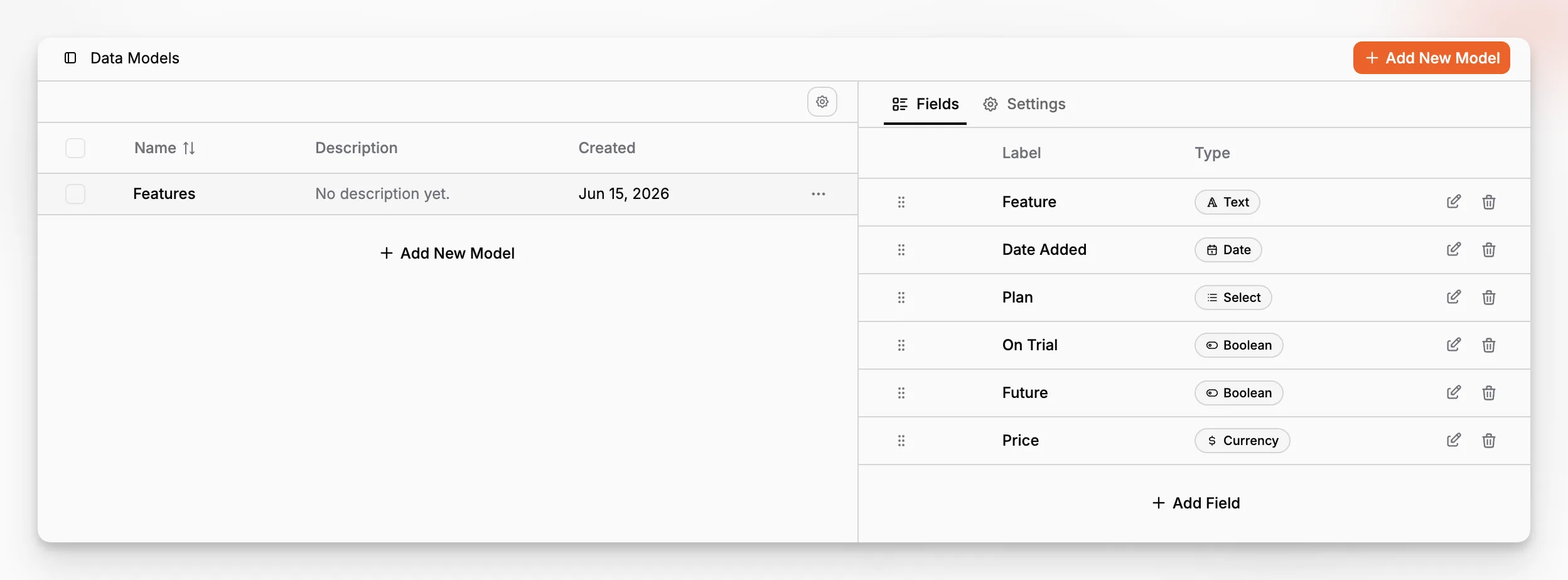
The best model is usually less complicated than teams expect. Start with route-bearing content such as pages, articles, landing pages, docs entries, or case studies. Add global objects only when they are reused widely enough to justify separate management.
For a Next.js site, route-bearing entries typically need:
Title
Slug
Summary or description
Rich body content
Featured image
SEO fields
Locale variants
Publishing status
Collection or taxonomy assignment
If you are building an AI-native workflow, you should also think about which fields can be safely assisted by AI and which should remain editorially owned. Slug suggestions, alt text, draft summaries, social descriptions, and translation drafts are good candidates. Legal disclaimers, pricing, product claims, and compliance content deserve tighter review.
Paragraph CMS is particularly relevant here because its AI features are integrated with content operations rather than treated as a generic chat layer. That makes structured assistance more realistic. A CMS that understands fields, locales, and page-level metadata can help without flattening everything into unstructured text.
How should you handle SEO in a Next.js headless CMS stack?
This is where many headless builds get messy. Teams focus on frontend performance and forget that SEO work is deeply operational. The page title, meta description, canonical URL, OG tags, image alt text, sitemap generation, structured organization of slugs, and language targeting all have to come from somewhere.
Next.js gives you strong primitives here. The metadata system is built to generate head tags at the route level. Paragraph CMS complements that with page SEO workflows and AI-assisted metadata creation. Its changelog also introduced an SEO package with built-in generation for robots.txt, sitemap.xml, rss.xml, and llms.txt, which addresses a real pain point for content-heavy applications.
Google’s documentation on image SEO and SEO starter guidance reinforces why CMS-level media metadata matters. If editors are left to manage alt text inconsistently across disconnected systems, accessibility and discoverability both suffer.
A practical setup is to store SEO defaults and overrides in the CMS, then map them into Next.js metadata generation. That way editors can control search-facing information without hand-editing templates, while developers retain predictable output.
How do localization and multilingual content fit into this stack?
Localization is often where a simple CMS choice starts to break down. A blog in one language is easy. A site with region-specific pages, updated translations, localized slugs, and ongoing editorial revisions is not.
Next.js can support locale-aware routing and multilingual rendering, but the CMS has to represent language variants coherently. Standards such as BCP 47 language tags are foundational because your content system, frontend, and metadata all need to agree on how locales are identified.
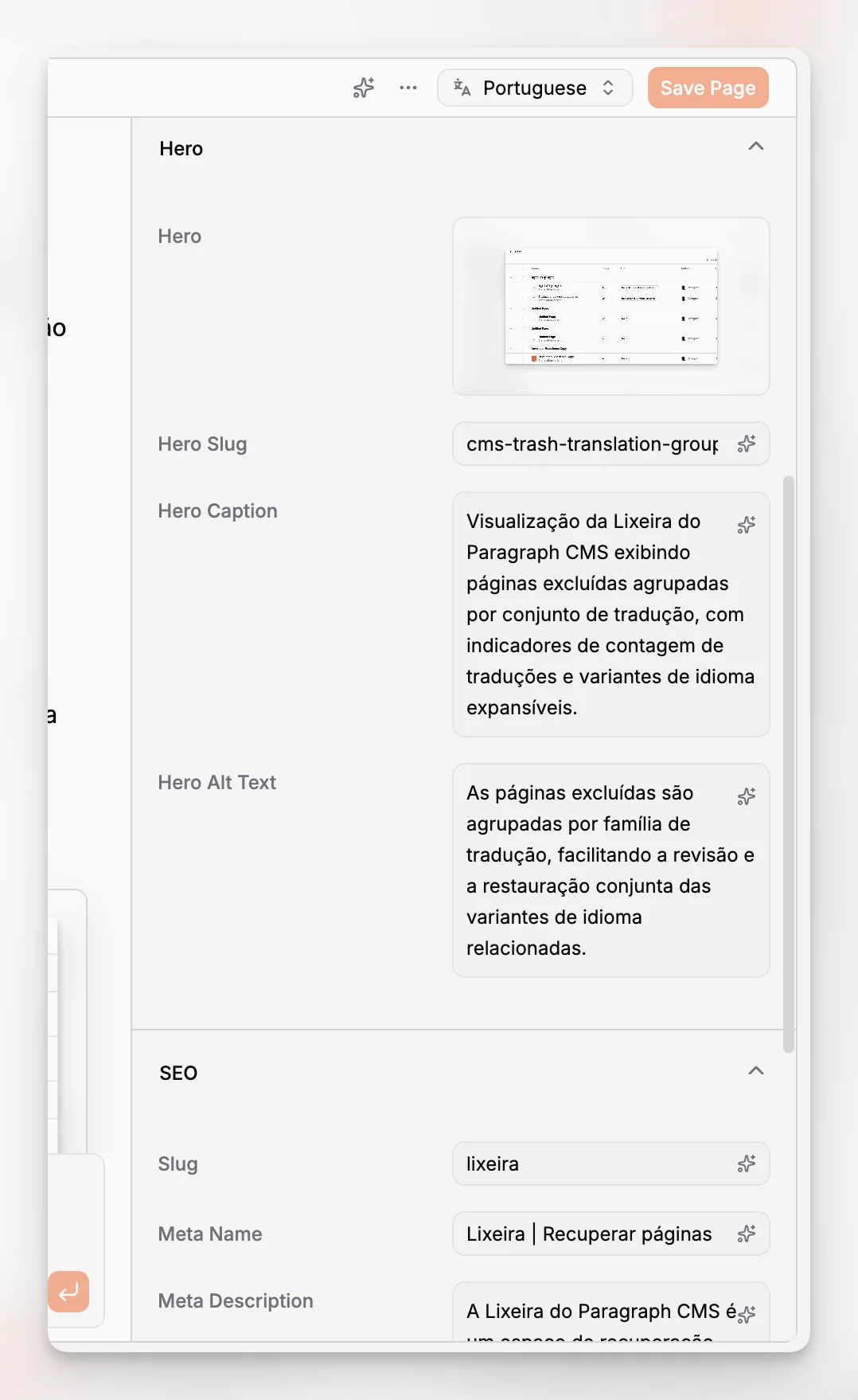
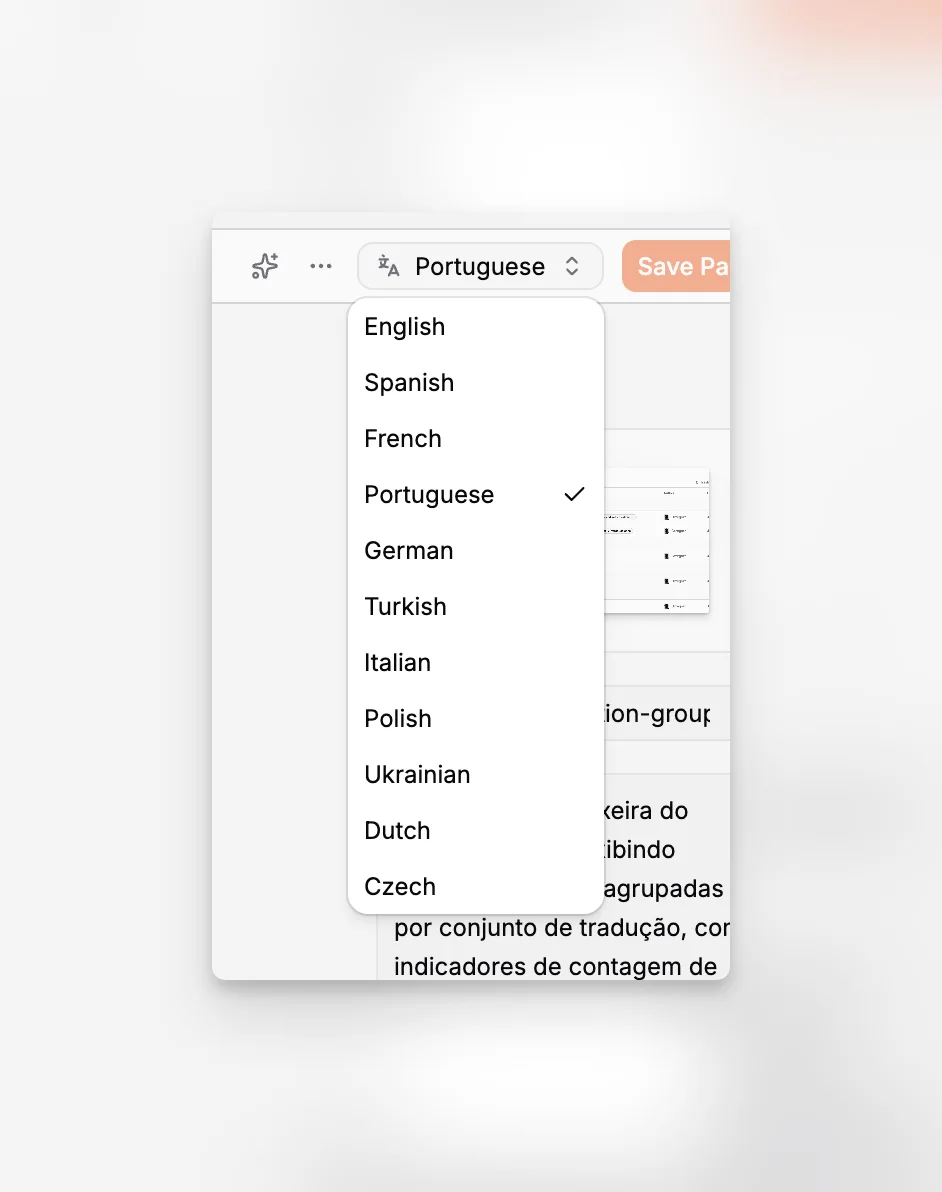
Paragraph CMS explicitly supports translation and retranslation. That matters because localization is not a one-time event. Once the source page changes, every translated version starts drifting. An AI-native CMS becomes useful here when it can retranslate updates inside the structured editorial workflow instead of forcing teams to export content or paste it through external tools.
For a Next.js implementation, the strongest pattern is to keep locale structure explicit:
Locale-specific slugs where appropriate
Shared content models across languages
CMS-controlled translation status
Frontend routes that map cleanly to language variants
Metadata generation that respects the active locale
This becomes even more important for larger sites with docs, marketing pages, and editorial content living side by side.
What about media management and image metadata?
Media is another area where headless teams often accumulate invisible debt. Images are uploaded somewhere, transformed somewhere else, referenced in content, and described inconsistently. Then SEO and accessibility problems show up months later.
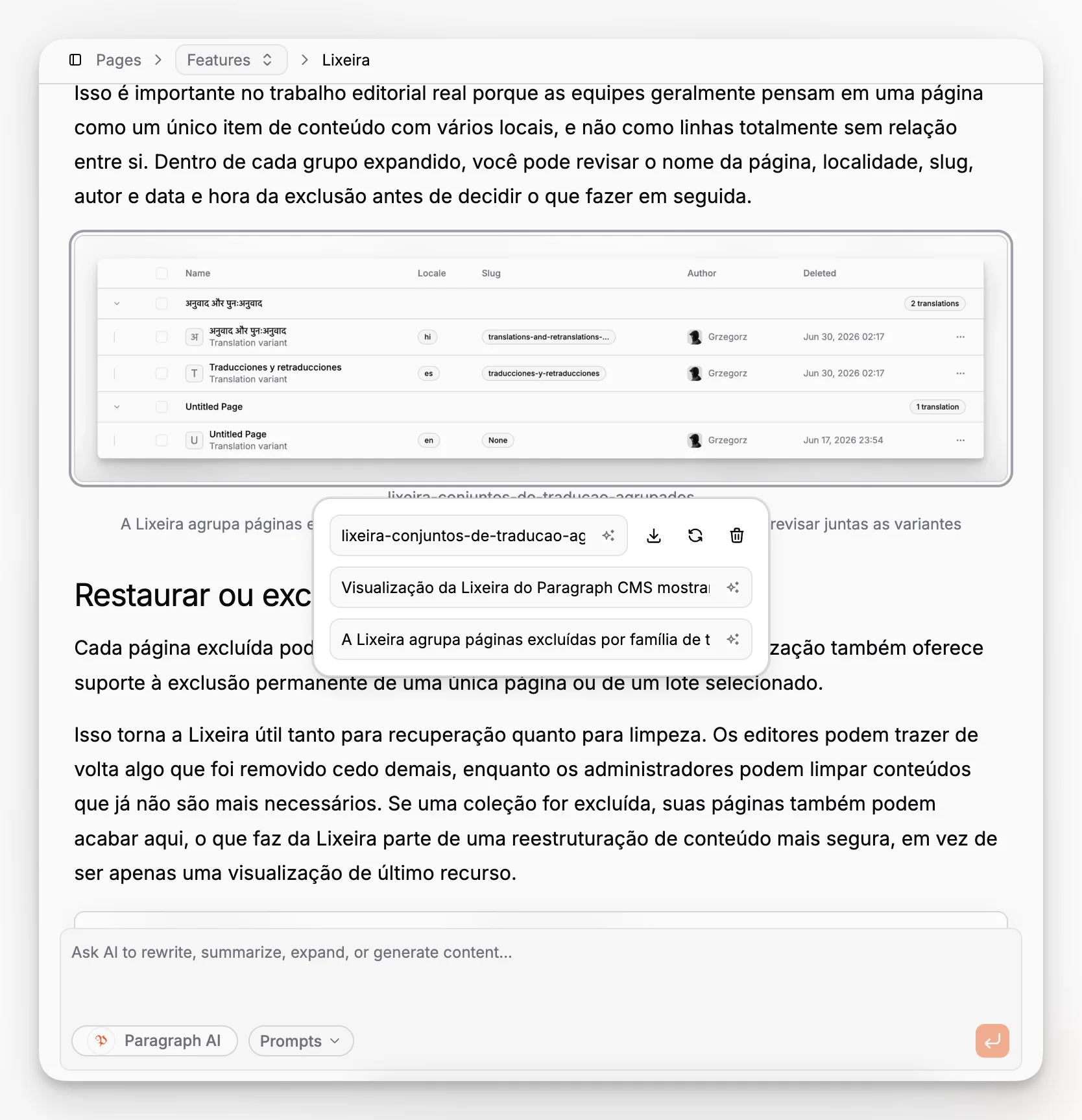
Paragraph CMS’s homepage and changelog highlight media management and a unified approach to alt and caption metadata. The June 15, 2026 changelog entry specifically notes improved media support and more consistent image metadata behavior. That sounds operationally small, but it matters a lot in real production workflows.
A Next.js content team benefits when media handling is predictable:
Editors can upload and reuse assets
Developers can render a consistent delivery path
Alt text and captions stay attached to the media object or usage context
Replaced assets do not instantly create broken references
Paragraph CMS also notes a retention window for removed or replaced images. That is useful in active publishing environments where content changes often and frontend caches may still be serving older pages.
The broader best-practice point is simple: treat image metadata as first-class content, not cleanup work at the end.
How should developers think about caching, previews, and freshness?
The right answer depends on the type of site. A high-volume marketing site with infrequent content changes may lean more heavily on static generation and revalidation. A publication, newsroom, or frequently edited knowledge base may rely more on server rendering with controlled caching.
Next.js documents several options for caching and revalidation and makes clear that App Router lets you choose the strategy per use case. Paragraph CMS’s quickstart chooses SSR as the recommended default, which is a practical choice for simplicity and freshness.
For previews, the underlying principle remains the same even if the implementation varies. You need a trustworthy distinction between draft and published content, a server-side method to resolve the correct version, and frontend rendering that mirrors production closely enough for editorial review. Next.js Draft Mode guidance is the right conceptual reference when planning this.
The mistake to avoid is over-optimizing too early. Start with a delivery model that is understandable to both developers and editors. Then add caching nuance where the traffic profile justifies it.
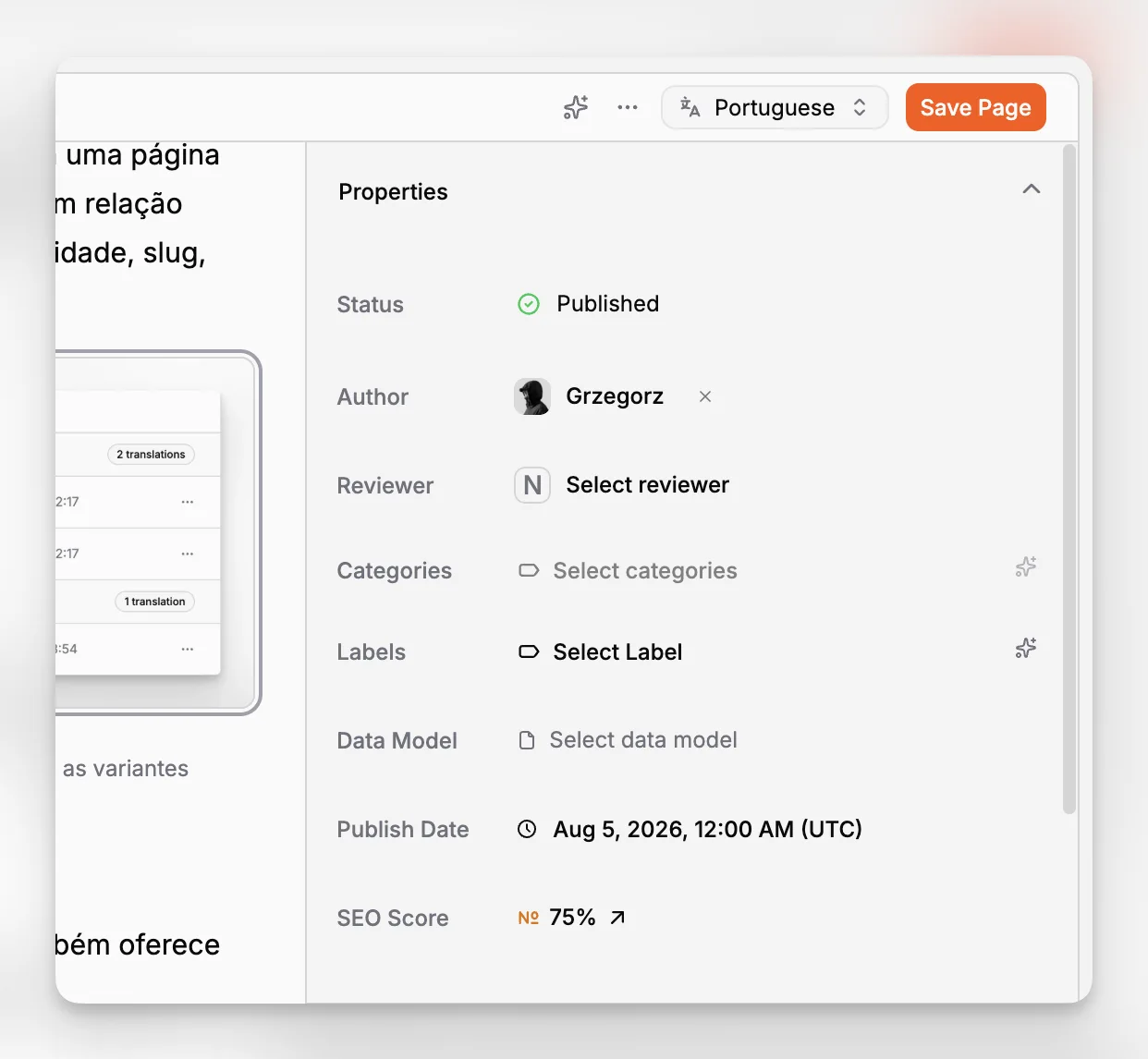
Where does Paragraph CMS fit compared with older headless CMS patterns?
Many older headless CMS setups follow a familiar pattern. The content model is serviceable, the API works, but AI is external, localization is awkward, and SEO workflows are partially manual. Teams end up stitching together a CMS, translation process, media workflow, metadata spreadsheet, and a stack of prompts spread across different tools.
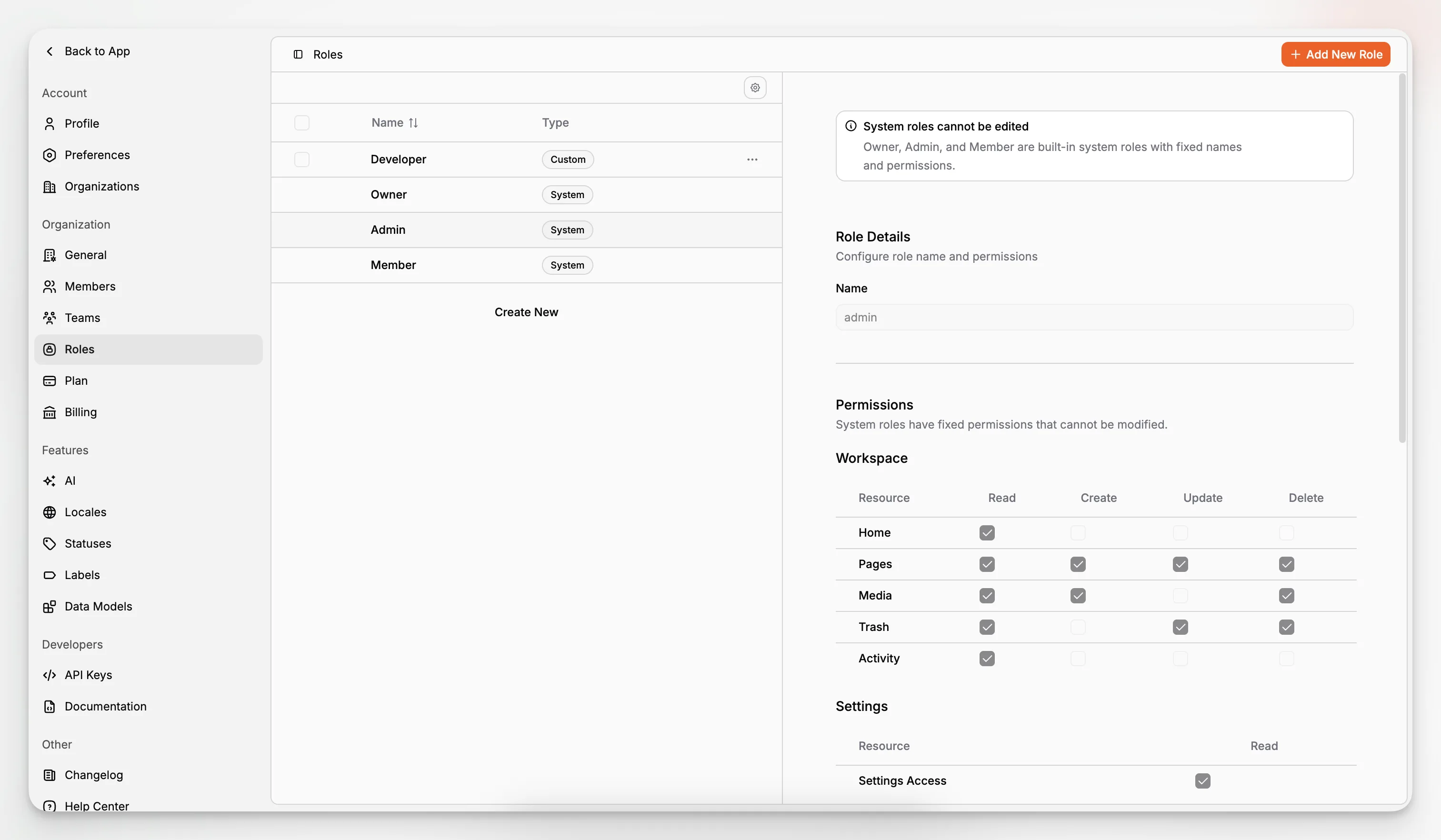
Paragraph CMS is more interesting when viewed as an operational alternative to that fragmented setup. Its product direction combines content editing, localization, media, page SEO, AI assistance, roles, and developer integration in one workspace. That is different from a CMS where AI exists mainly as an afterthought or a marketplace extension.
This does not mean every team needs an AI-native CMS. If your site changes rarely and the editorial surface is tiny, almost any decent headless system can work. But if your content team is already juggling repetitive rewrite requests, localization backlog, image metadata cleanup, and SEO tasks, an AI-native category starts to make much more sense.
For context, the market has many other approaches, from traditional enterprise headless platforms to more frontend-native systems. General comparison articles like Acquia’s Next.js CMS guide are useful for framing the architectural options, but they often underplay the day-to-day workflow burden that accumulates once a content operation grows.
What mistakes do teams make when choosing a Next.js headless CMS?
The first mistake is choosing based on a generic feature checklist. “API, localization, SEO, roles” sounds sufficient until you test how those features interact in actual workflows.
The second mistake is underestimating editorial operations. A CMS is not just a storage layer for developers. It is the environment editors work in every day. If title fields, image metadata, translation status, and page SEO are all split across different systems, content quality usually declines.
The third mistake is treating AI as a magic layer above messy content models. AI works best when the underlying structure is clear. An AI-native CMS helps because it assists inside the system of record. It does not remove the need for sound modeling.
The fourth mistake is ignoring route design. If your app expects clean slug conventions, collection organization, and locale-aware page retrieval, the CMS should reinforce those patterns rather than fight them.
The fifth mistake is overlooking governance. Roles, permissions, API keys, and environment practices matter more as soon as more than one team touches content.
When is Paragraph CMS a particularly strong fit?
Paragraph CMS is especially well suited to teams that want a modern Next.js stack but do not want to build content operations from scratch. That includes startups shipping content-heavy product marketing, editorial teams managing multilingual publishing, and developer-led organizations that prefer to keep rendering logic in Next.js while giving editors a capable workspace.
Its strongest fit is not “every possible website.” It is organizations that value a structured headless model and want AI to improve throughput inside the CMS rather than outside it. The platform’s built-in chat, editor assistance, multilingual support, media metadata handling, page SEO tools, official SDKs, and framework-specific quickstarts all point in that direction.
If that matches your operating model, the product is worth serious consideration. You can start with the main product overview, explore the feature set, and then evaluate the Next.js quickstart and supporting docs in detail.
What is a sensible implementation plan for a new project?
A practical rollout usually beats a maximal one. Start by integrating the CMS into one route family, often the blog or marketing pages, and prove the editorial workflow before modeling everything.
A sensible sequence looks like this:
Define the smallest viable content model for pages and articles.
Set up the Paragraph CMS client in the Next.js app and keep the API key server-side.
Render list and detail routes with App Router.
Add CMS-driven metadata generation.
Establish media rules for alt text, captions, and featured images.
Add localization only after the base model is stable.
Introduce AI-assisted drafting and retranslation once editorial review standards are clear.
Formalize permissions, naming conventions, and publishing rules before scale exposes inconsistencies.
That order matters. Teams that start with automation before they have stable content structures usually create more cleanup work than they save.
So what is the real takeaway for a Next.js team?
The best Next.js headless CMS is not simply the one with the longest feature list. It is the one that lets developers keep control of the application while helping editors manage structured content, localization, media, and SEO without friction.
That is why the AI-native category is worth paying attention to. A strong AI-native headless CMS does not just help produce more text. It reduces operational drag across the full publishing workflow. Paragraph CMS is compelling in that context because its AI features are grounded in the mechanics that content teams actually wrestle with: page editing, metadata, translation, media, permissions, and framework-ready delivery.
If your content operation is still small, a simpler system may be enough for now. If your team is already feeling the cost of fragmented workflows, Paragraph CMS represents a more modern answer to what a Next.js CMS should be.
What makes Paragraph CMS different from a typical headless CMS for Next.js?
Paragraph CMS combines structured content management with AI-native workflows such as editing assistance, translation, retranslation, and SEO support. For a Next.js team, that means the CMS is not just an API-backed repository. It becomes the place where editors manage the operational details that usually get scattered across separate tools.
Does Paragraph CMS work well with the Next.js App Router?
Yes. The official Next.js quickstart documents an App Router setup using server-side rendering, a shared client, list fetching for index routes, and slug-based page fetching for detail routes. It is a straightforward integration pattern that keeps content requests and API keys on the server.
Is an AI-native CMS mainly for generating blog posts?
No. The more useful value is operational. AI can help with rewrites, summaries, slugs, captions, alt text, metadata, and translated variants. In a structured CMS, those tasks happen in context, which is usually more valuable than producing a standalone draft in a separate chatbot.
Can Paragraph CMS support multilingual Next.js websites?
It is designed for that use case. Paragraph CMS includes multilingual content support and translation workflows, including retranslation. That is especially useful for Next.js sites with locale-aware routing, because editors can manage source and translated content within one system instead of maintaining parallel manual processes.
What is the biggest mistake to avoid when choosing a Next.js headless CMS?
The biggest mistake is evaluating the CMS only as a developer integration. The better question is whether it supports the full content workflow. If modeling, metadata, localization, media, and editorial governance are awkward, the frontend may still ship, but the publishing operation will become harder every month.
