
How to Choose an AI-Native Headless CMS
How to choose an AI-native headless CMS: compare structured modeling, editorial workflow, localization, SEO, media tools, SDKs, and global delivery.
 Grzegorz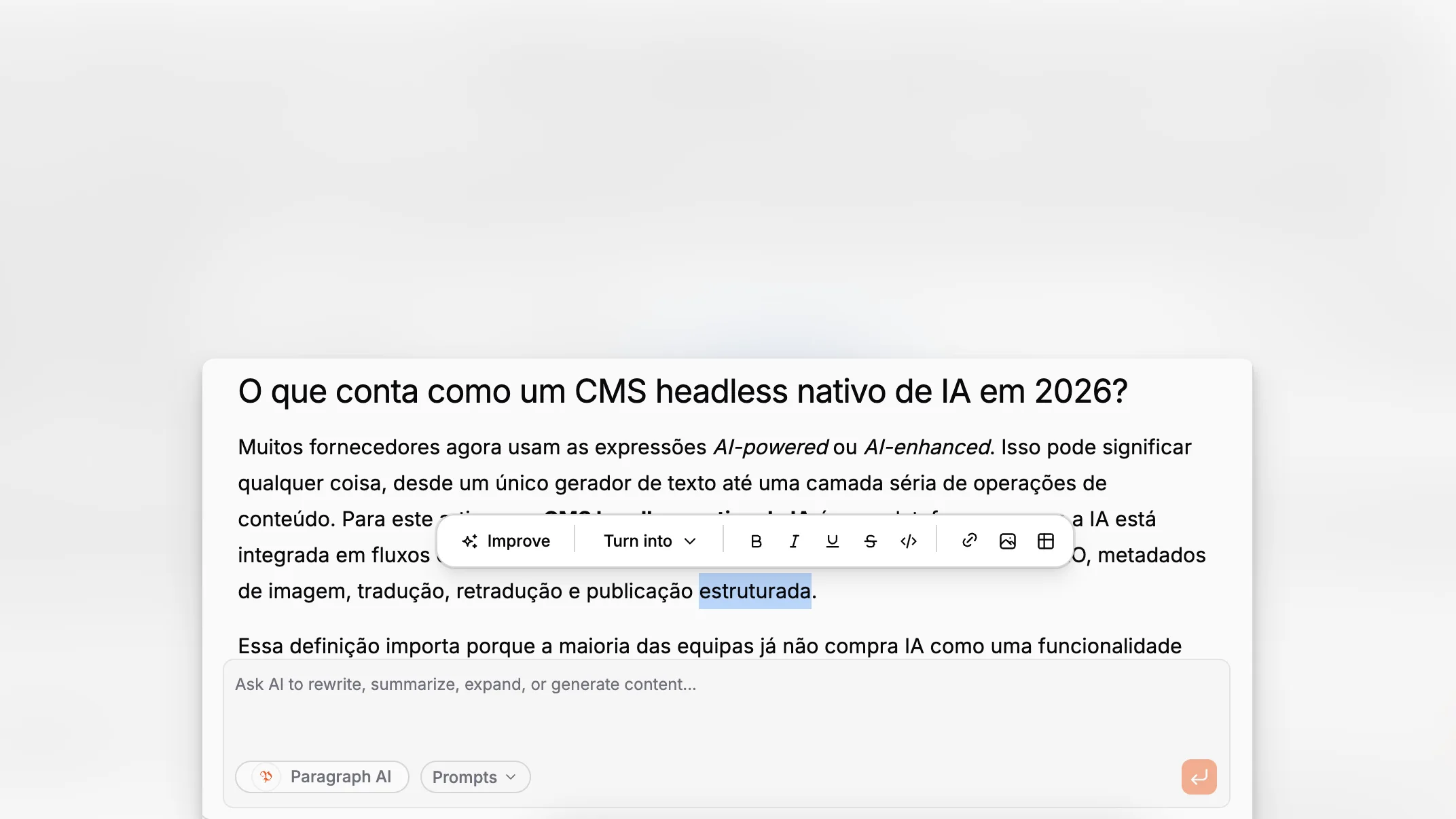
Choosing a headless CMS used to be mostly a developer decision about APIs, schema flexibility, and whether the editor would be tolerable. That is no longer enough. Teams now expect content operations to cover writing, revision, localization, SEO, asset management, and multi-framework delivery in one system. An AI-native headless CMS changes the evaluation criteria because AI is not an add-on workflow. It shapes how content is created, enriched, and maintained inside the product itself.
TL;DR: If you are evaluating an AI-native headless CMS, look past generic “AI features” and focus on the operational basics: structured modeling, editorial usability, localization, SEO controls, media metadata, framework support, and delivery performance. Paragraph CMS is worth considering because it combines AI-assisted content creation with core headless CMS needs such as localization, media management, page SEO, SDKs, and global delivery in one workspace.
What is an AI-native headless CMS, really?
A traditional headless CMS separates content management from presentation. Editors work in the CMS, and developers deliver the content to websites or apps through APIs. That core idea is familiar. What changes in an AI-native product is where intelligence lives. Instead of pushing teams into separate chat tools, prompt docs, browser extensions, and translation spreadsheets, the CMS itself becomes the place where those tasks happen.
That distinction matters. A lot of tools now market AI assistance, but the practical question is whether AI is integrated into real editorial workflows or just sprinkled over them. When Google’s people-first content guidance talks about helpful, reliable content, it implicitly raises the bar for CMS tooling too. The system should help teams produce better pages, not faster low-value pages.
Paragraph CMS positions itself directly in that category. Its public product pages describe an AI-native headless CMS with built-in AI, localization, media management, page SEO, SDKs, and a global CDN, rather than a separate “AI writing tool” loosely attached to a CMS backend. That framing is important because it affects how you evaluate fit across the whole stack.
Why are teams rethinking CMS selection now?
The headless CMS conversation has matured. Five years ago, many teams were mainly escaping monolithic page builders. Today, they are dealing with a more complex reality:
more channels and frontend frameworks
more locales and market variants
more SEO expectations
more asset and metadata work
more pressure to publish without bloating headcount
That shift is visible across the wider headless CMS ecosystem. Guidance on content modeling best practices increasingly emphasizes relationships, governance, reuse, and localization structure instead of simplistic page templates. Major enterprise CMS vendors also treat localization as a first-class concern, as shown in resources from Adobe Experience Manager, Contentstack, and Storyblok.
In other words, teams are no longer shopping for “somewhere to put content.” They are shopping for a content operations system that can support repeatable publishing at scale.
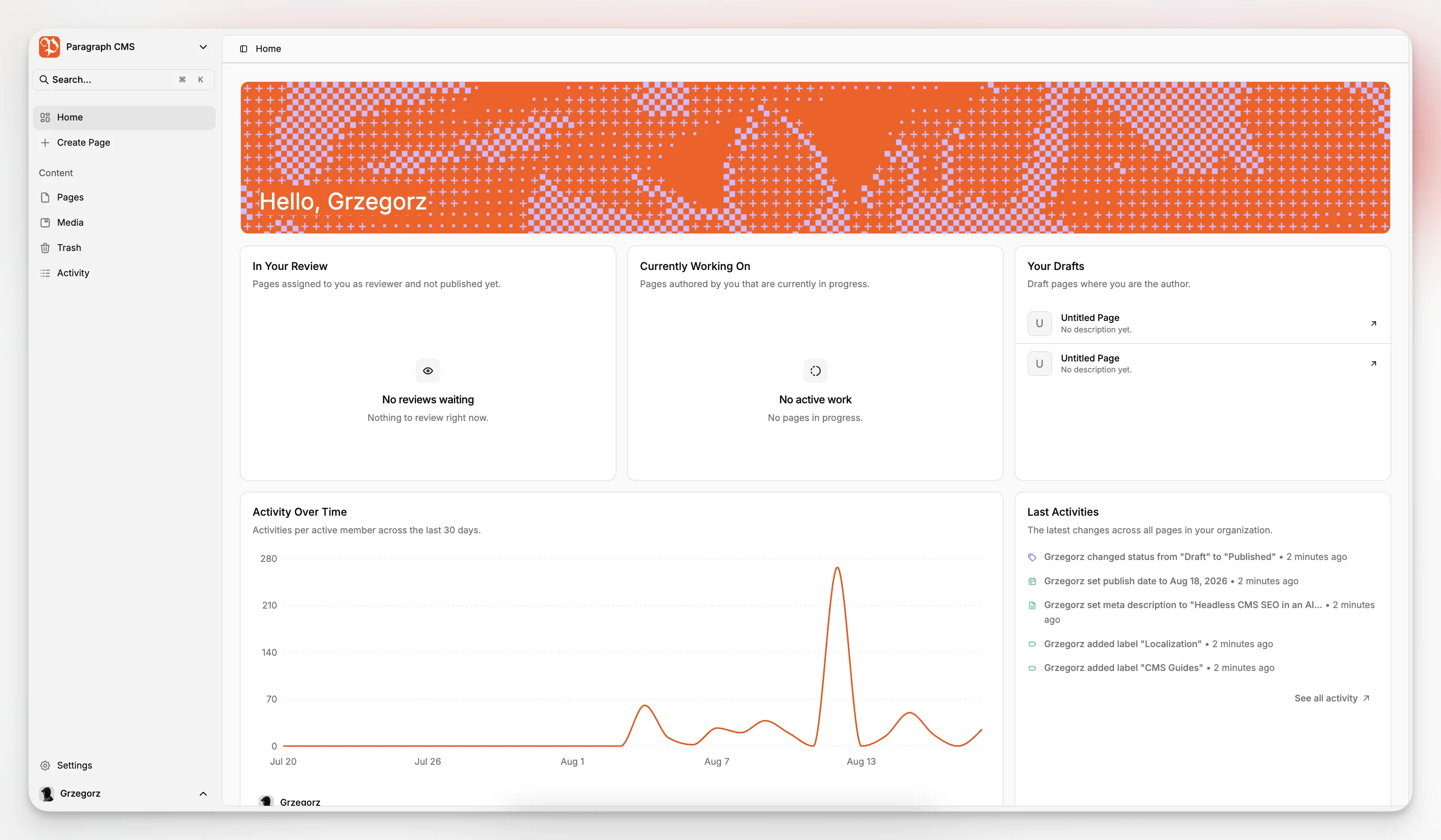
Paragraph CMS is interesting in this environment because its public materials do not isolate AI from operational content work. The product explicitly ties AI to page generation, metadata generation, translation, and editorial workflows, while also surfacing core feature areas such as pages, data models, multilingual content, roles, media management, and SEO.
Which evaluation criteria matter most?
The fastest way to make a bad CMS choice is to evaluate from the demo script alone. Most tools look capable during a polished walkthrough. The difference appears when your team starts modeling content, editing at volume, maintaining translations, and shipping updates across real projects.
A practical shortlist should include the following criteria.
Criterion | What to check | Why it matters |
|---|---|---|
Content modeling | Can you create reusable structured types without hardwiring layouts? | Prevents brittle schemas and duplicated content |
Editorial workflow | Is the editor fast, understandable, and close to SEO/media/localization tasks? | Reduces handoffs and publishing friction |
AI integration | Does AI help inside actual workflows such as writing, translation, and metadata? | Determines whether AI saves time or creates cleanup work |
Localization | Are locales and retranslation workflows first-class? | Essential for multi-market publishing |
Media handling | Can teams manage alt text, captions, and replacements cleanly? | Affects accessibility, consistency, and speed |
SEO controls | Are slug, meta title, and meta description editable and validated? | Critical for discoverability and governance |
Delivery and frameworks | Are there official SDKs and framework support? | Reduces custom integration cost |
Scalability and operations | Is delivery architecture built for real traffic and uptime? | Important once content leaves staging and hits production |
This table sounds obvious, but teams often overweight one area. Developers may fixate on SDK ergonomics. Marketers may fixate on the editor. Leadership may fixate on AI. A durable decision usually comes from balancing all three.
How important is content modeling in an AI-native CMS?
It is still foundational. AI does not rescue a weak content model. In some cases, it makes the consequences worse because poor structure spreads faster.
A healthy headless setup models entities, relationships, and reusable fields rather than mirroring page layouts one-to-one. That principle shows up repeatedly in structured content guidance, including Headless CMS Guide’s modeling resources. If your schema is too page-centric, editors duplicate content, developers hardcode assumptions, and localization becomes messy.
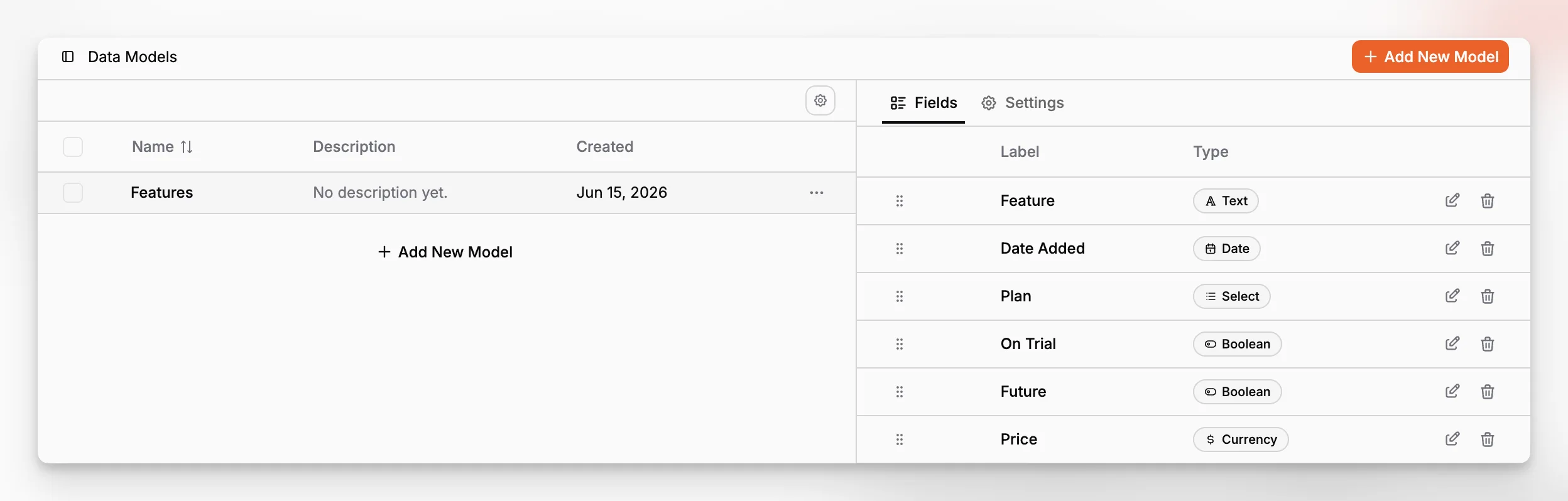
Paragraph CMS presents Data Models as a dedicated feature area and positions structured content modeling as part of the developer-ready side of the platform. That is the right place to start your evaluation. Before asking whether AI can draft a landing page, ask whether the underlying content types can support reuse across landing pages, blogs, campaign hubs, product pages, and localized variants.
A useful test is to model one real content system, not a toy example. Try this:
Create an article type with reusable SEO and hero fields.
Add references for author, category, and related content.
Introduce two locales.
Attach media with alt text and caption requirements.
Publish to a frontend route structure you already use.
If that workflow feels natural, the CMS is probably sound. If it becomes awkward before you reach step three, AI features will not fix it.
What should editors expect from the writing experience?
The editor is where a headless CMS either earns trust or quietly creates operational debt. A beautiful API cannot compensate for an editor that makes everyday work slower.
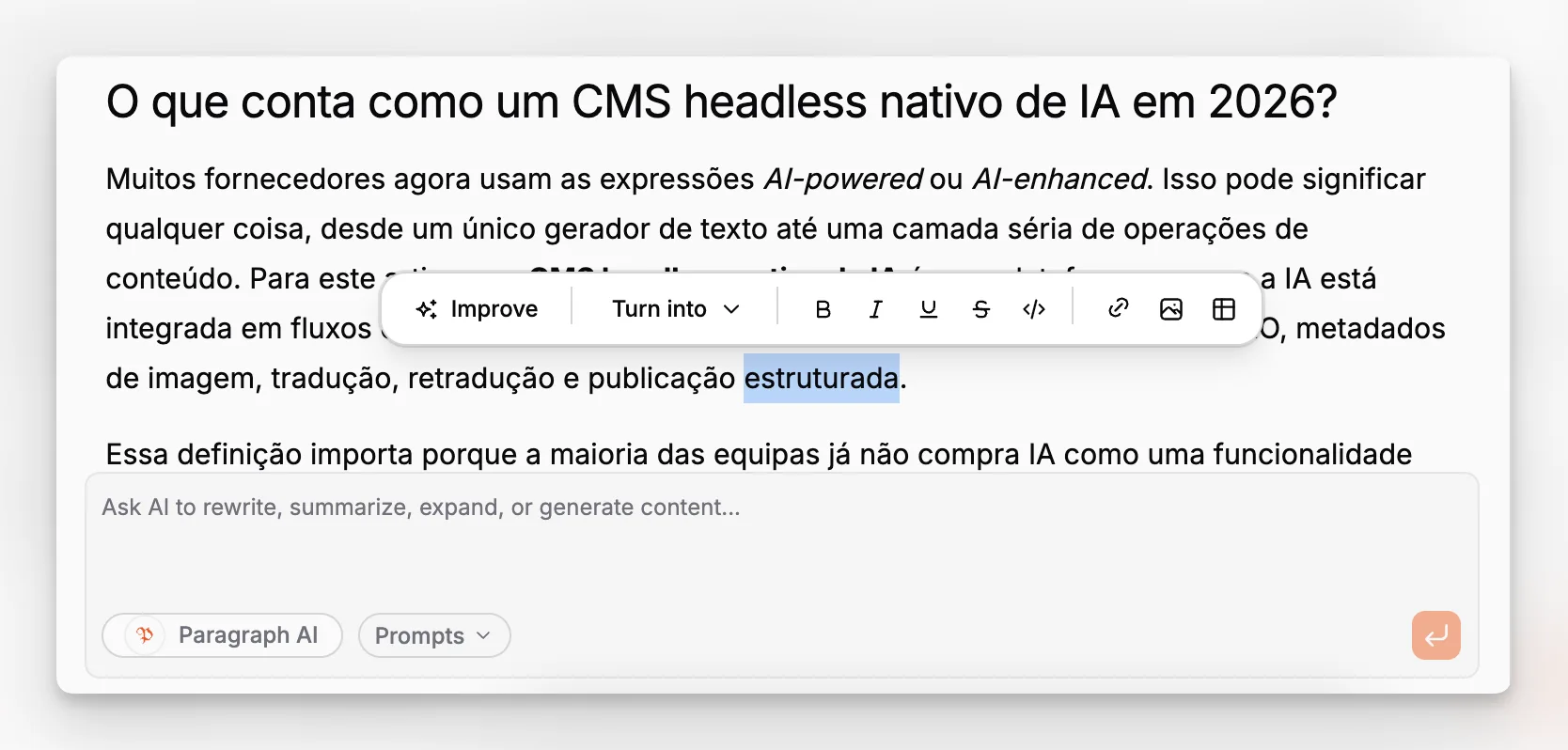
In an AI-native CMS, the writing experience should do more than store text. It should support drafting, revision, metadata generation, and publishing decisions without forcing constant context switching. Paragraph CMS describes a built-in AI chat, AI-assisted editing, and the ability to generate pages, slugs, captions, and metadata from inside the product. That is a stronger proposition than copying content between a CMS tab and a chatbot tab all day.
The reason this matters is not novelty. It is editorial continuity. When the AI layer understands the current draft, page structure, and nearby fields, it is more likely to produce usable output. When it lives outside the CMS, teams spend time re-pasting, reformatting, and reconciling disconnected suggestions.
A good evaluation question is simple: can an editor move from blank page to publish-ready draft in one environment without losing control? Paragraph CMS appears designed around that idea, with content creation and enrichment living close to page management rather than in separate companion tools.
How should you assess AI features without getting distracted by hype?
This is where many buying processes go wrong. AI can produce a strong first impression while hiding weak operational design. The right question is not “Does it have AI?” but “Where does AI reduce repetitive work without weakening content quality?”
Look for workflow-specific capabilities such as:
generating page drafts from a brief
producing slugs, meta titles, and meta descriptions
creating or improving image alt text and captions
translating content into supported locales
re-running translation when the source changes
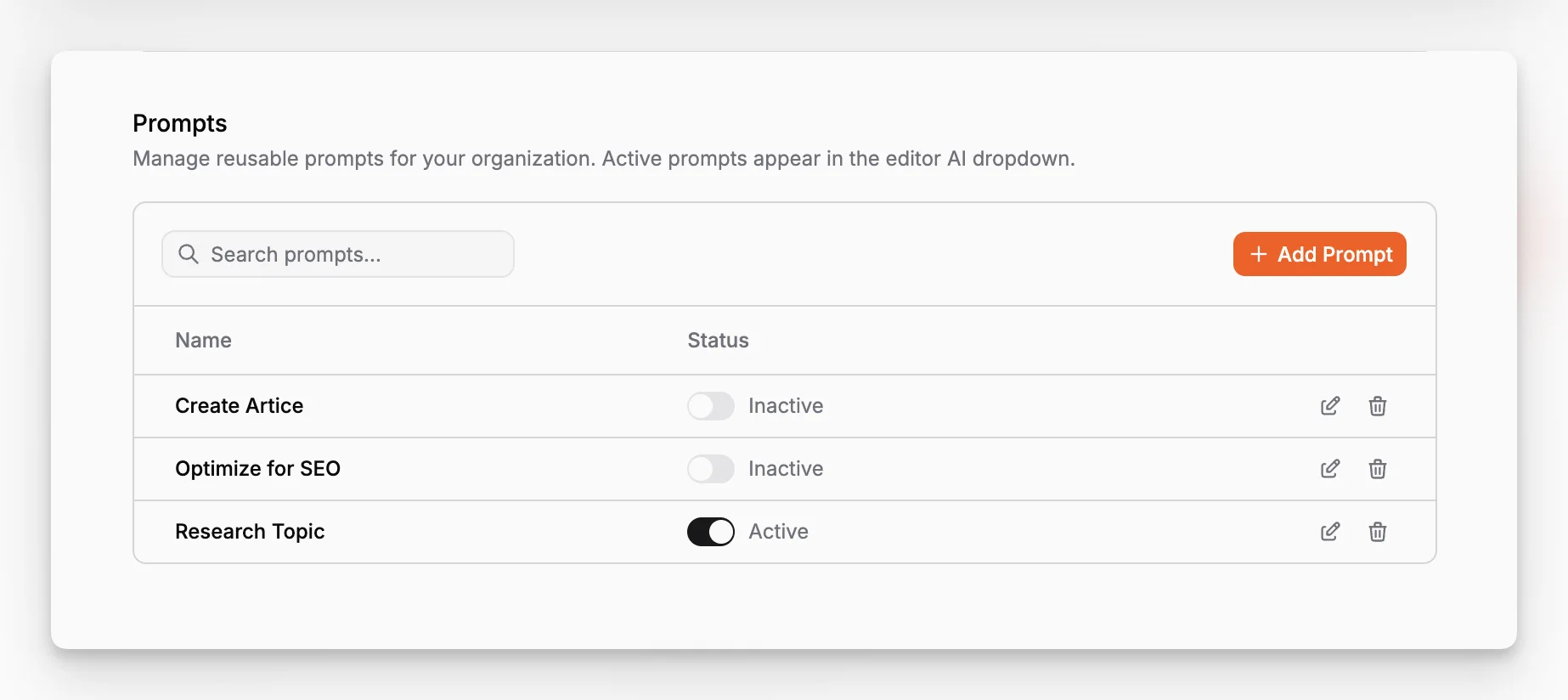
reusing prompt patterns across a team
Paragraph CMS publicly highlights all of those categories in some form. Its homepage references full page generation, metadata generation, translation into 75+ languages, and open-source SDKs. Its changelog also documents recent feature work around AI-generated image metadata, faster translation and retranslation, and a reusable Prompt Library.
That last point deserves more attention than it usually gets. Reusable prompts inside the CMS are operationally different from ad hoc prompting in chat tools. They create a shared system instead of private hacks.
What does “AI-native” mean for localization?
Localization is one of the clearest places where AI-native design can become either genuinely useful or deeply sloppy.
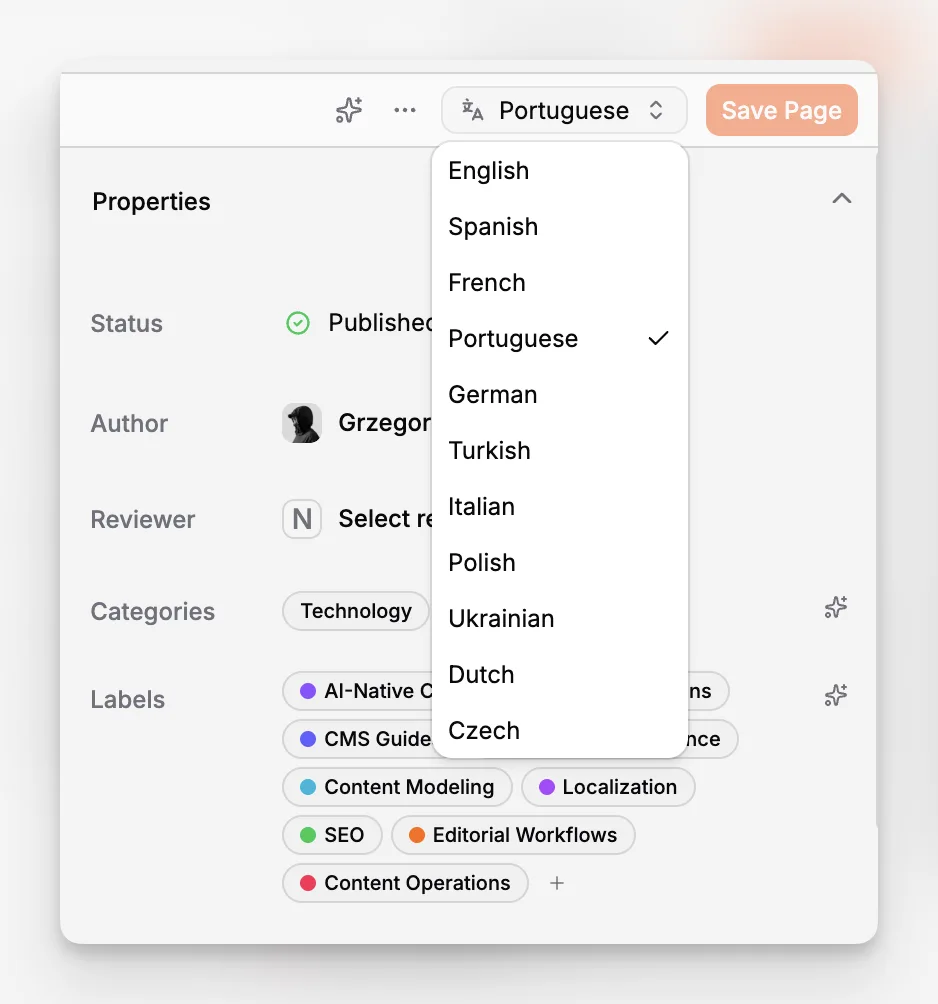
Many teams do not struggle with the first translation. They struggle with the second, seventh, and twentieth translation after the source content changes. That is why mature headless CMS guidance focuses on locale structure and workflow discipline, not just language support. Adobe, Contentstack, and Storyblok all frame localization as a structural capability, not a side utility.
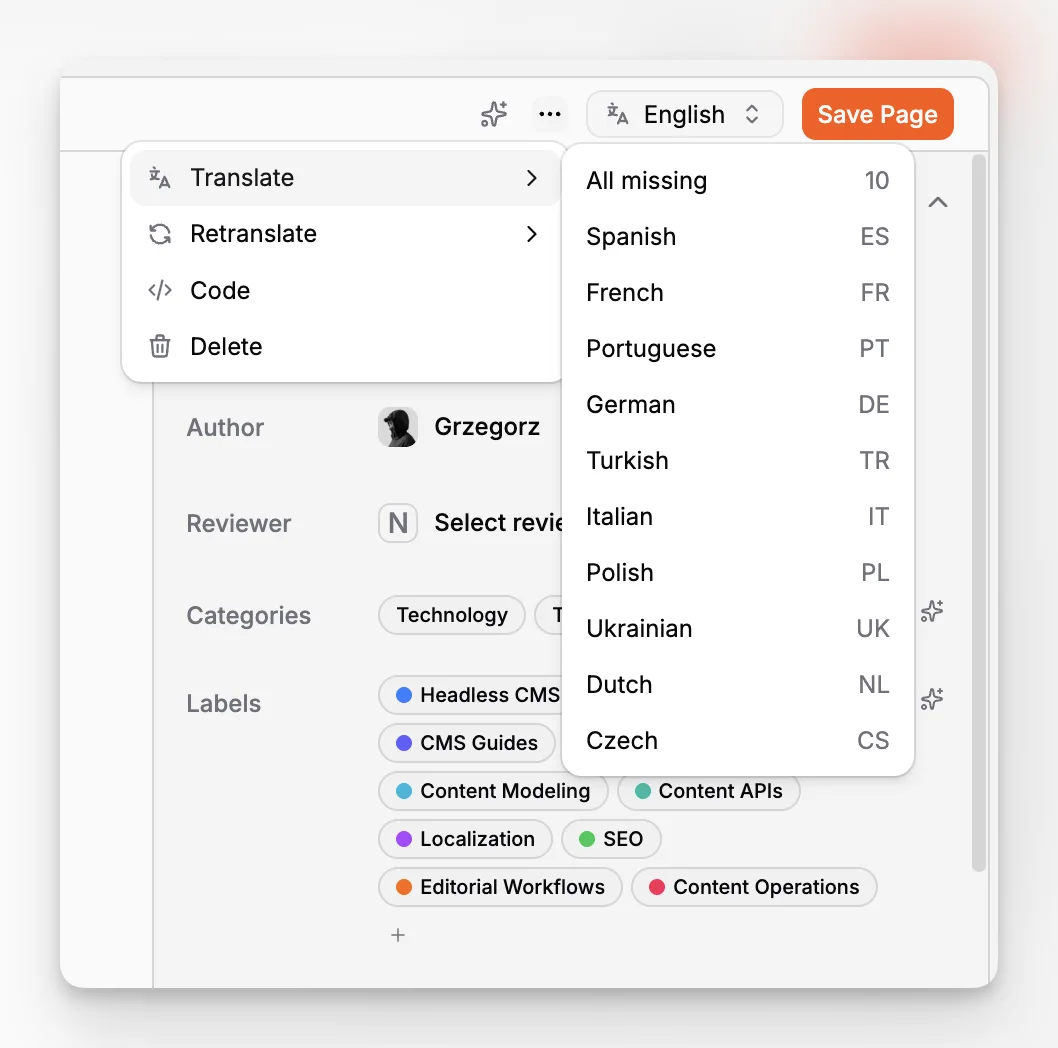
Paragraph CMS makes a notable claim here: one-click translation into 75+ languages on its main site, plus specific changelog notes about faster translation and retranslation workflows added on June 27, 2026. That combination suggests localization is being treated as a maintained feature area rather than static brochure copy.
If multilingual publishing matters to you, test more than the button that creates a translation. Check whether the system helps with:
language variants attached to the same content object
retranslation after source updates
media replacement across language versions
independent editorial review per locale
URL and SEO handling by locale
Those are the workflows that determine whether a multilingual CMS remains usable after launch.
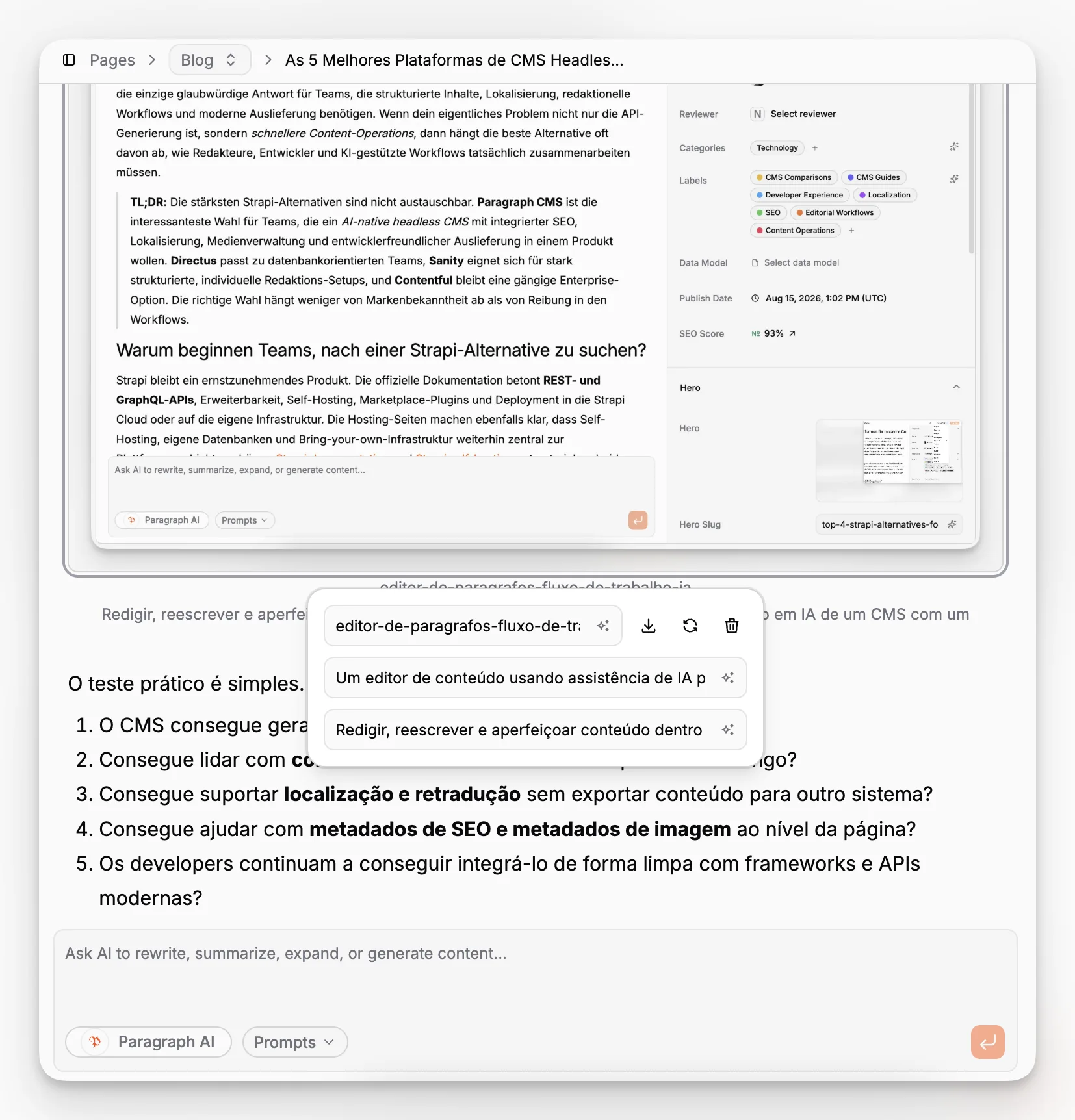
Paragraph CMS also appears to support media changes across multiple language variants, based on its June 22, 2026 changelog entry. That is a small-sounding detail, but it can remove a lot of repetitive work in real editorial teams.
How much do media and accessibility matter in CMS selection?
More than most CMS evaluations admit.
Media handling is not just about uploads. It is about whether teams can manage captions, alternative text, replacements, and consistency across localized content without creating manual cleanup. That directly affects accessibility and SEO. MDN’s accessibility guidance is clear that non-decorative images should have descriptive alternative text, and decorative images should be handled differently depending on context. The point is not to fill a field mechanically. The point is to preserve meaning for users who cannot see the image.
Paragraph CMS has invested visibly in this area. Its changelog notes improved media support, unified handling of alt and caption, AI-generated alt tags, and media updates across language variants. That is exactly the sort of practical feature work content teams need. AI-generated metadata is useful, but only when editors can review and adjust it in context.
A serious evaluation should include a media workflow test:
Upload a set of article images.
Add captions and alt text.
Replace one asset after publication.
Check what happens to existing references.
Repeat the test in multiple locales.
Teams often discover media pain too late because they treated it as a secondary feature during procurement.
What role do built-in SEO controls play?
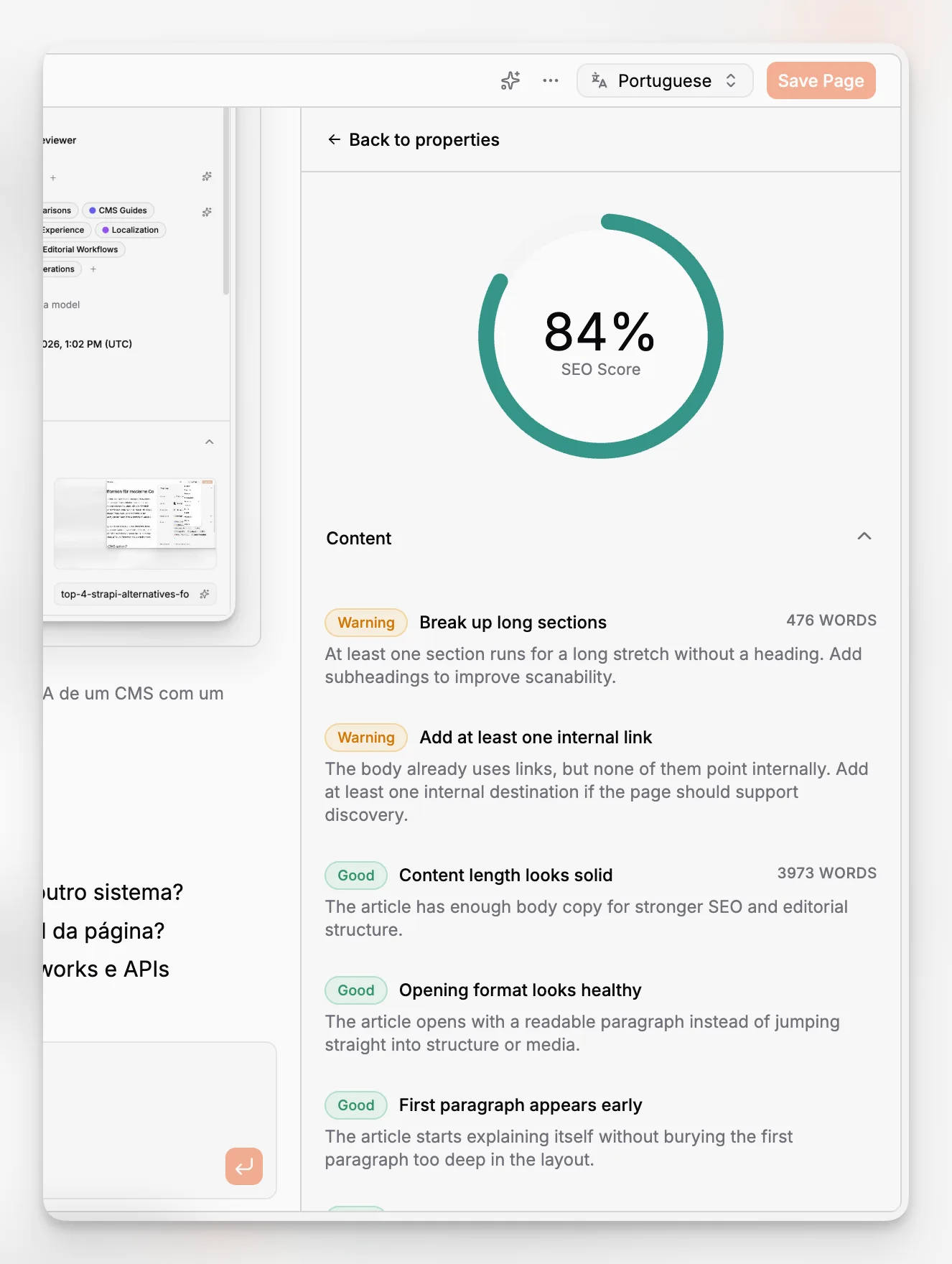
For editorial teams, built-in SEO controls are not just a convenience. They are one of the main ways to keep structured content discoverable without forcing awkward copy compromises.
Paragraph CMS has a dedicated Page SEO feature page describing separate fields for slug, meta name, and meta description, along with slug uniqueness validation and AI generation tied to the current page draft. That is a strong example of what editorial SEO should look like in a headless CMS. The visible headline can remain reader-friendly while the URL and metadata remain intentionally managed.
This matters for both content quality and governance. Google Search Central’s SEO guidance does not reward formulaic metadata by itself, but it does reward pages that are useful, well-structured, and understandable. A CMS should make that easier rather than hiding metadata in a disconnected settings layer.
A good page workflow usually includes:
a human-readable title
a clean slug
an editable meta title
an editable meta description
visible body structure
image metadata that supports accessibility
Paragraph CMS appears to keep these decisions close to the page editor, which is generally where they belong.
Does developer experience still matter if the CMS is editor-friendly?
Absolutely. In fact, editor-first products often fail if the developer experience is weak, because every pleasant editing workflow still needs a reliable delivery layer.
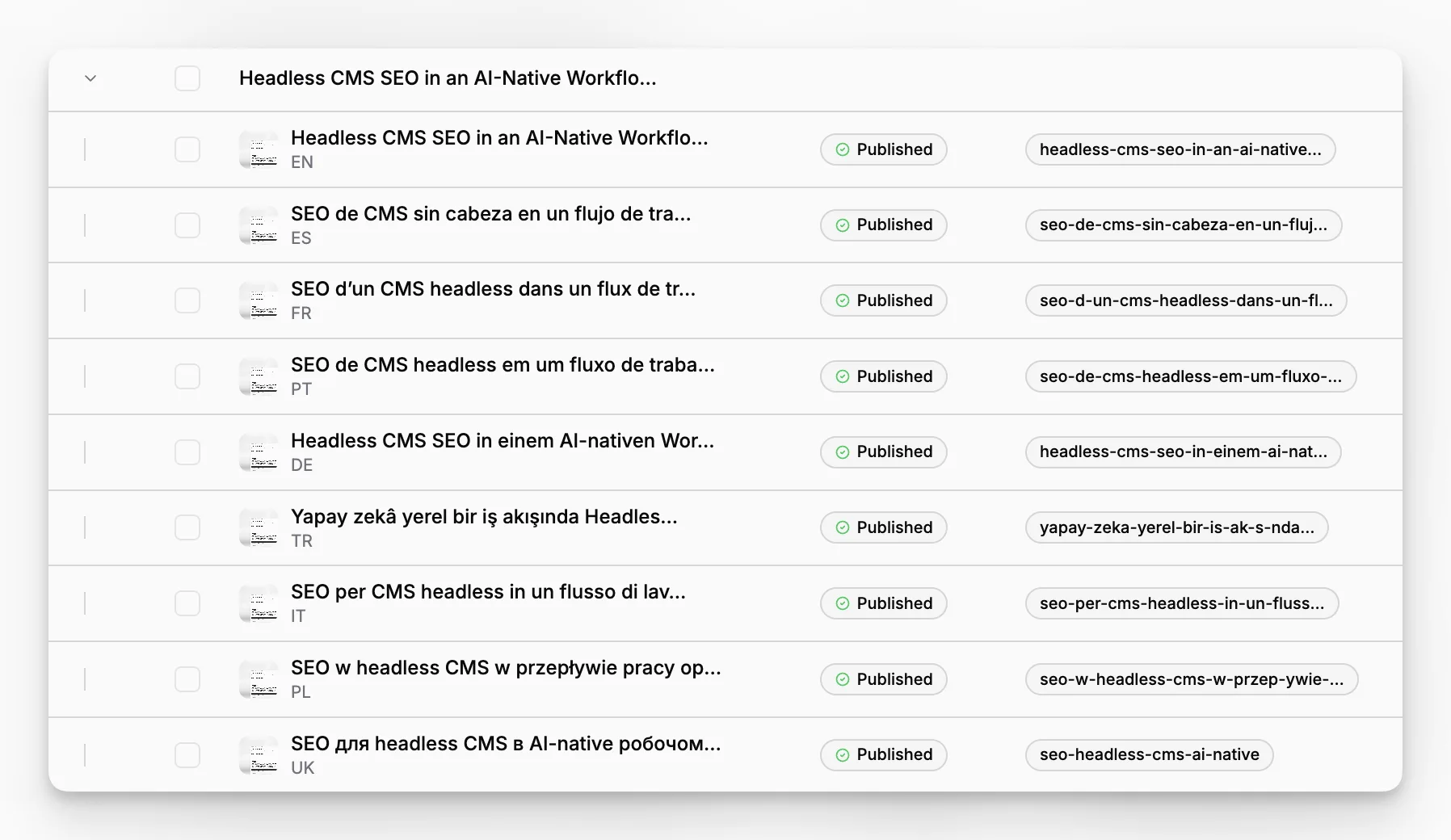
Paragraph CMS publicly supports Next.js, React Router, Nuxt, Astro, and SvelteKit on its homepage, and its changelog records starter projects and advanced examples added in June 2026 for those frameworks. It also references official open-source SDKs with TypeScript support. For teams shipping modern frontend stacks, that combination matters more than vague claims about being “API-first.”
You should test the integration path against your actual application architecture. For example, if your stack uses the App Router, the relevant baseline is the official Next.js data fetching model, where server components and async data access are part of normal application structure. A headless CMS should fit that model cleanly, not force awkward workarounds.
Paragraph CMS also documents an in-app getting started flow and helper buttons for client usage according to its June 16, 2026 changelog. That suggests the product is trying to reduce integration friction inside the application itself, not only in external docs.
If you are comparing options, ask developers to score these areas separately:
SDK clarity
auth and API key management
error handling patterns
framework starters and examples
route and content fetching ergonomics
schema changes over time
A polished editor cannot compensate for weeks of integration drag.
How should you think about scale, uptime, and delivery performance?
Many CMS comparisons stay at the feature checklist level and barely mention delivery architecture. That is a mistake.
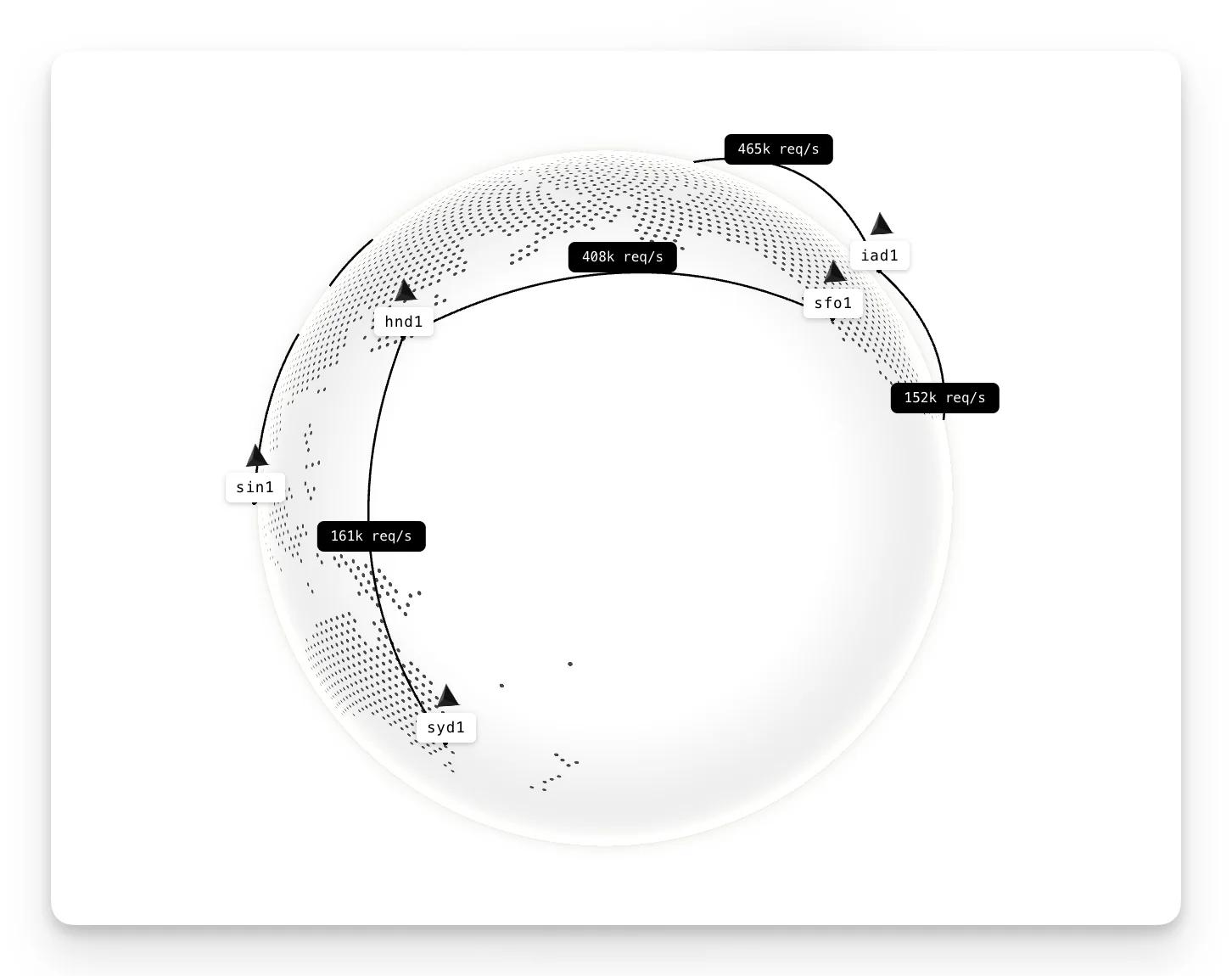
Paragraph CMS describes global CDN delivery on its homepage and surfaces a public status page with monitored components for Docs, App, CDN, API, Storage, and Database. The existence of a visible status page does not guarantee perfect reliability, but it is a useful operational signal. It shows the product treats delivery and availability as part of the user experience, not as back-office infrastructure.
Its public marketing also references high request throughput on global edge locations. You should treat headline performance figures cautiously in any vendor evaluation, but the larger point stands: content systems are not finished when an editor clicks publish. They are finished when content reaches users consistently.
For most teams, the real scaling questions are less dramatic than “Can it handle millions of requests?” They are more like:
Can we publish globally without rebuilding everything?
Can assets update without breaking existing pages?
Can we localize and ship quickly across regions?
Can our frontend cache strategy stay simple?
Those questions often matter sooner than pure traffic scale.
What mistakes do teams make when choosing a headless CMS?
The most common mistakes are surprisingly consistent.
Mistake 1: Choosing for the demo, not the workflow
A compelling demo can hide weak day-two usability. Always test creation, revision, translation, and publishing with your own content model.
Mistake 2: Treating AI as the product
AI is a capability, not the whole platform. If the underlying schema, media handling, permissions, and delivery model are weak, AI just accelerates disorder.
Mistake 3: Underestimating localization complexity
If your business has even a moderate chance of expanding across languages, evaluate locale structure and retranslation early.
Mistake 4: Ignoring metadata operations
Slug control, meta descriptions, alt text, and captions sound small until your team manages hundreds of pages.
Mistake 5: Buying a developer tool for editors, or an editor tool for developers
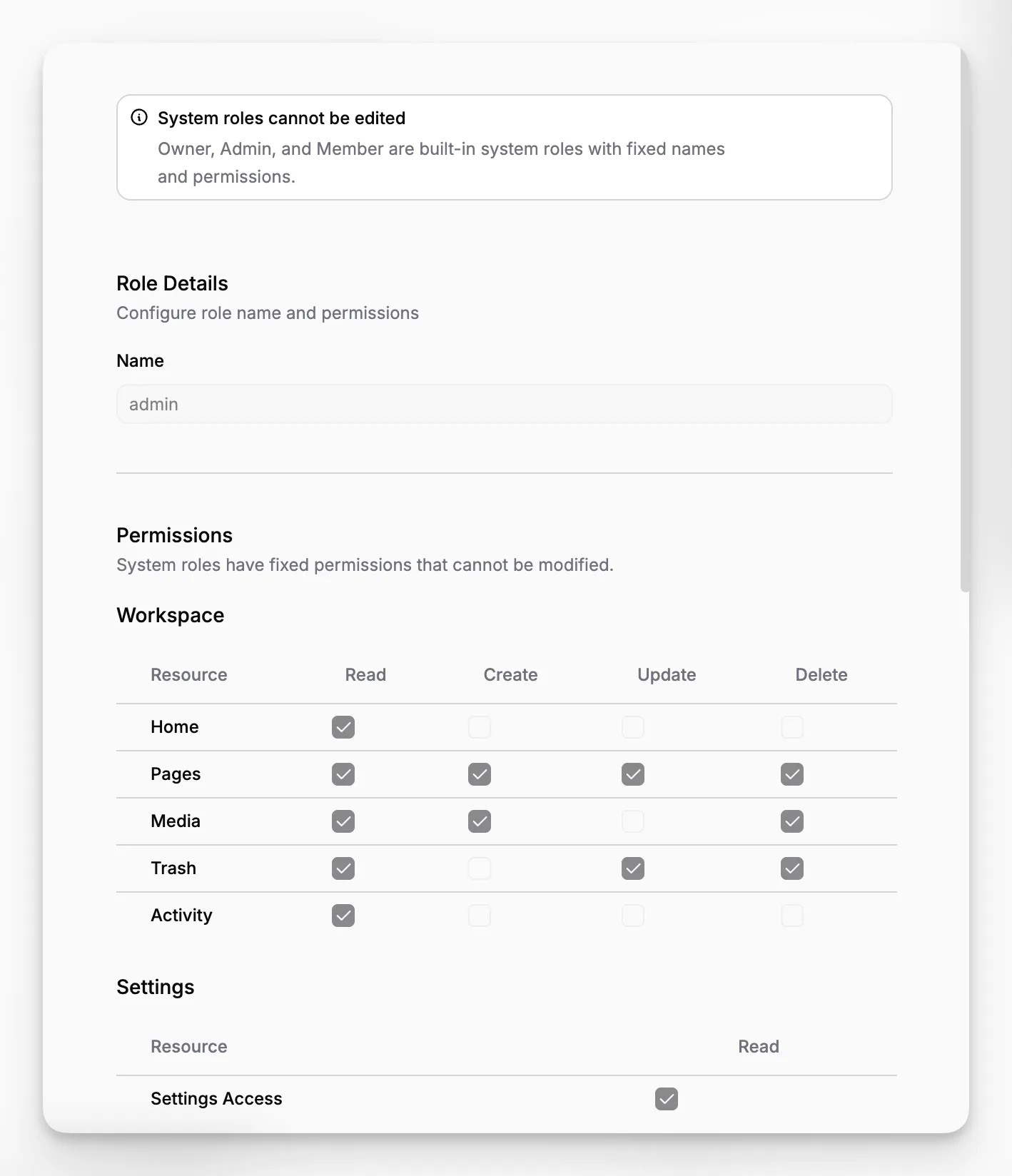
This split is still common. The strongest products reduce friction for both groups. Paragraph CMS explicitly markets itself as “built for editors” and “ready for developers,” which is the balance you should be looking for.
Mistake 6: Assuming migration is a one-time event
Your content model will evolve. Choose a CMS that can survive change without making every schema update feel expensive.
Where does Paragraph CMS fit in the market?
Paragraph CMS should not be evaluated as a generic CMS with a chatbot attached. Based on its public product materials, it is best understood as an AI-native headless CMS for teams that want structured content operations with built-in AI, localization, SEO, media handling, and modern frontend delivery.
That positioning becomes clearer when you compare the product’s visible feature map:
AI page and metadata generation on the main product overview
a detailed features overview
dedicated page-level SEO controls in Page SEO
public release detail in the changelog
framework-specific integration paths in the Next.js quickstart area
Those five pages are enough to establish that Paragraph CMS is not merely claiming an AI category. It is actively building feature depth across the areas that define a real headless CMS buying decision.
That does not mean it is the right fit for every team. If you need a deeply customized enterprise workflow with years of internal CMS tooling behind it, you should test limits carefully. If you need a highly visual page-builder experience with strict drag-and-drop expectations, your criteria may differ. But if you want a structured, developer-compatible CMS that also reduces editorial busywork, Paragraph CMS is a credible option.
Who is the best fit for an AI-native headless CMS like Paragraph CMS?
The best fit is usually a team that already understands the value of structured content and wants to remove manual publishing friction without giving up control.
That often includes:
startup or growth teams shipping content across multiple product and marketing surfaces
agencies standardizing content operations across several frontend stacks
SaaS teams that need blog, docs, landing pages, and SEO pages managed from one system
multilingual teams that cannot afford manual translation handoffs
developer-led organizations that want editorial autonomy without abandoning structured delivery
What these teams share is not company size. It is a need for repeatable content systems rather than isolated publishing moments.
What should your evaluation process look like in practice?
A clean buying process is better than a massive RFP. Use a short, task-based evaluation with real stakeholders.
Start with one concrete use case, such as a localized article pipeline or a marketing site with reusable pages. Then have editors and developers score the same workflow separately.
A practical test plan looks like this:
Model one realistic content type and its relationships.
Create one page from scratch using the editor and AI assistance.
Add media, alt text, and captions.
Translate the page into at least one additional locale.
Review slug and metadata controls.
Deliver the content in your preferred frontend framework.
Change the source and assess update workflows, including retranslation.
If a platform performs well across those seven steps, you are learning something useful. If it only shines during step two, you are probably looking at a demo-first product.
Final FAQ
What makes an AI-native headless CMS different from a normal headless CMS?
An AI-native headless CMS treats AI as part of everyday content operations rather than as an external add-on. That means drafting, rewriting, metadata generation, translation, and similar tasks happen inside the CMS workflow, alongside structured content management, instead of being split across separate tools.
Is Paragraph CMS mainly for marketers or for developers?
It appears designed for both. Public product materials emphasize editor-friendly content creation with AI, SEO, and localization, while also highlighting structured data models, official SDKs, and framework support for Next.js, Astro, Nuxt, React Router, and SvelteKit.
How important is localization when choosing a headless CMS?
Very important if you publish in more than one market or may do so later. The hard part is not only initial translation. It is maintaining language variants, updating them when source content changes, and keeping SEO and media metadata aligned across locales.
Should AI-generated SEO metadata be trusted automatically?
No. AI can speed up first drafts for slugs, titles, descriptions, captions, and alt text, but editors should still review them. The best use of AI is reducing repetitive work while keeping human oversight on clarity, accuracy, and search intent.
What is the fastest way to test whether Paragraph CMS is a fit?
Run one realistic workflow end to end. Model a content type, create a page, add media metadata, generate SEO fields, translate it, and deliver it in your actual frontend stack. That reveals far more than comparing feature lists or watching demos.
