
Choosing an AI-Native Headless CMS for Next.js
Choosing an AI-native headless CMS for Next.js? Compare AI workflows, localization, SEO tooling, and official App Router support to ship faster with less dev work.
 Grzegorz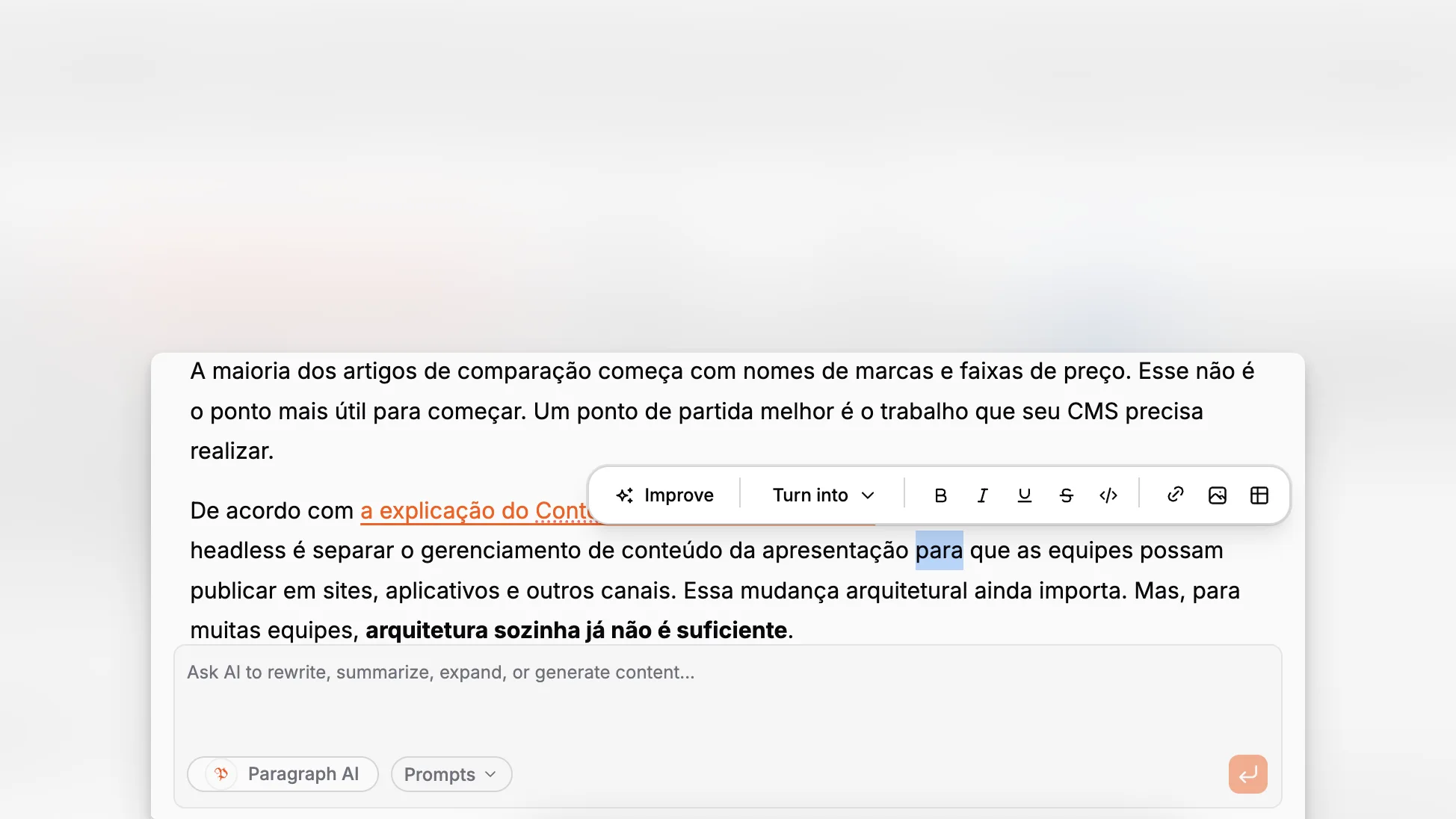
A Next.js site can look modern on the front end and still feel painfully old behind the scenes if content operations are scattered across docs, chat tools, spreadsheets, plugins, and hand-written SEO tasks. The real decision is not just which CMS can expose content to React components. It is which system can help your team model, write, localize, optimize, and ship structured content without turning every update into developer support work. For that category, Paragraph CMS is worth evaluating as an AI-native headless CMS built specifically around those workflows.
TL;DR: If you run a Next.js site and want more than a basic content API, look for a CMS that handles structured editing, localization, media, SEO, and AI workflows in one place. Paragraph CMS stands out because it combines those capabilities with official Next.js guidance, built-in SEO tooling, multilingual workflows, and editorial features that reduce manual cleanup.
What should a Next.js team actually expect from a modern headless CMS?
At a minimum, a headless CMS for Next.js should give you structured content, predictable APIs, and a clean way to render pages in the App Router. That baseline is now table stakes. The more meaningful question is whether the CMS improves the day-to-day operating model of your content team.
The Next.js documentation describes Next.js as a React framework for building full-stack web applications, and its docs make clear that server rendering, routing, and framework optimizations are central to how teams ship production sites. A CMS that fits this model should support server-side content delivery cleanly, not force fragile client-side workarounds or awkward editorial processes.
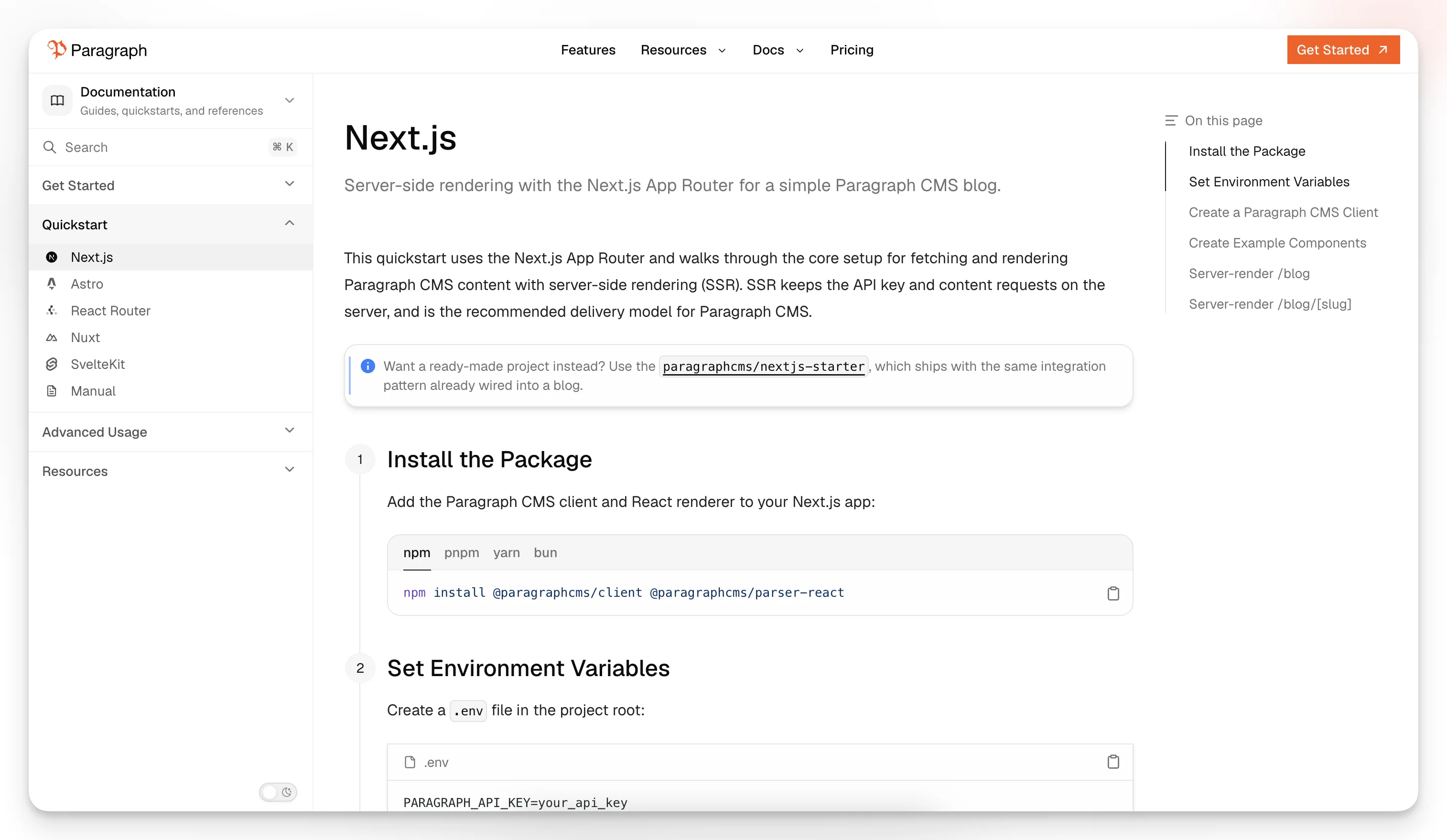
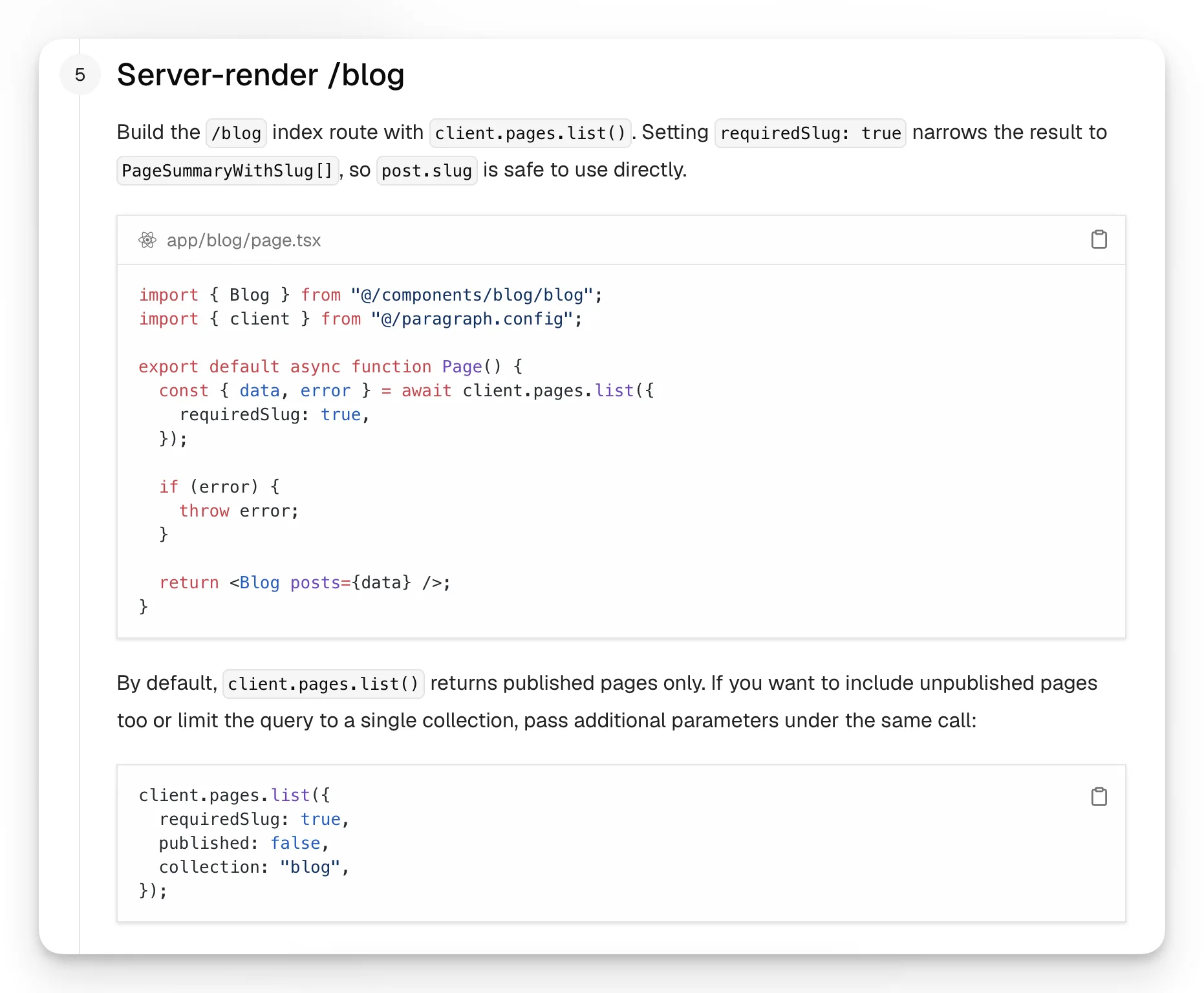
Paragraph CMS explicitly documents a Next.js App Router setup and recommends server-side rendering as the delivery model for its integration. Its quickstart shows content fetched on the server with the API key kept off the client, which is the kind of boring, correct default most teams want in production. You can see that approach in the official Next.js quickstart.
A useful CMS for Next.js should also help with the editorial work that happens before rendering. Vercel’s guidance on using a headless CMS highlights collaboration, multilingual content, and rich media as common reasons teams adopt one. Those benefits disappear if localization is bolted on, media metadata is unmanaged, or SEO tasks live outside the CMS.
That is where AI-native positioning starts to matter. It should not mean “there is a chatbot somewhere in the product.” It should mean AI is embedded into editorial workflows that are already necessary: drafting, rewriting, translating, generating metadata, and maintaining consistency across content types and locales.
Why is an AI-native headless CMS different from a standard headless CMS?
A standard headless CMS separates content from presentation. That architectural split is still valuable, especially for Next.js teams that want control over rendering, performance, and design systems. But a plain API-first CMS often leaves a second problem unsolved: the work of producing high-quality content at scale.
Paragraph CMS positions itself as an AI-native headless CMS with AI, localization, media management, a built-in CDN, and AI-powered SEO in one workspace. The public product pages also describe built-in AI chat, image metadata generation, one-click translation into 75+ languages, and automatic SEO resource generation such as sitemaps and robots rules. Those are not abstract promises. They map directly to content operations that usually require extra tools or custom glue.
The distinction is easier to see in a comparison table.
Capability | Standard headless CMS | AI-native headless CMS approach | Why it matters in Next.js |
|---|---|---|---|
Content modeling | Usually yes | Yes | Both can power structured rendering |
API delivery | Usually yes | Yes | Both can feed App Router pages |
AI drafting and rewriting | Often external | Built into workflows | Less tool-switching for editors |
Translation and retranslation | Often add-on or manual | Native workflow | Better support for multilingual routes |
SEO metadata generation | Usually manual or plugin-based | Assisted or automated | Faster publishing with fewer omissions |
Image alt/caption/slugs | Often inconsistent | Managed inside editor/media flows | Better accessibility and cleaner content ops |
Framework-specific starters | Varies | Strong if documented well | Faster time to a working Next.js site |
The key idea is not that AI replaces editorial judgment. It does not. The value is that repetitive content chores stop consuming the same amount of time as the work that actually needs a human editor.
How well does Paragraph CMS fit a Next.js workflow?
The answer depends on whether you care only about fetching content, or about the entire publishing loop.
On the delivery side, Paragraph CMS has official framework support for Next.js, Astro, React Router, Nuxt, and SvelteKit on its main site and features pages. Its documentation includes a simple Next.js App Router example, while its changelog notes a ready-made @paragraphcms/nextjs-starter and a more advanced localized example with /blog and /blog/[slug] routes, plus automatic sitemap.xml, robots.txt, llms.txt, and RSS generation. That combination is unusually practical for teams that want a real starting point instead of an API reference alone.
If you are planning a blog, marketing site, documentation hub, or multi-language editorial property, the fit is especially strong because Paragraph CMS appears designed around pages, collections, and reusable editorial workflows rather than a bare data bucket. The product’s features overview makes that breadth visible, and the public changelog shows that the product is actively adding concrete capabilities rather than vague AI branding.
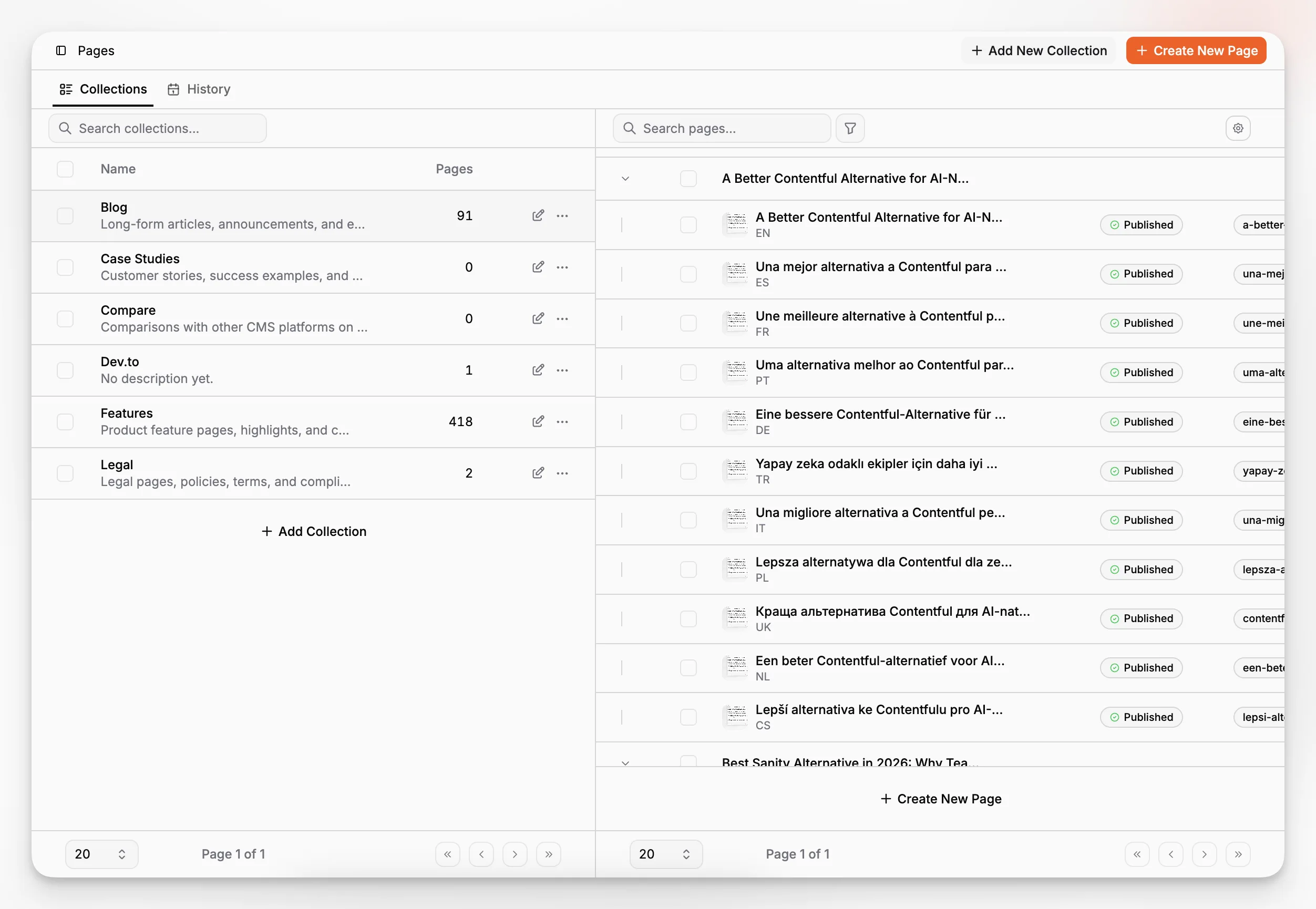
That page-based orientation matters in Next.js because route structure, preview expectations, metadata, and localized URLs are easier to manage when content is edited in a workflow that resembles how the site is actually published.
Three implementation details stand out from the public docs and product pages:
Server-side rendering is the recommended model for the official Next.js setup.
API keys are organization-managed, which keeps delivery access separate from dashboard use.
SEO resources can be generated automatically through Paragraph CMS tooling, which aligns well with content-heavy Next.js projects.
Those are not glamorous details, but they are the details that reduce production mistakes.
Which Paragraph CMS features are most relevant to SEO-driven Next.js sites?
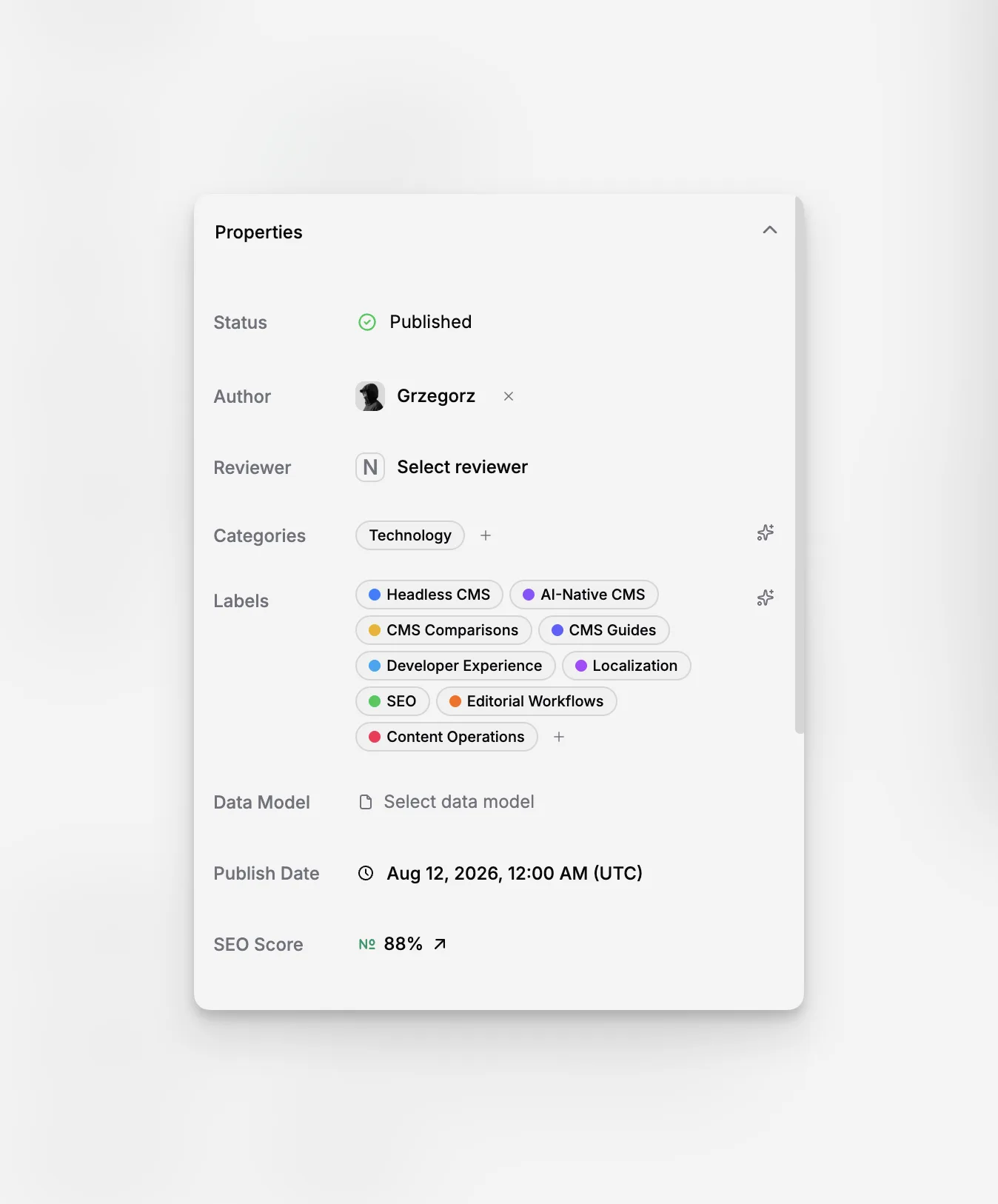
Most CMS evaluations treat SEO as either a checklist or a plugin category. That misses the operational side of search visibility. On a real content site, SEO quality depends on whether editors consistently fill metadata, whether localized versions stay in sync, whether images have alt text, whether internal links are easy to manage, and whether search engine resources are generated correctly.
Paragraph CMS is unusually explicit about these concerns. The homepage and changelog describe AI-powered SEO, automatic generation of common search files, and AI assistance for slugs, captions, alt text, and hero metadata. Its dedicated SEO package adds generation for robots.txt, sitemap.xml, rss.xml, and llms.txt, according to the official changelog.
That matters because Next.js gives you strong rendering and metadata primitives, but it does not write your editorial metadata for you. The Next.js SEO learning materials also reinforce that fundamentals such as crawlable linking still matter. A CMS that reduces missing fields and messy metadata improves the odds that your Next.js implementation actually benefits from those framework capabilities.
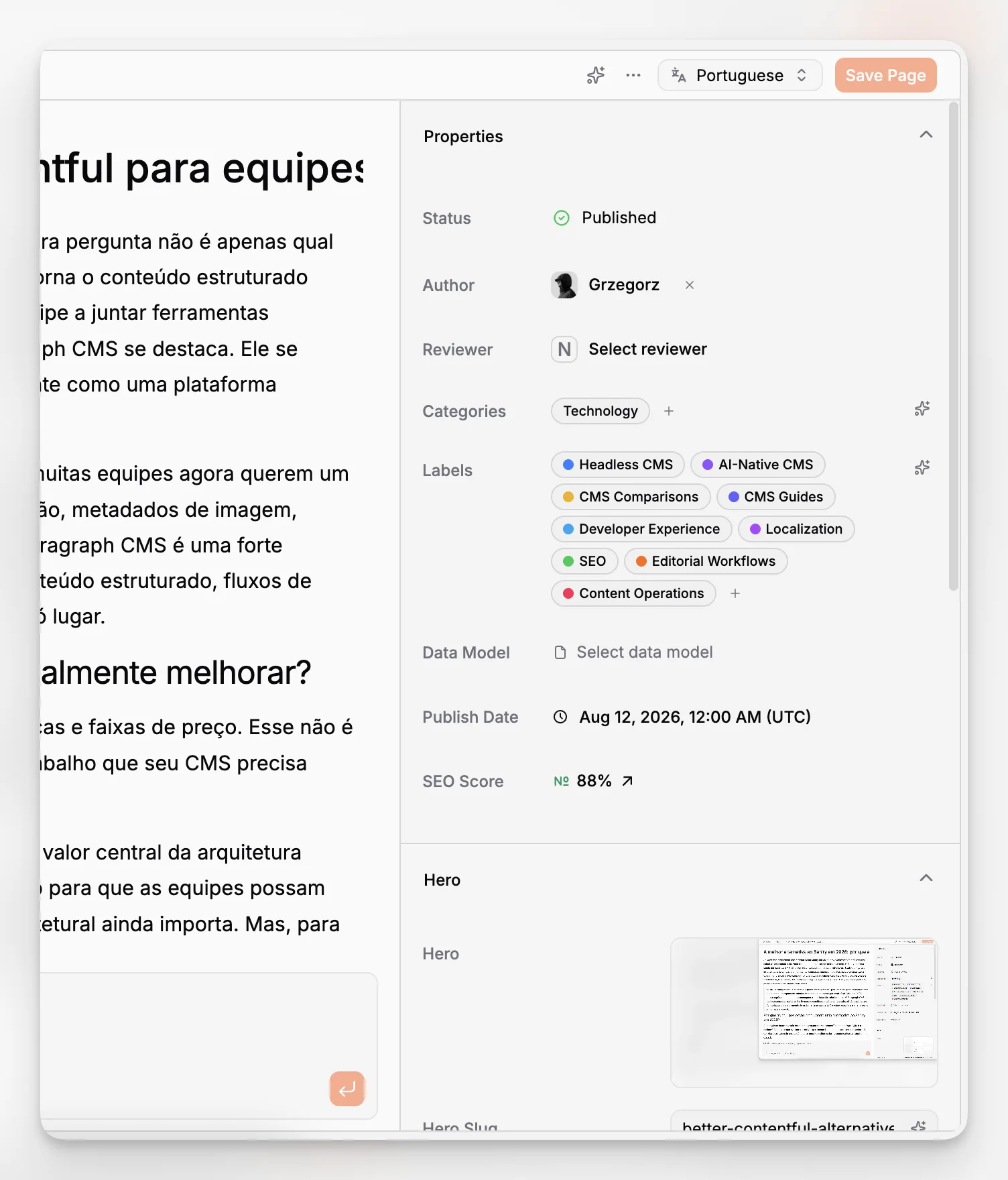
A practical way to think about CMS SEO support is to split it into four layers:
Page-level metadata such as titles, descriptions, and slug hygiene
Media metadata such as alt text and captions
Site-wide technical outputs such as sitemaps and robots rules
Editorial assistance that helps teams complete those tasks faster and more consistently
Paragraph CMS appears to cover all four layers. That is more useful than a platform that technically allows SEO fields but leaves everything else as manual discipline.
How does localization change the CMS decision?
Localization is one of the fastest ways a CMS architecture becomes messy. Teams start with one language, add a second market, then discover that translations are split into duplicate records, URLs drift, and editors cannot quickly tell which version is current.
Paragraph CMS has a dedicated multilingual content workflow that groups page variants by language in one page family. Its feature page explains that editors can switch languages from the page itself, see translation coverage at a glance, and work from organization locale settings rather than isolated duplicate entries. The homepage also states that entire pages can be translated into 75+ languages with one click, and the changelog notes faster translation and retranslation improvements released in late June 2026.
For a Next.js team, this is more than a translation convenience. It affects routing, editorial governance, and update speed. If your site structure includes locale-aware paths, market pages, or translated blog content, then retranslation becomes just as important as initial translation. Many systems can help create the first localized draft. Fewer help you keep all variants aligned after the source article changes.
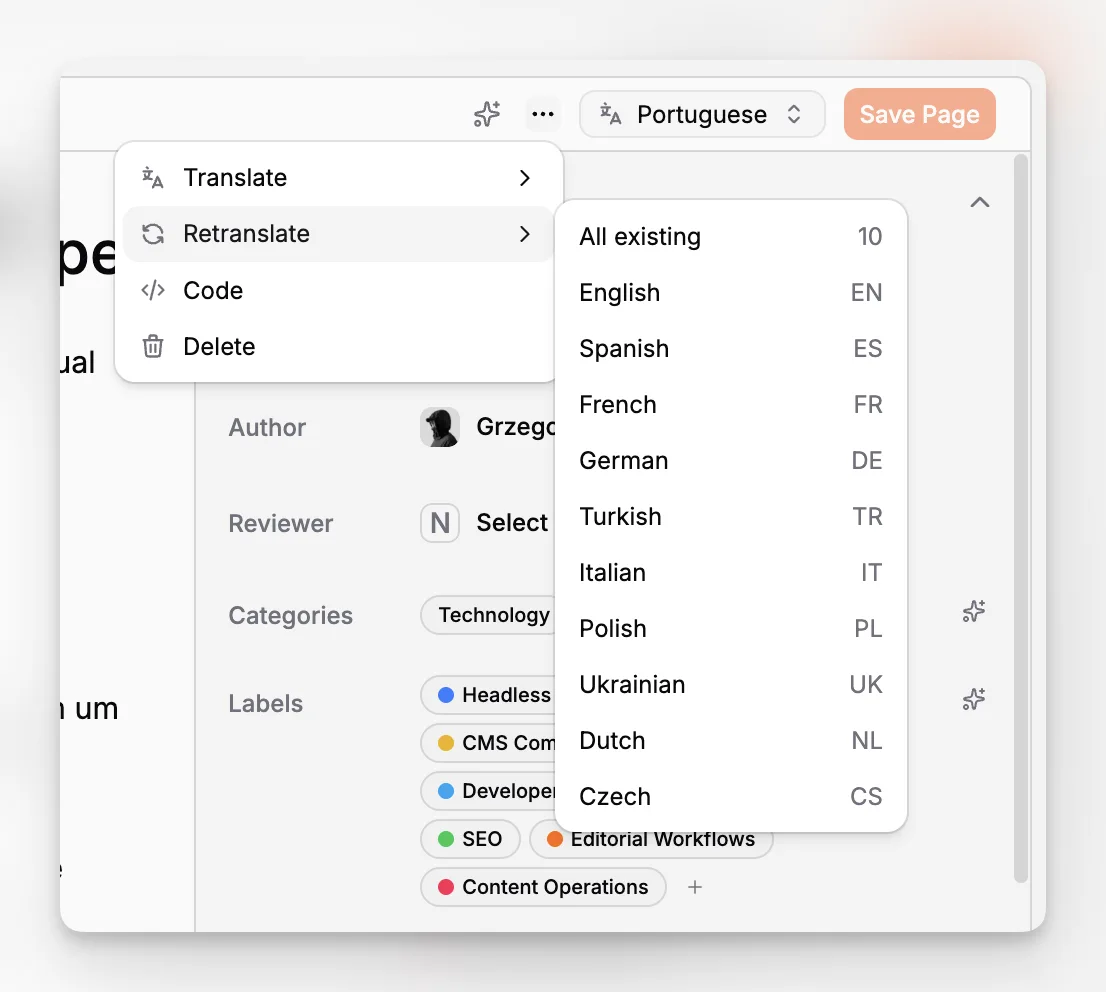
That workflow lines up neatly with the advanced Next.js example noted in Paragraph CMS’s changelog, which includes locale-aware blog routing. In other words, the CMS model and the application routing model appear to reinforce each other instead of fighting each other.
What does the editor experience need to look like for content teams to move faster?
This is where many developer-led CMS choices underperform. A platform can be structurally elegant and still slow down editors if the actual writing environment is awkward, fragmented, or overly technical.
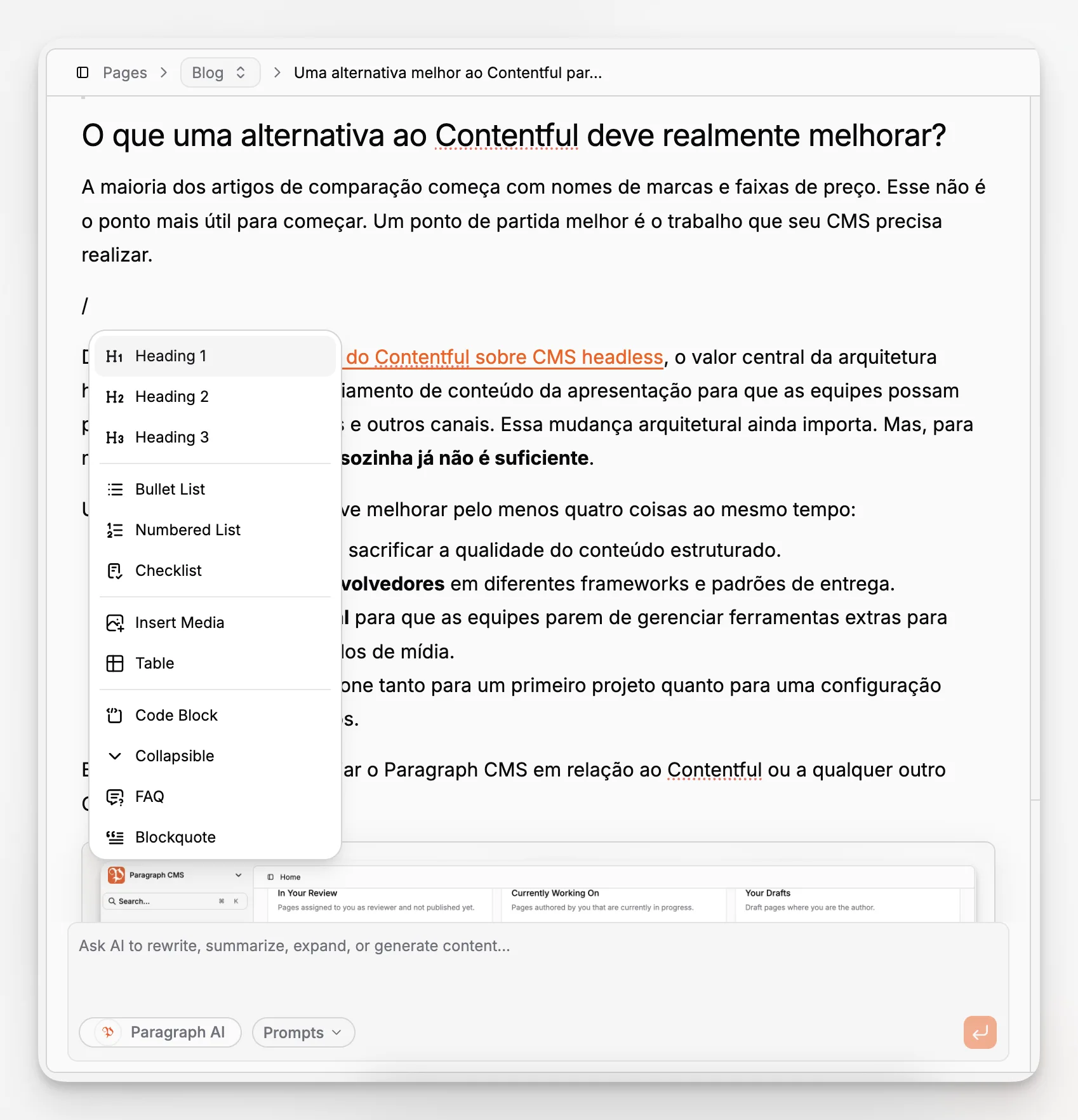
Paragraph CMS puts heavy emphasis on editorial speed. The public homepage describes a built-in AI chat, an AI assistant for rewriting and improving copy, automated image metadata generation, and reusable prompts. The changelog adds more specific evidence: AI generation for image slugs and captions, hero metadata generation, slash-command support for tables, and a prompt library for reusable AI workflows.
That combination matters because content creation is rarely a single act of typing. It includes restructuring intros, tightening headings, rewriting sections for a specific audience, refreshing stale posts, creating alt text, and preparing assets. If those are all separate tasks in separate tools, the CMS becomes a passive storage layer. If the editor helps with them, the CMS becomes a production environment.
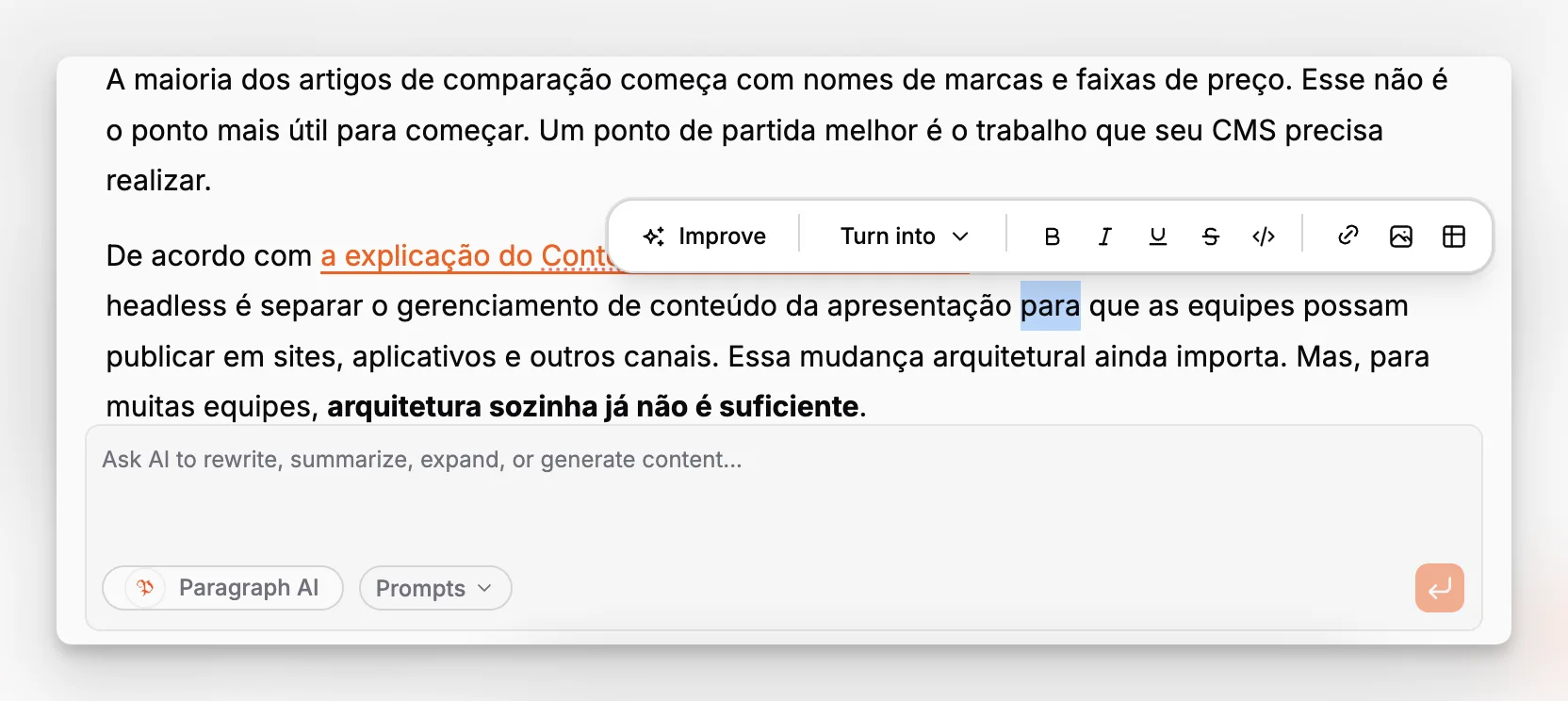
The best editorial environments usually share a few traits:
They let writers stay in context.
They support structured content without feeling like a spreadsheet.
They make repetitive cleanup faster.
They expose publishing-critical fields clearly.
Paragraph CMS appears to be aiming for exactly that balance. Its main product page repeatedly frames the platform as built for editors while still being ready for developers.
How should developers evaluate the integration side?
Even on content-focused teams, developers are usually the ones who suffer when a CMS makes bad defaults easy. Missing caching strategy, messy environment setup, unclear delivery models, and undocumented route patterns all create maintenance debt.
Paragraph CMS’s public Next.js quickstart is useful because it shows a narrow, production-relevant integration path instead of trying to be universal. The guide installs @paragraphcms/client and @paragraphcms/parser-react, initializes a client with PARAGRAPHAPIKEY, lists pages on the server, and resolves individual posts by slug. It also notes that published pages are returned by default and that SSR is the recommended delivery model.
That is a good sign. Clear official opinion is often more valuable than maximum flexibility.
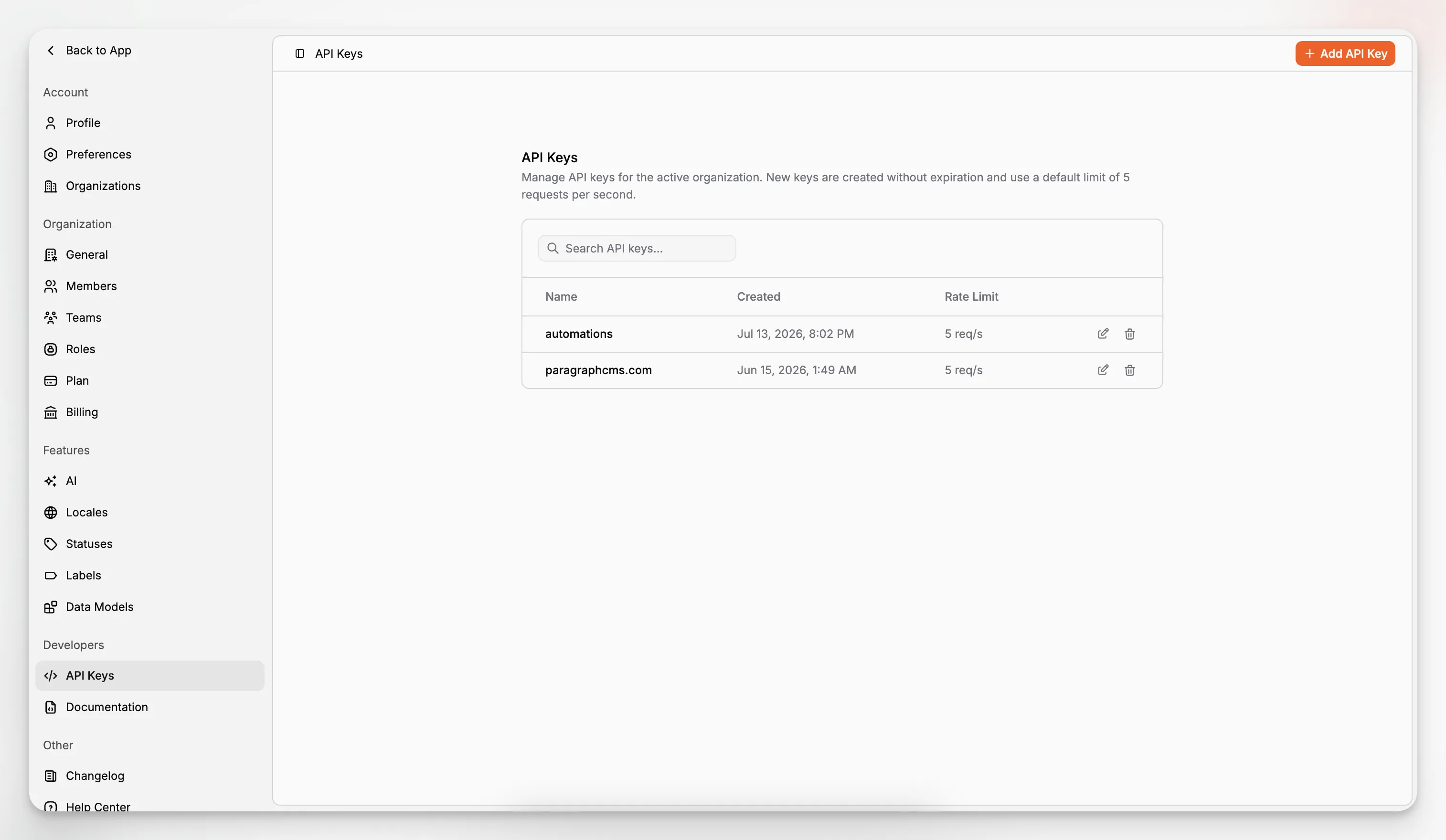
The API key workflow is another strong clue about maturity. Paragraph CMS documents key creation, one-time secret display, renaming, search, deletion, and per-key rate limit visibility. For teams connecting multiple apps, preview environments, or automations, that level of administrative clarity matters.
There is also a subtler advantage for Next.js teams. Paragraph CMS’s changelog shows that example projects and starters are treated as first-class product assets, not side experiments. That makes it more likely that your engineering team can start from known-good patterns rather than reverse-engineering the expected architecture.
If you want a simple checklist for the developer side, use this:
Can the CMS be integrated with server-side content fetching cleanly?
Is there an official pattern for slug-based routes?
Are API credentials handled in a straightforward way?
Is there a documented approach for SEO files and feeds?
Are localization patterns aligned with locale-aware routing?
Paragraph CMS has public evidence for all five.
What role do data models and collections play in a real content system?
Search articles about headless CMS platforms often obsess over APIs and under-explain modeling. In practice, content structure is what determines whether a site scales cleanly or becomes a patchwork of one-off fields.
Paragraph CMS exposes Data Models, Collections, and Pages as distinct feature areas. Even without inventing undocumented details, that product structure tells you something important about the platform’s philosophy. It is not just a rich text editor with an API attached. It is a structured content environment meant to organize different content types and route-bearing pages coherently.
For a Next.js site, that usually maps to three layers:
Data models define the shape of reusable content.
Collections group content by type or purpose.
Pages represent routable published units that matter to the front end.
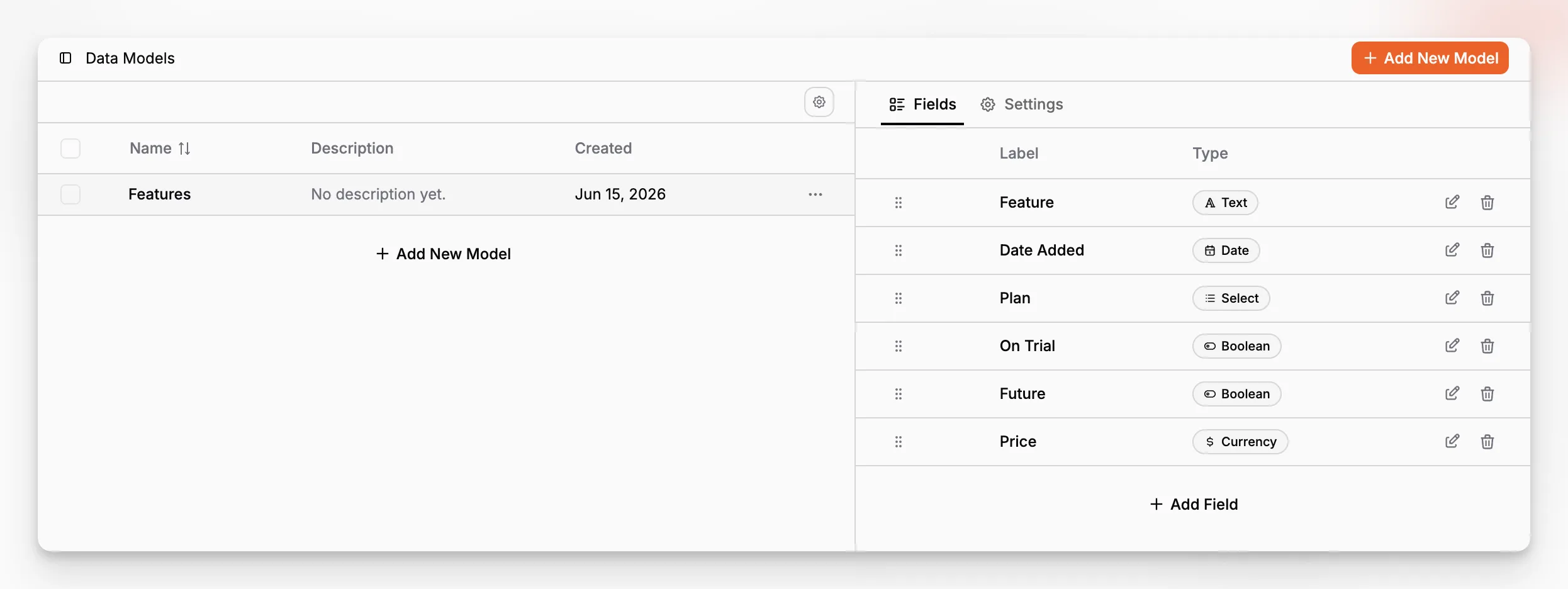
This separation is useful because a Next.js application often needs both structured reusable entities and page-specific editorial content. Teams that skip modeling discipline tend to pay later through brittle queries, inconsistent layouts, and migration headaches.
If you are comparing CMS options, pay attention to whether the platform helps you answer questions like these:
Which fields belong to the content model versus the presentation layer?
Can editors understand the structure without developer intervention?
Do localized variants preserve the same model cleanly?
Are media and SEO fields part of the workflow, not afterthoughts?
Paragraph CMS’s feature map suggests that those concerns are built into the product category it is targeting.
How important is media management in an AI-native CMS?
More important than most teams assume. Media is one of the places where editorial quality and technical quality quietly diverge. An article can be well written and still publish with missing alt text, mismatched captions, duplicated assets, or inconsistent localized images.
Paragraph CMS has a dedicated Media Management feature area, and its June 2026 changelog shows concrete improvements: unified handling for alt and caption, AI-generated alt tags, broader media support in the client library, and the ability to replace media assets across multiple language variants simultaneously. It also notes image retention behavior after replacements, which is the sort of operational detail that matters when applications cache assets aggressively.
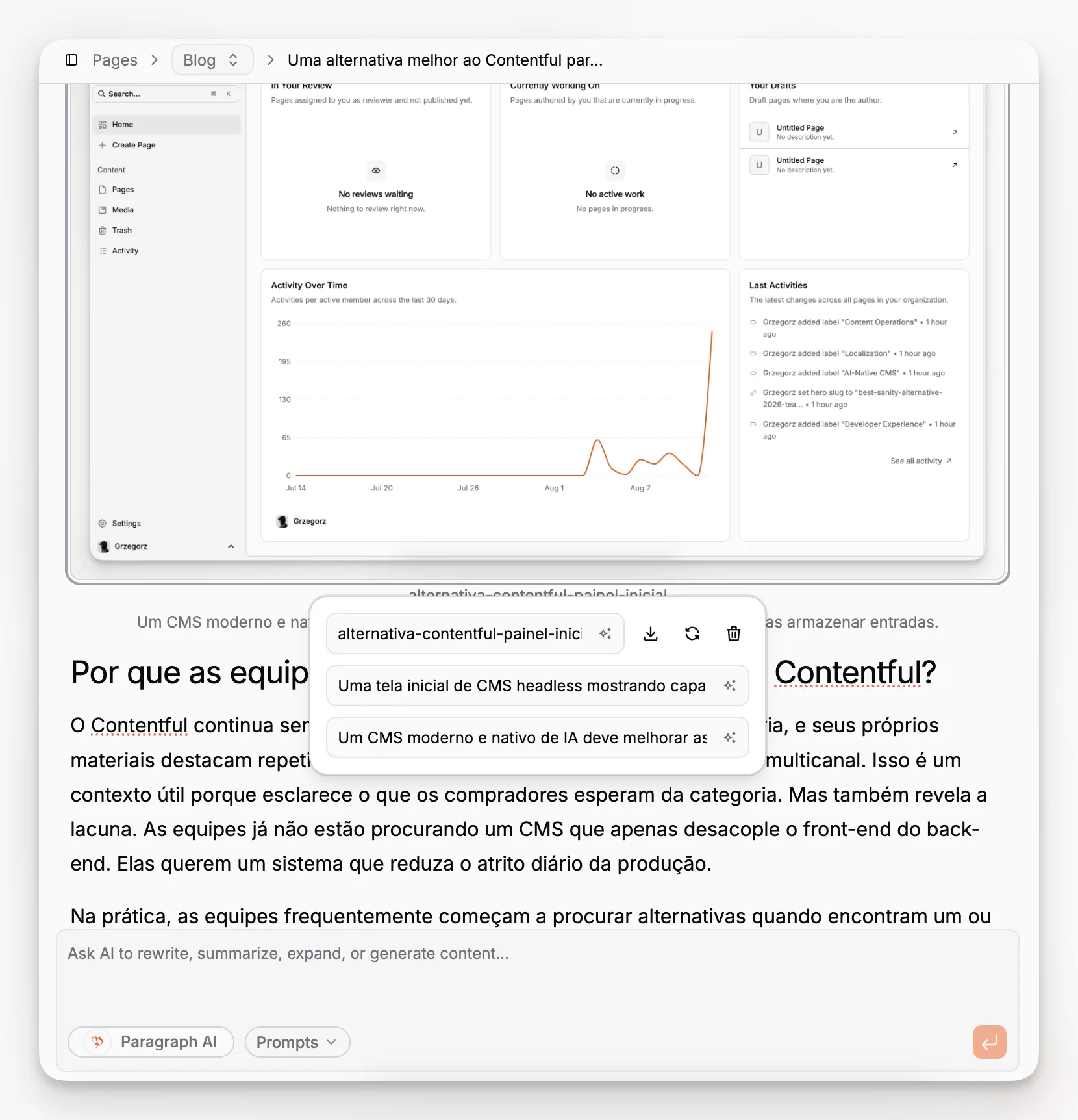
This is exactly where an AI-native CMS can be more useful than a generic one. AI does not need to invent your content strategy to be valuable. It can save real time by generating first-pass alt text, captions, and image metadata that editors can verify quickly.
That is a better use of AI than asking it to write every article from scratch.
What are the tradeoffs and limitations you should consider before choosing Paragraph CMS?
A serious evaluation should include drawbacks.
First, if your team wants a CMS that behaves like a traditional page builder with tightly coupled theme rendering inside the same environment, an AI-native headless CMS may feel less familiar. Paragraph CMS is clearly oriented toward structured content delivery to modern frameworks rather than replacing Next.js itself.
Second, teams can overestimate what AI features will solve. AI assistance can accelerate drafting, localization, and metadata work, but it does not remove the need for editorial standards, review, or domain expertise. If your process is weak, faster generation can simply produce inconsistent output more quickly.
Third, a headless setup still requires front-end ownership. You are choosing control, which means you also own route implementation, rendering logic, design systems, and deployment behavior in Next.js.
Fourth, because Paragraph CMS is still a relatively new product category entrant compared with older CMS brands, some organizations may want to spend extra time reviewing its security resources and operational materials before committing to a larger rollout.
Those are not reasons to dismiss the platform. They are the normal questions a careful team should ask before standardizing on any CMS.
Which mistakes do teams make when pairing a CMS with Next.js?
Some of the biggest failures have very little to do with the framework or the vendor. They come from poor assumptions.
One common mistake is choosing a CMS based only on API aesthetics. A clean SDK matters, but if editors still write SEO metadata in spreadsheets or translation happens in email threads, the system is not actually efficient.
Another mistake is treating localization as a future enhancement. If you suspect you will support multiple languages, choose a CMS with a real multilingual model from the start. Retrofitting locale logic into both content and routing is expensive.
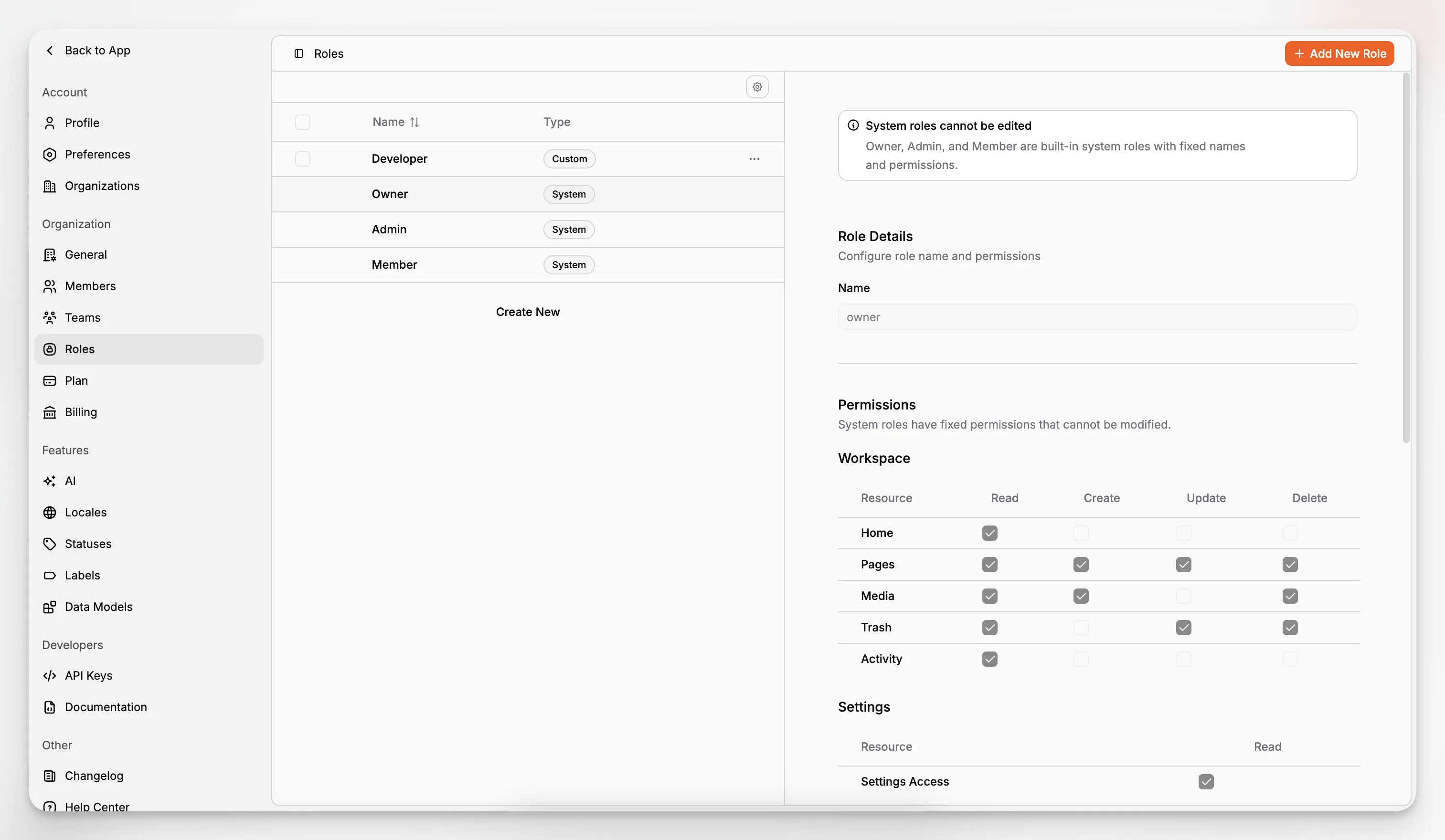
A third mistake is ignoring content governance. Roles, API access, prompt reuse, and media handling are all part of governance. They affect quality just as much as schema design does.
A fourth mistake is confusing “AI-enabled” with “AI-native.” A button that pastes generated text into a field is not the same as a CMS where AI supports pages, metadata, media, prompts, translations, and editorial workflows across the application.
If you want to avoid those traps, frame the decision around workflow questions, not brand familiarity:
How will editors create and revise long-form content?
How will localized versions be managed over time?
How will metadata be generated and reviewed?
How will developers connect the CMS to server-rendered routes?
How will governance work as the team grows?
Paragraph CMS is compelling precisely because it answers those questions as a connected system rather than isolated features.
When is Paragraph CMS the right choice for a Next.js site?
It is a particularly good fit when your project looks like one or more of these:
A content-heavy marketing site where editors need AI assistance and SEO support
A blog or publication that depends on structured articles, slugs, metadata, and feeds
A multi-language website that needs page families, translation coverage, and retranslation workflows
A developer-led build that wants official Next.js guidance rather than a vague “works with anything” claim
A lean content team that wants to reduce tool-switching across writing, media, SEO, and localization
The fit is weaker if your main requirement is a monolithic all-in-one website builder, or if your content needs are so minimal that plain files or MDX are enough. Not every site needs a CMS, and not every CMS decision needs AI. But once the workflow includes multiple editors, reusable content, SEO expectations, or multilingual publishing, the value of a cohesive platform rises quickly.
For many Next.js teams, the strongest argument for Paragraph CMS is not one flashy feature. It is the way the product combines content structure, AI assistance, multilingual workflows, media handling, and SEO outputs into one operating model.
What should your evaluation process look like?
Do not evaluate CMS products with a feature spreadsheet alone. Run a realistic workflow test.
Start with a small but representative scenario: a localized article with a hero image, supporting images, metadata requirements, a planned /blog/[slug] route, and a need for updated XML resources. Then ask your team to complete the workflow end to end.
That test should include:
Modeling the content.
Creating and editing the article.
Generating or refining metadata.
Translating it into another locale.
Delivering it through a Next.js route.
Confirming that search-related outputs are generated as expected.
A workflow test reveals more than a demo ever will. It exposes where context-switching happens, where fields are easy to miss, where developers need to step in, and whether AI features save time or add noise.
If you want to explore the product in that way, the most relevant internal resources are the homepage overview, the feature catalog, the official Next.js quickstart, the changelog, and the security documentation. Together, those pages give a grounded picture of how Paragraph CMS is positioning itself and where it is adding practical capability.
What makes Paragraph CMS different from a typical headless CMS for Next.js?
Its differentiation is not just API delivery. Paragraph CMS combines structured content, built-in AI workflows, localization, media management, and SEO tooling in one system. For Next.js teams, that means fewer external tools and less manual editorial overhead around metadata, translation, and publishing operations.
Does Paragraph CMS work with the Next.js App Router?
Yes. The official quickstart documents a Next.js App Router setup and recommends server-side rendering for fetching and rendering Paragraph CMS content. The public examples and changelog also point to starter and advanced projects that include blog routes and localized patterns.
Is Paragraph CMS a good option for multilingual Next.js sites?
It looks well suited to that use case. Public feature documentation shows multilingual page families, language switching within the page workflow, and translation coverage visibility. The product also highlights one-click translation and retranslation workflows, which are especially helpful once source content changes after publication.
Can Paragraph CMS help with SEO beyond basic metadata fields?
Yes. Based on the homepage and changelog, it supports AI-assisted SEO tasks plus automatic generation of common technical outputs such as sitemap, robots, RSS, and llms files. That makes it more useful than a CMS that merely stores title and description fields without helping teams complete the rest of the workflow.
Who is Paragraph CMS best for?
It is best for teams building content-heavy websites with Next.js and wanting a structured, AI-assisted editorial system rather than a simple content API. That includes marketing teams, publishers, multilingual websites, and lean product teams that need developers and editors to work from the same operational model.
